

YabaSanshiro 2 Pro
- Reviews
- 4.2
- Version
- 1.16.5-PRO
- Installs
- 10,000+

Screenshots
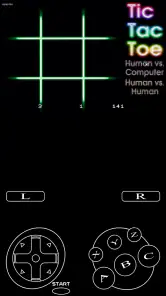
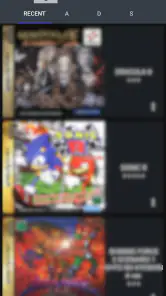
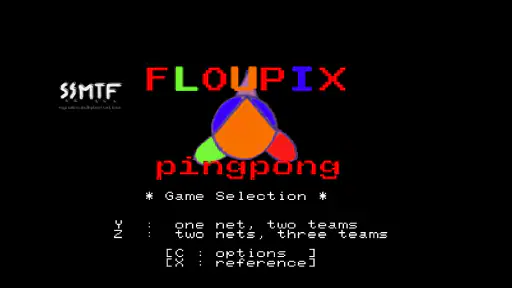
 Analysis by Frivlyz
I see YabaSanshiro 2 Pro as a focused tool for one particular kind of nostalgia: bringing Sega Saturn games to an Android phone. That focus is its clearest strength, but it also sets expectations. This is not a ready-made library of games or a general-purpose arcade collection; it is an emulator that asks you to bring your own legally obtained game files and be willing to adjust your setup. If that sounds appealing, it can make a pocket device feel like a surprisingly personal way to revisit Saturn-era games.
A specialist rather than an all-in-one retro library
In the crowded world of mobile arcade and retro-game apps, many alternatives are built around games you can launch immediately, while an emulator depends on files you source yourself. That extra step is the main trade-off here. I would choose YabaSanshiro 2 Pro when my goal is specifically to play Saturn titles; for casual gaming without file preparation, a conventional arcade game is the easier choice. Its store description presents it as the only Sega Saturn emulator for Android, a claim that captures its narrow purpose without making it a universal solution.
The game is developed by devMiyax and costs $4.99, with in-app purchases listed at $0.99 per item. It has a 4.2 average from around 1,600 ratings, and has been installed over 10,000 times. Those figures suggest a modest but active audience for a specialist emulator, rather than the broad reach of a mainstream mobile game. The age rating is Everyone, but the practical question for most people is not the rating: it is whether they already have Saturn games and enjoy configuring an emulator.
Getting a useful first session
One practical point is to treat setup as a small project, not something to squeeze into a spare minute when you want instant entertainment. Have your game files ready, make sure you know where they are stored on the phone, and start with one title rather than importing a whole collection at once. That makes it easier to tell whether a problem comes from a particular game, a setting, or the device itself.
I would also test a game in short sessions before spending time tuning every available option. If it already runs and looks acceptable, leave the settings alone. Changing several graphics or performance choices together makes it harder to understand what helped and what caused a new issue. This cautious approach is especially useful on a phone that is not a high-end model, where a visually ambitious configuration may not be the smoothest one.
Touch controls are another decision worth making early. They can be convenient for a quick check or a short session away from home, but they take up part of the display and may feel awkward in games that expect precise, repeated inputs. A Bluetooth controller can make the experience more comfortable if you already own one, though carrying and connecting extra hardware makes the phone less spontaneous than a dedicated handheld. I would choose based on the game and setting: touch for testing or brief play, a controller for longer sessions where accurate input matters.
What compatibility really means in practice
“Supports a wide range” should not be read as a promise that every Saturn game will behave identically. Compatibility can vary from title to title, and smooth performance on one game does not prove that another will run just as well. If a particular favorite is the reason you are considering the app, check the developer’s compatibility information before making it the centerpiece of your setup. That small bit of research can prevent a frustrating purchase based on the assumption that the entire library works uniformly.
Gaming Stories You May Enjoy

Dancing Road Turns Short Breaks Into a Test of Rhythm and Timing

Super Stylist Makes Every Outfit a Test of Taste and Patience

Dominoes on Your Terms: Who Should Play and Who Should Pass

Pokémon GO Makes the Familiar World Feel New

Chess.com Turns Rematches Into Rivalries, but Community Has Its Costs

Archery Battle 3D Review: Sharp Aiming, Unclear Feedback
When something looks wrong, I would troubleshoot one variable at a time. First check whether the game file is usable and correctly selected; then try a different title to see if the issue is specific to one game. Only after that would I change performance or visual settings. Keeping a note of the original settings also gives you an easy way back if experimentation makes the result worse. These are simple habits, but they are more useful than repeatedly changing multiple options and hoping for a fix.
Who will enjoy the trade-offs
This is a better fit for someone with a genuine interest in Sega Saturn games than for a newcomer who merely wants something retro-looking to play. Collectors, returning fans, and curious players who are comfortable managing their own game files are likely to appreciate the dedicated focus. Someone who expects a curated set of included games, one-tap setup, or identical results across every title should probably choose a different kind of app.
My everyday use case would be a short commute or a quiet break with one familiar game already prepared on the phone. I would set it up at home, check that the title behaves well, and then use a controller only if the game benefits from more precise input. That routine avoids spending the break hunting through files or adjusting settings. It also makes clear why this emulator is appealing: it can bring a specific part of a personal game collection along, rather than asking me to settle for a generic retro substitute.
For someone deciding whether the paid version is worthwhile, I would weigh the price against how often they expect to play Saturn games and whether the titles they care about are compatible. The current version is 1.16.5-PRO, and the minimum Android requirement is 7.0. Those details make it easier to check basic eligibility, but they do not replace testing the games that matter to you. The app is rated Everyone, while the purchase decision is really about your library, device, and patience for setup.
YabaSanshiro 2 Pro, often hailed as a robust Sega Saturn emulator, surely piques the interest of retro gaming enthusiasts. So, I decided to take it for a spin and dive into the nostalgic world of 32-bit gaming. Let me walk you through my experience with this intriguing app.
Getting Started with YabaSanshiro 2 Pro
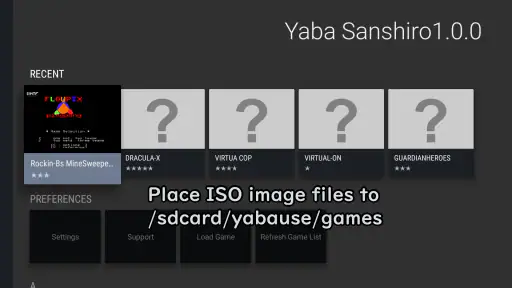
Setting up YabaSanshiro 2 Pro is quite straightforward. I was pleasantly surprised by its user-friendly interface. After downloading and installing the app, you’re prompted to load your Sega Saturn game ROMs. Make sure you have your legally obtained ROM files ready, as the app doesn’t provide any games itself.
Interface and Usability
The interface of YabaSanshiro 2 Pro is minimalistic yet effective. I found it easy to navigate through the menus. The app's design focuses on functionality rather than aesthetics, which is perfect for users who are more concerned with performance than looks. All the essential features are neatly organized, allowing gamers to quickly configure settings without any hassle.
Performance and Compatibility
I was genuinely impressed by how well YabaSanshiro 2 Pro handles Sega Saturn games. The emulator supports a wide range of games, and I found that most of them ran smoothly without any noticeable lags. The app allows you to tweak various settings to optimize performance, which is a nice touch for those who want to push their device to its limits.
However, like any emulator, its performance heavily depends on your device's capabilities. High-end smartphones will obviously provide a better gaming experience, but even on mid-range devices, the app performs admirably. It’s important to note that not all games are compatible, so it’s worth checking the compatibility list provided by the developers.
Additional Features
One standout feature of YabaSanshiro 2 Pro is its ability to enhance the original graphics of Sega Saturn games. The app offers options to upscale resolution and apply various video enhancements, which significantly improve the visual quality of older titles. As someone who appreciates good graphics, this was a major plus for me.
Moreover, the app supports external controllers, which is fantastic for gamers who prefer a more traditional gaming experience. I tested it with my Bluetooth controller, and it worked flawlessly, adding to the overall enjoyment.
Final Thoughts
In conclusion, YabaSanshiro 2 Pro is a must-have for any Sega Saturn aficionado. It successfully brings classic games back to life on modern devices, allowing us to relive those cherished memories. While it may not be perfect and some games might not work as expected, the developers are actively updating the app to enhance compatibility and performance.
If you’re a fan of retro gaming and have a collection of Sega Saturn games, I highly recommend giving YabaSanshiro 2 Pro a try. It’s a delightful blend of nostalgia and modern technology, making it a worthwhile addition to any gamer’s library.
YabaSanshiro 2 Pro Pros and Cons
Pros
- High compatibility with Sega Saturn games.
- User-friendly interface and easy navigation.
- Supports high-resolution graphics.
- Regular updates and improvements.
- Efficient performance with low lag.
Cons
- Limited support for non-Saturn games.
- Requires powerful hardware for optimal use.
- Some games may have minor glitches.
- No free version available.
- Occasional crashes on older devices.
Frequently Asked Questions
What is YabaSanshiro 2 Pro used for?
YabaSanshiro 2 Pro is a high-performance Sega Saturn emulator for Android devices. It allows users to play Sega Saturn games on their mobile devices by emulating the hardware of the original console. The app provides various features like enhanced graphics, save states, and customizable controls to improve the gaming experience.
Is YabaSanshiro 2 Pro compatible with all Sega Saturn games?
While YabaSanshiro 2 Pro supports a wide range of Sega Saturn games, not all games may run perfectly due to the complexity of emulating the Sega Saturn hardware. Compatibility depends on the specific game and the technical specifications of your device. The developers continuously work on updates to improve compatibility.
Does YabaSanshiro 2 Pro require a BIOS file to function?
Yes, YabaSanshiro 2 Pro requires a Sega Saturn BIOS file to emulate the console accurately. Users need to obtain the BIOS file legally and load it into the emulator. This step is crucial as it governs the core functionalities and performance of the emulator, ensuring games run smoothly.
Can I use external controllers with YabaSanshiro 2 Pro?
YabaSanshiro 2 Pro supports external controllers, enhancing the gaming experience by allowing users to play Sega Saturn games with physical buttons, similar to the original console. Users can connect Bluetooth or USB controllers, configuring them within the app to suit their preferences. This feature is especially useful for action-packed or complex games.
How do I install games on YabaSanshiro 2 Pro?
To install games on YabaSanshiro 2 Pro, users need to have ROM files of the Sega Saturn games. These files should be legally obtained and placed in a directory accessible by the emulator. Within the app, users can browse to the location of these ROM files and load them to start playing. It's important to ensure that the device has sufficient storage and processing power for optimal performance.


