

Baby Panda World-Learning Game
- Reviews
- 4.1
- Version
- 8.39.38.40
- Installs
- 100,000,000+

Screenshots
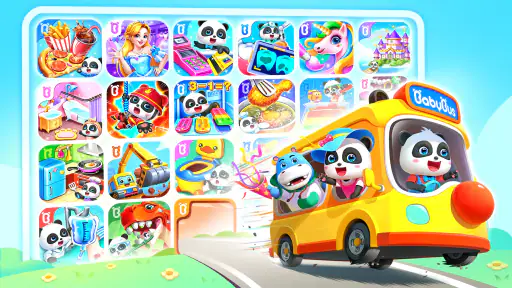
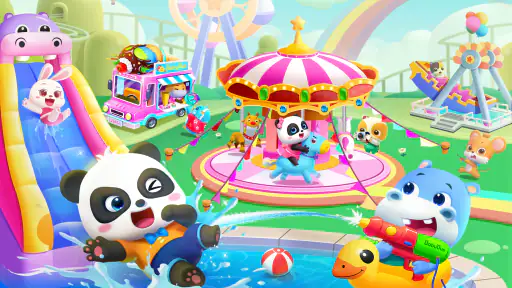





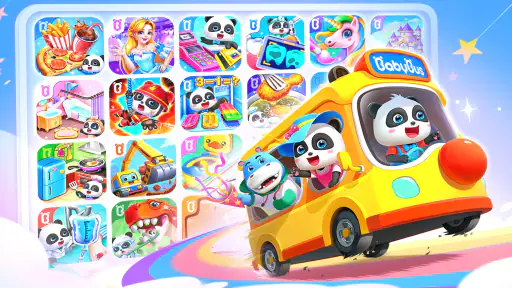
 Analysis by Frivlyz
When I judge a children’s game, I look beyond whether it can hold a child’s attention for a few minutes. I want to know if it offers a useful mix of play, whether a young child can make sense of it without constant help, and how well it fits into ordinary family routines. Baby Panda World-Learning Game aims to bring a variety of playful activities together, so it can suit a child who likes switching between different kinds of pretend play rather than repeating one narrow task.
It is an educational game from BabyBus, offered free for children rated Everyone. That makes it easy to try without committing to an upfront purchase, though some optional in-app purchases are listed at prices from $1.99 to $41.99 per item. I would treat that as a reason to set up device purchase controls before handing it to a child, not as a reason to assume every activity requires payment. The game has a 4.1 average from around 434,000 ratings and more than 100 million installs, which suggests it has reached a broad audience, but those figures cannot tell a parent whether its style suits their particular child.
How the game feels in everyday use
The appeal here is variety: the game brings together many child-focused activities instead of asking a young player to master a single complicated system. The current version is 8.39.38.40, and the game was released on November 10, 2019. It supports Android 5.0 and later, so the device still needs to meet that basic requirement. I would also leave a little time for an adult to explore the experience first, especially if a child is likely to tap quickly through menus or reach for purchase options.
Our Stories on Baby Panda World-Learning Game
How Toca Boca World Revolutionizes Creative Learning for Kids
NewsBoard Kings: Crafting Modern Rituals in Mobile Gaming
NewsWhy Baby Panda Care is a Must-Have Educational Game
NewsHow Little Panda: Princess Makeup Blends Fun with Learning
NewsDancing Road Turns Short Breaks Into a Test of Rhythm and Timing
NewsSuper Stylist Makes Every Outfit a Test of Taste and Patience
NewsSpeed expectations and play sessions
I would approach this as a collection of short play moments rather than a game that needs a long, uninterrupted session. That format can be handy while waiting for food or settling in after school: a child can explore an activity, then put the device away without needing to remember a long sequence of objectives. The exact feel of loading and responsiveness will depend on the device, so I would not promise the same pace on every phone or tablet.
For a smoother first try, I’d open the game before passing the device over and make sure it reaches the part the child wants to use. That small bit of preparation also gives me a chance to see whether the controls and choices are understandable at their age. If the child tends to get frustrated when a screen takes time to respond, I’d test it on the device they will actually use rather than assume performance from a newer phone will carry over.
Busy moments, reliability, and recovery
A broad activity selection can be a strength when a child loses interest in one kind of play, but it can also mean more browsing between choices. In a busy household, I’d help a younger player pick an activity before starting a short session, rather than expecting them to navigate every option alone. That keeps the game from turning into a hunt through menus when all they wanted was a quick distraction.
If an activity pauses or the app needs to be reopened, I’d keep the recovery routine simple: return to the game, check where the child landed, and help them choose again instead of promising that progress will always resume at the same point. I can’t infer how reliably it behaves on every device or in every situation, so a parent should try a session themselves before relying on it for a time-sensitive moment. I also wouldn’t use it as the only plan for keeping a child occupied during travel or an appointment; a book or offline toy is a sensible backup.
Gaming Stories You May Enjoy

Dominoes on Your Terms: Who Should Play and Who Should Pass

Pokémon GO Makes the Familiar World Feel New

Chess.com Turns Rematches Into Rivalries, but Community Has Its Costs

Archery Battle 3D Review: Sharp Aiming, Unclear Feedback

Should You Switch to Geometry Dash Meltdown? A Test of Timing and Patience

Fidget Toys Trading・Pop It 3D: What Happens When the Game Stumbles
Device fit and family boundaries
The Android minimum is version 5.0, but meeting that requirement alone does not guarantee a comfortable experience. Screen size, available space, and the condition of an older device can all affect how convenient a colorful, touch-led game feels. A tablet may be easier for small hands to explore than a compact phone, while a phone is more practical when a parent wants to offer a brief activity on the go. I’d test the controls and readability on the intended device before making it part of a routine.
Because the game is free to start and has optional purchases, I recommend reviewing the device’s purchase settings with the child in mind. I would also agree on a simple boundary—such as choosing an activity together and stopping after one short play period—so the game stays an occasional learning-and-play option rather than an automatic response to boredom. The Everyone age rating is a broad content guide, not a guarantee that every child will find the navigation easy or that a parent will like the amount of screen time it encourages.
Hey there, fellow app explorer! So, I recently dove into the colorful and vibrant universe of Baby Panda World-Learning Game, and let me tell you, it was quite an adventure. If you’re on the lookout for an engaging and educational app for your little ones, you might want to stick around.
For families comparing it with other educational games, the main distinction is the breadth of activities. A single-purpose learning app can be a better pick when a child needs focused practice in one skill, and a story-led game may be preferable when they want one continuous narrative. This one makes more sense when the goal is to offer a range of playful choices and let a child sample different kinds of interaction. That flexibility is useful, but it can also make the experience feel less focused than a dedicated counting or reading app.
What’s Inside the App?
Once you launch the app, you’re greeted by a friendly little panda who becomes your guide throughout the journey. The app is structured around different themes and scenarios like shopping, cooking, and even animal care. Each section is crafted to teach something new, from basic math concepts to understanding the importance of teamwork.
For a practical routine, I’d use those varied themes as conversation starters rather than treating the game as a lesson that teaches everything on its own. After a pretend shopping activity, for example, a parent can ask the child what they chose and why; after cooking play, they can talk about counting or ingredients. This kind of brief follow-up helps connect screen play to everyday ideas without requiring a formal teaching session. It also makes the game more useful for a caregiver who wants to share the activity instead of handing over the device and walking away.
One of the highlights for me was the cooking section where kids can pretend to be little chefs. Not only does it teach them about different ingredients and recipes, but it also introduces basic math skills like counting and measuring in a fun way. And let’s not forget the shopping adventure that subtly teaches financial literacy—a skill that’s never too early to learn!
I would keep expectations modest about what a child will learn from a single round. Pretend shopping can introduce the idea of choosing and comparing, but it is not a substitute for practicing real-world money skills with an adult. Likewise, playful counting is a gentle way to encounter numbers, not a structured course. That is not a flaw so much as a question of fit: I see the game as a playful prompt for curiosity, while a parent or teacher remains the person who can explain, repeat, and adapt an idea to the child.
Interactive and Engaging
The app does a fantastic job of keeping kids engaged. The interactive elements are spot on, allowing kids to tap, drag, and interact with almost every part of the game. This kind of interactivity is crucial for maintaining their attention and encouraging them to explore more.
That hands-on style is a good match for children who enjoy trying things directly and seeing what happens. It may be less suitable for a child who finds busy screens distracting, prefers quieter play, or needs an adult to guide each step. In that case, I’d start together and see whether the child can make choices comfortably before expecting independent use. A short shared session is a better test than judging the game by how excited a child is during the first few minutes.
Moreover, it’s not just about tapping and dragging; the app includes various puzzles and challenges that require kids to think and solve problems. This not only enhances their cognitive skills but also boosts their confidence as they complete each level.
One useful way to make the puzzles more than a quick distraction is to let the child try first, then offer a small hint instead of taking over. That gives them room to notice patterns and make decisions, while avoiding the frustration of being stuck for too long. I would also pay attention to whether the child is enjoying the challenge or simply tapping rapidly to move on; the same activity can feel constructive for one child and overwhelming for another.
Safe and Kid-Friendly
Safety is a big concern when it comes to kids' apps, and this one gets a thumbs up from me. The app is designed to be kid-friendly, with no inappropriate content or ads that could lead to unwanted purchases. Plus, it’s super easy for parents to navigate and set up, ensuring that their kids have a safe and fun learning environment.
Even when a game is intended for children, I prefer to check it alongside them rather than assume every screen will be self-explanatory. That first look is a chance to show which choices are for play, agree on what to do if a purchase prompt appears, and set a clear stopping point. Families who want a fully structured curriculum, a quiet interface, or a narrow skill-building tool may be happier with a dedicated alternative. Families looking for a varied collection of pretend-play and puzzle activities are more likely to appreciate this broader format.
Who I’d recommend it to
I’d consider it for a young child who enjoys role-play, bright cartoon settings, and moving between activities, especially when a parent can occasionally join in. It can be a useful option for a short wait at home or a calm moment when an adult is nearby and can help select an activity. A realistic example would be a caregiver preparing dinner: the child could spend a brief stretch exploring a cooking-themed activity, and afterward the adult can connect it to ingredients or counting in the kitchen.
I would be more cautious about choosing it for a child who needs a highly predictable sequence, a specific academic program, or an app that can be left unattended for long periods. In those cases, a focused educational tool, a physical puzzle, or a shared picture book may be a better fit. The best choice depends less on the number of activities and more on whether the child can use them happily without constant negotiation over what to open next.
My performance verdict
My overall impression is that this game’s strength is its range, not a promise of technical speed or a complete learning plan. I’d expect the experience to vary with the device, and I’d try it in a relaxed moment before counting on it during a hectic one. Its free starting point makes that trial approachable, while optional purchases mean I would set family controls in advance. If a child likes switching among imaginative activities and a parent is comfortable guiding the first sessions, it is worth trying; if the priority is focused lessons, minimal navigation, or a screen-free routine, I’d choose something more tailored.
In conclusion, Baby Panda World-Learning Game is a delightful blend of education and entertainment. It’s perfect for parents who want their kids to learn while having fun. With its engaging activities and interactive gameplay, it ensures that learning is never a chore but a joyful experience. So, if you’re looking for an app that combines fun and learning, this might just be the perfect fit!
Baby Panda World-Learning Game Pros and Cons
Pros
- Engages children with interactive learning.
- Colorful graphics capture kids' attention.
- Variety of games promotes diverse skills.
- Safe
- ad-free environment for kids.
- Regular updates with new content.
Cons
- Some games require in-app purchases.
- Limited language options available.
- May require adult supervision initially.
- Can be repetitive over time.
- Large app size consumes storage.
This Game in Other Languages
Frequently Asked Questions
What is Baby Panda World-Learning Game?
Baby Panda World-Learning Game is an educational app designed for young children to explore and learn through interactive activities. It offers a wide variety of games and challenges that help in developing cognitive skills, creativity, and problem-solving abilities in a fun, engaging manner. The app is filled with colorful graphics and easy-to-navigate interfaces, making it perfect for toddlers and preschoolers.
Is Baby Panda World-Learning Game safe for my child to use?
Yes, Baby Panda World-Learning Game is designed with children's safety in mind. It features a child-friendly interface and contains no inappropriate content. Additionally, the app does not require any personal information from children to play. Parents can feel secure knowing that their child is engaging with a safe, educational platform. However, parental supervision is always recommended.
What kind of educational content does Baby Panda World include?
The app includes a variety of educational content aimed at enhancing different skills. It covers topics like math, science, language, and art. Through interactive stories and games, children can learn basic concepts such as numbers, shapes, colors, and more. The game also encourages critical thinking and creativity by allowing children to solve puzzles and engage in creative activities.
Does Baby Panda World support multiple languages?
Yes, Baby Panda World-Learning Game supports multiple languages, making it accessible to children from different linguistic backgrounds. This feature allows children to learn and play in a language they are comfortable with, or even explore new languages. It's an excellent tool for multilingual development and offers a more inclusive learning environment for users worldwide.
Are there any in-app purchases or ads in Baby Panda World?
Baby Panda World-Learning Game may include in-app purchases to unlock additional content or features. However, these purchases are optional, and the app provides plenty of free content to enjoy. The app is ad-supported, but the ads are child-appropriate. Parents can choose to disable ads by opting for a premium version, ensuring an uninterrupted experience for their children.


