

Block Craft 3D:Building Game
- Reviews
- 4.3
- Version
- 2.21.16
- Installs
- 100,000,000+

Screenshots
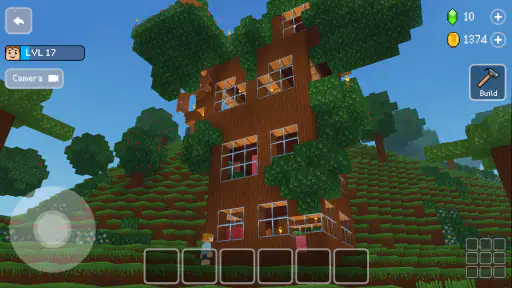
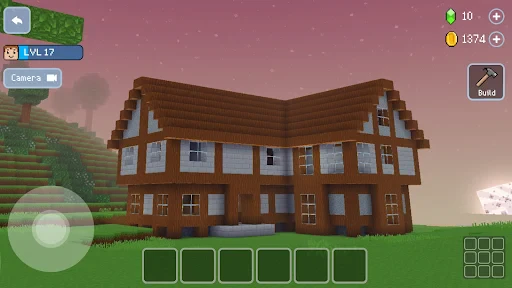
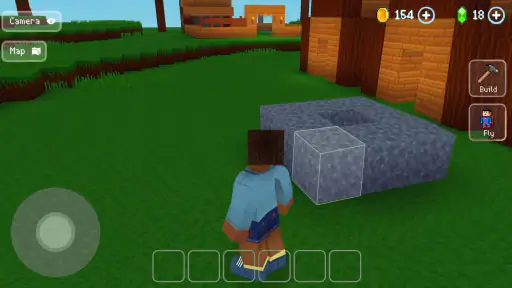
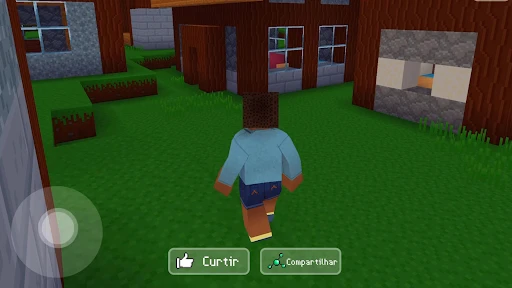
 Analysis by Frivlyz
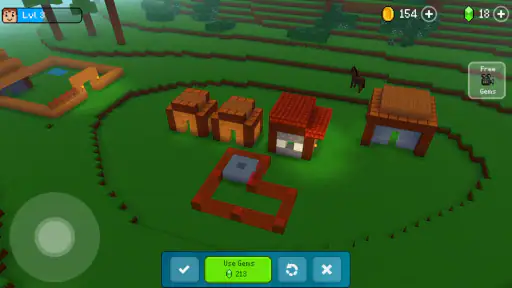
I like games that give me something satisfying to do without asking me to learn a long chain of systems first. Block Craft 3D: Building Game gets to its appeal quickly: you shape a small world with simple building actions, then decide what you want that world to become. The pleasure is less about beating a clock and more about seeing an idea take form, which makes it an easy fit for a quiet break.
A quick creative hook
As an arcade building game from Wildlife Studios, it sits in a different place from action-heavy arcade titles. There is no need to chase a high score to make a session feel worthwhile. I can open it with a rough idea—a home, a landmark, or a village layout—and leave with visible progress. That immediate feedback is the strongest reason I would recommend it to someone who wants a low-pressure creative game.
The basic appeal is easy to understand even if you have never played a block-building game. You do not need to study a complicated control scheme before placing the first pieces, and the colorful, pixel-like look keeps the world readable. It is free to start, rated Teen, and has in-app purchases ranging from $0.99 to $119.99 per item, so I would treat optional spending as something to review carefully rather than part of the core appeal.
Our Stories on Block Craft 3D:Building Game
Block Craft 3D: The Simplest Way to Build Your Dream City
NewsDancing Road Turns Short Breaks Into a Test of Rhythm and Timing
NewsSuper Stylist Makes Every Outfit a Test of Taste and Patience
NewsDominoes on Your Terms: Who Should Play and Who Should Pass
NewsPokémon GO Makes the Familiar World Feel New
NewsChess.com Turns Rematches Into Rivalries, but Community Has Its Costs
NewsShort sessions that still move a project forward
The best way I found to approach a building game like this is to give each visit one small job. I might sketch out the footprint of a house, fill in one wall, or tidy the space around an existing structure. A short session can then feel complete instead of leaving me halfway through an ambitious project with no clear stopping point. That self-made structure is useful because the game’s open-endedness can otherwise make it easy to wander without accomplishing much.
There is also a practical trade-off in the lack of resource gathering described in the game’s building loop: it keeps attention on design rather than turning every project into a materials chore. That is a real advantage when I only have a few minutes. On the other hand, players who enjoy earning each block through survival, exploration, or resource management may find the lighter approach less involving than a more demanding crafting game.
Easy to put down, better with a plan
This is the sort of game I can imagine opening during a spare moment, placing a few blocks, and returning to the rest of my day without feeling that I have abandoned a timed challenge. The building focus makes interruptions less stressful than they would be in a match-based arcade game. I still get more from it when I decide what to work on before I start: a clear little objective makes it easier to stop at a natural point and remember what I wanted to do next.
For example, on an ordinary evening I might have ten minutes while waiting for dinner. I could add a porch to a house, adjust the route between two buildings, or look at another player’s village for a layout idea, then close the game when the timer goes off. That kind of use suits the relaxed pace. If I wanted a tightly directed story, a competitive round, or a game that tells me exactly what to accomplish next, I would choose something else.
Gaming Stories You May Enjoy

Archery Battle 3D Review: Sharp Aiming, Unclear Feedback

Should You Switch to Geometry Dash Meltdown? A Test of Timing and Patience

Fidget Toys Trading・Pop It 3D: What Happens When the Game Stumbles

NBA LIVE Mobile Makes the Season the Main Event

Sonic Forces: PvP Battle Race - Speed and Strategy Combined

Unlocking the Secrets of Piano Game: Classic Music Song
The Allure of Block Craft 3D
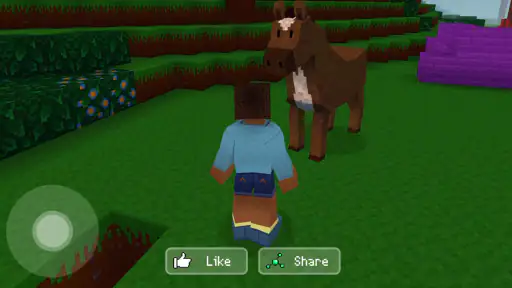
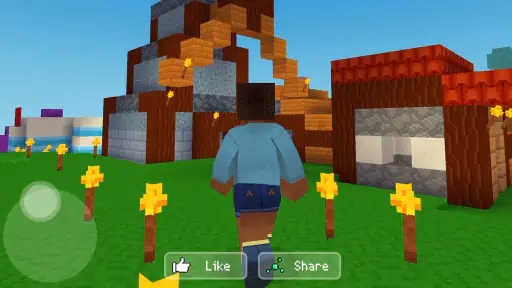
So, I dove headfirst into Block Craft 3D, curious about the buzz. Right off the bat, I was greeted by a vibrant, pixelated landscape that just screamed "explore me!" As someone who loves a bit of DIY crafting, this game was like a playground for my imagination.
Building and Crafting, Made Simple
What sets this game apart from other building games is its simplicity. Whether you're a seasoned builder or a newbie, the controls are intuitive. You can start constructing your dream village with just a few taps. The interface is user-friendly, and trust me, you don’t need a degree in architecture to make something awesome!
The game provides a plethora of options to build with. From houses to castles, the possibilities are endless. The best part? You don’t have to gather resources like in other crafting games, which means more time building and less time grinding. How cool is that?
Exploring and Interacting
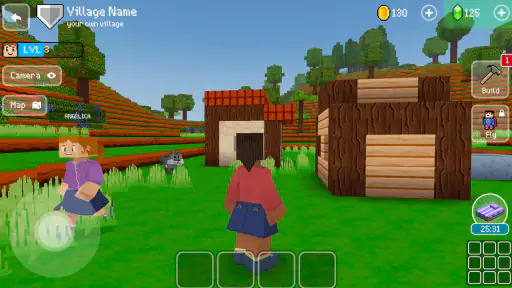
Block Craft 3D is not just about building; it's about community. You can visit other players' villages, get inspiration, or simply marvel at their creativity. This aspect of the game fosters a sense of community and competition. Plus, there’s nothing like the thrill of others visiting your creation and giving it a thumbs up!
And if you're feeling particularly generous, you can help out fellow builders with their projects. It's a feel-good feature that adds a layer of camaraderie to the game. Who knew pixels could bring people together?
What visiting other villages adds
For me, visits work best as a practical source of ideas rather than a reason to compare progress. I look at how another player frames an entrance or groups buildings, then borrow the broad principle for my own layout instead of copying a whole design. A useful habit is to pick one detail to study per visit; otherwise, browsing can swallow the time I meant to spend building.
That social layer also changes what counts as a satisfying project. A simple structure can be rewarding if it makes the village feel more coherent, while a larger build may be less enjoyable if I am making it only for approval. Players who prefer private, self-directed creativity can still focus on their own space, but those who want deep cooperative planning or a structured multiplayer competition should not mistake village visits for a full team-building mode.
Staying Engaged
Now, I know what you're thinking: "Won't this get boring after a while?" Well, the developers have done a stellar job at keeping things fresh. With regular updates and new features, there’s always something to look forward to. Whether it's new building blocks or special events, the game keeps you on your toes.
Plus, the graphics, while simple, are charming and colorful, making the experience all the more enjoyable. It's like stepping into a blocky wonderland every time you open the app.
Where its replay value comes from
The replay value is mainly in returning to a place I have shaped and finding another small improvement to make. That is a different loop from arcade games built around escalating difficulty or chasing a better score. Here, I can set my own target: improve a street, extend a house, or spend a visit getting ideas from someone else’s village. The freedom is pleasant, although it also means motivation comes from me rather than a strong sequence of missions.
If I start to feel stuck, I would change the scale of the task instead of abandoning the whole build. Switching from “make a great village” to “finish this one corner” makes the next step obvious. I would also keep purchases separate from creative goals: the game is free to play, but its in-app purchase range reaches from $0.99 to $119.99 per item. I would check the cost of anything before confirming it, especially if a younger player is using the device.
Who will enjoy the slower pace
I would point this toward players who like making places, experimenting with layouts, and dipping in without a match countdown. It can also work well for someone who wants a relaxed game to share ideas through village visits, or for a young builder who enjoys choosing what to make rather than following a demanding objective. The Teen content rating is worth keeping in mind when deciding whether it suits a particular household.
I would steer away anyone looking for a deep construction simulator, a survival challenge, or a tightly guided campaign. Compared with resource-driven crafting games, this one removes much of the gathering friction and gives more room to build; compared with puzzle games, it offers less precise direction and no single solution to work toward. Neither approach is universally better. The right choice depends on whether I want open-ended making or a more clearly measured challenge.
Practical details before you begin
The game is free, developed by Wildlife Studios, and its current version is 2.21.16, with Android support beginning at version 6.0. It has an average rating of 4.3 from around 2.7 million ratings, with roughly 74,000 written reviews and over 100 million installs. Those figures show that it has reached a large audience, but they do not tell me whether its unhurried, self-directed style will suit a particular player.
If I were helping someone decide, I would ask one simple question: do you enjoy making your own goals? If yes, the light controls and room to shape a village offer a friendly starting point. If you need a constant stream of objectives, resource strategy, or a clear win condition, a different arcade or crafting game will probably hold your attention better. The game’s version and minimum operating-system requirement are also useful checks before installing, while the in-app purchase range is a reason to set sensible spending expectations.
In conclusion, Block Craft 3D: Building Game is a delightful escape from the mundane. Whether you’re looking to unleash your creativity or connect with a community of builders, this app has got you covered. It's a perfect blend of simplicity and creativity, making it a must-try for anyone with a penchant for building games. So, why not give it a whirl and let your imagination run wild?
Block Craft 3D:Building Game Pros and Cons
Pros
- User-friendly interface for easy navigation.
- Offers a vast variety of building materials.
- Regular updates with new features.
- Engaging multiplayer mode for collaboration.
- Offline mode available for uninterrupted play.
Cons
- In-app purchases can become costly.
- Advertisements interrupt gameplay frequently.
- Limited customization for character avatars.
- Occasional lags in multiplayer mode.
- Requires significant storage space.
This Game in Other Languages
Frequently Asked Questions
What is Block Craft 3D: Building Game and what are its main features?
Block Craft 3D: Building Game is a free city-building simulation game where players can construct their own worlds using blocks. The game features an intuitive interface, a variety of block types, and customizable building options. Players can explore their creations, interact with other players, and even adopt pets to enhance their virtual environment. It offers both single-player and multiplayer modes, and encourages creativity and strategic planning.
Is Block Craft 3D: Building Game free to play, and are there in-app purchases?
Yes, Block Craft 3D: Building Game is free to download and play. However, like many free games, it offers in-app purchases. These purchases can enhance gameplay by providing additional resources, block types, or customization options. Players looking to advance faster or access premium features may choose to spend money, but in-app purchases are not necessary to enjoy the core experience of the game.
What platforms and devices are compatible with Block Craft 3D: Building Game?
Block Craft 3D: Building Game is available on both Android and iOS platforms, making it accessible to a wide range of mobile devices. It requires a device with decent processing power and storage capacity to run smoothly, especially when rendering large builds. Players should ensure their device’s operating system is up to date to avoid compatibility issues and enjoy the best gaming experience.
Can I play Block Craft 3D: Building Game offline, or is an internet connection required?
Block Craft 3D: Building Game can be played both online and offline. While an internet connection enhances the experience by allowing access to multiplayer modes and online features, players can enjoy single-player mode without connectivity. Offline play is perfect for those who want to build and explore without interruptions, though some features may be limited until reconnection.
How does multiplayer work in Block Craft 3D: Building Game?
In Block Craft 3D: Building Game, the multiplayer mode allows players to visit each other’s worlds, collaborate on building projects, and share creative ideas. This feature fosters a community atmosphere where players can interact, inspire one another, and showcase their architectural talents. To access multiplayer, an internet connection is required, and players can connect with friends or explore the worlds of others in the game’s community.


