

Toca Boca Jr
- Reviews
- 3.7
- Version
- 3.4
- Installs
- 100,000,000+

Screenshots
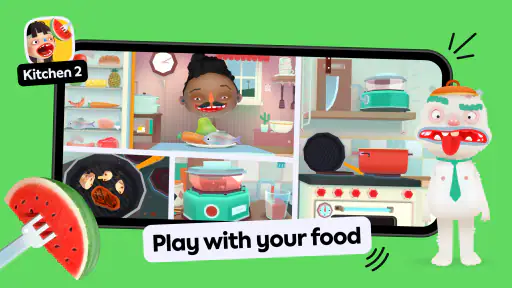
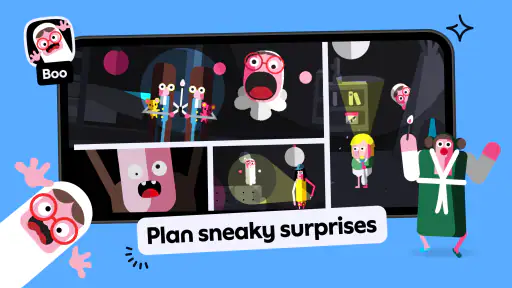
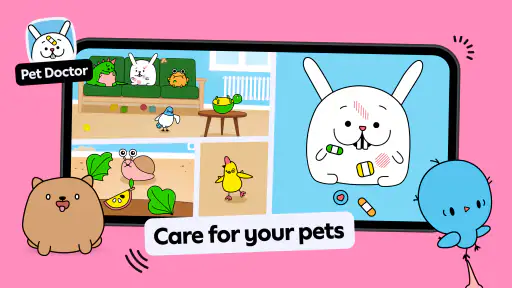
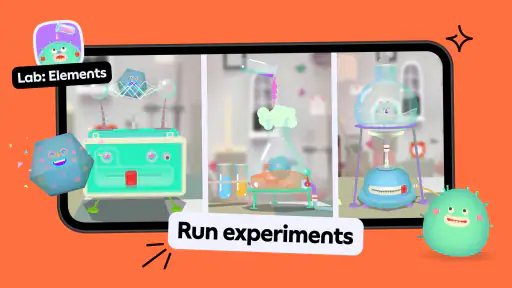
 Analysis by Frivlyz
When I first opened Toca Boca Jr, I’d have wanted one thing made clear: it’s better approached as a collection of playful activities than as a single game with one goal. The appeal is that young children can poke around, make choices and see what happens without needing to read instructions or chase a score. That makes the first session feel low-pressure, though it also means adults should set expectations: this is imaginative screen play, not a structured lesson plan.
What a first-time family can expect
This is an educational game from Play Piknik aimed at children aged 2 to 6. It is free to download, carries an Everyone age rating, and has a 3.7 average from around 1.7 million ratings. The large audience—over 100 million installs—suggests it is familiar to many families, but popularity alone doesn’t tell you whether its style will suit your child. I’d judge it by watching how your child handles open-ended play: some enjoy experimenting, while others are happier when a game gives them a clear task.
The collection format is useful when a child’s interests change quickly. They can try a different kind of activity instead of having to finish a long level before moving on. That variety is also the first trade-off: a child who settles happily into one activity may be tempted to keep switching, and a parent looking for a focused sequence of lessons may find the experience too free-form. I’d treat it as a playful option for short stretches rather than assume it will teach a specific skill on its own.
Our Stories on Toca Boca Jr
How Toca Boca World Revolutionizes Creative Learning for Kids
NewsWhy Baby Panda Care is a Must-Have Educational Game
NewsHow Bus Simulator : 3D Bus Games Elevates Mobile Strategy
NewsDancing Road Turns Short Breaks Into a Test of Rhythm and Timing
NewsSuper Stylist Makes Every Outfit a Test of Taste and Patience
NewsDominoes on Your Terms: Who Should Play and Who Should Pass
NewsGetting started without turning it into a project
For a calmer first use, I’d install it ahead of the moment you need it, open it yourself, and take a brief look around before handing over the device. The current version is 3.4 and it requires Android 9 or later, so it’s worth checking compatibility before planning to use it on an older Android device. Then sit with your child for the first few minutes and let them choose what catches their eye. You don’t need to explain every control; a small prompt such as “What do you think happens if you try that?” can be more useful than taking over.
That first shared session also gives you a chance to see whether the navigation makes sense to your child and whether the activities hold their attention. If they hesitate, demonstrate one simple action, then hand control back. I find that approach works better than treating the app like a worksheet: the point is to give a young player room to explore, not to test whether they followed adult instructions.
What a satisfying first session looks like
A good first result does not need to be a completed level or a high score. It might simply be your child choosing an activity, trying a few actions, and telling you what they made or discovered. You can make that moment more engaging by asking a specific, open question—“Which part would you change?” or “What should happen next?”—without turning play into a quiz. This is especially handy during a short wait at home or while you’re preparing a meal: the child has something to explore, and you can still check in and talk about it.
Unpacking the Fun
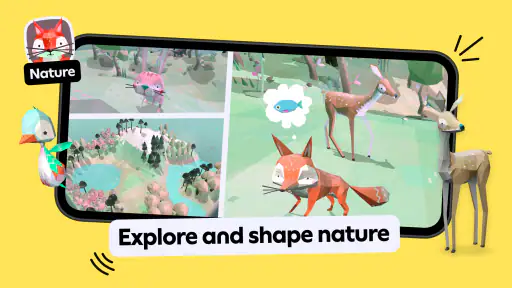
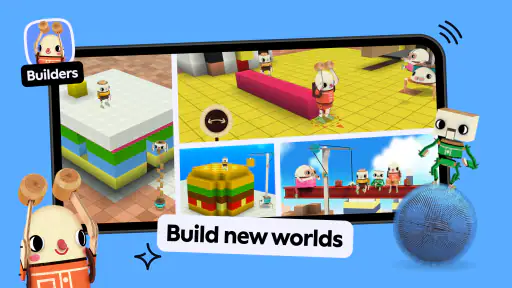
First off, Toca Boca Jr isn’t just one game; it’s a collection of interactive experiences that are tailor-made for kids. Each mini-game is crafted to encourage creativity and exploration. Whether it’s playing around in a virtual hair salon or cooking up a storm in a digital kitchen, the possibilities are endless. The app is like a playground that never runs out of swings and slides.
Gaming Stories You May Enjoy

Pokémon GO Makes the Familiar World Feel New

Chess.com Turns Rematches Into Rivalries, but Community Has Its Costs

Archery Battle 3D Review: Sharp Aiming, Unclear Feedback

Should You Switch to Geometry Dash Meltdown? A Test of Timing and Patience

Fidget Toys Trading・Pop It 3D: What Happens When the Game Stumbles

NBA LIVE Mobile Makes the Season the Main Event
Engaging Mini-Games
One of the standout features for me was the variety of mini-games. Each game serves a purpose beyond mere entertainment. They are designed to develop problem-solving skills and creativity. For instance, the virtual pet game not only entertains but also teaches kids about responsibility. It’s like having a Tamagotchi, but with way more pizzazz! Plus, the graphics are vibrant and appealing, which keeps the kids glued to the screen in a good way.
What truly sets these games apart is their ability to adapt to the player's pace. There's no rush, no 'game over' screens that can frustrate young players. Instead, it’s all about the journey, making mistakes, and learning from them. And let me tell you, as a parent or guardian, this is a huge relief.
Choosing between open play and a more guided alternative
Compared with alphabet drills, number practice apps or games built around levels and rewards, this collection leans more toward pretend play and experimentation. I’d choose it when I want a child to make their own decisions and narrate what they’re doing. If the goal is repeated practice with letters, counting or a clear progression, a dedicated learning app is likely a better fit. If the goal is imaginative play on a phone or tablet, this approach feels less like a digital workbook and more like a toy box.
That distinction matters for adults too. It can be tempting to ask, “What did you learn?” after every session, but that may not match what the child was doing. I’d listen for their own descriptions instead: explaining a choice, trying a new combination, or changing a plan can be a worthwhile part of play even when there is no obvious lesson to report. The app is at its best when adults make room for that kind of exploration rather than expecting it to replace hands-on activities or conversation.
Kid-Friendly Interface
The interface is super intuitive. It’s clear that the developers have put a lot of thought into making the app accessible for little fingers. The navigation is smooth, and even without reading skills, kids can easily find their way around. This is a big win in my book, as it promotes independence and confidence in using technology safely.
Even a simple interface won’t prevent every moment of confusion. A child may tap around without understanding what changed, or move away from an activity before they feel finished. I’d stay nearby at first, not to direct every move but to help them return to what they were doing or choose something else. If your child becomes frustrated by open-ended choices, narrowing the options verbally—“Would you like to try this or that?”—can make the starting point easier without turning the session into a lesson.
Small practical choices that improve the experience
For everyday use, I’d decide on a stopping point before handing over the device. Open-ended play can be absorbing, and without a clear level ending it may not be obvious to a young child when the session is finished. A simple cue such as “one more thing to try, then we put it away” gives them a transition to anticipate. This is more helpful than waiting until a child is already upset about stopping.
I’d also keep the first session short enough that you can observe what holds their interest. If they return to one activity, that tells you more than a quick tour of everything. If they keep switching, you can help them settle by inviting them to choose one thing to show you. Those small adjustments make the app easier to use as a shared activity, rather than a device you hand over and hope will occupy a child indefinitely.
Cost, access and the important caveats
The game is free to start, but it includes in-app purchases priced from $7.99 to $99.99 per item. That range is worth considering before a child uses the device independently. I’d review purchase controls on the device and explain in simple terms that choosing something on screen doesn’t mean it can be bought. The free starting point is convenient, but families should not assume every part of the experience is included at no cost.
I would also correct one claim in the original description of this experience: it is not accurate to promise that there are no in-app purchases. Those purchases are part of the offer, so an adult should handle any decisions around them. Likewise, I wouldn’t rely on a blanket assumption that the app works offline in every circumstance. If you plan to use it on a journey, open it beforehand and check that the activities you intend to use are available on that device. That small test is more reassuring than discovering a limitation once you are already travelling.
For a car ride or a flight, I’d treat it as one option among several rather than the entire entertainment plan. It can give a child a creative activity, but a screen may not suit every child for every stretch of a trip. A book, drawing materials or a conversation can be a better choice when the child needs a break, and having an adult nearby is still useful if they need help navigating or stopping.
Who will get the most from it
I’d recommend trying it with a preschooler who enjoys pretend scenarios, visual play and making up their own way to use things. It can also suit a caregiver who wants to join in with occasional questions instead of teaching a formal sequence. The strongest everyday use case is a brief shared session—while dinner is being prepared, during a quiet moment at home, or while waiting—where the child can explore and then tell you what they tried.
I’d be more cautious if your child gets upset when an activity has no clear objective, tends to tap purchase prompts without understanding them, or needs a very specific educational target. In those cases, a simpler single-purpose game, a guided activity with clear steps, or an offline toy may be a better match. The right choice depends less on the app’s broad appeal than on how your particular child responds to open-ended play and device boundaries.
Safety and Sound
Safety is always a concern when it comes to apps for kids, and Toca Boca Jr nails it. There are no ads or in-app purchases that could lead to unintended purchases. Plus, the app doesn’t require an internet connection, making it a perfect companion for long car rides or flights. It’s reassuring to know that while the kids are having fun, they’re also safe from online risks.
That reassurance needs a practical qualification: the game does offer in-app purchases, so I would not leave purchase decisions to a young child. The Everyone rating is a useful age classification, but it does not replace an adult’s judgment about screen time, spending controls or whether a particular activity suits their child. For a first-time family, the safest routine is to explore together, keep control of purchasing with the adult, and check the app before relying on it away from home.
There are 62,000 written reviews behind its 3.7 average, which gives a newcomer plenty of other families’ experiences to weigh alongside their own. I wouldn’t treat a rating as a guarantee that every child will love it: age, temperament and expectations make a real difference. My practical test would be whether your child returns to play willingly, stays engaged without becoming frustrated, and can move on when you set a boundary.
In conclusion, if you’re on the lookout for an app that offers a rich mix of fun, creativity, and learning for the little ones, then Toca Boca Jr might just be what you’re searching for. It’s a delightful digital playground that encourages kids to imagine, create, and discover, all while keeping them entertained and safe. Trust me, once you introduce this app to your kids, it’ll quickly become one of their favorites!
Toca Boca Jr Pros and Cons
Pros
- Engaging and interactive gameplay.
- Vibrant and colorful graphics.
- User-friendly interface for kids.
- Encourages creativity and exploration.
- Safe environment with no ads.
Cons
- Limited content in free version.
- Requires internet for updates.
- No multiplayer options.
- Can be repetitive over time.
- In-app purchases can add up.
This Game in Other Languages
Frequently Asked Questions
What is Toca Boca Jr and what age group is it suitable for?
Toca Boca Jr is an app designed to engage young children through interactive play and creative exploration. It is suitable for children aged 3 to 5 years old. The app offers a safe and educational environment where kids can explore various imaginative scenarios without in-app purchases or third-party advertisements.
Is Toca Boca Jr safe for my child to use?
Yes, Toca Boca Jr is designed with safety as a top priority. The app does not contain any in-app purchases, third-party advertisements, or external links that could redirect children to external sites. Parents can rest assured that their children are playing in a secure and controlled digital environment.
What types of activities does Toca Boca Jr offer?
Toca Boca Jr offers a variety of activities that encourage creativity and imaginative play. Children can engage in role-playing scenarios, explore virtual environments, and interact with unique characters. The app is designed to be intuitive for young users, allowing them to navigate and play independently while learning new concepts.
Is Toca Boca Jr available on both Android and iOS platforms?
Yes, Toca Boca Jr is available on both Android and iOS platforms. Parents can download the app from the Google Play Store for Android devices and the Apple App Store for iOS devices. This accessibility ensures that more children can enjoy the app regardless of the type of device they use.
Does Toca Boca Jr require an internet connection to play?
No, Toca Boca Jr does not require an internet connection to play. Once the app is downloaded and installed, children can access all features and activities offline. This makes it convenient for parents who want to limit screen time to specific periods without worrying about connectivity issues.


