

Coloring Games: Color & Paint
- Reviews
- 4.5
- Version
- Varies with device
- Installs
- 100,000,000+

Screenshots



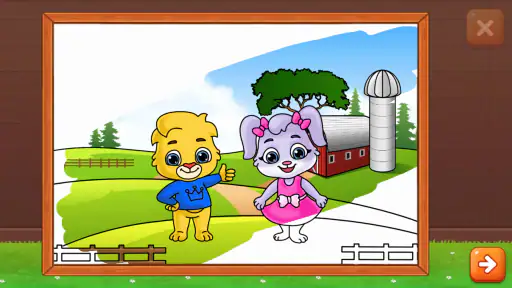
 Analysis by Frivlyz
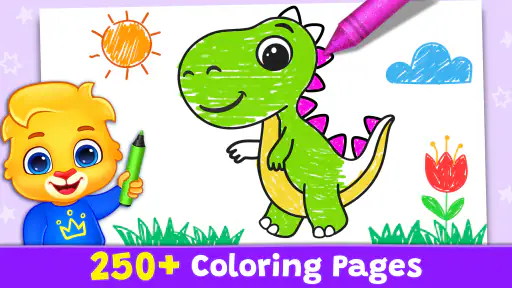
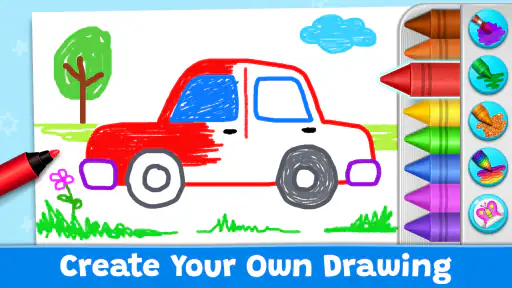
Coloring can be a useful way to fill a short pause, especially when a child wants to do something creative without getting out paints and paper. Coloring Games: Color & Paint turns that activity into a phone or tablet game, with a mix of coloring, painting, neon drawing, and educational play. I see its strongest appeal in being easy to pick up: a child can explore colors and pictures, while a parent can offer a contained activity during a wait or a quiet stretch at home.
What kind of game it is
Made by RV AppStudios, this is an educational game aimed at children, rather than a full drawing studio for people who want precise illustration tools. It is free to play and rated Everyone, which makes it approachable for family use. Its audience is not limited to children, though: I can also see adults opening it for a low-pressure coloring break, as long as they are looking for simple play rather than professional art-making.
That distinction matters when choosing between this and a paper coloring book or a more advanced art app. Paper gives a child the feel of crayons and a finished picture they can hold; a professional drawing tool gives an experienced user more control and room to build a technique. This game sits between those options. It offers a convenient digital activity, with a playful learning angle, without asking the user to bring supplies or already know how to draw.
Our Stories on Coloring Games: Color & Paint
How Coloring Games: Color & Paint Redefines Educational Apps
NewsMastering Roblox: Unleash Your Inner Power User
NewsPepi Hospital: Learn & Care's Role in Transforming Educational Gaming
NewsDancing Road Turns Short Breaks Into a Test of Rhythm and Timing
NewsSuper Stylist Makes Every Outfit a Test of Taste and Patience
NewsDominoes on Your Terms: Who Should Play and Who Should Pass
NewsSpeed expectations and getting started
The first minutes are important for a children’s game: a young player should be able to reach the creative part without needing an adult to explain every control. In my experience, the interface is intuitive, with drag-and-drop interaction and zooming that are easy to understand. That makes it a reasonable choice for a child who wants to explore independently, although younger children may still appreciate an adult nearby to help choose an activity or handle the device.
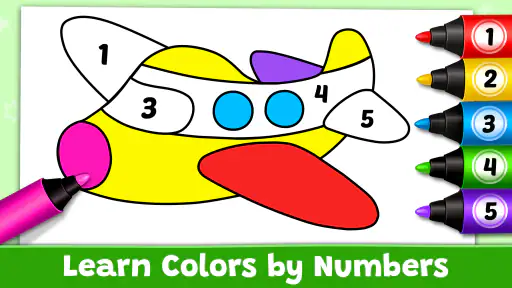
I would approach the different activity styles as options for changing the pace, not as a reason to expect a deep lesson plan. Coloring and painting make room for free choice, while neon drawing offers a different visual feel. The educational element is a nice fit for early exploration of color and creative decisions, but a parent looking for a structured curriculum should treat it as a playful supplement rather than a replacement for guided teaching.
The game has a 4.5 average from around 97,000 ratings, and it has been installed over 100 million times. Those figures suggest that it has reached a broad audience, but they do not tell me whether it will suit a particular child’s preferences or how it will feel on a specific device. I would use the first session to see whether the child enjoys the available activities and can navigate them comfortably.
Making a short session work
A practical use case is a family waiting for an appointment. Instead of handing a child a large box of supplies in a public place, a parent can offer a digital coloring activity that fits on a phone or tablet. I would set a simple expectation first—one picture or a short stretch of play—so the activity has a natural stopping point. That small bit of planning can make it more useful than treating an app as an open-ended way to occupy a child.
Gaming Stories You May Enjoy

Pokémon GO Makes the Familiar World Feel New

Chess.com Turns Rematches Into Rivalries, but Community Has Its Costs

Archery Battle 3D Review: Sharp Aiming, Unclear Feedback

Should You Switch to Geometry Dash Meltdown? A Test of Timing and Patience

Fidget Toys Trading・Pop It 3D: What Happens When the Game Stumbles

NBA LIVE Mobile Makes the Season the Main Event
For a calmer moment at home, I would let the child choose the design and colors rather than trying to make the result look “right.” The value is in making choices and enjoying the process, not producing a polished picture. If the child gets frustrated by a small detail, zooming in can help with careful coloring; if that turns the activity into a perfectionist task, switching to a simpler design is likely the better move.
There is also a useful difference between letting a child play alone and sitting together. Independent use gives a parent a few minutes to handle a nearby task, while co-playing creates an easy opening to talk about color names, patterns, and why the child picked a particular shade. I would not force the educational angle every time. Keeping the activity light is often what makes a child want to return to it.
Heavy-use moments and creative trade-offs
Longer sessions can bring out a different side of a digital coloring game. A child may want to try several pictures in a row, revisit a favorite, or experiment with combinations that would be messy with real paint. That convenience is a genuine strength: the activity does not require a table to be cleared or materials to be put away. At the same time, a screen is still a screen, so I would make room for breaks and balance it with physical play, drawing, or reading rather than relying on it as the default activity for a whole afternoon.
The palette and blending options described in the original experience can encourage experimentation, but they also create a trade-off for younger users: more choices can be exciting, yet too many choices can slow a child down. One tip I find helpful is to invite the child to choose a small color idea before starting—for example, warm colors for one picture—without dictating every mark. It gives the session a gentle focus while leaving the child in charge.
Saving finished creations is useful when a child wants to return to a picture or show it to someone later. I would treat that as a way to preserve a moment of play, not as a reason to measure progress by how many pictures are completed. Sharing can be fun, but for a young child it is sensible for a parent to manage any decision about posting artwork or using social features. The creative activity itself does not need an audience to feel rewarding.
Reliability, offline play, and recovery
Offline use is a practical advantage when planning for a flight, a commute, or a place with weak connectivity. I would open the game before leaving home and check that the activity I want is ready, rather than assuming that every part of a digital app will behave exactly the same without a connection. That quick check is a useful habit for any travel activity, especially when a child is expecting entertainment during a wait.
For reliability, I would also keep expectations realistic. A simple coloring session is generally less demanding than a game with complex action, but performance can still depend on the phone or tablet and what else is running on it. If the app feels sluggish, closing other apps and reopening it is a sensible first step. For a child’s picture that matters to them, saving when finished is a better habit than assuming an unfinished session will always be waiting later.
The game has been available since November 6, 2019, and its broad reach makes it a familiar kind of choice for families exploring digital coloring. That history does not guarantee identical performance on every device, so I would judge stability by how it runs on the device the child actually uses. If an older phone struggles, a tablet with a larger screen may make coloring easier to control, provided it runs smoothly; a bigger display alone does not solve lag.
Device fit and who should choose it
On a small phone, zooming can help a child work on details, but the limited display may make a long session less comfortable. A tablet gives more room to see the picture and move a finger or stylus, although the game is still best thought of as casual coloring rather than a precision art tool. I would choose the device based on the child’s comfort and the quality of the experience, not simply the largest screen available.
This is a good fit for families who want a free, low-preparation creative activity, for children who enjoy changing colors and exploring picture styles, and for adults who want a relaxed break without a steep learning curve. It is less suitable for someone seeking advanced layers, detailed brush control, or a serious drawing workflow. In those cases, a dedicated art app is the better alternative. If the goal is to practice with real materials or create something to display on paper, a physical coloring book may be more satisfying.
The game’s Everyone age rating makes it broadly accessible, but that should not be confused with a guarantee that every child will navigate every part of it without help. I would try it together first, particularly with a very young user, and see how they respond to the choices and controls. A child who prefers tactile materials may quickly lose interest, while one who likes experimenting on a screen may happily return for short sessions.
The Palette of Features
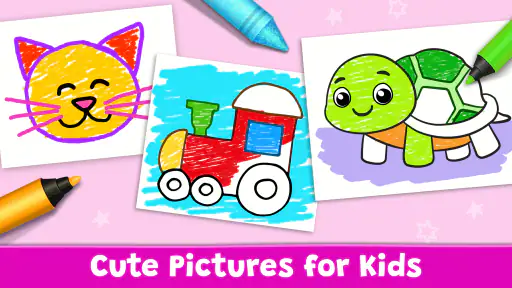
When I first opened Coloring Games: Color & Paint, I was greeted with a user-friendly interface that made navigation a breeze. The app offers a wide variety of templates, from intricate mandalas to simple shapes, ensuring there’s something for everyone. I particularly loved the seasonal themes—who doesn’t enjoy a Halloween-themed pumpkin or a Christmas tree to color?
One of the standout features is the color palette. It’s expansive, offering every hue you can imagine, and the blending options are simply fantastic. I found myself lost in the creative process, experimenting with different shades and gradients. The app also allows you to save your creations, which is great if you want to revisit your artwork later or share it with friends on social media.
Ease of Use and Accessibility
Now, let’s talk about usability. The app is incredibly intuitive. Even if you’re not tech-savvy, you’ll find the drag-and-drop functionality and zoom-in features easy to master. I appreciated how the app caters to all ages, offering simpler designs for younger users and more complex patterns for those looking for a challenge. Plus, it's available on both Android and iOS, making it accessible to a wider audience.
The offline mode is another great perk. Whether you’re on a flight or just trying to save data, you can still enjoy a full coloring experience without needing an internet connection. This feature really sets it apart from other coloring apps I’ve tried in the past.
Color Your Stress Away
One of the unexpected benefits I discovered while using the app was its therapeutic value. Coloring has been shown to reduce stress and anxiety, and I can attest to that. After a long day, spending some time coloring was a great way to unwind and relax. The gentle music that plays in the background adds to the calming atmosphere, making it a perfect end-of-day activity.
In conclusion, Coloring Games: Color & Paint offers a fantastic digital coloring experience. Whether you’re looking to pass the time, relieve stress, or simply explore your creative side, this app has got you covered. It’s more than just an app; it’s a creative escape that’s always at your fingertips.
Coloring Games: Color & Paint Pros and Cons
Pros
- Wide variety of coloring pages.
- Intuitive user interface.
- Regular updates and new content.
- Supports offline use.
- Enhances creativity and relaxation.
Cons
- Contains in-app purchases.
- Some ads can be intrusive.
- Limited free content.
- Requires large storage space.
- Occasional app crashes.
This Game in Other Languages
Frequently Asked Questions
What is Coloring Games: Color & Paint and how does it work?
Coloring Games: Color & Paint is a creative app designed for users of all ages to enjoy digital coloring. The app provides a wide range of coloring pages and tools for users to express their creativity. Users can select from various brushes and colors to fill in intricate designs or simple drawings. The app is intuitive, allowing you to zoom in on detailed sections and save your finished artwork for sharing or future editing.
Is Coloring Games: Color & Paint suitable for children?
Yes, Coloring Games: Color & Paint is designed to be kid-friendly. It features a user interface that is easy for children to navigate. The app includes parental controls to ensure a safe and enjoyable experience for younger users. With a variety of coloring pages that appeal to children, the app encourages creativity and can help improve hand-eye coordination. However, it's always advisable for parents to supervise their children's app usage.
Are there any in-app purchases in Coloring Games: Color & Paint?
Coloring Games: Color & Paint offers a combination of free and premium content. While many coloring pages and tools are available for free, there are in-app purchases that unlock additional features, such as exclusive coloring pages, advanced tools, and an ad-free experience. Users can enjoy the basic features without purchasing, but the premium version enhances the overall experience for avid coloring enthusiasts.
Can I use Coloring Games: Color & Paint offline?
Yes, Coloring Games: Color & Paint can be used offline, making it a perfect companion for long trips or situations where internet access is limited. While the initial download requires an internet connection, once installed, you can access most of the coloring pages and tools without needing to be online. However, some features, like downloading new coloring content, may require internet access.
Does Coloring Games: Color & Paint support sharing of completed artworks?
Absolutely, Coloring Games: Color & Paint allows users to share their completed artworks easily. Once you've finished coloring, you can save your artwork to your device and share it on social media platforms, via email, or through messaging apps. This feature makes it simple to showcase your creative projects with friends and family, or even participate in online coloring communities.


