

Little Panda's Ice Cream Games
- Reviews
- 4.3
- Version
- 8.71.12.93
- Installs
- 100,000,000+

Screenshots





 Analysis by Frivlyz
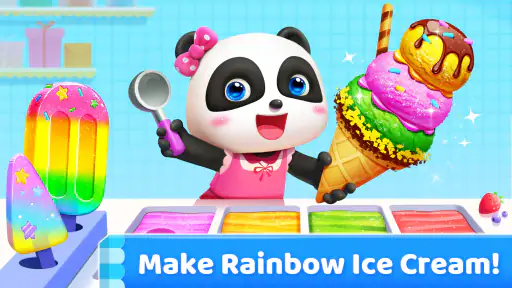
I find Little Panda's Ice Cream Games easiest to judge as a small, child-focused play activity rather than a full substitute for a learning app or a deep game. Its central appeal is hands-on pretend making: choosing ice cream ingredients, assembling a treat and serving it. That simple theme gives a young child an inviting place to explore choices, while parents can decide whether that kind of open-ended screen time suits their routine.
What the free version means in practice
The game is free to download, so a family can try it without paying upfront. It is rated for Everyone, and BabyBus is the developer. There are also in-app purchases, with items priced from $0.99 to $4.99. I would treat that as an important part of the decision, especially if a child will use the device independently: the game is not accurately described as having no purchases. Before handing over a phone or tablet, I’d check the device’s purchase controls and agree on whether paid items are off limits.
That distinction matters more than the word “free” on its own. The initial download gives you a chance to see whether the ice-cream-making idea holds a child’s attention, but any spending should be a deliberate adult choice. I wouldn’t let a child assume every option is included, and I wouldn’t promise that buying an item is necessary to enjoy the basic activity. If you prefer apps with a single upfront price and no in-app spending, this may not fit your household’s approach.
Our Stories on Little Panda's Ice Cream Games
How Little Panda's Ice Cream Games Thrives with Mobile OS Updates
NewsWhy Bingo Blitz™️ - Bingo Games is Your New Mobile Obsession
NewsLudo Club - Fun Dice Game: Master Strategic Moves for Victory
NewsBaby Panda's Supermarket: A Colorful Journey of Learning and Fun
NewsHow Little Panda: Princess Makeup Blends Fun with Learning
NewsPepi Hospital: Learn & Care's Role in Transforming Educational Gaming
NewsWhat the play can offer beyond a quick distraction
Making pretend desserts can prompt useful little conversations. I’d ask a child to name the colors they choose, compare two toppings, or explain which ingredients they want to combine. Those moments turn tapping into a chance to practise describing choices and making simple comparisons. The game can be a starting point for that interaction, though I would not treat it as a structured lesson with guaranteed learning outcomes.
A practical way to use it is as a short shared activity while waiting at home or winding down before another task. Rather than handing over the device and walking away, I’d sit nearby and invite the child to describe what they are making. That keeps the play social and gives an adult a natural way to notice whether the child is comfortable with the controls, understands what is happening and remains engaged. If the child loses interest quickly, there is little reason to turn the session into a test of persistence.
Where its limits become relevant
Ice cream is a narrow theme, and that is both the game’s focus and its main limitation. Children who enjoy pretend food preparation may find the idea appealing; a child looking for stories, varied subjects or a more clearly sequenced educational activity may get more from a different kind of game. I’d also keep expectations modest about the learning side: the play may invite talk about ingredients and choices, but it should not replace activities that directly teach a particular skill.
For parents, the purchase options deserve more attention than the cheerful presentation might suggest. I’d look at the app together first, decide how long a play session should last, and make clear that choosing a topping in the game is not the same as choosing a real snack. That small distinction can help keep screen play in perspective, especially for younger children who may take the pretend food theme quite literally.
Gaming Stories You May Enjoy

Dancing Road Turns Short Breaks Into a Test of Rhythm and Timing

Super Stylist Makes Every Outfit a Test of Taste and Patience

Dominoes on Your Terms: Who Should Play and Who Should Pass

Pokémon GO Makes the Familiar World Feel New

Chess.com Turns Rematches Into Rivalries, but Community Has Its Costs

Archery Battle 3D Review: Sharp Aiming, Unclear Feedback
Who is likely to get the most from it?
I’d consider it for a young child who likes colorful pretend play and enjoys making choices without needing a complicated challenge. It can also work for a parent who wants an easy topic for talking about colors, quantities or preferences during a shared screen session. If your child prefers puzzles with clear answers, longer stories or a broader range of subjects, I would compare those alternatives before settling on this one.
It is also worth thinking about the device and the child’s age in practical terms. The minimum operating system is Android 5.1, while the content rating is Everyone; the age label is a useful starting point, not a personal recommendation for every child. I’d still consider whether the child can handle touch controls, follow simple prompts and stop when asked. For a very young child, playing together is a more sensible first step than assuming an age rating answers every supervision question.
Deliciously Fun Gameplay
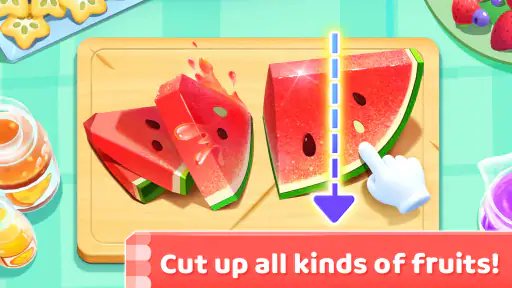
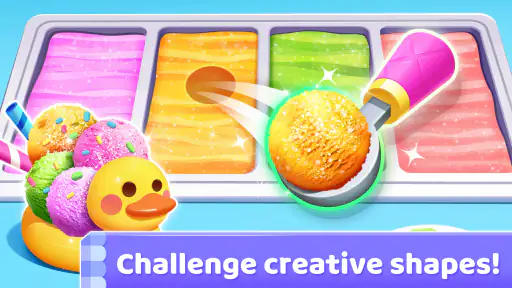
From the moment I opened Little Panda's Ice Cream Games, I was greeted with vibrant colors and a cheerful soundtrack that instantly lifted my spirits. The game is all about creating your own ice cream masterpieces, and trust me, it’s as fun as it sounds. You get to choose from a variety of flavors, mix them up, and add toppings that range from fruits to candies. I mean, who wouldn’t love making a triple-decker chocolate and strawberry cone with sprinkles?
Easy to Play, Hard to Put Down
The controls are super intuitive. You simply tap and swipe to mix ingredients, pour them into molds, and decorate your creations. What’s really cool is the level of creativity the game allows. You’re not just stuck with predefined molds or flavors. Feel like adding a little extra chocolate syrup? Go for it! Want to top it off with a cherry and some nuts? The sky’s the limit!
As you progress, the challenges become more engaging. You’re tasked with fulfilling orders from adorable animal customers who each have their own unique preferences. It’s both challenging and rewarding to see their happy faces when you get their orders just right. Plus, the game keeps things fresh by introducing new ingredients and tools as you level up.
Kid-Friendly and Educational
One of the things I love about this app is how kid-friendly it is. It’s perfect for young ones who are just learning about different flavors and ingredients. The app does a fantastic job of balancing fun with education. Kids can learn about colors, shapes, and even basic math when counting scoops or toppings. Plus, the app is designed to be completely safe for children, with no in-app purchases or ads.
For parents, it’s a win-win situation. You get a few moments of peace while your child is engaged in an imaginative and educational activity. And if you’re like me, you might just find yourself playing along with them!
Final Scoop
In conclusion, Little Panda's Ice Cream Games is a delightful app that combines creativity, fun, and a hint of learning in the sweetest way possible. Whether you’re young or just young at heart, this app is sure to bring a smile to your face. It’s a great way to spend some quality time with your kids or unwind after a long day. So, go ahead, give it a try, and indulge in a world of ice cream bliss!
How it compares with other children’s games
Compared with a puzzle game built around correct answers or a story app that asks children to follow a sequence, this one puts the emphasis on making and decorating food. That makes it a better fit when a child wants to experiment with visual choices than when a parent wants a clearly structured lesson. I see its strongest use as playful pretend activity, with learning coming through conversation and repetition rather than a formal curriculum.
That difference can help with choosing between it and another download. If a child already enjoys pretend kitchens, toy food or helping prepare snacks, the theme may feel familiar and easy to enter. If they tend to lose interest without a changing storyline or a goal that builds from one session to the next, a narrative or puzzle-based alternative may hold their attention longer. The right choice depends less on which game sounds more educational and more on how the child likes to play.
A low-pressure way to try it
With an average rating of 4.3 from around 129,000 ratings and over 100 million installs, it has reached a very large audience, but those figures cannot tell me whether a particular child will enjoy it. I’d use the free download as a test: sit with the child for the first session, see whether the making activity makes sense to them, and notice whether they want to continue without being prompted. The game was released on November 25, 2016, and its current version is 8.71.12.93; those details help identify the edition, but they are not a reason on their own to choose it.
One useful approach is to give the child a small creative prompt instead of taking over the screen: “Can you make something with two colors?” or “Which topping would you pick for a friend?” This can make a brief session more engaging without turning it into a lesson. I’d also let the child explore at their own pace rather than insisting they recreate a particular dessert. That keeps the activity centered on their choices, which is where this kind of play has the most appeal.
Making the purchase decision comfortably
If your child asks for a paid item, I’d pause and check what the purchase offers before deciding; the listed price range alone does not establish that an item is essential or worthwhile. A parent who wants to avoid unexpected spending should set device-level restrictions before the first session, not after a purchase prompt appears. This is a practical safeguard for any child-facing game with in-app purchases, and it lets the adult evaluate the free experience calmly.
Families who are happy to supervise optional spending may still prefer to begin with no purchases and see how much the child enjoys the available play. If the free experience is enough, there is no need to spend simply because an option exists. If your household avoids in-app purchases entirely, the presence of items priced from $0.99 to $4.99 is a fair reason to choose a different app, even though downloading this game costs nothing.
My recommendation for everyday use
For a realistic at-home moment, I can see this working while a parent is preparing dinner and a child is nearby, provided the adult can keep an eye on the screen and device. I’d start a short shared session, ask the child to describe a flavor combination, then finish before the game becomes a default way to fill every quiet moment. It can occupy a child and give you an easy conversation prompt, but I would not rely on it as a hands-off babysitter or as a replacement for drawing, pretend play away from a screen, or time together.
The game’s simple food theme also makes it easy to connect play with everyday life. After a session, a child might talk about favorite flavors or invent a dessert on paper; those are natural extensions, not activities the app needs to provide. I like that possibility because it gives a parent a way to carry the child’s interest beyond the device. If the child is not drawn to ice cream play, though, there is no need to push it—another creative activity may be a better match.
Final value judgment
My verdict is that this is worth trying for a child who likes pretend food-making and for a parent comfortable managing in-app purchase options. The free download lowers the barrier to testing the idea, while the paid items mean I would not call it entirely cost-free in use. Its value is strongest when a child enjoys the theme and an adult occasionally joins in; it is weaker for families seeking a purchase-free environment, a broad educational program or a game with more varied subject matter.
BabyBus’s ice-cream game is therefore an easy “try it first, then decide” choice rather than an automatic recommendation for every family. I’d download it for a young child who wants a cheerful creative activity, supervise the first play, and keep the purchase settings clear. If the child returns to it happily and the optional spending fits your boundaries, it can earn a place in the rotation; if not, a story, puzzle or offline pretend-play alternative is likely to serve them better.
Little Panda's Ice Cream Games Pros and Cons
Pros
- Engaging and colorful graphics for kids.
- Simple
- intuitive gameplay.
- Encourages creativity and imagination.
- Variety of ice cream flavors and decorations.
- Free to play with optional in-app purchases.
Cons
- Limited content over time.
- In-app purchases might be tempting for kids.
- Requires internet for optimal experience.
- Some ads can disrupt gameplay.
- Can drain battery quickly.
This Game in Other Languages
Frequently Asked Questions
What is Little Panda's Ice Cream Game about?
Little Panda's Ice Cream Game is an engaging and interactive mobile application designed for children. It allows users to explore their creativity by creating various types of ice cream using different flavors, toppings, and decorations. This game not only entertains but also educates children by encouraging them to experiment with colors and flavors, enhancing their cognitive and motor skills.
Is Little Panda's Ice Cream Game safe for kids to play?
Yes, Little Panda's Ice Cream Game is safe for children. It is specifically designed for young audiences, ensuring a child-friendly interface with no harmful content or advertisements. Parents can feel comfortable allowing their children to play, knowing that the game supports learning and creativity in a secure environment.
What age group is Little Panda's Ice Cream Game suitable for?
Little Panda's Ice Cream Game is ideal for children aged 3 to 8 years old. The game is designed to be accessible and enjoyable for young kids, providing simple controls and engaging visuals that cater to early childhood development. It helps in developing basic skills such as hand-eye coordination and color recognition.
Does Little Panda's Ice Cream Game require an internet connection?
No, Little Panda's Ice Cream Game does not require a constant internet connection to play. After downloading the game, users can enjoy creating ice cream treats offline. However, an internet connection may be needed for initial installation or to access additional features and updates.
Are there in-app purchases in Little Panda's Ice Cream Game?
Yes, Little Panda's Ice Cream Game offers in-app purchases. While the game itself is free to download and play, users have the option to buy additional content such as new flavors, toppings, and decorations. These purchases can enhance the gaming experience, but they are entirely optional and not necessary to enjoy the basic features of the game.


