

Coloring & Learn
- Reviews
- 4.2
- Version
- 2.26
- Installs
- 100,000,000+

Screenshots


 Analysis by Frivlyz
If you're anything like me, you probably reminisce about those carefree childhood days spent coloring with crayons and markers. Well, guess what? You can relive those moments with a modern twist, thanks to the Coloring & Learn app. This delightful app isn't just for kids; it's a creative outlet for all ages, offering a digital canvas for anyone looking to unwind and let their imagination run wild.
How it fits into a busy day
I see this as a handy choice for short, low-pressure creative breaks rather than a replacement for a full art app. A parent can offer a child a coloring activity while waiting at an appointment, or an adult can use a few quiet minutes to focus on filling a picture instead of scrolling through a feed. The educational angle makes it especially suitable when you want an activity that feels playful but has a little more purpose than simply passing time.
For a child who is just getting comfortable with colors and shapes, the appeal is straightforward: choose a picture, try different colors, and see a result quickly. I would still treat it as a shared activity for younger children, especially at first. Sitting together gives you a chance to talk about what they are coloring and to help them move between the creative activity and the learning material without turning it into a lesson.
Our Stories on Coloring & Learn
Coloring & Learn: Revolutionizing Digital Education for Kids
NewsSpider Solitaire: The Ultimate Mobile Escape for 2023
NewsPepi Hospital: Learn & Care's Role in Transforming Educational Gaming
NewsHow Coloring Games: Color & Paint Redefines Educational Apps
NewsDiscover the Meditative Magic of Color by Number ®: No.Draw
NewsFruit Ninja® Turns One Swipe Into a Test of Timing and Restraint
NewsIt is also worth setting expectations. Digital coloring is convenient, but it does not reproduce the feel of paper, the pressure of a pencil, or the happy mess of real markers. If a child is practicing hand control or you specifically want a screen-free craft, paper and crayons are the better option. If the goal is an easy activity that can travel on a device, this game has a clearer advantage.
Unleashing Creativity
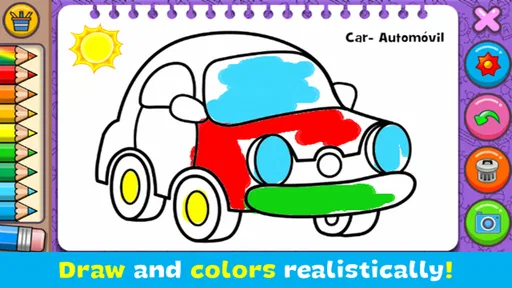
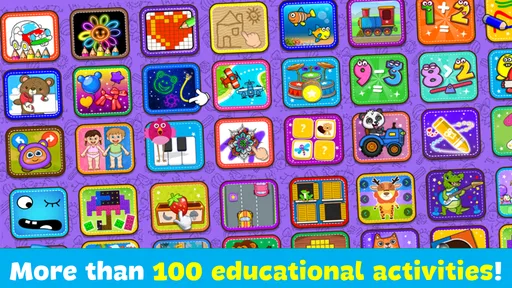
The first time I opened Coloring & Learn, I was immediately greeted with a vibrant and user-friendly interface. The app offers a plethora of coloring pages ranging from simple designs for beginners to intricate patterns for seasoned artists. Whether you're into animals, mandalas, or fantasy worlds, there's something here for everyone. And let me tell you, the joy of selecting from a wide palette of colors is just as satisfying as dipping a brush into real paint.
That range makes choosing an activity part of the experience. For a quick break, I would pick a simpler picture that can be finished without much planning. For a longer, more focused session, a detailed page gives more room to experiment with color combinations and small sections. A useful habit is to decide on a limited palette before starting; it can make a picture feel more intentional and saves time spent changing colors on every small area.
The game is free, and it is made by Orange Studios Games. It is an educational title rated Everyone, so its broad, family-friendly approach is part of the appeal. Its average rating is 4.2 from around 276,000 ratings, and it has passed 100 million installs. Those figures suggest that it has reached a large audience, though they do not mean every player will enjoy the same parts of it: someone seeking serious drawing tools may find a coloring-focused game too guided.
Gaming Stories You May Enjoy

Dancing Road Turns Short Breaks Into a Test of Rhythm and Timing

Super Stylist Makes Every Outfit a Test of Taste and Patience

Dominoes on Your Terms: Who Should Play and Who Should Pass

Pokémon GO Makes the Familiar World Feel New

Chess.com Turns Rematches Into Rivalries, but Community Has Its Costs

Archery Battle 3D Review: Sharp Aiming, Unclear Feedback
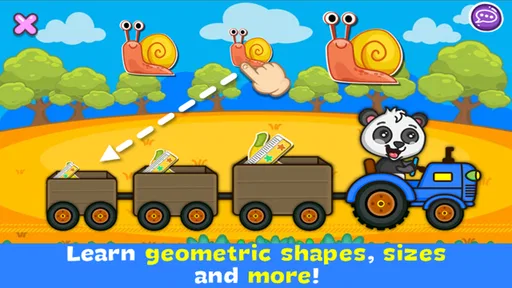
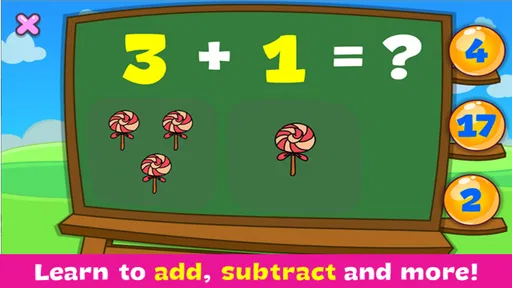
One of the standout features of the app is its interactive learning mode. While coloring, users can learn about different objects and animals with fun facts and trivia. It's a sneaky way to get both kids and adults learning without even realizing it! I found myself quite engrossed in discovering new tidbits of information while filling in the vibrant hues.
Making the learning element work
The learning content is most useful when it becomes a conversation rather than background text. With a child, I would pause after a fact and ask what they already know about the animal or object, then connect it to the colors they chose. That small step turns coloring into an opportunity to notice details and explain ideas in their own words. It also avoids expecting the game alone to teach a subject in depth; I would treat it as a prompt for curiosity, not a complete lesson plan.
This balance is one reason the game can suit families with children of different interests. A child who mainly wants to color can concentrate on the picture, while an adult can draw attention to the information along the way. But if your priority is structured school practice, such as a course with progress tracking or a specific curriculum, a dedicated learning app will likely be a better fit. Here, the educational value sits alongside the creative activity rather than replacing formal instruction.
Tools and Features
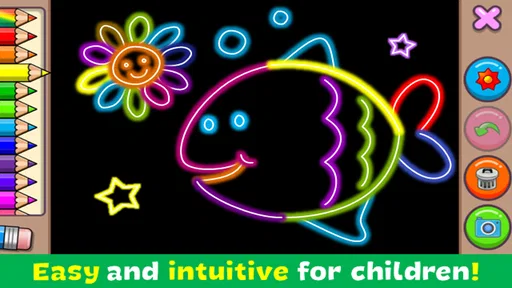
Now, let's talk about the tools at your disposal. Coloring & Learn provides a variety of brushes, pencils, and even spray paint options. The zoom function is a lifesaver for those intricate details, allowing precision even on the tiniest sections of your artwork. You can also undo any mistakes with a simple tap, making the process forgiving and stress-free.
For the cleanest result, I would zoom in before filling a particularly small area instead of trying to correct every spill afterward. Undo is reassuring, but repeated corrections can interrupt the relaxing rhythm. It also helps to try a tool on a less prominent area first: a brush, pencil, or spray effect can give a different feel to the same picture, and a little testing is easier than committing to a look you do not like.
That flexibility is useful, but it is not the same as having an open-ended drawing studio. The pictures provide a starting structure, which is welcoming for beginners and people who simply want to color. Artists who want to sketch their own subjects, work with layers, or control every part of an illustration may prefer a general-purpose drawing app. I would choose this one when the pleasure is in coloring an existing design, not when I want to build a finished image from a blank canvas.
Another cool feature is the app’s ability to save and share your masterpieces. Whether you want to keep a digital gallery of your creations or showcase them on social media, it’s all just a tap away. Plus, if you're feeling extra proud, you can even print them out to decorate your space with your very own artwork!
Saving gives children a tangible sense of completion, and it can be fun to look back at how their color choices change from one picture to another. If you plan to share a child’s work, I would make that choice together and keep the activity focused on the artwork rather than posting automatically. Printing can also bridge the digital and physical versions of the hobby: a finished page can become something to display, while the original remains available in the app.
What to expect from the current version
The game was released on July 19, 2016, and its current version is 1.199. That gives existing players a clear reference point for the version they can install, but a version number by itself does not tell me what has changed between releases. I would not assume that a particular tool, page, or learning feature is new simply because the version has advanced. The sensible expectation is to judge the experience available now, and to check the app’s current compatibility before installing it on an older device.
It supports Android 5.0 and later, which makes it accessible to many older Android devices. The game is free to download, with in-app purchases listed at $3.49 per item. I would keep that in mind if a child will use it: agree on whether purchases are allowed before handing over a device, and use the device’s purchase controls if you want to avoid accidental spending. The free entry point is convenient, while the presence of optional purchases means it is worth checking what is available in the app before settling into a session.
Where it may not be the right choice
Coloring & Learn works best when you want a relaxed, guided activity. It is less convincing as a serious art tool, a substitute for hands-on materials, or a complete educational program. The screen-based format may also be a poor fit for someone trying to reduce screen time, even if the activity itself is calmer than many games. For those users, a printed coloring book or a paper-and-pencil activity is the more direct choice.
There is another practical trade-off: a digital page can be edited and saved, but that convenience can make children less deliberate about a choice because undo is always available. I would sometimes invite a child to pick colors before starting, or to finish a small section before changing tools. That keeps the process playful while giving the activity a little structure. If the child becomes frustrated by precision on a tiny screen, switching to a simpler page is more useful than insisting on completing the detailed one.
Perfect for Relaxation
In today’s fast-paced world, finding moments of relaxation is crucial. Coloring has long been known for its therapeutic benefits, and this app takes it to the next level by combining it with the convenience of digital technology. I found myself getting lost in the rhythmic process of coloring, feeling the stress melt away with each stroke. It's a perfect escape after a hectic day.
My realistic use for it would be a short evening wind-down: choose a picture, settle on a few colors, and work through it without treating the finished result as a test of artistic skill. The tools make mistakes easy to undo, which lowers the stakes, but the activity is still most calming when I am not rushing to complete a page. It can be an enjoyable pause, though it is not guaranteed to relax everyone; people who dislike touch-screen coloring or prefer tactile hobbies may find a real coloring book more satisfying.
Compared with many casual games, the point here is not competition or a fast score. Compared with standalone coloring apps, its learning element gives families another reason to talk about what is on the page. That combination is its most distinctive strength, while the guided designs are also its main boundary. If you want free-form illustration, a dedicated drawing tool offers more control; if you want a calm activity with educational moments built in, this is the more fitting choice.
Whether you’re looking to unwind, teach your kids something new, or simply indulge in some creative fun, Coloring & Learn is a brilliant app to have on your device. So why not give it a try? It might just become your go-to app for relaxation and creativity. Happy coloring!
Coloring & Learn Pros and Cons
Pros
- Wide variety of coloring pages.
- User-friendly interface.
- Educational games included.
- Supports offline usage.
- Regular updates with new content.
Cons
- Ads can be intrusive.
- Limited tools in free version.
- Some content requires in-app purchases.
- Occasional app crashes.
- No option to save progress across devices.
This Game in Other Languages
Frequently Asked Questions
What is Coloring & Learn and what does it offer?
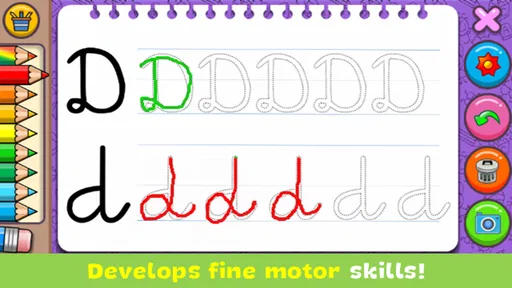
Coloring & Learn is an educational app designed for children to explore their creativity through coloring activities. It offers a wide array of coloring pages, interactive learning tools, and engaging mini-games. The app aims to enhance children's motor skills and artistic abilities while providing a fun and educational environment.
Is Coloring & Learn suitable for all age groups?
Coloring & Learn is primarily designed for children aged 3 to 8 years old. The app features age-appropriate content that helps young users learn about colors, shapes, and patterns in an engaging way. Parents can rest assured that the content is safe and tailored for early childhood development.
Does Coloring & Learn require an internet connection?
Coloring & Learn does not require an internet connection for most of its features. Users can access coloring pages and learning activities offline, making it convenient for travel or locations with limited internet access. However, some updates or additional content may require a connection to download.
Are there in-app purchases or advertisements in Coloring & Learn?
Coloring & Learn is a free-to-download app, but it does offer in-app purchases for additional content such as exclusive coloring pages and mini-games. The app includes advertisements, but they are child-friendly and do not interrupt the user experience. Parents can opt to make a one-time purchase to remove ads.
How can parents monitor their child's activity on Coloring & Learn?
Coloring & Learn includes a parental dashboard that allows parents to monitor their child's activity and progress within the app. This feature provides insights into the time spent on various activities, helping parents understand their child's interests and developmental progress. The app prioritizes child safety and privacy.


