

 Article about Fruit Ninja®
Fruit Ninja® Turns One Swipe Into a Test of Timing and Restraint
Fruit Ninja® makes its case in the space between a fruit leaving the bottom of the screen and your finger deciding whether to chase it. A swipe can feel wonderfully exact: one clean cut, a bright splatter, a score that ticks upward. It can also become a rushed guess, especially when a bomb shares the same arc. That tension is the game’s design thesis. It turns a gesture anyone understands into a small test of timing, restraint, and visual attention, then relies on quick feedback to make another round feel inevitable.
The best parts of the experience are not its menus or unlocks. They are the seconds in which fruit rises, the screen asks for a decision, and the result arrives without explanation. Yet the presentation around that loop sometimes makes players work harder than they need to just to reach it. Fruit Ninja remains an elegant arcade game at the point of contact, with a less elegant outer layer that can obscure where to begin, what a mode expects, or how to recover from a mistake.
First contact, clear enough to start
The first-use challenge for an arcade game is simple: teach the player what to do before the first burst of action. Fruit Ninja gets the essential lesson right. Fruit appears, the player swipes through it, and the game makes the consequence visible. There is no elaborate control scheme to learn, and the touch gesture maps neatly to the action on screen. A newcomer can grasp the basic premise almost as soon as a piece of fruit lifts into view.
That simplicity makes the first successful cut feel unusually direct. The game does not ask players to steer a character or parse a stack of buttons. The finger is the blade, and the screen gives an immediate response. The first few swipes establish a useful relationship between movement and outcome: a quick line through a cluster can slice several pieces, while a late or narrow pass may leave one untouched. The player learns by doing rather than reading a paragraph of instructions.
But orientation is more than understanding the gesture. A player also needs to know what kind of session they are about to enter and what the screen is asking them to prioritize. The core action is obvious; the distinctions among modes and their goals can take longer to absorb. When a game puts several destinations in front of a new player, visual prominence and plain labels matter. If a player has to inspect each option to figure out which one leads to a straightforward round, the opening has introduced a small navigation puzzle before the arcade one.
This is where Fruit Ninja’s visual confidence can work against clarity. Its menus carry the energy of an established game, but decorative emphasis and accumulated options can compete with the basic question: where do I tap to play? A returning player may read the screen from habit. Someone arriving cold benefits more from a single unmistakable starting point and a concise explanation of what makes the available choices different. The game teaches the swipe well; it is less disciplined about teaching its own map.
Navigation and hierarchy around the action
At its best, Fruit Ninja places a clean, readable play space between the player and the action. The screen is the arena, not a dashboard. Fruit enters from below and rises into the area where a finger can reach it. The player does not need to track a camera, control a moving avatar, or split attention between several permanent panels. That hierarchy gives the central task room to breathe.
The surrounding navigation has a harder job because the game has grown beyond one mode and one reason to return. Modes, progression, unlocks, and other destinations all compete for attention, and their relative importance can shift depending on whether someone wants a quick round or a longer goal. The interface feels clearest when it distinguishes those intentions: play now, work toward something, or customize the experience. It feels less clear when these categories are presented as peers without enough explanation of their practical difference.
That distinction matters because an arcade game often earns its place through low commitment. A player may have thirty seconds and want a round without planning a route through the interface. In that moment, the path to play should be both visually obvious and short. Progression can deepen the experience, but it should not make the most immediate action look like one choice among several equally urgent chores. A strong hierarchy respects both kinds of player: the person dropping in for a fast attempt and the person returning with a longer objective.
Compare this with a quiz game such as Trivia Crack: Fun Quiz Games, where categories and question formats are part of the product’s central promise. There, browsing options can be a meaningful part of choosing a session. Fruit Ninja’s main appeal is more physical and immediate. Its menu should behave like a doorway, not a catalogue. The less time spent interpreting navigation, the sooner the game can deliver its strongest argument: one finger, fruit in motion, and a choice that cannot be postponed.
Feedback that makes a swipe legible
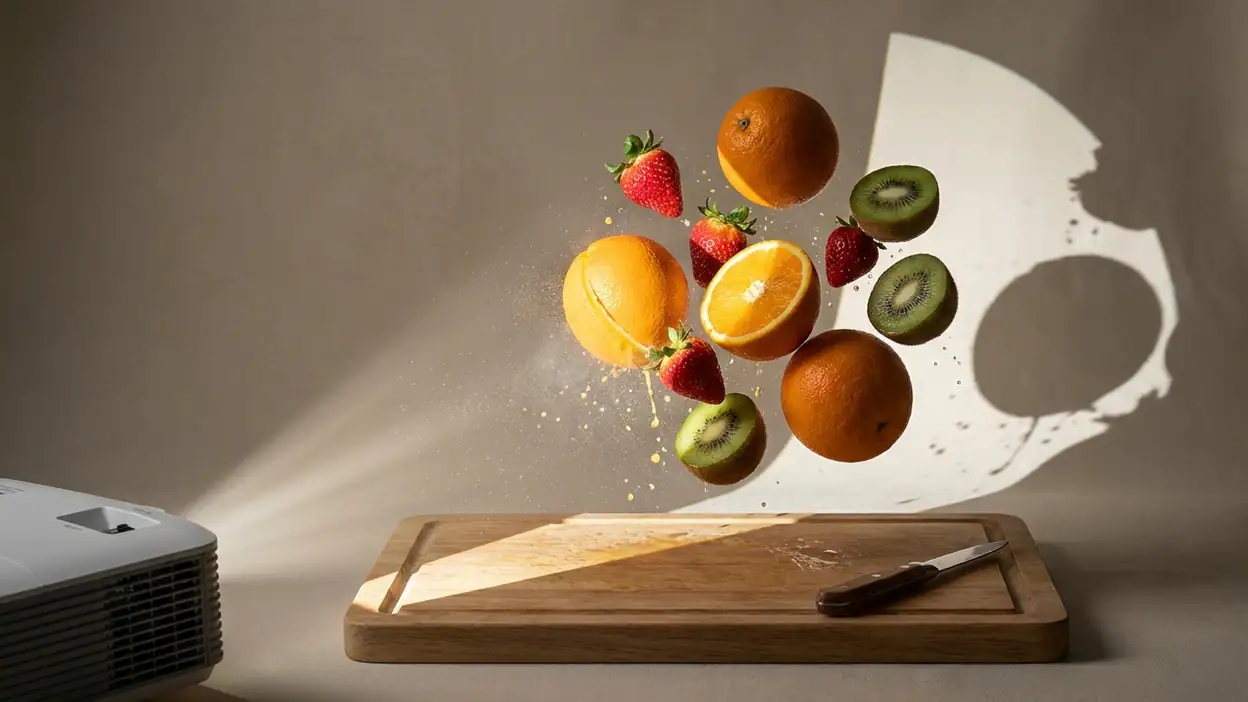
Fruit Ninja’s feedback is the heart of its interaction design. A successful cut is not merely recorded; it is staged. Fruit separates along the swipe, juice spreads across the play space, and the score confirms that the action counted. This sensory chain makes an abstract input feel physical. It also answers the player’s most urgent question, often before they have consciously formed it: did that cut connect?
The timing is crucial. Feedback that arrives too late would make the gesture feel uncertain, while feedback that is too quiet would rob the action of its reward. Here, the response is immediate enough to connect finger movement with visible consequence. A well-placed swipe through several pieces has a satisfying rhythm: the hand moves, fruit splits, effects bloom, and the score catches up. The animation does not need a tutorial to explain why the move felt good. The eye and hand understand together.
The bomb changes the meaning of that same gesture. Fruit invites contact; the bomb makes contact dangerous. This is a compact example of strong interaction design because it reuses the basic visual and motor language while changing the stakes. The player must not only aim but also inhibit the impulse to slice. A near miss can be as informative as a successful cut: it reveals how close the finger came to the hazard and reinforces the need to read the whole arc, not just the juiciest target.
That contrast is also where readability has to be protected. In a crowded burst, effects, overlapping objects, and a fast hand can make the screen harder to parse. The game’s feedback should celebrate a good cut without concealing what is arriving next. When visual flourish and hazard recognition pull in opposite directions, clarity should win. Fruit Ninja is strongest when its spectacle remains subordinate to the decision that follows it.
Its short rounds make feedback cumulative. A score is not only a number at the end; it is a running account of how well the player is reading the screen. Each cut encourages a little more confidence, while each awkward miss makes the next rising piece feel like a fresh question. The loop carries the player forward through signals rather than narrative exposition. That is why even a simple round can feel more involving than its handful of gestures suggests.
Friction, mistakes, and getting back in
Failure is central to Fruit Ninja, so recovery is not a side concern. A round ends because the player has made enough errors or crossed a dangerous object, and the game has to turn that disappointment into a reason to try again. The loop helps: the next attempt is close at hand, and the control is already understood. There is little distance between realizing a run has ended and imagining how to improve the next one.
That quick return is an important design strength. The player does not need to rebuild a complex setup after a failed round. The basic skill remains in the fingers, and the memory of a mistake is fresh enough to be useful. If a bomb caught a greedy swipe, the next run offers an immediate chance to hold back. If fruit escaped just beyond reach, the player can adjust timing. Failure becomes a compact lesson rather than a long interruption.
Still, not every kind of friction is productive. A mistake inside a round belongs to the game’s challenge; a detour in the menus does not. When the path back to play is cluttered by promotions, unlock prompts, or unclear next steps, the game spends the player’s attention on administration rather than mastery. Progression can be motivating, but its rewards should not crowd the decision to restart or make the next session feel like a negotiation.
There is a useful distinction between challenge and confusion. Fruit and bombs create challenge because the rule is legible and the player’s response determines the outcome. A mode whose objective is not obvious creates confusion because the player may not know what they are trying to do. Likewise, a button that leads somewhere unexpected adds friction without deepening the skill test. The design should make consequences in play demanding and consequences in navigation predictable.
Fruit Ninja generally benefits from low-cost retries, but it could communicate transitions more cleanly. After a run, the player should be able to understand at a glance what they achieved, what ended the attempt, and which action begins another. The faster those questions are answered, the more likely the player is to interpret a loss as useful feedback rather than an arbitrary stop. In an arcade loop, recovery is part of the rhythm: break, understand, return.
Consistency beyond the first swipe
The central interaction has a strong internal consistency. A swipe cuts what it crosses, the screen responds in kind, and the same basic physical rule remains legible from one burst to the next. That predictability is what lets the game become demanding without becoming complicated. Players can improve their judgment instead of relearning the controls every round.
Consistency is harder to sustain across the wider experience. A player moves between the active play space, menus, progression, and rewards, each with a different pace and purpose. Those transitions need to preserve a clear sense of where the player is and what kind of action is expected. If a destination uses a different hierarchy or buries its main action, the player experiences the game as several small interfaces rather than one coherent product.
Fruit Ninja’s enduring visual language helps bridge that gap. Fruit, slicing, and bright impact effects make the identity easy to recognize. But visual consistency alone is not enough. Controls need to behave consistently, labels need to mean what players expect, and a tap should produce a response that makes its destination clear. The game feels most cohesive when its surrounding systems echo the simplicity of its play: one obvious action, one clear result, one understandable next step.
This is a different design problem from a game built around a persistent character. In My Talking Tom, for example, the interface can organize itself around a familiar companion and a routine of care. Fruit Ninja has no equivalent anchor. Its identity lives in the gesture and the moment of impact, so the interface needs to keep pointing back to that core rather than asking menus to carry the emotional weight. A mode or reward is most persuasive when it gives the player a new reason to return to the swipe.
Designed for a thumb, played with a hand
The touch screen is not just a substitute for a controller in Fruit Ninja. It is the game’s defining instrument. A finger can trace a fast diagonal, sweep across a cluster, or hesitate just short of a bomb. The directness makes the action feel personal: the route of the cut is visible in the movement of the player’s own hand, and the game responds at the point of contact.
That directness also makes screen composition matter. Fruit has to travel through an area the player can see and reach, while score and other persistent information must stay out of the way. On a small phone, the playable space can feel satisfyingly immediate, but visual clutter has less room to disperse. A finger can also obscure a target at the exact moment it matters. The game needs large enough objects, strong enough contrast, and restrained effects so that touch does not erase the information it is meant to act on.
One of Fruit Ninja’s smartest small-screen decisions is that the basic action needs no on-screen control pad. There are no buttons to hunt for or virtual joystick to cover the playfield. The whole screen can serve as an active surface. That keeps the interface compact and lets the player make broad, natural movements, though it also means the game must distinguish carefully between areas that respond to a swipe and places reserved for menus or other controls.
The physical rhythm changes with how someone holds the phone. A player using one hand may favor short, controlled cuts; with two hands, a broader sweep can feel natural. The game is flexible enough to accommodate both, which adds to its pick-up-and-play appeal. Yet the finger’s reach and the game’s timing are not identical for every player. If objects cluster near an edge or rise in quick succession, the challenge can shift from reading the pattern to physically reaching it. Good arcade pressure should come from judgment, not awkward ergonomics.
Block Blast! offers a useful contrast in the way it asks players to use a phone screen. Its spatial puzzle invites a slower scan and careful placement, while Fruit Ninja asks for an immediate motor response. Neither approach is inherently better; the point is that each interface should support its own tempo. Fruit Ninja succeeds when it lets the screen stay uncluttered enough for a player to scan, commit, and see the result in one continuous motion.
What expert players notice
Once the gesture becomes instinctive, the game’s design questions become more precise. Experienced players are not simply swiping faster. They are reading trajectories, judging whether a cluster is worth pursuing, and deciding when restraint is safer than a risky cut. The player’s attention moves from “Can I slice that?” to “What else will enter the screen while I do?” That shift is where the simple loop earns depth.
For a practiced player, visual hierarchy is a mechanical concern. A bomb hidden among the movement is not just a cosmetic problem; it can invalidate a decision made in a fraction of a second. Effects that linger too long can blur the next wave. Score feedback that draws the eye away from incoming fruit can cost a run. The best presentation gives enough celebration to confirm success, then clears the stage for the next judgment.
Rhythm is equally important. Fruit arrives in bursts, so the player alternates between readiness and action rather than holding one continuous input. A good round develops a pulse: watch, commit, cut, reset. If the screen becomes too busy for too long, that pulse collapses into indiscriminate motion. If it stays too quiet, the player loses the urge to engage. Fruit Ninja’s appeal depends on the contrast between brief calm and sudden opportunity.
Replay value grows out of that mastery curve. A round can end quickly, but the player can still identify a specific improvement: wait half a beat, cut across the cluster more cleanly, leave the dangerous object alone. That clarity makes another attempt feel purposeful. It is a stronger reason to replay than a vague promise of more content, because the player can feel a skill taking shape in their own hand.
Not every player will want to chase that refinement indefinitely. For some, the pleasure is simply the sensory burst of slicing fruit and watching the score climb. The game accommodates both impulses, but its expert layer is more compelling when modes and goals reinforce the same readable principles. The challenge should reward better observation and control, not merely longer familiarity with a menu maze.
The choice that holds the design together
Fruit Ninja’s strongest design choice is its commitment to a single, understandable gesture with consequences that are immediate and distinct. The swipe is not a universal button stretched across unrelated actions. It has a clear physical meaning: trace through fruit to cut it, and think twice when a hazard enters the same space. That lets the game teach its rules through the player’s hand.
Everything that works best follows from that decision. The game needs no elaborate tutorial because the action explains itself. It can create tension without complex controls because the same motion can be tempting or dangerous. It can make failure sting without making recovery difficult because a new round asks for the same familiar gesture, now informed by what went wrong. The whole arcade loop is legible at human speed, even when the action itself becomes fast.
The choice also gives the game a recognizable rhythm. Fruit rises with the promise of a cut, the player commits, and the screen answers. A run is a chain of those small decisions, with each result shaping the confidence of the next. This is a rare kind of economy: the game does not need a large vocabulary of actions to feel active. It needs the central action to remain satisfying and the screen to keep its terms clear.
That clarity is why the less disciplined parts of the experience are noticeable. A straightforward gesture sets a high standard for the rest of the design. If the player can understand a hazardous choice in a split second, the interface should be equally direct about starting a round or moving on after one ends. The core does not need to be made more complicated; the surrounding experience needs to be brought up to its level.
A sharp arcade game with a messy edge
Fruit Ninja® remains a persuasive example of touch-first arcade design because its central action is immediate, physical, and easy to read. The pleasure is not just in seeing fruit split. It is in matching a hand movement to a moving target, feeling the feedback arrive instantly, and deciding whether the next swipe is worth the risk. That loop still has a clean, satisfying pulse, and its low-cost retries make improvement feel close enough to chase.
Its weaknesses sit around that pulse rather than inside it. New players could be oriented more clearly among the available destinations, transitions could do a better job of distinguishing useful feedback from clutter, and a few seconds of administrative friction can interrupt the simple desire to play again. Those are not fatal flaws, but they matter in a game whose chief advantage is how little it should ask before the action begins.
My design verdict is clear: Fruit Ninja is at its best when it trusts the swipe. Its play space understands touch, its feedback makes success feel tangible, and its risk-reward loop can turn a brief session into a genuine test of attention. The outer interface sometimes dilutes that precision, but it cannot erase the quality of the central idea. For players who want an arcade game that makes one small gesture feel consequential, this remains an easy game to pick up and a surprisingly demanding one to master.


