

Monster Trucks Game for Kids 2
- Reviews
- 4.1
- Version
- 3.5.0
- Installs
- 100,000,000+

Screenshots
 Analysis by Frivlyz
For a child who is drawn to big vehicles, a simple monster-truck game can be an easy way to turn a few spare minutes into a focused activity. I like that Monster Trucks Game for Kids 2 keeps its central idea clear: choose a truck, head onto a track, and steer through obstacles. That direct setup can feel more inviting to a young player than a game with menus, missions, and lots of rules to learn first.
It is an educational game from Raz Games, aimed at young children and toddlers. It is free to download, rated for Everyone, and has in-app purchases priced from $0.99 to $3.99 per item. The game has a 4.1 average from around 103,000 ratings and more than 100 million installs. Those figures suggest that many families have tried it, though popularity alone cannot tell you whether its controls suit your child.
Readability and getting around
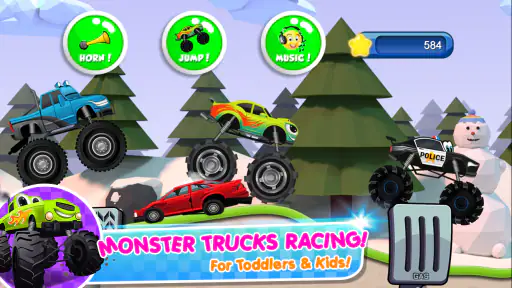
The first impression is colorful and straightforward. In my experience, that kind of visual clarity matters for a preschool-age player who may not yet read menus confidently. The original review found the interface easy to navigate, and the basic sequence—pick a vehicle, then play—does not ask children to keep track of a complicated setup. A caregiver can also help with the first selection and then let the child take over.
The game’s current version is 3.5.0, and it requires Android 6.0 or later. If you are choosing a device for a child, I would check the operating system before downloading rather than assume an older tablet will run it. The title is also available on iOS, so it can be an option in households where children use different kinds of devices; the exact compatibility depends on the device and its software.
For a child who enjoys making choices but is not ready for a text-heavy game, selecting a truck can be a small, satisfying starting point. I would treat that choice as part of the play rather than rush past it: asking which design looks fastest, loudest, or most fun gives a child a chance to explain a preference before the driving begins. That is a simple way to make the game feel more like shared play than a screen handed over in silence.
Controls, movement, and sensory fit
The original review describes two ways to interact while driving: tilt the device to steer or tap to jump. That offers a useful choice, but it also means the game may feel different from a racer controlled entirely with buttons. A child who is comfortable moving a tablet can try tilting; one who prefers keeping the device still can focus on tapping. I would test both methods together at first and see which produces less frustration.
These controls ask for different kinds of coordination. Steering by tilt involves noticing how the device’s movement changes the truck’s path, while jumping requires timing a tap around an obstacle. That can be engaging practice for a child who likes trial and adjustment, but it is not the same as a quiet matching or coloring activity. If the child is tired, easily unsettled by fast motion, or simply wants a slower pace, I would save this for another moment.
Gaming Stories You May Enjoy

Dancing Road Turns Short Breaks Into a Test of Rhythm and Timing

Super Stylist Makes Every Outfit a Test of Taste and Patience

Dominoes on Your Terms: Who Should Play and Who Should Pass

Pokémon GO Makes the Familiar World Feel New

Chess.com Turns Rematches Into Rivalries, but Community Has Its Costs

Archery Battle 3D Review: Sharp Aiming, Unclear Feedback
The game is described as having cheerful music, engine sounds, and tire effects. Those details help create a lively racing feel, but sound is also a matter of personal comfort. I would begin with the volume low and let the child decide whether they want the sound on. Playing in a waiting room or a shared space is a good reason to keep it muted or use a device’s normal volume controls, rather than assume every setting will suit every environment.
When it fits into family life
A useful everyday moment might be a short wait before an appointment, when a child wants something active but an adult needs to keep the situation calm. I would start the game before the waiting room gets busy, check the sound, and agree on a simple stopping point before handing over the device. That makes it easier to end play without turning the last few minutes into a negotiation.
The original review says the game does not require an internet connection, which makes it convenient for travel or places with unreliable reception. I would still open it once at home before a trip, confirm that it runs on the device, and make sure the child understands the basic controls. That small trial avoids discovering unfamiliar menus or steering behavior when you are already trying to manage a journey.
For a parent or caregiver, the best use is probably a brief, supervised play session rather than relying on it as an all-purpose distraction. A young child can choose a truck and practice steering while an adult stays nearby to help with the device or talk through what is happening. That shared approach is especially useful when the child is still learning how much movement a tilt control needs.
How it compares with other children’s games
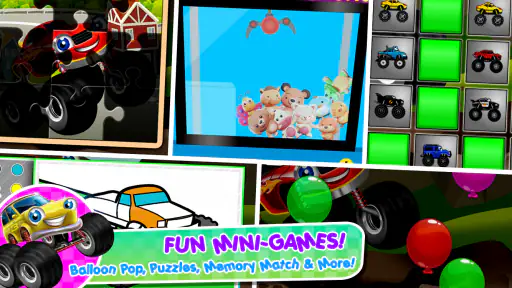
Compared with puzzle games, drawing apps, or early-learning activities built around letters and numbers, this one puts more emphasis on movement and reaction. That is a strength for a child who is fascinated by vehicles and wants to make something move on screen. It is a weaker match for a family looking specifically for reading practice, structured lessons, or a calm activity with little sensory stimulation. Its educational value is best understood as informal practice in coordination and problem-solving, not as a substitute for a lesson.
It also differs from racing games aimed at older players. The simple controls and child-focused presentation make the basic idea approachable, but anyone seeking detailed vehicle tuning, realistic driving, or competitive depth should choose a more advanced game. Here, the appeal is the immediate truck-and-track activity, not a long-term racing simulation. That distinction helps set expectations: a child may enjoy a quick burst of play without needing a complicated progression to keep interest.
Limits worth considering
There is a notable practical detail for families: while the game is free, it includes in-app purchases in the $0.99–$3.99 range per item. The earlier review’s claim that there are no in-app purchases conflicts with that, so I would not rely on it as a purchase-free experience. Before a child plays, I recommend checking the device’s purchase protections and explaining that paid items need an adult’s permission. That is more dependable than assuming a child will never encounter a purchase prompt.
The controls also create a real trade-off. Tilting can feel natural for some children, but it may be awkward if a device is resting on a table, held by an adult, or used in a cramped space. Tapping to jump does not remove the need to steer, so a child who finds coordinated movement difficult may need help or may prefer a different activity. Rather than treating that as a flaw in the child, I would treat it as a sign to try a slower, simpler game.
There is no single screen activity that works equally well for every child or every setting. Bright visuals and vehicle sounds may be exciting for one player and too much for another; a short test session is a practical way to judge. If your child needs larger controls, fewer moving visuals, spoken guidance, or a specifically designed accessibility feature, do not assume this game provides those supports. Choose an app whose controls and presentation you can confirm meet those needs.
Getting Started with the Game
First things first, downloading and installing Monster Trucks Game for Kids 2 was a breeze. It's available on both Android and iOS, so no worries if your kid is using a different device than their friends. Once you fire up the game, you're greeted with a colorful interface that immediately draws you in. It's clear from the get-go that this game was designed with kids in mind—everything is bright, bold, and easy to navigate.
Gameplay and Features
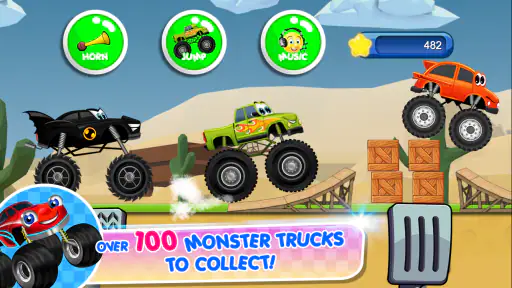
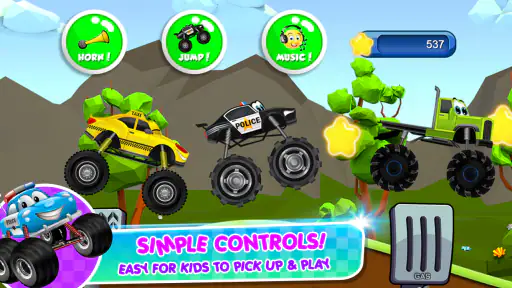
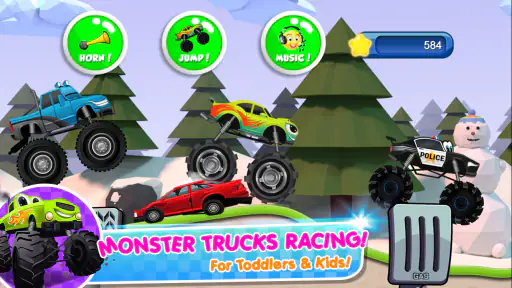
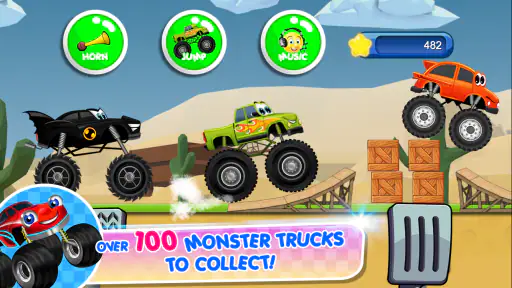
The core gameplay is simple yet engaging, perfect for keeping kids entertained without overwhelming them. The game offers a variety of monster trucks to choose from, each with its own unique style. It’s like a mini showroom of monster trucks, and kids can pick their favorite before hitting the track.
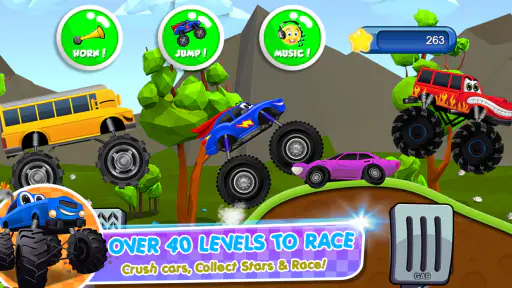
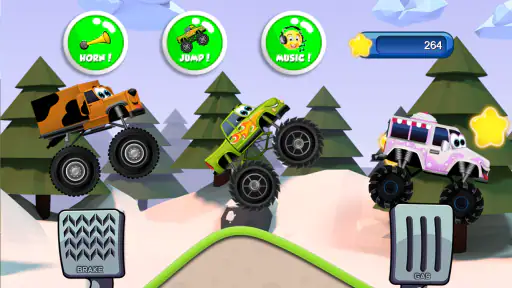
Once you're on the track, the fun really begins. The controls are intuitive—kids can tilt the device to steer or tap to jump. There are various tracks to explore, each one dotted with obstacles that add a layer of excitement. What’s more, the tracks are designed to challenge without frustrating, which is a huge plus. Plus, the cheerful background music adds to the overall fun vibe of the game.
Educational Value
Beyond fun, there’s also an educational aspect to the game. It subtly encourages hand-eye coordination and problem-solving skills as kids navigate their monster trucks through various challenges. The game’s ability to entertain while also providing some developmental benefits is a win-win in my book.
Graphics and Sound
The graphics are top-notch for a kids’ game. Everything is vibrant and well-designed, capturing the attention of young players. The monster trucks themselves are detailed and imaginative, sure to spark creativity and excitement. The sound effects are equally impressive, with engines roaring and tires screeching, making the experience feel immersive and engaging.
Parental Controls and Safety
One of the standout features of Monster Trucks Game for Kids 2 is its focus on safety and parental controls. There are no ads or in-app purchases, which means no surprise charges. Parents can rest easy knowing that their kids are playing in a safe environment.
Additionally, the game doesn’t require an internet connection, so it’s perfect for on-the-go entertainment. Whether you're on a long car ride or waiting at a doctor's office, this game can be a lifesaver to keep kids occupied.
A Few Personal Thoughts
Honestly, I was impressed with how well-rounded this game is. It’s not just about racing monster trucks; it’s about creating a fun, safe, and educational experience for kids. The developers have clearly put a lot of thought into making sure the game is accessible and enjoyable for young players.
In the world of kids' apps, where many games can feel like they’re cut from the same cloth, Monster Trucks Game for Kids 2 stands out. It manages to deliver a fun experience without compromising on quality or safety, which is something every parent can appreciate.
So if you’re looking for a game that your kids will love and you can trust, give Monster Trucks Game for Kids 2 a try. It’s a monster truckload of fun!
Monster Trucks Game for Kids 2 Pros and Cons
Pros
- Engaging and colorful graphics.
- Simple controls for easy gameplay.
- Variety of monster trucks to choose.
- Educational elements for kids.
- No in-app purchases needed.
Cons
- Limited levels may reduce replayability.
- Soundtrack can become repetitive.
- Lacks multiplayer functionality.
- Some ads can be intrusive.
- Requires internet for full features.
This Game in Other Languages
Frequently Asked Questions
What age group is Monster Trucks Game for Kids 2 suitable for?
Monster Trucks Game for Kids 2 is designed for young children, typically ranging from 2 to 8 years old. The game features simple controls and colorful graphics that are appealing to young players. It provides a fun, engaging, and educational experience, making it ideal for preschoolers and early elementary-aged kids.
Are there any in-app purchases in Monster Trucks Game for Kids 2?
Yes, while the game is free to download, it does offer in-app purchases. These purchases can unlock additional trucks, levels, and features to enhance the gaming experience. Parents should be aware of this and may want to set up parental controls to prevent accidental purchases by children.
Is Monster Trucks Game for Kids 2 educational?
Yes, the game incorporates educational elements, such as problem-solving and hand-eye coordination exercises. While primarily designed for entertainment, it subtly encourages cognitive development through interactive gameplay, which can help improve children's motor skills and logical thinking abilities.
Does Monster Trucks Game for Kids 2 require an internet connection?
No, Monster Trucks Game for Kids 2 does not require a constant internet connection to play. Once downloaded, the game can be played offline, making it a convenient option for long car rides or when Wi-Fi access is limited, providing continuous enjoyment for children.
What types of vehicles are available in the game?
Monster Trucks Game for Kids 2 offers a variety of colorful and exciting monster trucks. Each truck comes with different designs and capabilities. Children can choose from a range of options, each with unique features, providing endless fun and opportunities to explore their favorite monster truck styles.


