

Jigsaw Puzzles - Puzzle Games
- Reviews
- 4.8
- Version
- 4.8.0
- Installs
- 100,000,000+

Screenshots
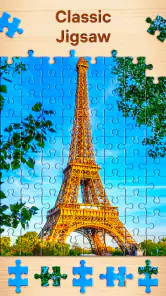
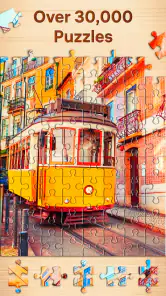
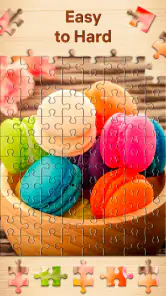
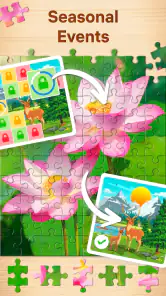

 Analysis by Frivlyz
When I want a quick activity that feels more hands-on than scrolling but less demanding than a strategy game, a digital jigsaw is an easy choice. Jigsaw Puzzles - Puzzle Games is a free puzzle game from Easybrain, and its straightforward appeal is clear: choose a picture, fit pieces together, and enjoy the small satisfaction of seeing the image take shape. It is rated for Everyone, so it can suit a shared family device as well as a quiet solo break.
That simplicity is also the main thing to consider before installing it. This is for people who like arranging visual pieces at their own pace, not for players looking for a story, elaborate progression, or a constant stream of new mechanics. Its short-session appeal depends on how much you enjoy the basic act of puzzling, and whether you prefer a screen-based version to a physical puzzle spread across a table.
First Impressions
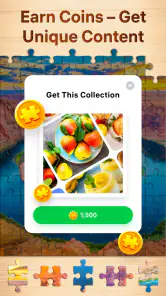
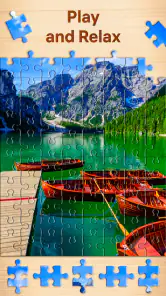
As soon as you open the app, you’re greeted with a cozy, inviting interface. The design is sleek and intuitive, which made navigating around a breeze. Jigsaw Puzzles - Puzzle Games offers a vast library of images, ranging from breathtaking landscapes to charming animals. Each image is a doorway to a new adventure, making every puzzle feel unique and exciting.
That image-first approach gives me an immediate way to choose a session by mood: a familiar kind of scene can feel calming, while a picture with many similar colors may call for more concentration. I find that useful when I have only a few minutes. I can pick something that looks visually clear rather than committing to a long, difficult solve just because it is available.
The game has a 4.8 average from around 2.3 million ratings, and it has passed 100 million installs. Those figures suggest that the simple jigsaw format has broad appeal, but they are not a promise that every puzzle will suit every player. If you mainly enjoy games with clear goals beyond completing an image, this may feel too spare; its pleasure comes from the puzzle itself.
Features That Stand Out
What really sets this app apart is its customizable features. You can choose the number of pieces for each puzzle, making it as challenging or as leisurely as you want. Whether you prefer a quick 36-piece puzzle or a more intricate 400-piece challenge, the app accommodates all skill levels. I found myself gradually increasing the difficulty as I got more confident, and it was immensely satisfying.
Piece count is more than a difficulty switch; it is a practical way to decide how much attention you want to give the game. For a brief wait, I would choose a smaller puzzle and aim to finish it rather than leave a larger one half-done. When I have a longer, quiet stretch, a higher piece count gives me a reason to slow down and look for subtle color or shape differences. I would avoid treating the hardest setting as the default: a busy image can make a high-piece puzzle feel like searching through near-identical fragments rather than relaxing.
Gaming Stories You May Enjoy

Dancing Road Turns Short Breaks Into a Test of Rhythm and Timing

Super Stylist Makes Every Outfit a Test of Taste and Patience

Dominoes on Your Terms: Who Should Play and Who Should Pass

Pokémon GO Makes the Familiar World Feel New

Chess.com Turns Rematches Into Rivalries, but Community Has Its Costs

Archery Battle 3D Review: Sharp Aiming, Unclear Feedback
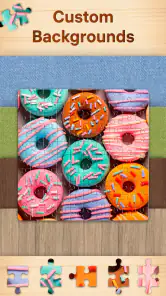
One feature I particularly enjoyed is the ability to create puzzles from your own photos. This personal touch allows you to relive memories in a whole new way. Plus, the app offers a daily puzzle challenge, which keeps things fresh and engaging. It’s like a little surprise waiting for you every day!
Personal photos also change how I choose what to solve. A picture with distinct subjects, strong color blocks, or a recognizable background is a better candidate than a close-up full of similar textures. That is a useful trade-off: a meaningful image can make the finished puzzle more rewarding, but a visually uniform photo may be harder to sort than a picture chosen from the game’s collection. I would start with a clear image before using a favorite snapshot for a more demanding session.
The daily challenge makes sense for someone who likes a small routine rather than a long checklist. I can treat it as a brief daily activity and stop when I have had enough, instead of feeling obliged to turn the game into a lengthy commitment. If I miss a day, the central appeal remains the ordinary puzzle selection; the challenge is a prompt, not the only reason to play.
Gameplay Experience
Playing on Jigsaw Puzzles - Puzzle Games is smooth and responsive. The pieces snap into place with a satisfying click, and the drag-and-drop mechanics feel natural. There’s also the option to preview the completed image, which is a helpful feature if you ever find yourself stuck. Trust me, it happened to me more than once!
The preview is especially useful as a reset for your eyes. If I have been trying to place pieces by shape alone, checking the full picture helps me switch to color and location clues instead. I would use it briefly, then return to the loose pieces rather than keeping the answer in view throughout; that way it offers a nudge without removing the small discovery that makes a jigsaw satisfying.
Touch control can still be less tactile than a real puzzle. On a table, I can spread pieces out, compare several at once, and move them without worrying about a screen gesture. Here, the convenience is that the pieces are always contained in the device, but a long session may feel less comfortable if you want a broad, physical workspace. For players who like the ritual of sorting cardboard pieces, this is a companion format rather than a full replacement.
The app also includes a background music feature, which adds a calming ambiance as you solve puzzles. It’s perfect for unwinding after a long day or simply enjoying a quiet moment to yourself. You can even switch the music off if you prefer solving puzzles in silence.
For a real everyday use, I can imagine opening it while waiting for a delayed appointment or settling in after dinner. A low-piece puzzle gives that gap a definite activity, and I can put the phone away once the moment is over. In a noisy place, I would turn off the music and rely on the visual puzzle; at home, the sound can help make the session feel separate from other screen tasks. That flexibility is more useful than a feature that demands a fixed time or a perfect setup.
Pause, Return, and Offline Play
The app also supports offline play, which is a lifesaver for those moments when you’re without an internet connection. Whether you’re commuting or simply off the grid, your puzzles are always within reach.
That makes it a sensible option for a commute, travel, or any place where connection is unreliable, provided the puzzle you want is available to play. I would choose an image and begin before a short journey rather than assume every part of browsing will work the same way offline. The important benefit is being able to keep puzzling without making a stable connection part of the activity.
It also suits interruptions better than a game built around timed rounds or a long sequence of decisions. A jigsaw is easy to set aside when a message arrives or a stop comes up, and easy to return to when there is another quiet moment. For a smoother return, I find it helps to remember what visual area I was working on—perhaps the sky, a face, or a border—rather than trying to recall every piece. That tiny mental bookmark can make a brief session feel coherent.
People often wonder whether this is better for quick breaks or longer play. I would say it can do both, but the piece count should match the time available. A short break is a good reason to pick a manageable puzzle; a large one is better when you can relax without needing to finish immediately. If you need a game that actively saves your attention with timed prompts or frequent rewards, this quieter format may not hold you in the same way.
Why You’ll Love It
If you’re someone who appreciates a good mental workout, this app will definitely hit the spot. It offers a perfect blend of relaxation and challenge, making it an ideal companion for both short breaks and extended puzzle sessions. The sheer variety of images ensures you’ll never run out of options, and the regular updates mean there’s always something new to explore.
For me, the strongest reason to keep a jigsaw game around is that it asks for attention without requiring a complicated plan. It works well for players who like visual sorting, gentle concentration, and a clear finish. It may also suit someone who wants a shared activity: one person can suggest where a piece might go while another handles the controls, without needing to learn a complicated rule set.
Compared with word puzzles, this is a more visual kind of break; compared with match-style games, it is less about rapid moves and more about noticing how an image is assembled. A physical jigsaw remains the better choice if you want a large shared surface and the feel of real pieces. A more elaborate digital puzzle may suit you better if you want story progression or mechanics that change from one level to the next. This game’s appeal is its directness, not variety in the rules.
The main limitation is that the basic action stays familiar. A new picture changes what you see, but it does not necessarily change how you play, so someone who tires quickly of repeated jigsaw solving may not find enough variation here. Likewise, players who want a strong sense of advancement or a competitive challenge should look elsewhere. I would recommend it most to people who find repetition soothing rather than monotonous.
The game is free to install, with optional in-app purchases ranging from $0.99 to $14.99 per item. I would start with the free experience and decide whether it fits my habits before spending anything. That is particularly sensible for a casual puzzle: if you only open it occasionally, the core activity may be all you need, while frequent players can consider whether any optional purchase is worthwhile to them.
A Relaxed Fit for the Right Player
Easybrain released the game on April 10, 2019, and the current version is 4.8.0, with Android 8.0 as the minimum operating system. I would check that the device meets the requirement before trying to install it. It is listed for Everyone, which makes its general audience broad, though individual preferences still matter: a child who wants fast action may prefer another kind of game, while someone who enjoys patient picture-solving could settle into it comfortably.
It is also worth deciding what “relaxing” means for you. I find this kind of puzzle calming when I can work without rushing, but a difficult image with many similar details can become frustrating if I am tired or distracted. The practical fix is to lower the piece count or choose a picture with clearer visual sections. If even that feels like work, a short audio break or a game with simpler, quicker feedback may be a better use of the moment.
With more than 106,000 written reviews, the game has drawn a large audience beyond its ratings alone. That scale is useful context, but I would still judge it by the first few sessions: do you enjoy scanning shapes, trying a placement, and gradually recognizing the finished scene? If yes, there is a good chance the straightforward loop will keep working for you. If you prefer every session to introduce a new system, popularity will not solve that mismatch.
Final Thoughts
In a world where apps come and go, Jigsaw Puzzles - Puzzle Games is one that’s here to stay. It’s a beautifully crafted app that offers something for everyone, from casual players to hardcore puzzle fans. If you haven’t yet given it a try, I highly recommend downloading it and diving into the world of jigsaw puzzles. You won’t be disappointed!
Ready to start your puzzle adventure? You can find the app available for download on both Android and iOS. Happy puzzling!
My recommendation is more specific than “everyone should try it”: install it if you want a portable, low-pressure way to work through pictures and are comfortable with the familiar jigsaw loop. Start with a clear image and a piece count that fits the time you have, then use the preview as an occasional clue rather than a constant guide. Skip it if physical pieces, fast competition, or changing game mechanics are what make puzzles enjoyable for you. For the right kind of player, its modest ambition is exactly what makes it easy to return to.
Jigsaw Puzzles - Puzzle Games Pros and Cons
Pros
- Wide variety of puzzle themes available.
- High-quality graphics enhance gameplay.
- Intuitive interface for easy navigation.
- Daily challenges keep the game engaging.
- Offline mode available for uninterrupted play.
Cons
- Contains in-app purchases for hints.
- Ads can be intrusive during free play.
- Limited free puzzles available initially.
- No multiplayer mode for competitive play.
- Requires significant storage space.
This Game in Other Languages
Frequently Asked Questions
What features does Jigsaw Puzzles - Puzzle Games offer?
Jigsaw Puzzles - Puzzle Games provides a wide variety of puzzles ranging from simple to complex. Users can choose from a vast library of images or upload their own photos to create custom puzzles. The app also includes features like adjustable difficulty levels, daily challenges, and a hint system to help users when they get stuck.
Is Jigsaw Puzzles - Puzzle Games suitable for all ages?
Yes, Jigsaw Puzzles - Puzzle Games is designed for users of all ages. It offers adjustable difficulty settings that allow everyone, from children to adults, to enjoy the puzzles at their own pace. The intuitive interface and diverse puzzle selection make it accessible and entertaining for all family members.
Does the app require an internet connection?
While Jigsaw Puzzles - Puzzle Games can be played offline, some features, like downloading new puzzle packs and participating in daily challenges, require an internet connection. Playing offline limits access to certain content but still allows users to enjoy previously downloaded puzzles.
Are there in-app purchases available in Jigsaw Puzzles - Puzzle Games?
Yes, the app offers in-app purchases, which can include additional puzzle packs, ad removal options, and other premium features. While the base app is free, these purchases can enhance the user experience by providing more variety and uninterrupted gameplay.
How does the app handle user privacy and data?
Jigsaw Puzzles - Puzzle Games takes user privacy seriously. The app collects minimal personal data, mainly for account management and personalization purposes. It adheres to standard privacy policies and provides users with options to manage their data preferences within the app settings.


