

Angry Birds 2
- Reviews
- 4.2
- Version
- 3.28.1
- Installs
- 100,000,000+

Screenshots
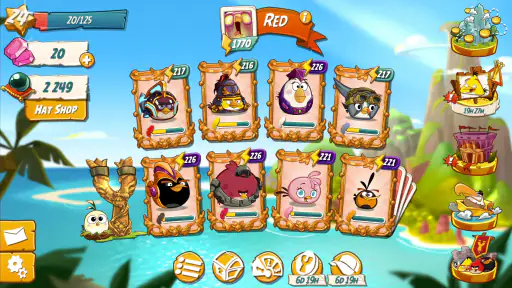
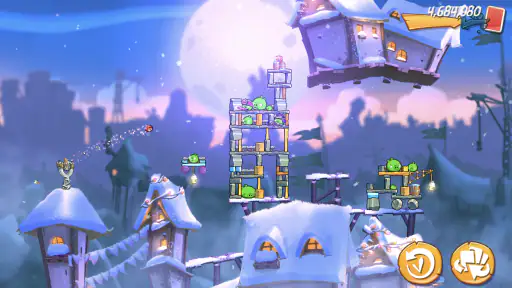
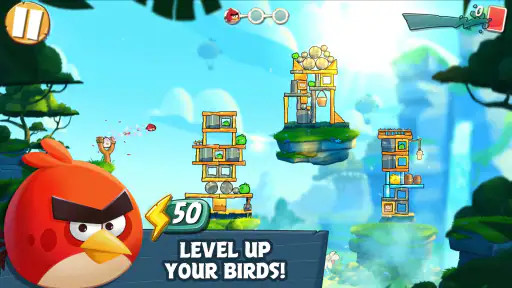
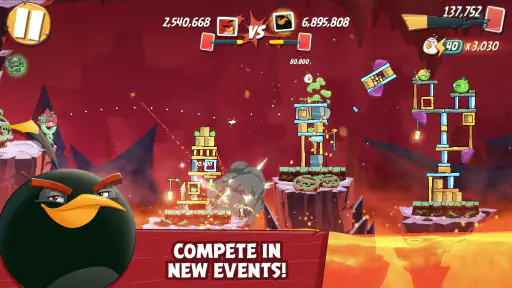
 Analysis by Frivlyz
I like Angry Birds 2 most when I treat it as a series of small aiming puzzles rather than a game I need to rush through. A shot can clear a structure neatly or leave a stubborn pig standing, so the pleasure comes from reading the layout, choosing a bird and adjusting my aim. That familiar slingshot idea still works well on a phone, especially when I have a few spare minutes and want something more involved than tapping through a simple time-killer.
The Flinging Adventure Begins
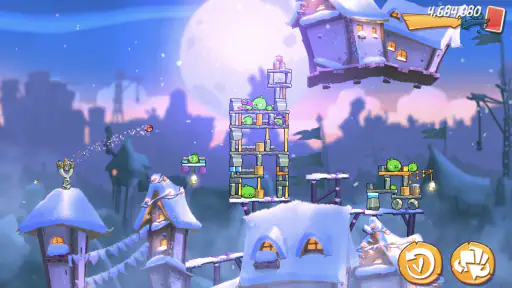
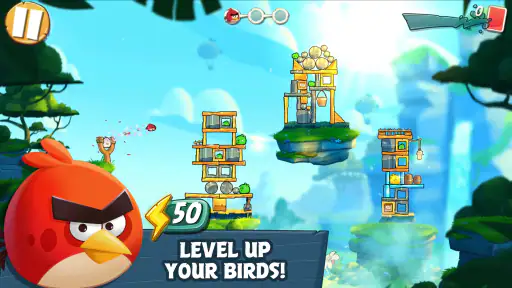
When I first launched the game, I was greeted with vibrant visuals and a familiar yet enhanced interface. The graphics are a significant upgrade from the original, making the experience more immersive. As you start, you're quickly introduced to the slingshot action, where the main goal is to catapult those furious little birds into the air, aiming at strategically placed pigs.
Early Goals and the Feel of a Good Shot
The basic objective is easy to understand, but a level is not just a matter of firing at the nearest target. I look at the materials and shapes in a structure, then try to make each bird do a particular job. A hit that brings down a support can be more useful than aiming directly at a pig, because the falling pieces may clear several obstacles at once. That cause-and-effect is what makes the opening minutes satisfying: I can see why a shot worked, and I can usually imagine a better one when it did not.
Different birds make those decisions more interesting. The blues split into three for a wider impact, while the yellow bird speeds up to break through wood. I try to reserve a bird for the material or angle where its ability is most useful instead of using every shot as soon as it is available. This small habit makes a noticeable difference on tougher layouts, and it gives the game a tactical edge without making the controls difficult to learn.
Progress Signals and Changing Challenges
One of the things I love about this game is its engaging gameplay and variety of levels. Each level presents a new set of challenges and structures to destroy. The use of different birds with unique abilities adds a layer of strategy to the game. For example, the blues split into three for a wider impact, and the yellow bird speeds up to break through wood.
The clearest sense of progress comes from learning to read the stages more carefully. Early on, I might focus on the obvious pig; later, I pay closer attention to which part of a structure is holding everything up and whether a bird’s special move is better used before or after impact. A failed attempt can still teach me something useful about the layout, although repeating a stage is less appealing when I am short on time or have already spent several attempts working through the same obstacle.
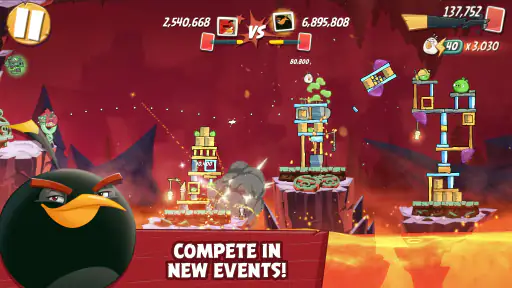
Another cool feature is the daily challenges and arena battles, which keep the game fresh and exciting. You can compete with friends or players worldwide, adding a competitive edge that keeps you coming back for more. Plus, the addition of spells like the blizzard and chili pepper keeps things unpredictable and fun!
Gaming Stories You May Enjoy

Dancing Road Turns Short Breaks Into a Test of Rhythm and Timing

Super Stylist Makes Every Outfit a Test of Taste and Patience

Dominoes on Your Terms: Who Should Play and Who Should Pass

Pokémon GO Makes the Familiar World Feel New

Chess.com Turns Rematches Into Rivalries, but Community Has Its Costs

Archery Battle 3D Review: Sharp Aiming, Unclear Feedback
Difficulty, Pacing, and When to Take a Break
The challenge works best when I have the patience to think through a shot. Some stages invite experimentation, while others can feel unforgiving if I use a bird poorly and lose the chance to recover. The appeal is not that every attempt succeeds, but that the game gives me a reason to reconsider my approach. Still, a run of difficult levels can turn a relaxing break into a test of persistence, so I would not choose it when I want guaranteed, effortless progress.
For a short everyday session, I might play a level while waiting for a kettle to boil or during a quiet pause between errands. The compact, aim-and-fire loop suits those moments, but I avoid starting a competitive activity if I know I will have to put my phone down immediately. That distinction matters: the main puzzle play is easy to pick up, while challenges that invite comparison with other players feel more rewarding when I can give them proper attention.
In-Game Purchases and Ads
Now, let's talk about the not-so-fun part: in-game purchases and ads. While the game is free to download, it does come with in-app purchases that can enhance gameplay. You can buy additional lives, birds, or spells to help you get through tougher levels. However, if you're like me and enjoy playing without spending, it's totally doable, but patience is key.
Purchases are an optional convenience, not something I would recommend making just because a level has annoyed me. I prefer to pause, reconsider the structure and try a different angle before spending anything. That approach keeps the puzzle-solving satisfying and avoids turning a temporary run of bad shots into an impulse buy. The range of optional purchases is broad, so anyone who is sensitive to spending prompts should decide on a personal limit before playing.
The ads can be a bit intrusive at times, especially when you're on a roll and just want to keep playing. But hey, they gotta keep the game free somehow, right? Thankfully, most ads can be skipped after a few seconds, so it's not a deal-breaker.
Who Will Enjoy It—and Who May Prefer Something Else
I would recommend it to people who like physics-based puzzles, playful characters and the satisfaction of improving through observation. It also suits fans of the original who want familiar slingshot action with more variety around it. Because the central controls are simple, it is approachable for casual players, while the different bird abilities leave room for more deliberate choices as levels become harder.
It is less suitable for someone who wants a completely uninterrupted experience, dislikes advertising, or prefers a game with no pressure to return for recurring challenges. If you want a calm, fully self-paced puzzle with no competitive layer, a more traditional standalone puzzle game may fit better. Likewise, players who dislike retrying levels may find the need to refine a shot frustrating rather than motivating.
Compared with simpler casual games built around one repeated tap or swipe, this asks more of my attention: I have to judge angles, materials and the likely chain reaction. Compared with a slow, turn-based puzzle, it is quicker and more playful, but the ads and optional purchases can make the overall rhythm feel less self-contained. That trade-off is central to deciding whether it belongs in your regular rotation.
Practical Tips for Playing on Your Terms
My most useful habit is to take a moment before every launch. I scan for weak supports, likely collapse points and the material that the next bird can handle best. I also avoid spending a powerful ability just because it is available; saving it for a later obstacle can make a difficult sequence much easier. These are small choices, but they shift the experience from random firing to solving the stage with a plan.
I also separate casual progress from competitive play. When I only have a minute, I stick to a quick attempt rather than beginning an activity that is more enjoyable with a little focus. If I am repeatedly failing a stage, I step away instead of treating every retry as a reason to buy help. That keeps the game fun and makes it easier to judge whether I genuinely want to continue.
Final Thoughts
Overall, Angry Birds 2 is a fantastic sequel that stays true to its roots while offering plenty of new content to explore. The combination of strategic gameplay, colorful graphics, and fun character designs makes it a must-play for fans of the original and newcomers alike.
Rovio Entertainment Oy has built a casual game with a long-running audience: it has a 4.2 average from around 6.3 million ratings, and more than 100 million installs. It is free to play, rated Everyone, and its current version is 3.28.1, with Android 5.1 as the minimum OS. Those details make it easy to see why it is widely tried, though popularity alone does not remove the trade-offs of ads, optional spending and sometimes demanding stages.
The game first appeared on July 23, 2015, and its in-app purchases range from $0.99 to $249.99 per item. I would keep that wide range in mind if you are considering spending; the core appeal is still the satisfaction of choosing a smart shot, not buying your way past every obstacle. For me, it is at its best when I play in short, intentional sessions and let the puzzle-solving—not the urge to keep up—set the pace.
Whether you're looking to kill some time or dive into a competitive arena, this game has something for everyone. So, if you haven't already, give it a shot and let those birds fly!
Angry Birds 2 Pros and Cons
Pros
- Stunning graphics and animations.
- Challenging new levels daily.
- Variety of birds with unique powers.
- Regular updates with new content.
- Interactive multiplayer modes.
Cons
- In-app purchases can be expensive.
- Some levels feel repetitive.
- Requires constant internet access.
- Ads can be intrusive.
- Occasional bugs in gameplay.
This Game in Other Languages
Frequently Asked Questions
What is Angry Birds 2 and how does it differ from the original game?
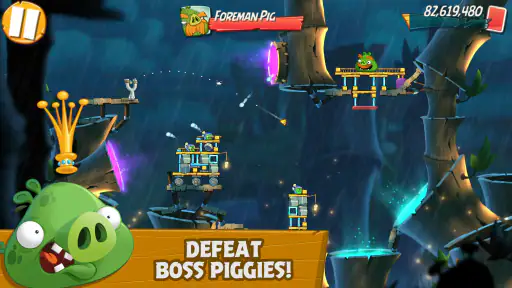
Angry Birds 2 is the sequel to the popular Angry Birds game, offering enhanced graphics, new levels, and dynamic game mechanics. Unlike its predecessor, Angry Birds 2 introduces multi-stage levels, boss battles, and the ability to choose which bird to launch. This adds a strategic layer to the game, making it more engaging and challenging for players.
Is Angry Birds 2 free to play, and are there any in-app purchases?
Yes, Angry Birds 2 is free to download and play. However, it includes in-app purchases that allow players to buy extra lives, power-ups, and other bonuses. While these purchases can enhance the gaming experience, they are optional, and players can progress through the game without spending money by using skill and patience.
What are the system requirements for Angry Birds 2 on Android and iOS?
For Android devices, Angry Birds 2 requires Android version 4.1 and up, while iOS users need iOS 9.0 or later. The game is compatible with both phones and tablets, but ensuring your device has sufficient storage and RAM will ensure smoother gameplay. Regular updates may also require additional space over time.
Can I play Angry Birds 2 offline, or do I need an internet connection?
Angry Birds 2 can be played offline for the most part, allowing you to enjoy the game without an internet connection. However, certain features like daily challenges, updates, and leaderboards require internet access. Playing online also helps you to save your progress to the cloud, ensuring you don't lose your game data.
How does the lives system work in Angry Birds 2, and how can I get more lives?
In Angry Birds 2, players start with a limited number of lives, which are depleted when a level is failed. Lives regenerate over time, or you can watch ads or use in-game currency to refill them instantly. Additionally, players can purchase lives through in-app purchases if they prefer not to wait.


