

Solitaire - Classic Card Games
- Reviews
- 4.5
- Version
- 8.7.6.6167
- Installs
- 100,000,000+

Screenshots
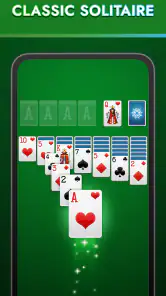
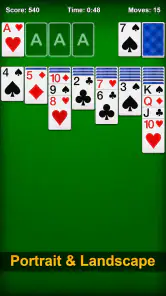
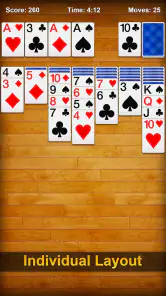
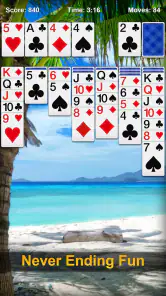
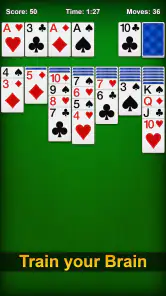

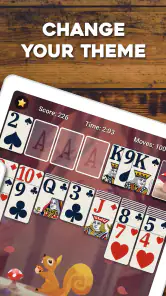
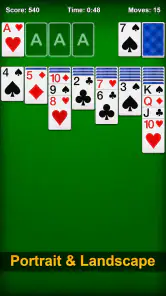
 Analysis by Frivlyz
I judge a free card game by whether it gives me an easy way to play without making every session feel like a chore or a sales pitch. Solitaire - Classic Card Games is a straightforward option for anyone who wants a familiar solo card game on a phone. It is a card game from MobilityWare, released in 2011, and its long history is reflected in its reach: it has been installed over 100 million times and has an average rating of 4.5 from around 1.8 million ratings. Those numbers suggest broad appeal, but what matters more to me is whether the game suits the way you actually want to spend a few spare minutes.
What free access means here
The game is free to download, so you can try it without paying up front. It also offers in-app purchases, with items listed from $1.99 to $29.99 each. That distinction matters: free access makes it easy to see whether its style of solitaire works for you, but it does not mean every optional purchase is included. I would start by playing without spending and decide later whether anything offered in the app is worth paying for. The app is rated for Everyone, and the current version is 8.7.6.6167.
That is a useful starting point if you simply want a familiar card game rather than a subscription or a more involved gaming commitment. The price alone does not tell me whether paid items are valuable to a particular player, so I would treat them as optional rather than part of the reason to install it. If you are choosing between this and a paid alternative, the practical question is whether you prefer to test a free game first or pay for a different experience from the outset.
Our Stories on Solitaire - Classic Card Games
Solitaire - Classic Card Games: Finding Solitude in a Digital World
NewsYu-Gi-Oh! Duel Links and the New Shape of Mobile Card Games
NewsHow Little Panda's Ice Cream Games Thrives with Mobile OS Updates
NewsColoring & Learn: Revolutionizing Digital Education for Kids
NewsHow Word Search - Word Puzzle Game Transforms Scoring into Strategy
NewsFashion Show: Mastering the Art of Style and Strategy
NewsBringing Back the Classics
First off, this app does a fantastic job of bringing the traditional solitaire game to your fingertips. The interface is clean and straightforward, which is exactly what you want when you’re just looking to relax and unwind. You open the app, and bam! You're right in the middle of the action without any unnecessary fluff.
One of the things I absolutely love about this app is the authentic feel. The developers have really nailed the classic look, with those familiar card designs and that satisfying sound when you drag a card to its new home. It's like having a deck of cards in your pocket, without the risk of losing the jokers!
User-Friendly Features
Let’s talk features. The app includes multiple game modes to keep things interesting. Whether you’re a fan of the standard Klondike or want to mix things up with Spider and Freecell, Solitaire - Classic Card Games has got you covered. Plus, the hint and undo features are lifesavers for when you’re stuck in a rut—or if you’re like me, just a wee bit indecisive.
Also, for those who like to personalize their gameplay, there are a variety of card backs and backgrounds to choose from. It’s always nice to have options, right? And if you’re feeling competitive, the app offers daily challenges and leaderboards to see how you stack up against other players. Talk about motivation!
Gaming Stories You May Enjoy

Dancing Road Turns Short Breaks Into a Test of Rhythm and Timing

Super Stylist Makes Every Outfit a Test of Taste and Patience

Dominoes on Your Terms: Who Should Play and Who Should Pass

Pokémon GO Makes the Familiar World Feel New

Chess.com Turns Rematches Into Rivalries, but Community Has Its Costs

Archery Battle 3D Review: Sharp Aiming, Unclear Feedback
Getting more out of a short session
For a quick break, the main advantage of a solitaire game is that it asks for attention without requiring a long setup or a group of people. I can imagine opening this one while waiting for a meeting to begin, playing a few moves, and putting the phone away when the break ends. The familiar rules make it easy to return to after a few days away; I do not need to relearn a complex system just to enjoy a short round.
A useful habit is to treat hints as a way to learn, not as a button to press every time a move is unclear. I would first scan the face-up cards and the available columns, then use a hint only if I have genuinely lost track of a possibility. That keeps the puzzle engaging and can help reveal patterns in how moves open up the board. Undo is similarly best used deliberately: it lets a player inspect the consequence of a move and back out if it closes off a better route, rather than turning each round into random tapping.
Personalization can also serve a practical purpose beyond decoration. If you play in short bursts, choosing a card back or background that is easy for you to distinguish may make the board more comfortable to read over repeated sessions. It is a small choice, but it is the kind of adjustment that can make a familiar game feel pleasant without changing its rules. I would keep the visual setup simple if the goal is calm, focused play, and experiment with the available looks when I want a change of pace.
How it fits among other solitaire choices
Compared with a physical deck, this app removes the need to shuffle, lay out cards, and clear the table afterward. That convenience is the main trade-off: a phone is always nearby, but it also brings notifications and other distractions that a quiet tabletop game does not. Compared with a broad collection of card games, this one is more appealing if you specifically want solitaire and value quick access to familiar play. If you are looking for multiplayer interaction, a deep story, or a game built around constant strategic variety, a different type of card app will likely suit you better.
The modes mentioned in the app give it more range than a single-rule Klondike-only game, while still keeping the basic appeal centered on solo card play. That does not mean every mode will suit every player equally. Someone who likes a steady, recognizable routine may spend most of their time with Klondike; someone who already knows that format and wants a different puzzle rhythm may prefer to try Spider or Freecell. I would sample the alternatives before deciding the game feels repetitive, but I would not install it expecting every mode to feel interchangeable.
Daily challenges and leaderboards add a reason to return for players who enjoy goals or comparing progress. They may be less attractive if you want solitaire to remain entirely private and pressure-free. The helpful way to approach them is as optional structure: play a challenge when it sounds fun, and ignore rankings when the point is simply to relax. That flexibility is a strength, although players who want a solo game with no competitive framing at all may prefer an app that keeps those prompts out of the experience.
Where the experience has limits
Classic solitaire is intentionally repetitive, and no collection of visual choices can change that basic fact. If the satisfaction of sorting a board and planning a few moves is what you enjoy, repetition is part of the appeal. If you quickly need new mechanics, a narrative, or direct competition to stay interested, this is not the right kind of game to keep you engaged. I would see it as a dependable casual pastime rather than a game designed to occupy every evening.
There is also a difference between a game being easy to start and being the best fit for every setting. On a commute, it can be convenient when you have a free moment, but a round that needs concentration may not be ideal if you are frequently interrupted or have to keep shifting attention. In that situation, I would play only when I can comfortably pause, rather than trying to maintain a perfect run while distracted. The undo feature can soften mistakes, but it cannot make an interrupted session feel as focused as one played at a relaxed pace.
Ads are another consideration. The experience includes them, so anyone who wants a completely uninterrupted game should factor that into the decision rather than assuming free access is ad-free. In my view, the sensible test is to play a few sessions and see whether the interruptions bother you enough to change your habits. I would not pay for an item just to solve a problem before establishing that it is a problem for me, especially when the purchase options have different prices and value depends on what is being offered.
Who is likely to get the most value
I would recommend trying it if you already enjoy Klondike, want a familiar game you can play alone, or would like a low-effort way to fill a short pause. It is also a reasonable choice for someone returning to solitaire after years away: recognizable card play and optional hints give you a gentle way to get back into the rhythm. A player who likes personal touches may appreciate being able to change card backs and backgrounds, while someone motivated by small goals can explore the daily challenges and leaderboard.
I would suggest skipping it if your priority is a rich multiplayer experience, a major learning curve, or a card game that constantly introduces new systems. It is also not an automatic choice for someone who dislikes ads or finds leaderboards distracting. In those cases, a different solo puzzle, a multiplayer card game, or a physical deck may fit better. The best reason to choose this app is not that it promises something radically new; it is that you want a familiar form of solitaire readily available and are comfortable with its casual focus.
For a realistic everyday use, picture having ten quiet minutes before an appointment. I would open a round, make a few considered moves, and stop when it is time to leave rather than letting a quick break turn into an obligation to finish. On a longer, uninterrupted evening, I might explore another mode or take on a daily challenge. Keeping those sessions separate helps the game work both as a small mental pause and as a slightly more focused puzzle, without expecting it to replace a deeper game when I want one.
My verdict on the value
The strongest value here is access: you can begin without an upfront payment and decide through actual play whether the classic format suits you. The optional purchases are a reason to be thoughtful, not a reason to assume you must spend. I would keep the free experience as the baseline, ignore purchase prompts until I understood what I wanted, and weigh any item against how often I expect to use it. A high number of installs and ratings can indicate that many people enjoy it, but your own tolerance for ads and preference for solitaire matter more than popularity.
Perfect for On-the-Go Gaming
One of the standout aspects of this app is its portability. Whether you’re on a quick coffee break or commuting to work, you can easily pick up where you left off. The app runs smoothly without any glitches, which is crucial for maintaining that streak you’ve been working on.
Moreover, the app doesn't bombard you with ads every two seconds. Yes, there are ads, but they’re not intrusive, allowing you to enjoy a seamless gaming experience. It’s refreshing to see an app that gets the balance right.
In the grand scheme of things, Solitaire - Classic Card Games is more than just a game; it’s a delightful trip down memory lane. Whether you’re a seasoned player or a newcomer to the world of solitaire, this app offers a perfect blend of challenge and relaxation. So go ahead, download it and let the card stacking begin!
Solitaire - Classic Card Games Pros and Cons
Pros
- Intuitive user interface
- Smooth card animations
- Offline play available
- Daily challenges
- Customizable backgrounds
Cons
- Contains ads
- In-app purchases
- Limited free features
- Occasional bugs
- No multiplayer mode
This Game in Other Languages
Frequently Asked Questions
What features does Solitaire - Classic Card Games offer?
Solitaire - Classic Card Games offers a wide range of features to enhance your card-playing experience. It includes multiple game modes such as Klondike, Spider, and FreeCell. It also provides daily challenges, customizable themes, and statistics tracking to monitor your progress. The game is designed with user-friendly controls and stunning graphics, making it a classic yet engaging card game suitable for all levels.
Is Solitaire - Classic Card Games free to play?
Yes, Solitaire - Classic Card Games is free to download and play. However, it may include optional in-app purchases to unlock additional features or remove ads. These purchases are not necessary to enjoy the core game experience but can enhance gameplay for those who wish to invest in extra options.
Does Solitaire - Classic Card Games require an internet connection?
No, Solitaire - Classic Card Games does not require an internet connection to play. This makes it a perfect companion for offline entertainment, whether you're on a plane, commuting, or simply in an area with poor connectivity. However, an internet connection might be needed for in-app purchases or to access certain online features.
How can I customize my playing experience in Solitaire - Classic Card Games?
Players can customize their experience by selecting different themes and card designs, allowing for a personalized look and feel. The game offers a variety of backgrounds and card backs, so you can tailor the visuals to your preference. Additionally, you can adjust settings like sound effects and animations to suit your playing style.
Is Solitaire - Classic Card Games suitable for all ages?
Yes, Solitaire - Classic Card Games is designed to be suitable for players of all ages. The game offers simple controls and intuitive gameplay, making it easy for children and adults alike to enjoy. With its non-violent content and easy-to-understand rules, it provides wholesome entertainment for the whole family.


