

Little Panda Policeman
- Reviews
- 4.0
- Version
- 8.75.00.01
- Installs
- 100,000,000+

Screenshots

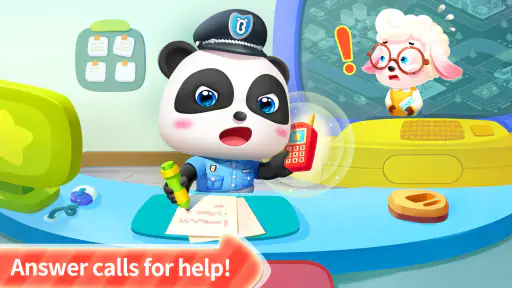
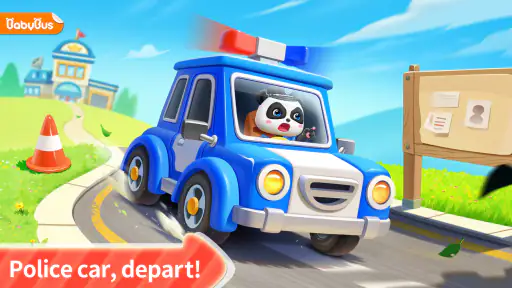

 Analysis by Frivlyz
When I judge a children’s game like Little Panda Policeman, I look beyond whether its opening is cute: I want to know if a young player can get into it without an adult taking over, and whether the play still feels worthwhile after the first burst of excitement. That balance matters most here. This is a free educational game from BabyBus, built around a child-friendly police role, so the best fit is a short, supervised play session rather than a demanding crime adventure for older players.
What to expect from the pace
The game’s straightforward presentation sets expectations for an accessible pace. In my experience, a child can move from opening the game to understanding what to do without first learning a complicated control scheme. That is useful when you need a quick activity before dinner or during a quiet stretch at home: the child can focus on the task instead of asking an adult to explain a string of menus.
That simplicity is also a limit. Players looking for fast action, intricate investigations, or a steadily rising challenge may find the experience gentle. I would treat its police theme as a playful frame for simple activities, not as a realistic simulation of police work. If your child enjoys pausing to look, listen, and work through a small task, that slower rhythm can be a strength; if they want constant novelty, it may not hold attention for long.
Making a short session work
I’d use it as a focused, brief activity rather than handing over a device with the expectation that it will occupy a child indefinitely. A practical routine is to let the child choose a task, give them time to try it independently, and then ask what clue or decision helped them. That turns the game into a conversation about observation and helping others without making play feel like a lesson.
One useful trade-off with simple children’s games is that a grown-up may need to help set expectations: the activities are meant to be approachable, so a child who has already outgrown easy puzzles may finish them quickly or lose interest. I’d watch for whether the child is still curious about the next task, rather than assuming that a colorful screen means sustained engagement. For a younger player, staying nearby also makes it easier to discuss the difference between a pretend emergency and what to do in a real one.
Reliability and the experience around play
I prefer games that make it easy to return to play without a lot of setup. Here, the uncomplicated approach is a practical advantage for a young audience, especially when an adult is starting the game and then stepping back. Still, I would not promise a particular loading speed or uninterrupted performance on every device; those details can vary with the phone or tablet and what else is running on it.
If the game pauses or seems slow, my first move would be to close other open apps and try again, rather than assuming the child has done something wrong. It is also sensible to check that the device has enough free space and that its software meets the game’s minimum requirement before installing. These basic checks matter more on a child’s older hand-me-down tablet, where storage and background activity can affect how smoothly any game behaves.
Gaming Stories You May Enjoy

Dancing Road Turns Short Breaks Into a Test of Rhythm and Timing

Super Stylist Makes Every Outfit a Test of Taste and Patience

Dominoes on Your Terms: Who Should Play and Who Should Pass

Pokémon GO Makes the Familiar World Feel New

Chess.com Turns Rematches Into Rivalries, but Community Has Its Costs

Archery Battle 3D Review: Sharp Aiming, Unclear Feedback
Who will get the most from it
I can see this being a good choice for a child who likes friendly characters, simple problem-solving, and stories about helping people. It can also work as a shared activity: an adult can let the child lead, then ask why they chose a particular clue or how they would help someone who feels lost. That kind of conversation is a more useful payoff than treating the game as a substitute for a real-world safety lesson.
I’d look elsewhere for a child who wants complex detective logic, competitive play, or a large collection of open-ended activities. A storybook or hands-on puzzle may be a better option when the goal is slower, screen-free interaction; a more challenging game may suit an older child who is ready to plan several steps ahead. The right choice depends less on the police theme than on the child’s patience for simple tasks and their appetite for repetition.
Getting Started with Little Panda Policeman
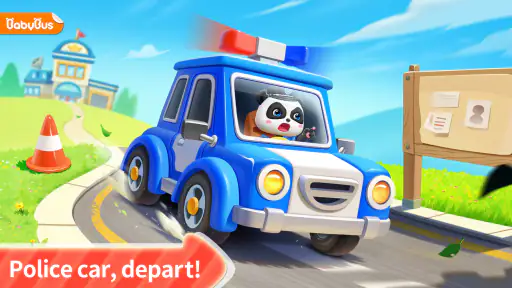
Right off the bat, Little Panda Policeman greets you with vibrant colors and an adorable panda protagonist. The initial setup was a breeze, and I loved that it didn’t bog me down with lengthy tutorials. Instead, it jumped straight into the action, making it easy to grasp the controls.
The app is designed to be intuitive, so kids can navigate through the different missions without a hitch. It’s almost like the developers knew exactly what would keep a child engaged. The app's interface is friendly, with large icons and simple instructions, making it perfect for children.
Diving into the Missions
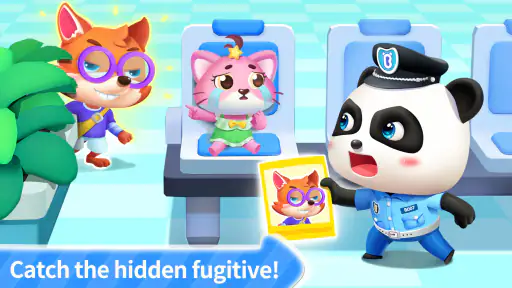
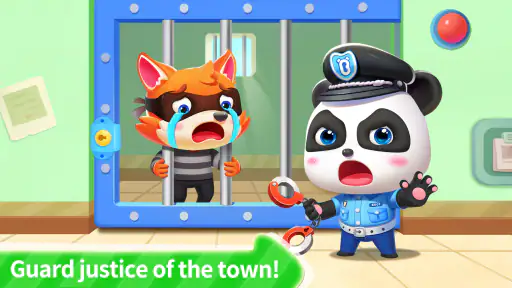
Once you're in, the fun really begins. You’re tasked with solving various "crimes" around town. These missions range from catching thieves to solving puzzles, and they're all set in different locations, each with its own unique challenges. The variety keeps things fresh and exciting.
One of my favorite missions involved tracking down a missing cat. The clues were cleverly hidden, and it required a bit of thinking to piece everything together. But don't worry, the game provides hints if you ever get stuck. It’s a clever way to encourage problem-solving skills without making it too hard for younger players.
Learning While Playing
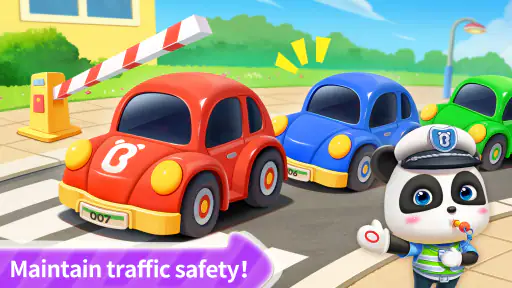
What sets this app apart is its educational value. While it’s undeniably fun, it also teaches important lessons. Players learn about safety, teamwork, and how to handle different situations responsibly. It's like sneaking veggies into a child's meal – they learn without even realizing it!
The app also promotes kindness and empathy, showcasing the importance of helping others. You might find yourself assisting a lost child or teaching safety rules. It's heartwarming to see how these small tasks can make a big impression on young minds.
Graphics and Sound
The visuals in Little Panda Policeman are top-notch. The bright, colorful graphics are appealing to kids, and the animations are smooth and lively. The game world is rich with detail, making each mission feel like an adventure.
The sound design complements the visuals perfectly. The cheerful music and engaging sound effects add to the overall experience, making it immersive and fun. Plus, the voice acting is clear and friendly, guiding players through their missions.
What Could Be Better?
While I thoroughly enjoyed my time with the app, there are a few areas that could use some improvement. For instance, adding more missions would keep the game from becoming repetitive over time. Also, a multiplayer feature could be a fantastic addition, allowing kids to team up with friends for cooperative play.
Another minor gripe is that some of the puzzles might be too simple for older kids, but this is easily balanced by the sheer joy and creativity the game offers.
Final Thoughts
Overall, Little Panda Policeman is a delightful app that blends fun and education seamlessly. It's perfect for kids who love to explore and solve puzzles. With its engaging missions, adorable characters, and meaningful lessons, it's a game that parents can feel good about.
If you're looking for a game that entertains while teaching valuable life skills, this app is a must-download. So, grab your badge and join Little Panda on an adventure you won’t forget!
Choosing it alongside other children’s games
Compared with the usual educational games that focus on tracing letters, counting, or matching shapes, this one gets its appeal from pretend responsibility: the child is asked to notice a problem and respond as a helpful character. That makes it a better match for a child who enjoys role-play than for someone who wants a clear lesson in reading or math. I wouldn’t choose it as a replacement for a focused learning app, but it can add variety to a child’s screen time.
There is a useful way to make the missions last longer without inventing extra game content: invite the child to explain what they noticed before tapping through. Ask what made a clue seem important, or what they would tell a friend who was unsure what to do. The game remains in charge of the activity, while the conversation gives a parent a chance to reinforce calm problem-solving and considerate behavior.
Age, access, and practical expectations
The game is rated Everyone, which makes it broadly suitable for family consideration, but that label does not tell you whether its pace or puzzle difficulty will suit a particular child. I’d let the child try a short session while an adult is present and judge from their reactions: do they understand the directions, enjoy exploring, and recover calmly when they make a mistake? That quick check is more informative than assuming every child in the same age group will respond alike.
It is free to start, with optional in-app purchases priced from $1.99 to $3.99 per item. For a child’s device, I’d review purchase settings with the adult account holder before handing it over, so an accidental tap does not become an unwanted transaction. The game’s current version is 8.75.00.01, and it requires Android 6.0 or later; that minimum is worth checking before you try it on an older device.
BabyBus released the game on May 18, 2017, and its broad reach suggests many families have encountered it: it has more than 100 million installs, with an average rating of 4.0 from around 156,000 ratings and 827 written reviews. I read those figures as signs of a familiar, widely used children’s title, not proof that every child will love it. A game can be popular and still be too easy for one child or just right for another.
My performance verdict
For day-to-day use, I’d expect the simple, child-oriented design to be less demanding than a visually complex action game, but I wouldn’t treat that as a guarantee about speed or battery use on every phone. Older hardware, limited storage, and other apps running at once can change the experience. If it feels sluggish, a restart and a little space-clearing are sensible first steps; if the issue continues, the device may simply be a poor fit for the current build.
My overall recommendation is narrow but positive: choose it when a young child wants a friendly, guided make-believe activity and you are comfortable with a light educational game that may be outgrown. Skip it if you need a deep detective story, multiplayer teamwork, or a reliable long-session distraction. Its strongest use is as a small prompt for a child to observe, make a choice, and talk about helping others—not as a substitute for more challenging play or practical safety guidance.
Little Panda Policeman Pros and Cons
Pros
- Engaging educational gameplay.
- Adorable graphics for kids.
- Simple controls for young users.
- Variety of mini-games included.
- Encourages problem-solving skills.
Cons
- Limited replay value after completion.
- In-app purchases can be intrusive.
- Not challenging for older kids.
- Requires internet for some features.
- Ads can be distracting for kids.
This Game in Other Languages
Frequently Asked Questions
What is the main objective of Little Panda Policeman?
Little Panda Policeman is an educational game designed for children to explore the duties of a police officer. Players help the panda solve mysteries, enforce laws, and maintain order in a playful, interactive environment. This app aims to teach kids about responsibility and safety while providing fun and engaging gameplay.
Is Little Panda Policeman suitable for all age groups?
The game is primarily designed for children aged 3 to 8. Its colorful graphics, simple controls, and educational content make it ideal for young kids. However, older children might find the game too simplistic. Parents can rest assured that the app is child-friendly and free from inappropriate content.
Does Little Panda Policeman require an internet connection?
Little Panda Policeman can be played offline, which is perfect for on-the-go entertainment without worrying about internet connectivity. However, some features or updates might need an internet connection. It's always a good idea to connect occasionally to ensure the app is up-to-date with the latest content.
Are there any in-app purchases or ads in Little Panda Policeman?
The app is free to download and offers a fun experience without mandatory purchases. However, there might be optional in-app purchases to unlock additional content or features. The app may also contain ads, but they are typically child-safe, ensuring a secure experience for young users.
How can I ensure the safety and privacy of my child using Little Panda Policeman?
Little Panda Policeman is designed with safety in mind, featuring parental controls and safe content. It's important to review the app's privacy policy to understand data usage. Parents should also supervise app usage, especially regarding in-app purchases, to ensure a secure experience for their child.


