

Flight Pilot: 3D Simulator
- Reviews
- 4.1
- Version
- 2.12.32
- Installs
- 100,000,000+

Screenshots

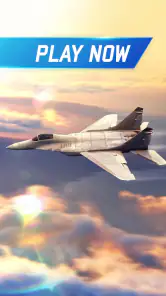

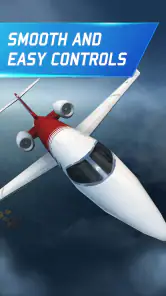
 Analysis by Frivlyz
I find Flight Pilot: 3D Simulator easiest to picture on a shared household phone or tablet: one person can take a short flight while someone else watches, then hand the device over. Its appeal is immediate because steering an aircraft is the whole point, rather than managing a long role-playing story or building a complicated strategy. That makes it a natural pick for casual turns on the couch, though sharing the screen also means agreeing on whose progress and settings are in use.
What sharing a device changes
When I pass a game between people, I prefer activities that are easy to understand without a long explanation. Here, the basic invitation is clear: choose a flight, steer, and try to complete its objective. A younger or less experienced player can enjoy the sensation of flying, while someone more patient can take on the harder parts. The handoff works best when each player treats a session as a turn, rather than assuming the game will keep separate personal experiences for everyone using one device.
That distinction matters in a household. If several people play on the same device, they should decide in advance who is progressing through missions and unlocking aircraft. I would not treat a shared device as though it automatically provides separate player histories. Keeping expectations simple avoids the familiar disagreement of one person changing a setup or moving farther ahead than another expected.
Our Stories on Flight Pilot: 3D Simulator
Fidget Toys Trading・Pop It 3D: What Happens When the Game Stumbles
NewsDancing Road Turns Short Breaks Into a Test of Rhythm and Timing
NewsSuper Stylist Makes Every Outfit a Test of Taste and Patience
NewsDominoes on Your Terms: Who Should Play and Who Should Pass
NewsPokémon GO Makes the Familiar World Feel New
NewsChess.com Turns Rematches Into Rivalries, but Community Has Its Costs
NewsA sensible way to start
For a first session, I would begin with a straightforward flight and spend a little time learning how tilting the device affects direction. A comfortable grip matters: if the phone is being held loosely or passed around mid-flight, small movements can become accidental steering. I would also agree on who is holding the device before a mission begins, especially when several people are watching and eager to take a turn.
There is a useful trade-off in the motion controls. Tilting can feel more direct and playful than tapping through menus, but it also asks for a steady hand and room to move the device. Someone playing while walking, riding in a moving vehicle, or holding a snack in the other hand may find it less comfortable. I get a better sense of control when seated, with both hands free and the screen at a stable viewing angle.
Another practical choice is to keep a session short when introducing the game to a new player. Let them learn how steering feels before expecting a precise landing or a more demanding objective. That small adjustment makes the first attempt feel like a test flight rather than a pass-or-fail challenge, and it gives an adult a chance to judge whether the controls suit the person who will actually be playing.
Taking turns without losing the fun
The missions give a household a natural rhythm: one person flies, others can watch, and then the group can decide who gets the next attempt. Rescue and cargo objectives are easy to discuss because the goal gives observers something concrete to follow. I would keep turns based on finishing a mission or reaching a natural stopping point instead of swapping the phone during a critical maneuver. That is fairer and avoids turning a shared activity into a scramble for the controls.
Gaming Stories You May Enjoy

Archery Battle 3D Review: Sharp Aiming, Unclear Feedback

Should You Switch to Geometry Dash Meltdown? A Test of Timing and Patience

NBA LIVE Mobile Makes the Season the Main Event

Sonic Forces: PvP Battle Race - Speed and Strategy Combined

Unlocking the Secrets of Piano Game: Classic Music Song

Racing Fever: Moto – A Cultural Shift in Mobile Gaming
There is also a small learning benefit to watching. A new player can see how someone else handles a turn or approaches a landing, then try the same idea on their own attempt. I would avoid giving a running stream of instructions, though; too much advice can make a simple game feel like a lesson. One useful pointer at a time is more likely to help, especially when the player is already concentrating on keeping the aircraft steady.
Who will enjoy this kind of flight game?
I would recommend it to people who want an accessible, visual flying game and enjoy improving through repeated attempts. It can work for a quick break because the central activity is easy to grasp, while mission challenges give experienced players a reason to keep practicing. Wildlife Studios has made a role-playing game with a strong flight-simulator focus, so it suits someone who wants aircraft and objectives more than dialogue-heavy storytelling or a sprawling fantasy world.
It is less suitable for a player who wants a strict real-world aviation trainer, detailed cockpit procedures, or a calm experience with no pressure to improve. The missions and unlock progression make it feel like a game first. If your preference is a more technical simulator, or a game that uses touch controls rather than tilting, another option in the flight category may fit better. I also would not choose it for someone who dislikes repeating a challenge after a missed landing.
Age, spending, and household expectations
The game is rated for Everyone, which is useful context for adults deciding whether it is appropriate to introduce at home. An age label is not a substitute for checking whether a particular child enjoys the controls, mission pressure, and on-screen presentation. I would sit with a younger player for the first session, not because the basic idea is hard to explain, but because shared-device habits and purchase expectations are easier to agree on before play begins.
It is free to play, with in-app purchases ranging from $0.49 to $99.99 per item. That is worth discussing if a child can use the device, since an optional purchase can feel tempting when new aircraft or progression are involved. I would make the household rule clear: playing for free is the default, and any spending needs an adult’s agreement. The game’s rewards can support progress without paying, but patience may be part of that bargain.
For a household that shares one device, I would also keep the device owner’s expectations clear. Before handing it over, decide whether the player is allowed to change the current progress, make purchases, or adjust how the device is held and used. These are simple ground rules, not special game features, and they prevent avoidable friction between a child and an adult or between siblings.
First Impressions and Gameplay
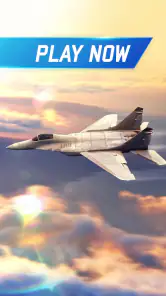
Upon launching Flight Pilot: 3D Simulator, you're greeted with stunning graphics that immediately set the tone for a high-flying adventure. The attention to detail is impressive, with realistic landscapes and aircraft designs that make you feel like a real pilot. The game’s interface is intuitive, and even if you're new to flight simulators, you’ll find it easy to navigate.
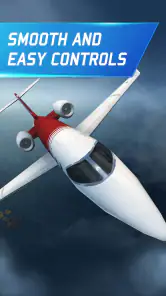
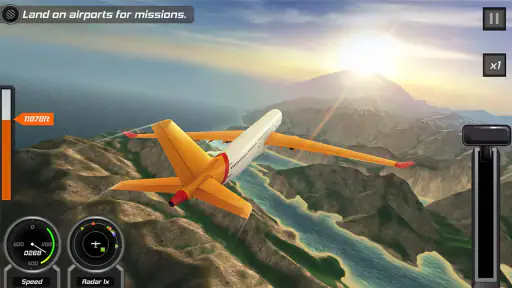
The controls are where the magic happens. You tilt your device to steer your plane, and the responsiveness is top-notch. The game offers a variety of missions, from rescue operations to cargo flights, ensuring there's never a dull moment. Each mission feels unique, with its own set of challenges that keep you on your toes.
Variety of Aircraft
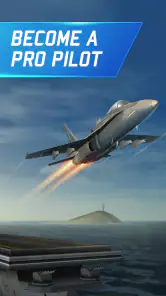
One of the coolest features of this app is the range of aircraft you can pilot. From tiny prop planes to massive passenger jets, there's something here for every aviation enthusiast. As you progress and complete missions, you unlock new planes, each with its own handling and performance characteristics. This adds a layer of strategy as you choose the best aircraft for each mission.
A small habit that helps me enjoy the aircraft progression is to treat a new plane as something to learn, not automatically as an upgrade that makes every task easier. Since handling differs, a familiar aircraft may be the more comfortable choice when I want to focus on the objective, while trying another plane is more interesting when I have time to adapt. That makes unlocking aircraft feel like a change in how I approach a flight, rather than just a checklist to complete.
Graphics and Sound
Let's talk visuals. The game’s 3D graphics are not just eye candy; they enhance the overall experience. The landscapes are diverse and beautifully rendered, from snowy mountains to lush islands. The visual effects during takeoff and landing add a touch of realism that pulls you deeper into the game.
Sound design also plays a crucial role, with engine roars and radio chatter adding to the immersive experience. It’s the little details, like the sound of wind rushing past your wings, that make you feel like a bona fide pilot.
In a shared room, that sound can be part of the appeal, but it is not always what everyone else wants to hear. I would lower the device volume or play with headphones when other people are reading, working, or winding down nearby. That is a more considerate setup than expecting everyone in the room to follow the flight, and it lets the player focus on the engine and radio cues without turning a quick session into household background noise.
Challenges and Rewards
As you might expect, the missions get progressively harder as you advance. This is where your skills as a pilot are truly tested. Whether it's navigating through a storm or executing a perfect landing, the game keeps you engaged and coming back for more. The sense of accomplishment after completing a tough mission is genuinely rewarding.
When a flight goes badly, I find it more useful to identify the difficult moment than to repeat the whole attempt impatiently. Was the trouble in keeping a steady approach, steering through a demanding section, or making the final landing? Naming the problem gives the next attempt a clear focus. It also makes the challenge easier to share with a second player: they can watch for that one moment and offer a helpful observation afterward.
That retry loop is a strength for anyone who enjoys gradual improvement, but it can become a sticking point for someone who expects every mission to be effortless. I would take a break after a frustrating run rather than keep tilting the device more sharply and hoping that fixes everything. A calmer restart is often more satisfying, and it keeps the game in the role of a short diversion instead of letting one difficult landing dominate the evening.
And let's not forget the rewards! Successfully completing missions earns you coins, which you can use to unlock new planes and upgrades. This adds a satisfying progression system that keeps you motivated to continue flying.
Free to Play, but Worth the Investment
While Flight Pilot: 3D Simulator is free to download, it does offer in-app purchases. These can enhance your experience by allowing you to unlock planes faster or purchase special items. However, the game is generous enough with its rewards that you can enjoy it fully without spending a dime. But honestly, supporting the developers for such a quality experience feels worth it.
The game was released on February 23, 2015, and Wildlife Studios remains the developer. Its average rating is 4.1 from around 2.7 million ratings, with about 76,000 written reviews and over 100 million installs. Those figures suggest a broad audience, but they do not tell me whether the tilt controls or mission pace will suit a particular player; trying a free flight is a better test than relying on popularity alone.
The current version is 2.12.32, and it requires Android 7.1 or later. I would check that the device meets the requirement before planning a shared session, then let the person who will play test the controls for a few minutes. On an older or less comfortable device, the practical question is not just whether the game opens, but whether the screen is easy to see and the phone can be held steadily through a landing.
Choosing it over other aviation games
Compared with aviation games built around cockpit detail or realistic procedures, this one is easier to approach: missions and aircraft are the draw, and tilting gives the flight a physical feel. Compared with a purely arcade flying game, the objectives and gradual aircraft progression offer more reason to return and improve. That middle ground is where I think it works best. It is a casual flight game with enough challenge to reward attention, not a replacement for a serious simulator or a deep role-playing adventure.
That difference also helps answer whether it suits a particular afternoon. If I have only a few minutes, I can focus on one objective instead of committing to a long narrative session. If I want detailed systems or a broader world to explore, I would choose another game. And if I am handing the phone to someone who is uncomfortable with motion controls, I would let them try the steering first rather than assume that an intuitive menu means the flight itself will feel natural.
Final Thoughts
If you’ve ever dreamed of being a pilot or just love flight simulators, Flight Pilot: 3D Simulator is a must-try. With its stunning graphics, diverse missions, and realistic gameplay, it offers a thrilling escape into the world of aviation. Whether you're killing time or diving in for a marathon session, this app delivers endless fun.
For me, the strongest case for it is a household that wants a visual, easy-to-share game and is happy to take turns without expecting separate profiles or a technical flight lesson. It is less compelling for players who dislike retries, need touch-based steering, or want detailed realism. Set a clear spending rule, give the tilt controls a calm first try, and it can make a lively shared break; if those trade-offs sound irritating, a different kind of aviation game will be a better fit.
So, buckle up, hit that download link, and prepare for takeoff. The skies are waiting!
Flight Pilot: 3D Simulator Pros and Cons
Pros
- Realistic graphics enhance immersion.
- Wide variety of aircraft to choose from.
- Easy-to-learn controls for beginners.
- Challenging missions keep gameplay engaging.
- Offline mode available for uninterrupted play.
Cons
- In-app purchases can be pricey.
- Some missions feel repetitive.
- Limited customization options.
- Occasional lag on older devices.
- Advertisements can be intrusive.
This Game in Other Languages
Frequently Asked Questions
What devices are compatible with Flight Pilot: 3D Simulator?
Flight Pilot: 3D Simulator is designed for both Android and iOS platforms. It requires Android devices to run version 4.4 or higher and iOS devices to be on iOS 9.0 or later. The game is optimized for both smartphones and tablets, ensuring a smooth experience across various screen sizes.
Does Flight Pilot: 3D Simulator require an internet connection to play?
One of the great features of Flight Pilot: 3D Simulator is that it can be played offline. This makes it perfect for users who are on the go or in areas with limited internet access. However, some features, like updates and certain in-game purchases, may require an internet connection.
Are there in-app purchases in Flight Pilot: 3D Simulator?
Yes, Flight Pilot: 3D Simulator includes in-app purchases. These allow players to enhance their gaming experience by purchasing additional aircraft, upgrades, and other premium content. While the game is free to download, these purchases can help progress faster or access exclusive features.
How realistic is the flight simulation in Flight Pilot: 3D Simulator?
Flight Pilot: 3D Simulator offers a highly realistic flight experience with detailed 3D graphics and real-world physics. While it is designed for entertainment, the controls mimic real aircraft, providing an immersive experience. It's great for both casual players and those who enjoy more realistic flight simulators.
What kind of missions can I expect in Flight Pilot: 3D Simulator?
Flight Pilot: 3D Simulator offers a variety of exciting missions ranging from rescue operations and fire extinguishing to emergency landings and races. These missions are designed to challenge your piloting skills and provide a diverse gameplay experience, ensuring players remain engaged and entertained.


