

Baby Panda's School Bus
- Reviews
- 4.4
- Version
- 8.72.12.32
- Installs
- 100,000,000+

Screenshots
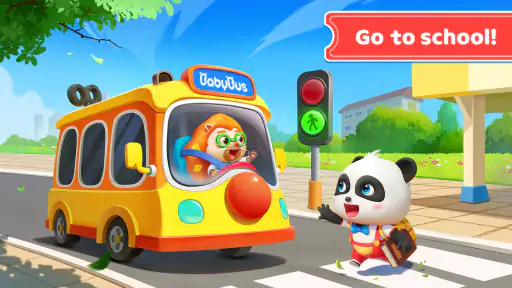
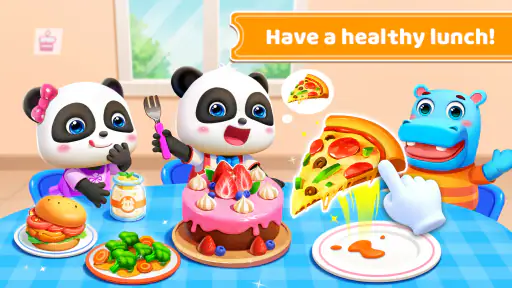
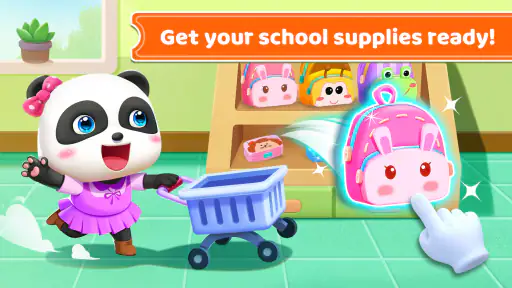
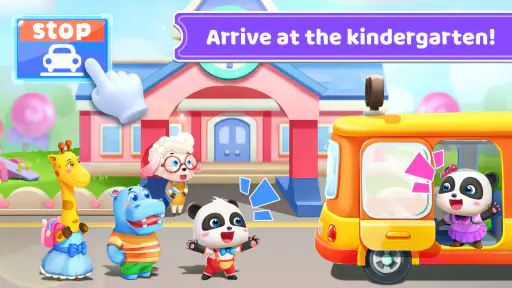
 Analysis by Frivlyz
On a shared family phone or tablet, a child’s game has to fit into more than one routine: a quick turn while dinner is being prepared, a quiet activity during a wait, or a few minutes with an adult nearby. Baby Panda's School Bus has an easy-to-understand premise that makes it a natural choice for those short play windows. I’d treat it as playful screen time rather than a substitute for a book, a real-world activity, or a more structured learning tool.
A game that can fit a shared device
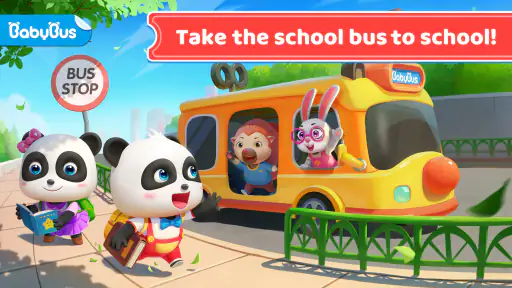
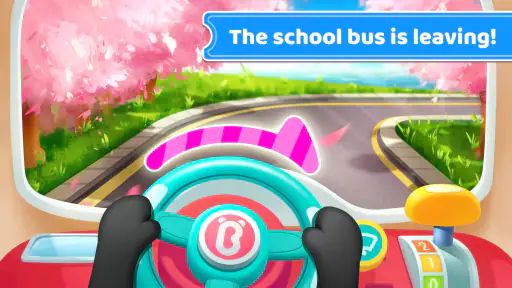
The bus-driving idea gives young children an immediate role: they can take the wheel and make small choices as the trip unfolds. That is useful on a device several people share, because a child can get started without needing a long explanation from the previous user. The bright characters and familiar school-bus setting also make it easy for an adult to join in, ask what the animals might need next, and turn a brief session into a bit of conversation.
For a realistic household example, I can imagine offering it while a parent finishes a simple task nearby, then asking the child to tell them which animal they picked up or what happened at a stop. That keeps the game from becoming an unattended distraction and helps the child put the play into words. I would still set a clear stopping point before handing over the device; an engaging sequence of activities can make “one more turn” tempting, even when a family has somewhere to be.
Our Stories on Baby Panda's School Bus
How Baby Panda's School Bus Thrives with New OS Updates
NewsHow Little Panda: Princess Makeup Blends Fun with Learning
NewsBaby Panda's Supermarket: A Colorful Journey of Learning and Fun
NewsDancing Road Turns Short Breaks Into a Test of Rhythm and Timing
NewsSuper Stylist Makes Every Outfit a Test of Taste and Patience
NewsDominoes on Your Terms: Who Should Play and Who Should Pass
NewsKeep the device handoff simple
On a shared device, I’d make the handoff part of the routine: open the game for the child, agree on how long they can play, and close it when their turn ends. That is a practical boundary, not a claim that the game has family profiles or built-in time controls. I would also check the device’s own settings and household purchase protections before letting a young child explore any game. This matters especially when the device is used by adults or older siblings as well as children.
The key trade-off is convenience versus supervision. A game that is simple to start can be helpful when an adult is close by, but it does not remove the need to decide what the child can access on the device itself. If you want a completely hands-off activity, or need separate child accounts and a tightly managed schedule, I’d choose a device setup designed for that purpose rather than assume this game provides those tools.
Coordinate turns without making it a chore
When siblings or cousins share one screen, I’d use the bus journey as a prompt for taking turns: one child drives for a little while, then the other gets a chance to choose what to do next. This is a simple household approach, not a special multiplayer feature. The game’s familiar actions give children something concrete to talk about while they wait, which can make sharing easier than passing around an app where every player needs a separate account or a long tutorial.
It is also worth keeping expectations modest. This is a child-focused, single-device activity in the way I would use it at home, not a tool for coordinating schedules or tracking what different children have completed. If siblings are far apart in age, the younger child may enjoy the tapping and characters while an older one quickly wants more challenge. In that situation, I’d use it for the younger child’s turn and pick a different activity for the older one, rather than expect one game to satisfy both equally.
Gaming Stories You May Enjoy

Pokémon GO Makes the Familiar World Feel New

Chess.com Turns Rematches Into Rivalries, but Community Has Its Costs

Archery Battle 3D Review: Sharp Aiming, Unclear Feedback

Should You Switch to Geometry Dash Meltdown? A Test of Timing and Patience

Fidget Toys Trading・Pop It 3D: What Happens When the Game Stumbles

NBA LIVE Mobile Makes the Season the Main Event
Who is likely to enjoy the ride
I see the strongest fit for preschool-age children and other young players who enjoy colorful characters, simple interactions, and short episodes of pretend play. The game is listed for Everyone, and BabyBus makes educational games aimed at children. Its appeal is less about mastering a complicated system and more about having a friendly setting in which little tasks can hold a child’s attention. Adults looking for a game with deep strategy, competitive play, or a demanding progression system should look elsewhere.
Compared with a basic coloring or matching app, the bus gives the play a light sense of movement and purpose: a child can connect driving with picking up passengers and stopping for activities. Compared with a more formal early-learning app, it feels more like play than a lesson plan. That is a strength when a child resists drills, but a limitation if you want to practise one skill in a measured, repeatable way. I would pair it with conversation or hands-on play, not rely on it to teach a concept on its own.
One useful tip is to let the child explain the choices rather than simply tapping through for them. Ask which color they noticed, what the bus needs, or why they chose a particular action. That makes the same on-screen activity more interactive without requiring a parent to turn it into a formal lesson. If the child is tired or easily frustrated, keep the session brief and help with a confusing moment instead of treating every obstacle as a test.
All Aboard the Fun Express
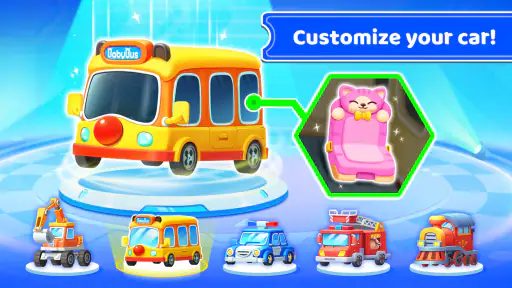
From the moment I launched the app, it felt like stepping into a vibrant cartoon world. The graphics are so bright and lively, you'd think you were in an animated movie. The premise is simple yet engaging: kids get to drive the school bus, picking up adorable animal friends along the way, each with their own little quirks and personalities.
The controls are intuitive, designed with tiny fingers in mind. Kids can easily tap to navigate, honk the horn, and even fill up the gas tank. Honestly, it's adorable seeing how much detail has been packed into such a simple interface. And let's not forget the catchy tunes that play in the background - they're real earworms that have a way of sticking with you, in a good way!
Learning on the Go
What I absolutely love about Baby Panda's School Bus is how it sneaks in educational content without making it feel like a chore. As kids embark on their bus journey, they're subtly introduced to concepts like numbers and colors. It's learning through play at its best. Plus, the app encourages problem-solving as kids figure out the best routes to take and how to overcome little obstacles on the road.
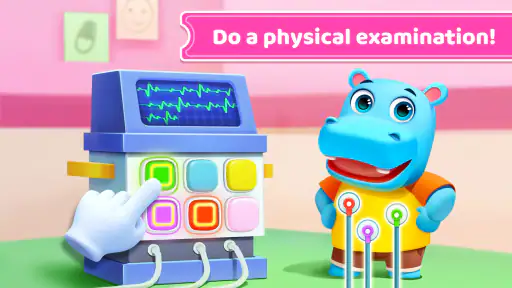
Each stop on the bus route offers a new mini-game or activity. Whether it's helping a fellow animal friend find their missing item or sorting objects by size and color, there's always something new to keep the young minds engaged and entertained.
How I’d judge it for your household
BabyBus is the developer behind this free educational game, which has a 4.4 average from around 279,000 ratings and more than 100 million installs. It was released on January 3, 2018, and version 8.72.12.32 requires Android 5.1 or later. Those figures suggest it has reached a broad audience, but popularity alone cannot tell you whether its pace and style suit your child; I’d let the child try a short session and watch how they respond.
One important correction for families considering purchases: this game does include optional in-app purchases, with items priced from $1.49 to $4.99. That does not mean a child must buy something to enjoy the basic idea, but it does mean I would not leave purchase decisions to a young player. Before handing over a shared device, check the device’s purchase settings and make clear that buying anything requires an adult. That is a better safeguard than assuming the game has no purchases.
Parents may also wonder whether it is suitable for a very young child who is still learning to use a touchscreen. The straightforward tap-based play is approachable, but a first session with an adult nearby is sensible: you can see whether the child understands the actions, enjoys the pace, and handles the on-screen prompts comfortably. If they mostly tap randomly or lose interest quickly, that is a sign to try again another day rather than push them through it.
Safe and Sound
As a parent, safety is always a top concern when it comes to apps for kids. Rest assured, Baby Panda's School Bus has no in-app purchases or ads that could lead your child down a rabbit hole. It's a safe environment where kids can explore freely without you having to hover over their shoulders constantly.
Moreover, the app is available on both Android and iOS, making it accessible for a wide range of devices. It's a neat little package that promises fun and learning without any hidden catches.
Final Thoughts
If you're on the lookout for an app that combines fun, education, and safety, then look no further. Baby Panda's School Bus is a delightful ride that keeps kids entertained while subtly teaching them valuable skills. It's not just an app; it's an experience that both kids and parents can enjoy together. So, buckle up and let your little one's imagination take the wheel!
Baby Panda's School Bus Pros and Cons
Pros
- Engaging educational content.
- Interactive and fun activities.
- Colorful graphics appeal to kids.
- Easy for children to navigate.
- Promotes learning through play.
Cons
- In-app purchases can be costly.
- Limited free content available.
- Advertisements interrupt gameplay.
- Requires internet connection.
- May not engage older children.
This Game in Other Languages
Frequently Asked Questions
What is Baby Panda's School Bus app about?
Baby Panda's School Bus is an engaging and educational app designed for young children. The app allows kids to experience the exciting journey of riding a school bus. Through interactive gameplay, children can learn about road safety, understand the responsibilities of a school bus driver, and enjoy various fun activities that promote cognitive development. It's a perfect blend of entertainment and learning for preschoolers.
Is Baby Panda's School Bus safe for children to use?
Yes, Baby Panda's School Bus is safe for children. The app is designed with young users in mind, ensuring a secure and child-friendly environment. It features no inappropriate content and offers parental control settings to manage screen time and in-app purchases. The app's developers prioritize children's safety and privacy, making it a trustworthy choice for parents.
What age group is Baby Panda's School Bus suitable for?
Baby Panda's School Bus is primarily designed for children aged 3 to 6 years old. The app's content is tailored to preschoolers, offering age-appropriate challenges and interactive elements conducive to early childhood learning. The colorful graphics and simple navigation make it easy for young children to engage with and enjoy the app independently.
Does Baby Panda's School Bus require an internet connection?
No, Baby Panda's School Bus can be played offline, making it convenient for use without an internet connection. This feature allows children to enjoy the app on the go, whether during travel or in places without Wi-Fi. However, some features, like updates or additional content downloads, may require an internet connection.
Are there in-app purchases in Baby Panda's School Bus?
Yes, Baby Panda's School Bus includes in-app purchases, which allow users to unlock additional features and content. However, these purchases are optional, and the app offers plenty of free content to keep children engaged. Parents can use the app's parental controls to manage or restrict in-app purchases, ensuring a worry-free experience for their kids.


