

Pooking - Billiards City
- Reviews
- 4.6
- Version
- 3.0.90
- Installs
- 500,000,000+

Screenshots
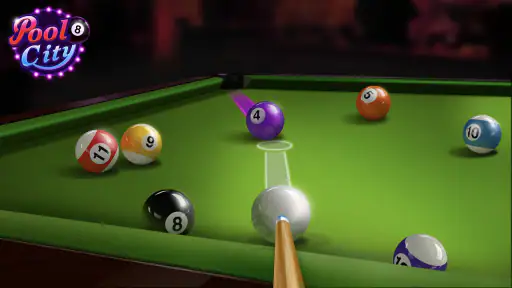
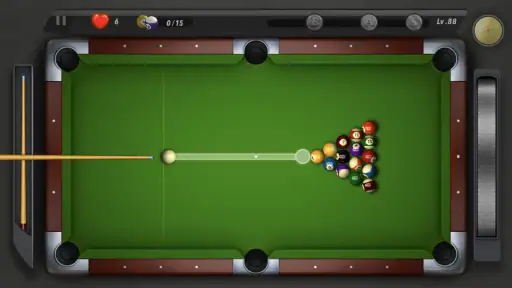
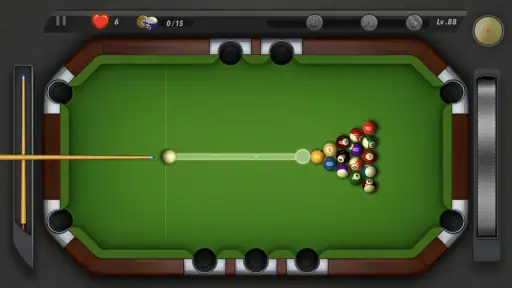
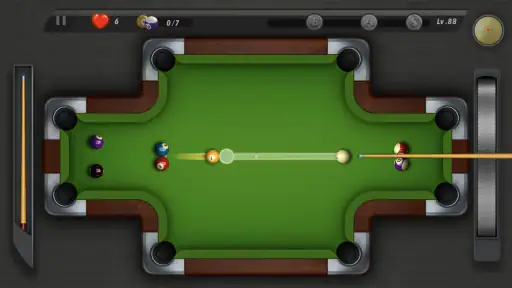
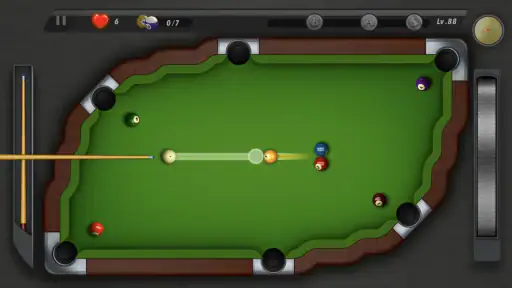
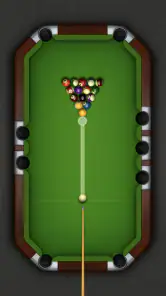
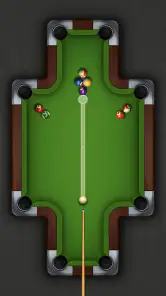

 Analysis by Frivlyz
I tend to reach for a phone pool game when I want a small challenge without committing to a long session, and Pooking - Billiards City fits that mood well. It turns familiar billiards aiming into a compact solo activity: take a shot, judge the result, and decide how to handle the next one. I like that the appeal is not tied to needing another player beside me. It works best when I want to practise patience and accuracy at my own pace, rather than compete in a full match.
A solo pool game for short breaks
That single-player focus is also the clearest clue about who will enjoy it. If you like lining up shots and making small adjustments, the game gives you a reason to think rather than simply tap through a screen. A practical way to play is to treat each turn as a little experiment: aim for a useful position for the next shot, not just the nearest easy pocket. That habit makes the table feel more like a puzzle and gives you something to learn from when a shot goes wide.
It is less suited to someone looking for the social side of billiards, a live opponent, or a detailed simulation built around formal match play. Compared with pool games that emphasize head-to-head competition, this one is more appealing as a relaxed solo option. If rivalry and reading another player’s decisions are the main draw for you, a multiplayer-focused alternative would be a better fit. If you simply want a quick table to return to during a quiet moment, the single-player approach is a strength.
Our Stories on Pooking - Billiards City
Pooking - Billiards City: The Mobile Game Captivating Pool Fans
NewsWhy 8 Ball Pool is the Perfect Blend of Strategy and Skill
NewsUnlocking the Secrets of Cat Runner: Decorate Home
NewsHow UNO!™ Became the Ultimate Digital Game Night
NewsWhy Brain Who? Tricky Riddle Tests Stands Out in Puzzle Gaming
NewsNBA LIVE Mobile Makes the Season the Main Event
NewsWhat the current release tells me
The game is made by MOUNTAIN GAME, first released on May 15, 2017, and its current version is 3.0.90. Those details make it a long-running mobile title rather than a new experiment, while the version number identifies the build available now. They do not, by themselves, tell me exactly what changed between releases, so I would not treat them as proof of a particular new feature. For someone already playing, the useful takeaway is simply that the game has a current version to check before installing or troubleshooting.
Its 4.6 average from around 3.6 million ratings and more than 500 million installs suggest that many players have tried it, but popularity is not a substitute for fit. I would use those figures as context, then decide based on the actual appeal of solo pool. The game is free to download, rated for Everyone, and includes optional in-app purchases priced from $0.99 to $4.99 per item. I would check the purchase prompts carefully if a child is playing, and remember that a free game can still offer paid extras.
Small choices that make shots more useful
When I am playing casually, I try not to use maximum power automatically. A softer shot can be easier to control and may leave a more comfortable angle for what follows. I also pause before releasing to check not only whether the target ball can reach a pocket, but where the cue ball is likely to finish. That second look is a simple way to make the game more thoughtful without turning a break into a serious practice session.
A realistic use case is a short wait between errands: I can play a few shots, put the phone away, and return when I have another quiet moment. It is also a reasonable choice for someone who wants a screen-based introduction to aiming and basic shot planning. The trade-off is that mobile controls are not the same as holding a cue; touch input can make delicate adjustments feel different from real table play. I would not choose it as a replacement for learning physical technique or for a group game with friends.
Gaming Stories You May Enjoy

Dancing Road Turns Short Breaks Into a Test of Rhythm and Timing

Super Stylist Makes Every Outfit a Test of Taste and Patience

Dominoes on Your Terms: Who Should Play and Who Should Pass

Pokémon GO Makes the Familiar World Feel New

Chess.com Turns Rematches Into Rivalries, but Community Has Its Costs

Archery Battle 3D Review: Sharp Aiming, Unclear Feedback
The Game Mechanics
At its core, Pooking - Billiards City is all about precision and skill. You start off with a basic cue and table setup, and your goal is to pocket all the balls in as few shots as possible. The controls are pretty intuitive. You just drag to aim, adjust the power, and release to shoot. It feels incredibly smooth, and there's a certain satisfaction in hearing that crisp sound of a ball sinking into the pocket.
Graphics and Sound
Now, let’s talk about the graphics. For a mobile game, the visuals are quite impressive. The tables are beautifully designed with vibrant colors, and the physics are pretty spot on. You get this realistic vibe, almost like you’re playing on a real table. The sound effects add an extra layer of authenticity, from the clinking of the balls to the ambient noise of a bustling billiards hall.
Progression and Challenges
What keeps me hooked is the way the game progresses. As you advance, the levels become more challenging, introducing trickier shots and more complex table layouts. It’s not just about hitting the balls; it’s about strategizing and thinking a few moves ahead. Plus, there are rewards and achievements that give you a sense of accomplishment as you climb up the ranks.
User Experience
One of the things I love is how user-friendly the app is. Whether you’re a seasoned player or just starting out, the game offers a brief tutorial to get you up to speed. The menu is straightforward, and accessing different features is a breeze. It’s the kind of game you can pick up and play whenever you have a few spare minutes, yet it’s captivating enough to keep you coming back for more extended sessions.
Where I would draw the line
The relaxed pace is a plus, but it also defines the game’s limits. Pool players seeking a faithful simulation may find a phone screen and touch controls too forgiving or imprecise compared with a real table. Likewise, if you want varied sports or a broader arcade collection, a billiards-only game will feel narrow. I would choose this for casual shot-making, not as a substitute for a cue, a club, or a multiplayer pool room.
For a first try, I would focus on whether aiming and power adjustment feel comfortable on your device, rather than racing through the early stages. If a shot misses, changing one variable at a time—angle first, then force—makes it easier to understand what went wrong. That small routine is more useful than repeating the same swipe harder, and it helps beginners build a feel for the controls without turning play into homework.
There is a modest learning curve in translating a real-world idea into touch input: a clean line on the screen does not guarantee that the cue ball will end up where you want. I would use early levels to notice how the game responds to different strength and direction choices. That is especially helpful if you are handing the phone to someone new to pool; explaining the goal is easy, while learning to judge the next position takes practice.
For parents, the Everyone age rating makes the game broadly suitable by content category, but I would still consider whether a child should be able to make optional purchases. Those items range from $0.99 to $4.99 each, so it is sensible to review device purchase controls before passing over the phone. The game itself is free, which makes trying it straightforward, but that does not mean every optional item is included without charge.
What to keep in mind as it evolves
The dated release and current version give existing players a concrete way to identify the build, but they are not a change log. If you are returning after time away, I would check the version shown on your device and approach any differences as something to assess in play rather than assume from the number alone. The same applies to future updates: I would watch for clearer release notes about gameplay or usability before expecting a particular improvement.
For a casual mobile sports game, that distinction matters. A newer version can be worth installing for compatibility or maintenance, yet a version number alone cannot tell you whether the parts you enjoy have changed. I would keep expectations practical: judge the feel of aiming, the challenge of the tables, and whether the solo format still suits your available time. Those are the things that make the game worthwhile day to day.
And there you have it, folks! If you're a fan of billiards or just looking for a fun and somewhat challenging game to pass the time, give Pooking - Billiards City a try. It’s got that perfect blend of simplicity and depth, making it a standout choice in the mobile gaming world. Happy playing!
Pooking - Billiards City Pros and Cons
Pros
- Realistic physics for an authentic experience.
- Visually appealing graphics and design.
- Intuitive controls for easy gameplay.
- Challenging levels to keep users engaged.
- Offline play mode available.
Cons
- Contains ads that can interrupt play.
- Limited customization options.
- Occasional in-app purchase prompts.
- Lacks multiplayer mode for real-time play.
- Some levels may be too easy.
This Game in Other Languages
Frequently Asked Questions
What is Pooking - Billiards City?
Pooking - Billiards City is a popular mobile billiards game available for both Android and iOS devices. It offers an immersive experience with realistic physics and stunning graphics, allowing players to enjoy a single-player arcade-style journey through various challenges and levels, making it a must-try for billiards enthusiasts.
How does the gameplay in Pooking - Billiards City differ from other billiards games?
Pooking - Billiards City stands out with its single-player arcade style that focuses on a journey through different levels, each offering unique challenges. Unlike traditional multiplayer billiards games, it emphasizes progression and skill development in a more personalized gaming experience with realistic physics and visually appealing graphics.
Are there in-app purchases in Pooking - Billiards City?
Yes, Pooking - Billiards City does offer in-app purchases. These can be used to enhance your gameplay experience by unlocking new levels, purchasing cues with special abilities, or removing ads. While the game is free to download, spending on these purchases is optional and not necessary to enjoy the full gaming experience.
Is Pooking - Billiards City suitable for beginners?
Absolutely, Pooking - Billiards City is designed to be accessible for players of all skill levels. Beginners will find the initial levels easy to navigate, with tutorials and guides helping them learn the basics of the game. As they progress, they will encounter more challenging levels, allowing them to improve their skills over time.
What are the system requirements for Pooking - Billiards City?
Pooking - Billiards City requires Android 4.1 and up or iOS 9.0 or later. It is compatible with most devices, ensuring a smooth gaming experience. However, for optimal performance, it's recommended to have a device with a good processor and sufficient RAM to handle the game's graphics and physics engine effectively.


