

Sudoku - Classic Sudoku Puzzle
- Reviews
- 4.7
- Version
- 5.9.0
- Installs
- 50,000,000+

Screenshots
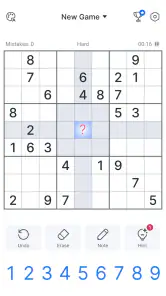
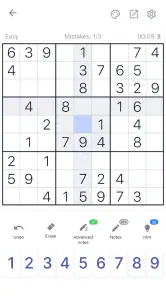
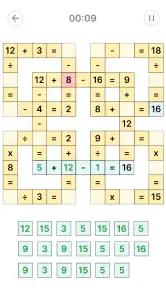
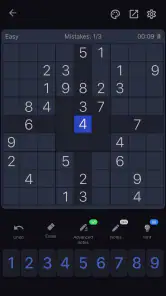
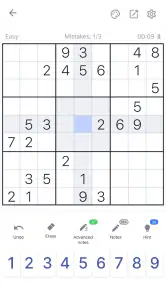
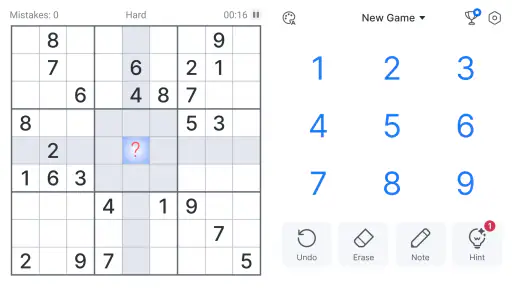
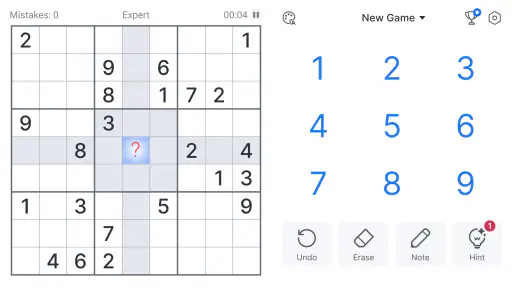
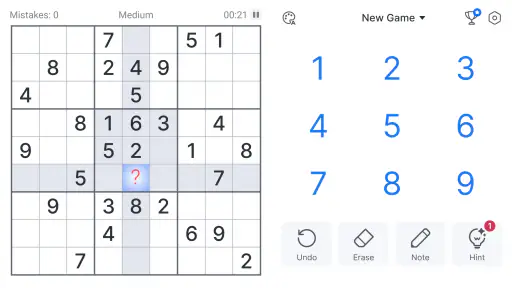
 Analysis by Frivlyz
I like Sudoku best when it fits around the day rather than demanding a long, uninterrupted session. Oakever Games’ Sudoku - Classic Sudoku Puzzle is a straightforward number puzzle game, and its appeal is easy to understand: open a grid, work through the logic, and put it aside when something else needs your attention. It is free to play, rated for Everyone, and has attracted a large audience, but what matters most to me is whether its familiar format feels comfortable in ordinary use.
What the pace feels like
The puzzle itself sets the pace here. Easy grids make a sensible warm-up, while harder ones ask me to slow down, compare possibilities, and resist filling a cell just because a number seems plausible. That makes the game a good fit for short breaks as well as longer stretches of concentration; it does not need a fast reflex or a complicated setup before I can begin.
I would not treat a quick opening as proof that every session will feel instant on every device. Sudoku is a light kind of game in terms of what the player is doing, but the experience still depends on the phone or tablet and the conditions in which it is being used. My practical expectation is modest: it is suited to picking up for a puzzle, not to demanding high-end graphics or constant motion.
When a puzzle competes with real life
The most useful test for a casual Sudoku game is what happens when a session gets interrupted. In this one, progress is saved automatically, so I can return to an unfinished grid instead of relying on memory to reconstruct every placement. That is especially handy if I start a puzzle while waiting for a train, get called away, and come back after the ride has begun.
There is a small strategy to making interruptions less frustrating: use pencil marks to keep track of candidates before committing to a number. If I only have a few minutes, I can still make a useful pass through a row, column, or box, then leave the grid in a state that is easy to understand later. This is more reliable than making a rushed guess and having to untangle it when I return.
Reliability and practical limits
Automatic saving is a welcome convenience, but it does not make a puzzle immune to every possible interruption or device issue. I still prefer to finish a grid when I have the time, particularly if I am near the end and want to enjoy the completed solution. For routine stop-and-start play, though, saved progress makes the game feel better suited to daily gaps than a paper puzzle I might misplace.
The core appeal is also the main limitation: this is a classic Sudoku experience. If I want a story, character collection, action, or a changing set of game mechanics, a number grid will not provide that variety. And if I already solve Sudoku on paper, the screen-based format may not feel like an upgrade unless I specifically want hints, pencil marks, or a saved game.
Gaming Stories You May Enjoy

Dancing Road Turns Short Breaks Into a Test of Rhythm and Timing

Super Stylist Makes Every Outfit a Test of Taste and Patience

Dominoes on Your Terms: Who Should Play and Who Should Pass

Pokémon GO Makes the Familiar World Feel New

Chess.com Turns Rematches Into Rivalries, but Community Has Its Costs

Archery Battle 3D Review: Sharp Aiming, Unclear Feedback
Who will enjoy this version
I would recommend it to someone learning how Sudoku works, returning to the puzzle after a long break, or looking for a calm activity that can be picked up in short sessions. The range from Easy to Expert gives a newcomer room to build confidence and gives a practiced solver a reason to choose a tougher grid. A hint can help when I am stuck, although I would use it sparingly if the point of a session is to practice solving independently.
For example, I might open an Easy puzzle during a coffee break, use pencil marks where several numbers could fit, and leave the app when my break ends. Later, I can resume the same grid rather than start over. That workflow is more appealing to me than a timed puzzle when I want a quiet mental reset rather than pressure to finish quickly.
Getting Into the Groove
As soon as I opened the app, I was greeted with a clean and user-friendly interface. The design is straightforward, which I absolutely loved because, let’s face it, who needs extra distractions when you're trying to concentrate on a puzzle? The app offers various difficulty levels, from Easy to Expert, allowing you to tailor the experience to your skill level. I started off with the Easy level just to warm up my brain and quickly progressed to the Medium level where things got more interesting.
A Sea of Features
Now, what really sets the Sudoku - Classic Sudoku Puzzle apart is its wealth of features. You can easily pencil in numbers, which is a lifesaver for those of us who like to take a guess before committing to a number. If you’re stuck, there’s a handy hint feature that nudges you in the right direction without giving away too much. And for those times when you have to abruptly pause your game, no worries! The app saves your progress automatically, so you can jump right back in where you left off.
One feature I found particularly appealing was the statistics tracker. It’s like having your personal scorecard that tells you not only how well you’re doing but also how much you’re improving. It’s these little things that make you feel accomplished and keep you coming back for more.
Why I Keep Coming Back
Alright, let’s talk about the addictive nature of this game. I found myself constantly drawn back to it during coffee breaks, commutes, and even before bed. There’s something incredibly satisfying about solving a puzzle and seeing the grid fill up with numbers. The app’s seamless performance and lack of bugs made the experience even more delightful.
Plus, the developers have done a great job in ensuring that the app doesn’t drain your battery or bombard you with ads, which is a huge plus in my book. It’s the kind of app that respects your time and phone’s resources.
How it compares with other ways to play
Against a paper Sudoku book, this version is more convenient when I want the puzzle to travel with me and preserve an unfinished grid. Pencil marks and hints also reduce the need to erase and rewrite possibilities. Paper still has an advantage if I enjoy writing by hand, want to avoid using a screen, or prefer to see several candidate notes at once without tapping between cells.
Compared with Sudoku games built around timed challenges, streaks, or extra modes, the classic format here is a better match for relaxed, self-directed solving. I can choose a difficulty and focus on the grid instead of chasing a score or learning another mechanic. That simplicity is a strength, but it also means players who need frequent novelty may find a broader puzzle collection more satisfying.
Small choices that improve a session
I get more value from the difficulty range when I choose a level based on the kind of attention I have available, not just the level I managed last time. Easy is useful when I want to settle into the rules; a harder grid makes more sense when I can pause and reason through candidates. Jumping straight to Expert while tired can turn a relaxing break into guesswork, which is exactly when pencil marks become more useful than rushing.
The hint feature is best treated as a nudge rather than a shortcut. When I stall, I first scan the row, column, and box around the cells I am considering, then use a hint only if I cannot see a sound next step. This keeps the puzzle instructive: I can get moving again without making every difficult placement for me. Someone who wants pure independent practice may prefer to avoid hints altogether.
Choosing it for the right reasons
The game’s broad reach is reflected in its 4.7 average from around 2.7 million ratings, and it has been installed over 50 million times. Those figures suggest that the classic format works for many players, but popularity does not make it the right fit for everyone. I would skip it if Sudoku itself does not hold my attention, or if I am looking for a narrative game, a social competition, or a collection of different puzzle types.
It is also worth knowing that free does not mean every possible option is necessarily included without charge: the game offers in-app purchases, priced from $0.99 to $19.99 per item. I would decide whether the basic puzzle experience suits me before considering any purchase. The game is rated for Everyone, which makes its number-grid premise approachable for a wide range of ages, though younger players may still benefit from someone explaining the rules of Sudoku.
Version, compatibility, and everyday expectations
The current version is 5.9.0, and the game supports Android 5.0 and later. That gives it a broad potential device range, but an older operating system alone cannot tell me how smoothly it will behave on a particular phone. If a device is older or already struggles with other apps, I would keep expectations practical and close background tasks if the game feels sluggish rather than assume every slowdown comes from the puzzle itself.
For resource demands, the simple grid-based activity is a more natural fit for a modest device than a graphics-heavy game, though I would not promise a specific battery result for every handset. My own standard is whether I can concentrate on solving without the interface getting in the way. If conserving battery is essential, I would still keep an eye on the phone’s overall use during a long session rather than rely on any game to be completely cost-free in power.
My performance verdict
For a classic Sudoku app, the most convincing performance qualities are practical ones: a clear grid, controls that support pencil notes and hints, and saved progress that suits interrupted play. It is not trying to turn number puzzles into a spectacle, and I see that restraint as appropriate. The experience is strongest when I want a dependable-feeling place to work through one grid at my own pace, not when I am expecting elaborate content or constant surprises.
Oakever Games released the game on July 27, 2018, and its continued presence alongside a current version gives it the feel of an established option rather than a brand-new experiment. I would still judge it on my own device and on whether I enjoy its particular approach to Sudoku. For someone who wants a free, focused puzzle with a gentle learning curve and useful ways to return to an unfinished game, it is an easy one to try; for someone who needs more variety or prefers paper, another format may suit better.
Final Thoughts
In conclusion, if you’re on the hunt for a game that sharpens your mind and provides endless hours of fun, then Sudoku - Classic Sudoku Puzzle might just be your new best friend. It combines the classic charm of Sudoku with modern conveniences, making it a must-have for any puzzle lover. So go ahead, give it a try, and see how fast you can become a Sudoku master!
Sudoku - Classic Sudoku Puzzle Pros and Cons
Pros
- Intuitive user interface design.
- Multiple difficulty levels available.
- Offline mode available.
- Hints and tips for beginners.
- Daily challenges for extra fun.
Cons
- Ads can be intrusive at times.
- Limited customization options.
- No multiplayer mode.
- Occasional app crashes reported.
- In-app purchases for extra features.
Frequently Asked Questions
What is Sudoku - Classic Sudoku Puzzle?
Sudoku - Classic Sudoku Puzzle is a traditional number-placement puzzle game available for Android and iOS devices. The game involves filling a 9x9 grid with numbers so that each column, each row, and each of the nine 3x3 grids contain all of the digits from 1 to 9. It offers various levels of difficulty, making it suitable for beginners and advanced players alike. Players can enjoy the timeless challenge of Sudoku anytime and anywhere with this app.
How does the difficulty level work in Sudoku - Classic Sudoku Puzzle?
Sudoku - Classic Sudoku Puzzle provides multiple difficulty levels to cater to players of all skill levels. Whether you are a novice or an experienced Sudoku enthusiast, you can choose from easy, medium, hard, and expert levels. The app also offers tips and hints to help players if they get stuck, ensuring a balanced challenge for everyone. Adjusting the difficulty level allows players to gradually improve their skills or enjoy a relaxing puzzle session.
Is Sudoku - Classic Sudoku Puzzle free to download and play?
Yes, Sudoku - Classic Sudoku Puzzle is free to download and play. The app is available on both Android and iOS platforms, allowing users to enjoy the game without any initial cost. However, there may be optional in-app purchases available, such as ad removal or additional hints, which can enhance the gaming experience. Be sure to check the app description for any specific details regarding in-app purchases before downloading.
Can I play Sudoku - Classic Sudoku Puzzle offline?
Yes, one of the great features of Sudoku - Classic Sudoku Puzzle is that it can be played offline. This means you can enjoy solving puzzles without the need for an internet connection, making it perfect for travel or situations where internet access is limited. Players can continue to sharpen their Sudoku skills and enjoy uninterrupted gameplay, regardless of their location.
Does Sudoku - Classic Sudoku Puzzle offer any customization options?
Sudoku - Classic Sudoku Puzzle offers a range of customization options to enhance the player experience. Users can choose from different themes and grid styles to personalize the look of their game. Additionally, there are settings to adjust the input method, enabling players to select their preferred way of entering numbers. These customizable features ensure that each player can tailor the game to their liking, adding a personal touch to the classic puzzle experience.


