

Words More -Ultimate Crossword
- Reviews
- 4.7
- Version
- 1.3.7
- Installs
- 100,000+

Screenshots

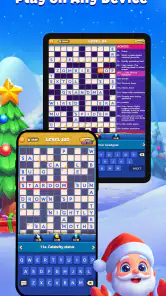
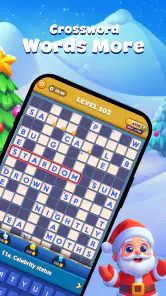
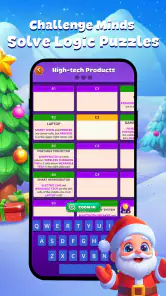
 Analysis by Frivlyz
My first move in Words More - Ultimate Crossword is simple: I swipe across a set of letters to make a word, then watch the game respond when I find one it accepts. That small action is the heart of this word puzzle. It asks for more than filling crossword squares; it turns letter-finding into a quick, tactile loop that works well when I want to focus on one compact challenge rather than settle in for a long session.
Start with the letters, not a clue list
The difference from a traditional crossword is clear right away. Instead of scanning numbered clues and entering answers into a grid, I look at the available letters and test combinations by swiping. That makes the opening feel approachable, even if you do not regularly solve newspaper crosswords. I can begin by spotting an obvious short word, then use it to get a feel for the letter set before trying less familiar combinations.
That format also changes how I approach a difficult board. I try common letter patterns first, but I avoid assuming the longest-looking combination is necessarily the answer I need. When I get stuck, mentally rearranging the same letters in a different order is often more productive than repeatedly swiping at random. It is a useful habit in any anagram-style puzzle, and here it keeps the play deliberate rather than frantic.
The game is a word title from Joy Vendor, and its basic interaction is easy to understand without a lengthy explanation. The bright, clean presentation helps keep attention on the puzzle itself. I would still suggest trying a short session before deciding whether the format suits you: people who enjoy assembling words from a limited pool may settle in quickly, while players who prefer cryptic clues, broad trivia, or a full crossword grid may miss those elements.
The Gameplay that Hooks You
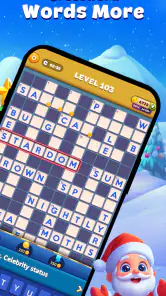
Right off the bat, Words More offers a fresh take on the traditional crossword puzzles. Instead of just filling in blanks, it challenges you to think outside the box—literally. The interface is super intuitive. You simply swipe to connect letters and form words, and it’s incredibly satisfying to see the words light up when you get them right. I was hooked from the first swipe!
A Brain Workout Like No Other
What I love about this game is how it balances fun and challenge. The levels start easy, perfect for those who just want a quick mental break. But as you progress, it gets devilishly tricky. I found myself scratching my head more than a few times, but that's the beauty of it. Each level you conquer feels like a mini-victory, and trust me, there’s a lot of fist-pumping involved when you finally crack a tough one.
The feedback rhythm is a big part of that appeal: I make a guess, see whether it lands, and immediately have a reason to try another arrangement. Finding an accepted word gives the session a small lift, while a missed attempt nudges me back to the letters. The reward is less about a dramatic spectacle than the satisfying sense that I have spotted a combination I overlooked. That makes it easy to play in brief gaps, though it can also tempt me to keep going after I meant to stop.
Gaming Stories You May Enjoy

Dancing Road Turns Short Breaks Into a Test of Rhythm and Timing

Super Stylist Makes Every Outfit a Test of Taste and Patience

Dominoes on Your Terms: Who Should Play and Who Should Pass

Pokémon GO Makes the Familiar World Feel New

Chess.com Turns Rematches Into Rivalries, but Community Has Its Costs

Archery Battle 3D Review: Sharp Aiming, Unclear Feedback
Good in short bursts, with a few trade-offs
A realistic use for me is a quiet wait before an appointment. I can open a puzzle, give it a few focused minutes, and put the phone away when I am called. It also suits a commute when I am seated and can look at the screen safely; I would not recommend trying to swipe while walking or navigating a busy platform. The background music can make a relaxed session feel more settled, but in a noisy place I would rather play without relying on it and keep my attention on what is around me.
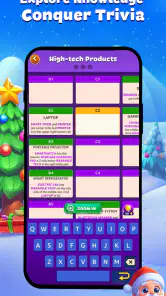
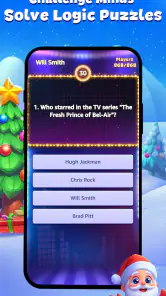
The short word-making loop is also a different proposition from a standard crossword app. Traditional crosswords give you clues and a connected grid, so they are better if you enjoy definitions, general knowledge, or working across and down. A word-search game asks you to locate words already laid out among letters, which is a more visual hunt. This game instead rewards trying letter orders and recognizing possible words. That focus is its strength, but it can feel narrow if you want clues, a large puzzle layout, or a more varied mix of tasks in one place.
There is a practical way to keep the challenge enjoyable: when a board stalls, pause for a moment rather than tapping or swiping through every possible arrangement. I look for familiar beginnings and endings, then try a different starting letter. If that still does not help, stepping away and returning with fresh attention can be better than turning the puzzle into a chore. The game’s quick feedback makes experimentation convenient, but random guessing can make the activity feel less like a word workout and more like trial and error.
What keeps a session moving
The levels provide a sense of progression, and the difficulty can make a solved puzzle feel earned rather than automatic. The reset is simple: once I finish a challenge, I can move on to another and meet a new arrangement of letters. That cycle—try, get feedback, solve, and start again—is why a short break can become a longer run. I find it engaging when I have the mental energy for it, but I would not choose it when I want a narrative, a deep strategic system, or a puzzle that unfolds over a long uninterrupted sitting.
The visuals are clean, vibrant, and easy on the eyes, which helps when I am playing for more than a few minutes. The background music is gentle enough to support concentration rather than dominate it. Those touches are pleasant, but they are not a substitute for variety in the puzzle format. If you already know you tire quickly of making words from letter groups, attractive presentation alone is unlikely to change your mind.
Social extras and collecting
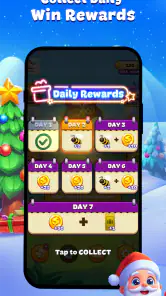
Another cool aspect of Words More is its community feature. You can connect with friends, compete on leaderboards, and even participate in special events to win rewards. It adds a nice social element that keeps you coming back for more. I’ve made a few friends through the game, and it’s always exciting to see who’s on top each week.
The social side can give a familiar puzzle a reason to revisit, especially if friendly competition motivates you. I would treat it as an optional extra, though, rather than the main reason to install the game: if you prefer solving alone, the letter challenge still makes sense without turning every session into a contest. Likewise, a leaderboard may encourage me to return, but it does not change the core task of finding words from the available letters.
Also, if you're the kind that loves collecting, this game has you covered. There are tons of themes and backgrounds to unlock, keeping the visual experience fresh. And the best part? The app is free with optional in-app purchases. But honestly, there’s plenty of fun to be had without spending a dime.
It is worth deciding what you want from those extras before spending. The game is free to start, and optional purchases range from $0.99 to $99.99 per item, so I would not treat every offer as a small add-on. I would first play using the standard experience and ask whether a particular purchase improves my enjoyment, rather than buying simply because I am stuck on a puzzle. That is a sensible approach for a casual word game where the main appeal is the act of solving.
Who will enjoy it, and who may not
I would recommend it to people who like anagrams, quick word challenges, and small moments of progress. It is also a reasonable pick for someone easing into word games: the swipe gesture is straightforward, and the early levels give room to learn the rhythm before harder puzzles demand more thought. The Everyone content rating makes it suitable for a broad audience, though younger players may still benefit from an adult helping them understand optional purchases.
I would steer away if your favorite part of crosswords is interpreting clever clues or filling an interconnected grid. It may also be a poor fit if you want a hands-off game, dislike repeated experimentation, or need a puzzle that does not ask you to look closely at a phone screen. And if you are choosing a game specifically for a long, varied solo campaign, this focused word-forming loop may not offer the breadth you are after.
For a parent or older relative considering it, the useful question is not just whether the rules are easy, but whether the player enjoys spelling and trying alternate letter combinations. A familiar swipe can make the controls less intimidating, yet a player who finds word recall frustrating may not appreciate the later increase in difficulty. I would try it together for a few levels and see whether the satisfaction of solving outweighs the occasional stall.
Practical details before you install
The game is free, has an average rating of 4.7 from around 4.8 thousand ratings, and has been installed over 100 thousand times. It was released on February 10, 2023, and the current version is 1.3.7. It runs on Android 5.1 or later, so it can suit older Android devices that meet that requirement. Those details make it easy to judge basic compatibility, but the best test is still whether you enjoy the letter-swiping format.
If you are wondering whether it is suitable for a quick daily habit, I think it can be, provided you like returning to bite-sized puzzles. If you want to know whether you need to spend money to enjoy it, the free starting point gives you a chance to judge the core play first; purchases are optional, but their listed range is wide enough that I would check each offer carefully. And if your main concern is whether it is a traditional crossword, the answer is no in the usual clue-and-grid sense: it is closer to building words by rearranging letters.
Joy Vendor’s game is best approached with modest expectations and a clear idea of what kind of word puzzle you enjoy. I see its appeal in the direct action, the immediate response when a word works, and the easy transition into another round. Its limitations are just as specific: the central mechanic stays focused on forming words, so it will not replace a clue-driven crossword or a broader puzzle collection for everyone.
Final Thoughts
In a nutshell, Words More - Ultimate Crossword is a fantastic choice for anyone looking to give their brain a good workout while having loads of fun. It’s a game that grows with you, offering just the right amount of challenge to keep you engaged without feeling overwhelmed. Whether you’re a word puzzle aficionado or a casual gamer, this app is definitely worth a download. So, grab your phone, hit that download button, and let the word fun begin!
My recommendation is more measured: try it if the pleasure of spotting words in a set of letters sounds appealing, and keep it as a handy option for waits and other spare moments. Skip it if clues, grid-filling, or a wide range of puzzle types are what you want most. For the right player, that quick cycle of attempting, recognizing, and moving on is enough to make another session feel inviting.
Words More -Ultimate Crossword Pros and Cons
Pros
- Engaging crossword puzzles
- User-friendly interface
- Diverse difficulty levels
- Regular updates with new puzzles
- Offline play mode available
Cons
- Contains in-app ads
- Limited free content
- Occasional app crashes
- Requires internet for updates
- No multiplayer option
Frequently Asked Questions
What is Words More - Ultimate Crossword?
Words More - Ultimate Crossword is a challenging and engaging word puzzle game designed for both Android and iOS devices. It combines the classic fun of crosswords with new twists and turns to keep players entertained. The game features various levels of difficulty, ensuring that both beginners and advanced players can find enjoyment. Players can enhance their vocabulary while having fun navigating through the puzzles.
How does Words More - Ultimate Crossword enhance vocabulary skills?
Words More - Ultimate Crossword helps in enhancing vocabulary skills by providing a wide range of challenging puzzles that require players to think critically and creatively. The game encourages learning new words and their meanings through its interactive interface. As players progress, they encounter new challenges that introduce them to more complex vocabulary, ultimately expanding their language skills in an enjoyable manner.
Are there any in-app purchases in Words More - Ultimate Crossword?
Yes, Words More - Ultimate Crossword offers in-app purchases. These can include additional hints, puzzle packs, or ad-free experiences to enhance gameplay. While the game can be enjoyed without spending money, these optional purchases can provide added convenience and variety for players who wish to explore more features or tackle difficult puzzles without interruption.
Is an internet connection required to play Words More - Ultimate Crossword?
Words More - Ultimate Crossword can be played both online and offline, allowing for flexibility and convenience. While an internet connection is necessary to download new puzzles and access certain features like leaderboards or daily challenges, players can enjoy the majority of the game offline. This makes it a perfect companion for those who want to play without being tethered to a network connection.
What devices are compatible with Words More - Ultimate Crossword?
Words More - Ultimate Crossword is compatible with both Android and iOS devices. It requires a device running a relatively recent version of these operating systems to ensure optimal performance. The game is designed to run smoothly on smartphones and tablets, providing a seamless and enjoyable experience regardless of the device's screen size. Make sure to check the app store for specific device requirements.


