

Word Search
- Reviews
- 4.7
- Version
- 2.1.9
- Installs
- 10,000,000+

Screenshots
 Analysis by Frivlyz
When I open Word Search, the appeal is immediate: a field of letters, a list of words to spot, and a small, clear goal that asks for my attention without demanding a long session. I can settle into a puzzle while waiting for a coffee or use one to take a quiet break between tasks. It feels familiar in the best way, though the simple premise still leaves room for satisfying moments when a word finally emerges from a crowded grid.
A quick puzzle that fits real breaks
The game works best for me when I want something more absorbing than scrolling but less involved than a story-driven game. I can start a word search, scan a few rows, and stop when I need to return to what I was doing. That flexibility makes it a natural choice for a commute or a short pause, provided I can comfortably look at my screen and focus. It is not the sort of game I would choose when I want a narrative, a changing cast of characters, or a sense of progression built around a larger world.
Its basic activity is easy to understand, which also makes it approachable for people who do not usually play mobile games. Italic Games developed this free word game, and its broad appeal is reflected in a 4.7 average from around 389,000 ratings, with more than 10 million installs. It is rated Everyone, so it can suit a mixed-age household, although a young player may still appreciate a little help with unfamiliar words or tricky searches.
How the presentation supports the hunt
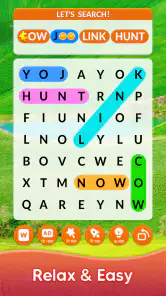
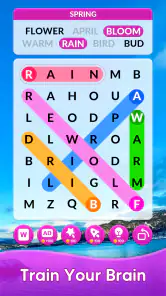
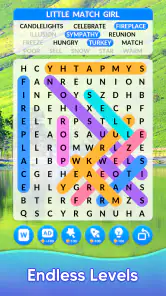
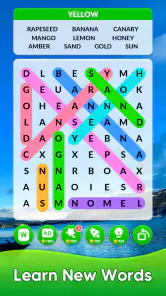
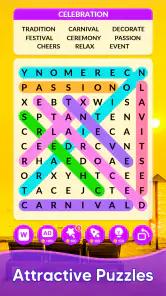
The presentation keeps attention on the puzzle rather than trying to build an elaborate setting around it. That restraint suits this kind of game: the grid is the place, the hidden words are the targets, and the pleasure comes from noticing a pattern that was easy to miss a moment before. Category choices give the search a loose theme, so a puzzle can feel more focused than a random arrangement of letters. I like that small sense of direction, especially when I want a puzzle with a recognizable subject rather than a completely open-ended hunt.
That clean approach has a trade-off. If you want striking artwork, a memorable atmosphere, or a visual world that unfolds between levels, this is unlikely to scratch that itch. The game’s mood comes from concentration and discovery, not from scenery. I find that a good fit for a quiet break, but it can feel plain to someone who expects a word game to surround its puzzles with a strong visual identity.
Difficulty, habits, and a useful way to play
The different difficulty levels let me choose how much effort I want to spend. Easy is the sensible starting point if you are new to word searches or playing with someone who prefers a gentler pace; harder puzzles reward slower scanning and a willingness to check the grid in more than one direction. I would not treat speed as the only measure of success. A useful habit is to look for less common letters in a target word first, then trace outward from those letters. That can narrow the search when a familiar short word seems to blend into the grid.
Progress tracking gives the game a modest reason to return, while daily challenges offer a defined task when I do not feel like choosing a category myself. I would use a challenge as a quick routine rather than a serious training plan: it gives a small, clear objective, but a word search mainly exercises visual scanning and attention. It may help keep those skills active during a spare moment, but I would not rely on it as a full vocabulary course or as a substitute for reading and learning words in context.
Gaming Stories You May Enjoy

Dancing Road Turns Short Breaks Into a Test of Rhythm and Timing

Super Stylist Makes Every Outfit a Test of Taste and Patience

Dominoes on Your Terms: Who Should Play and Who Should Pass

Pokémon GO Makes the Familiar World Feel New

Chess.com Turns Rematches Into Rivalries, but Community Has Its Costs

Archery Battle 3D Review: Sharp Aiming, Unclear Feedback
The Addictive Hunt for Words
Once you fire up the Word Search app, you're greeted with a simple yet inviting interface. It doesn’t take long to realize that this app is all about focusing on the game itself. No unnecessary frills, just pure, unadulterated word-finding joy. The game offers various categories, so whether you're into animals, food, or travel, there’s a puzzle for you. I personally love the challenge of the "mystery category" where you have no clue what words you might be searching for until you start finding them!
Features that Keep You Hooked
One of the standout features of this app is the different difficulty levels. As someone who prides themselves on their word prowess, I found myself starting on the "hard" level. Trust me, it’s not for the faint-hearted. But don’t worry, beginners can start on "easy" and work their way up. The app also tracks your progress, which is a neat way of seeing how much better you’ve gotten since you started playing.
Oh, and did I mention the daily challenges? These are perfect for those days when you need a quick brain workout but don’t have time for a full puzzle. Completing these challenges earns you points, which can then be used to unlock more categories or themes. It’s a great way to keep the game fresh and exciting.
Why It’s Worth Downloading
Now, I’ve played my fair share of word games, and what I love about Word Search is its simplicity and effectiveness. It’s not trying to be something it's not. It’s a straightforward word search game that does exactly what it says on the tin. Plus, the app doesn’t bombard you with ads, which is a huge plus in my book. You can play for a decent amount of time before you see one, making the experience much more enjoyable.
For those who love a bit of competition, there’s a leaderboard feature where you can see how you stack up against other players. If you’re the competitive type, this will definitely add an extra layer of fun to your word-finding adventures!
So, whether you're looking to kill some time, improve your vocabulary, or just enjoy a relaxing game, Word Search is a solid choice. It’s available on both Android and iOS, so no matter what device you have, you can jump into the action. Go ahead and give it a try, and who knows, you might just become the next word search master!
Choosing it over other word games
Compared with a crossword, this is a more direct kind of word play: you do not need to infer a clue or build an answer from a definition, so it is easier to pick up when you have only a little time. Compared with word-building games, it puts less emphasis on spelling out new combinations and more on spotting words already hidden in a grid. That makes it a comfortable option when I want a visual puzzle, but a less satisfying choice if I want to test vocabulary through clues, compete turn by turn, or create words from a limited set of letters.
The category approach is useful when I want a theme to guide the search, while the mystery category changes that expectation by keeping the targets uncertain at first. I would alternate between them rather than always choosing the same familiar subject: themed searches can feel more approachable, while a mystery round asks me to stay curious and make sense of the words as they appear. If a puzzle starts to feel routine, changing the category or difficulty is a more useful reset than simply trying to rush through it.
Making the small rewards work for you
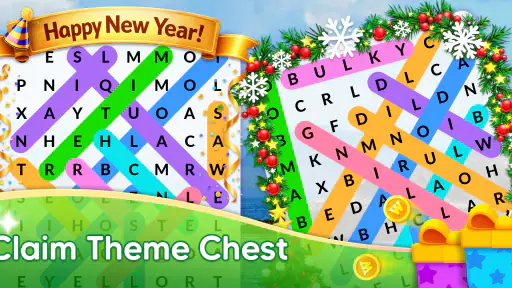
Points from daily challenges can unlock additional categories or themes, so I would treat them as a reason to explore parts of the game I might otherwise overlook, not as a score I need to grind for. A practical routine is to use a challenge when time is short and save a longer session for browsing categories at my own pace. The trade-off is that reward systems can turn a relaxing puzzle into another checklist. If that starts happening, I would ignore the points and play only when the search itself sounds enjoyable.
The progress record is most useful as a personal reference rather than proof of broad improvement. If you want to make it meaningful, notice whether you are scanning more methodically or getting less stuck on familiar patterns, rather than treating every completed puzzle as evidence of a bigger skill change. For a child or a casual player, the same record can give a simple sense of continuity; for someone who prefers a fresh, untracked puzzle every time, it may matter very little.
Sound, pace, and the right setting
The game’s atmosphere is led by the act of searching, so I think of it as a quiet, attention-based pastime rather than an audio-led experience. It fits a calm moment better than a setting where I need to listen closely to other things or switch attention every few seconds. I would avoid starting a challenging grid while crossing a busy street, keeping an eye on a child, or trying to follow a conversation: the puzzle is simple to learn, but finding words still pulls my eyes and focus into the screen.
For a shared session, I can imagine taking turns spotting a word, especially with someone who is new to the format. That changes the pace from solitary scanning into a low-pressure cooperative activity without needing to turn the game into a competition. On the other hand, the leaderboard is there for players who enjoy comparing results. I would use it as an optional extra, since rankings can add motivation but can also make a soothing pastime feel more performance-driven than it needs to be.
Where the format can feel limited
The same straightforward structure that makes a word search easy to start can also make it repetitive over a long session. Categories, difficulty choices, challenges, and themes provide ways to vary the activity, but the central pleasure remains finding listed words in a letter grid. If you want substantial changes to the rules from one session to the next, a collection of different puzzle types is likely a better fit. Likewise, if you mainly want to learn definitions, spelling, or word usage, the search format alone does not provide the depth of a dedicated language-learning tool.
Screen comfort is another practical consideration. Dense letter grids ask for sustained visual attention, so I would take a break if I found myself squinting or losing my place, rather than treating one more puzzle as harmless. The game is best as a short, optional diversion; it does not need to fill every spare minute. Its simple interface helps the activity stay clear, but the experience still depends on whether you enjoy scanning letters and can give the grid your attention.
Who will enjoy returning to it
I would recommend it to casual puzzle fans, people who like themed word hunts, and anyone looking for a compact game that can be understood quickly. It also suits someone who wants a gentle daily ritual: choose a challenge, spend a few minutes searching, and move on with the day. The free price makes it easy to try, while the Everyone age rating broadens its appeal. It runs on Android from version 4.0, and its current version is 2.1.9; it was released on August 19, 2019.
I would steer away from it if your main priorities are a rich story, elaborate sound and visuals, deep strategic choices, or a varied set of word-game mechanics. Those are not flaws so much as a mismatch with what a focused word search is designed to offer. The strongest reason to keep it installed is also the simplest: when I want a small, self-contained challenge, I can open a puzzle and understand what to do without first learning a complicated system.
A balanced recommendation
What I appreciate most is the way the game gives a familiar activity enough structure to invite repeat visits: categories help set a mood, difficulty lets me choose my level of focus, daily challenges supply a ready-made task, and progress tracking offers a reason to look back. Those elements do not transform the basic search, and they do not need to. They make the core loop easier to return to, while the mystery category and leaderboard offer different ways to approach it.
My recommendation is to try it when you want a calm, screen-based puzzle that works in short sessions, then decide whether the repeated grid search is satisfying enough for you. It is not a replacement for crosswords, word-building games, or a more substantial game with a story, but it does not have to be. For the right mood, a few quiet minutes spent finding words can be exactly the kind of uncomplicated break I want.
Word Search Pros and Cons
Pros
- Engaging puzzles enhance focus
- Variety of word themes
- Offline mode available
- User-friendly interface
- Adaptive difficulty levels
Cons
- Ads can be intrusive
- Limited free content
- Occasional app crashes
- Small screen size issues
- Repetitive word lists
Frequently Asked Questions
What is Word Search and how does it work?
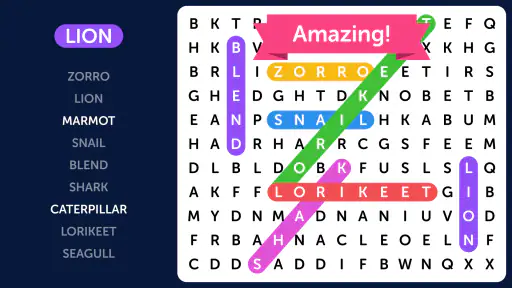
Word Search is a classic puzzle game where players are tasked with finding hidden words within a grid of letters. The words can be positioned horizontally, vertically, diagonally, and even backwards. As you discover each word, it gets highlighted, and points are accumulated. It's a game that challenges your observation skills and vocabulary, offering various difficulty levels to cater to different players.
Is Word Search suitable for all ages?
Yes, Word Search is a family-friendly game suitable for players of all ages. It helps young players enhance their vocabulary and spelling skills while offering older players a relaxing yet stimulating mental exercise. With adjustable difficulty levels, it can cater to kids, teens, and adults alike, making it a versatile choice for family entertainment.
Does Word Search require an internet connection to play?
No, Word Search does not require an internet connection for its basic gameplay. Players can enjoy searching for words offline, making it a great option for long trips or areas with limited connectivity. However, some features, like leaderboards or daily challenges, may require internet access to update or sync progress.
Are there in-app purchases or ads in Word Search?
Word Search is generally a free-to-play game but it may include in-app purchases to unlock additional features or remove advertisements. Ads might be present in the free version to support the developers. Players should check the app's store page for details on in-app purchases and decide if they wish to spend money on additional content.
What are the unique features of Word Search that enhance gameplay?
Word Search often includes unique features such as themed puzzles, daily challenges, and timed modes to enhance gameplay. Some versions offer customization options, allowing players to change the grid size or difficulty level. These features not only add variety to the gaming experience but also keep players engaged by providing new content regularly and challenging their word-finding skills.


