

Word Search - Word Puzzle Game
- Reviews
- 4.8
- Version
- 1.80.0
- Installs
- 100,000,000+

Screenshots
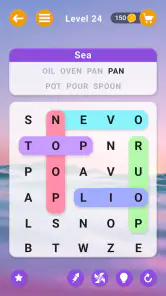
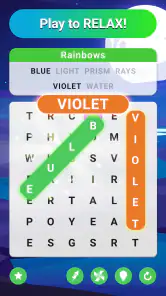
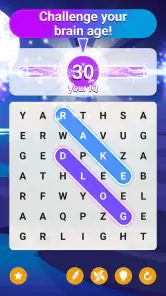
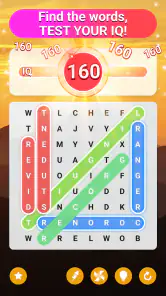

 Analysis by Frivlyz
I like word searches most when they give my attention something clear to do without turning a spare moment into a project. Word Search - Word Puzzle Game is built around that simple appeal: scan a letter grid, spot a word, and keep going at a pace that suits you. It is a free word game from Blackout Lab, and its familiar format makes it easy to pick up if you already enjoy paper puzzles or want a low-pressure way to pass a few minutes.
What the format is good at
A word search asks for a different kind of focus from a crossword or a word-guessing game. You are not filling in clues or competing to invent the right answer; you are looking for patterns that are already present. I find that makes this style especially handy when I want a brief mental reset, such as during a quiet break or while waiting for an appointment. The task is self-contained, so it is easy to stop after a puzzle rather than having to remember a complicated game state.
That simplicity is also a useful distinction when choosing between word games. Crosswords tend to reward general knowledge and clue interpretation, while anagrams put more emphasis on rearranging letters. This game’s core pleasure is visual scanning and recognition. If that is the part you enjoy, it is a more direct fit than a word game that expects you to solve clues or build vocabulary through definitions. If you want a story, a tactical challenge, or a sense of progression beyond finding words, a different genre may hold your attention better.
Our Stories on Word Search - Word Puzzle Game
How Word Search - Word Puzzle Game Transforms Scoring into Strategy
NewsNBA LIVE Mobile Basketball: Redefining Digital Hoops Culture
NewsHangman: Nostalgia Meets Modern Mobile Gaming
NewsFruit Ninja®: Thriving with New OS Enhancements
NewsUnlocking the Strategic Depth of Yu-Gi-Oh! Duel Links
NewsReal Piano: Unleashing Creativity with Every Note
NewsA practical way to play
For a short session, I would treat each puzzle as a small focus exercise rather than trying to rush through it. Scan the grid in an orderly way: check rows first, then columns, and finally diagonals, instead of repeatedly jumping around the screen. That approach helps me avoid overlooking a word simply because I keep revisiting the same busy area. When I get stuck, taking a brief pause and looking at the grid again often works better than tapping randomly or immediately reaching for help.
There is a small trade-off between playing for speed and playing for calm. A timer can add urgency for people who like racing a clock, but it may take away from the relaxing quality that makes word searches appealing in the first place. I would use timed play when I am alert and in the mood for a challenge, and keep a slower rhythm when I am winding down. The hint option can be a useful nudge when one word is holding up the whole puzzle, though relying on it too quickly can reduce the satisfaction of spotting a difficult sequence yourself.
Progress, pressure, and competition
The original article describes daily challenges and a leaderboard, which can give regular players a reason to return and a way to compare results. I would approach those features as optional motivation rather than a measure of how good I am at the game. A leaderboard naturally favors people who play often or prioritize speed, so a lower position does not necessarily say much about someone’s ability to enjoy or solve the puzzles. If comparison makes a quiet pastime feel stressful, focusing on your own pace is the better way to use it.
For me, the strongest everyday use case is a short break that needs a clear beginning and end. I might open a puzzle while having a cup of tea, finish what I can comfortably finish, and then put the phone away. That is different from a game designed to keep a long session going through a complicated campaign. It also suits a shared quiet moment: two people can look at the same grid and call out possible words, although the app’s described social feature is a leaderboard rather than a confirmed co-op mode. I would not choose it specifically for playing together in real time.
Gaming Stories You May Enjoy

Dancing Road Turns Short Breaks Into a Test of Rhythm and Timing

Super Stylist Makes Every Outfit a Test of Taste and Patience

Dominoes on Your Terms: Who Should Play and Who Should Pass

Pokémon GO Makes the Familiar World Feel New

Chess.com Turns Rematches Into Rivalries, but Community Has Its Costs

Archery Battle 3D Review: Sharp Aiming, Unclear Feedback
Who should choose it—and who may not
I would recommend this style of game to people who like letter grids, prefer straightforward rules, or want an activity they can approach in short sessions. It may also suit someone returning to word puzzles after a long break, since the basic objective is immediately understandable. The game is rated for Everyone, and its broad age rating makes the format approachable across age groups; that does not mean every player will find the puzzles equally easy or equally engaging.
I would steer away from it if you need detailed explanations, rich narrative, or a competitive system where every player’s circumstances are closely matched. A standard word search can feel repetitive once the act of scanning loses its appeal, and timers may be unwelcome if you dislike being hurried. Someone seeking a more language-focused workout might prefer crosswords or vocabulary games, while a person who wants an unhurried paper experience may simply prefer a printed puzzle book. The phone version is most compelling when convenience and quick access matter more than the tactile feel of pencil and paper.
A Classic Game with a Modern Twist
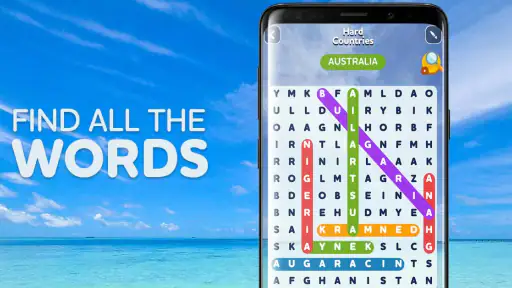
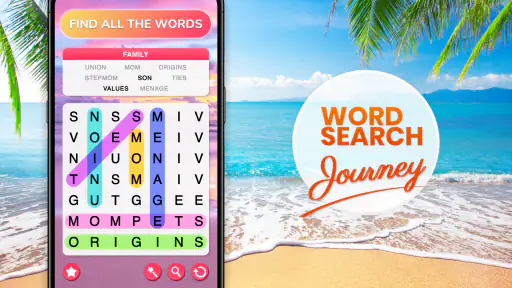
Remember those times when you’d sit down with a pencil and a word search book, circling words for hours? Well, Word Search - Word Puzzle Game brings that nostalgic experience to your smartphone, with a few modern upgrades. The interface is sleek, intuitive, and easy on the eyes, which makes it perfect for both quick sessions and long game nights.
Variety of Puzzles
One of the things I love about this game is the sheer variety of puzzles available. Whether you’re a beginner or a seasoned word search aficionado, there’s something here for everyone. The puzzles range from easy to mind-bogglingly difficult, and they cover a wide array of themes. This keeps the gameplay fresh and exciting, ensuring you’ll never get bored.
Features That Enhance the Experience
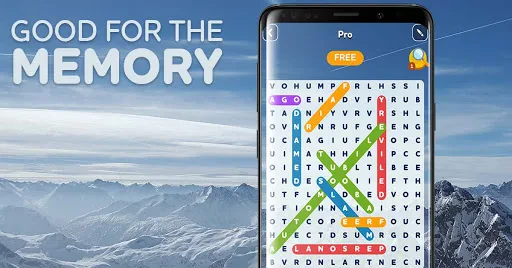
Beyond its variety, the game comes packed with features that make it a joy to play. There’s a hint system in place for those times when you’re stuck on a particularly tricky word, and a timer for those who thrive on race-against-the-clock challenges. I found the daily challenges particularly engaging, as they provide a little something extra to look forward to each day.
As a practical tip, I would save hints for the last word or two rather than use one the moment a search slows down. It keeps the puzzle-solving part in your hands while still offering a way past a genuine bottleneck. I would also decide before starting whether I want a relaxed session or a timed one, if the timer is available in the mode I choose; switching goals mid-puzzle can make an otherwise pleasant game feel unnecessarily pressured.
Social and Solo Play
If you’re competitive like me, you’ll appreciate the leaderboard feature. It’s always fun to see how your scores stack up against players from around the world. However, if you prefer a more solo experience, you can easily opt out and enjoy the game at your own pace. It’s this flexibility that makes the app so appealing to different types of players.
One point I would keep in perspective is fairness. A leaderboard can make scores visible, but that alone does not show whether players had the same puzzle, played under the same conditions, or used the same approach. I would treat it as a light comparison, not a rigorous contest. If ranking is your main reason to play, you may want a game built specifically around matched competitive rounds; if you mainly want a satisfying search, the leaderboard can stay in the background.
Trust, spending, and what to expect
The game is free to download, has an average rating of 4.8 from around 874,000 ratings, and has passed 100 million installs. Those figures suggest that it has reached a very large audience, but popularity is not a promise that every part of the experience will suit me. The app is rated Everyone, was released in 2019, and its current version is 1.80.0; it requires Android 5.1 or later. I would check that operating-system requirement before installing on an older Android phone.
On spending, the concrete point I can make is that the game is listed as free. I would not infer from that alone whether every optional item or feature costs nothing, or whether the game includes any particular purchase or advertising setup. If avoiding charges is important to you, check the purchase details shown on your device’s store page before downloading and be cautious around any payment prompt. That is a more reliable way to make a decision than assuming that a free download tells the whole story.
There are a few practical questions worth settling before making it a regular habit. The Android minimum is clear, but it does not answer how the game will feel on every screen size; if your phone has a small display, try a puzzle and see whether the letters are comfortable to scan. The game is a natural fit for brief offline-style moments in spirit, but I would not promise that every feature works without a connection, especially anything involving a leaderboard or daily challenge. If offline access matters, test the mode you plan to use rather than relying on assumptions.
It is also worth deciding what “brain training” means to you. Word searches exercise attention to letter patterns and visual scanning, which can make them engaging, but I would not treat a puzzle game as proof of a broader cognitive benefit. For variety, alternate it with crosswords or other word activities that ask for different skills. That keeps the experience from becoming a repetitive routine and gives you a clearer sense of which kind of challenge you actually enjoy.
Blackout Lab is the developer behind the game, and the large audience gives me a reason to consider it, not a reason to ignore my own preferences. My trust verdict is straightforward: this is an approachable, familiar word-search game with features described for hints, timed play, daily challenges, and leaderboard comparison. I would try it if I wanted an easy-to-understand puzzle on my phone, while keeping expectations modest about competition and checking purchase details if spending is a concern.
All in all, Word Search - Word Puzzle Game is a fantastic app that successfully modernizes a classic pastime. It’s perfect for word lovers and puzzle enthusiasts alike. With its engaging gameplay, variety of puzzles, and user-friendly features, it’s a game that’s hard to put down. Whether you’re looking to kill some time or seriously challenge your brain, this app has got you covered. So, why not give it a try? You might just find yourself hooked!
Word Search - Word Puzzle Game Pros and Cons
Pros
- Engaging and challenging puzzles.
- Wide variety of word themes.
- User-friendly interface.
- Offline play available.
- Regular updates with new puzzles.
Cons
- Contains ads between levels.
- Some puzzles can be too easy.
- Limited hints available for free.
- In-app purchases can be pricey.
- No multiplayer mode available.
This Game in Other Languages
Frequently Asked Questions
What is Word Search - Word Puzzle Game?
Word Search - Word Puzzle Game is a captivating mobile application available for both Android and iOS devices. It offers a classic word search experience with modern twists, including various difficulty levels, themed puzzles, and daily challenges. This app is perfect for those who enjoy testing their vocabulary skills while having fun.
Is Word Search - Word Puzzle Game free to play?
Yes, Word Search - Word Puzzle Game is free to download and play. However, it may offer in-app purchases for additional features, such as ad removal or exclusive puzzle packs. Users can enjoy the core gameplay without making any purchases, but optional upgrades can enhance the experience.
What features does Word Search - Word Puzzle Game offer?
The app offers a variety of features to keep players engaged. These include multiple difficulty levels, themed word search puzzles, daily challenges, and a leaderboard to compete with friends. Additionally, the app provides hints for those tricky words, ensuring players can enjoy the game without frustration.
Can I play Word Search - Word Puzzle Game offline?
Yes, Word Search - Word Puzzle Game can be played offline. This makes it an excellent choice for users who want to enjoy the game without needing a constant internet connection. Players can access previously downloaded puzzles and enjoy the game on-the-go, anywhere and anytime.
How can I report a problem or provide feedback about the game?
If users encounter any issues or have feedback, they can contact the support team via the app's settings menu. There is usually a 'Contact Us' or 'Support' option available, where users can send their queries or feedback. The developers are responsive and eager to improve user experience based on player input.


