

Word Search 2 - Hidden Words
- Reviews
- 4.9
- Version
- 1.18.0
- Installs
- 1,000,000+

Screenshots
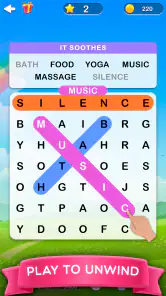
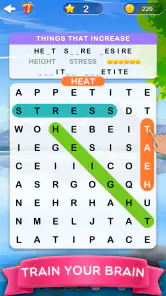
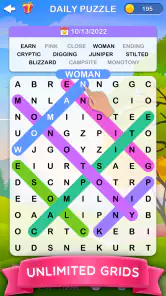
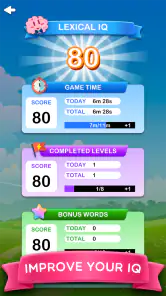
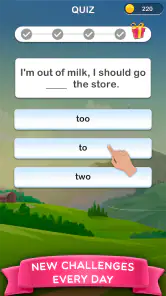


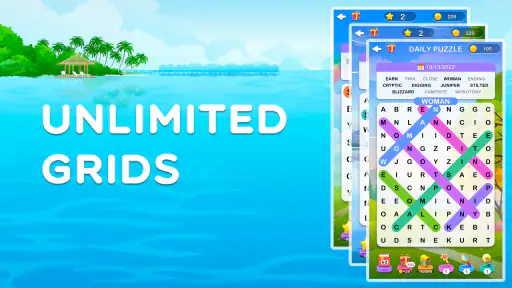
 Analysis by Frivlyz
I find word-search games are easiest to enjoy when I treat them as small pauses rather than a task to finish. Word Search 2 - Hidden Words fits that habit well: I can focus on one grid, look for a few words, and stop when I need to return to whatever I was doing. Its appeal is less about a dramatic twist and more about the calm, steady attention that comes from scanning a jumble of letters.
Where a session can snag
The most common sticking point in a word search is not understanding the rules; it is losing track of the target word among similar-looking letters. When I get stuck, I try changing my scanning pattern instead of staring at the same corner. I’ll look for a distinctive first or last letter, then trace possible directions from there. That small reset is often more useful than sweeping the whole grid repeatedly.
The difficulty also changes the pace. Early puzzles can feel like a quick warm-up, while later ones may ask for more patience. If a final word refuses to appear, I take a short break and return with fresh eyes. The hint system gives another route forward, but I’d save it for when I have genuinely searched rather than using it the moment a puzzle slows down. That keeps the search itself satisfying.
Getting comfortable with the controls
The basic interaction is straightforward: swipe across the letters to mark a word. If a selection does not register as I expect, I slow down and start again from the first letter, following the word’s path carefully. On a smaller screen, keeping my finger centered over the letters helps me avoid drifting into a neighboring row or column. These are simple habits, but they make a difference when I’m playing one-handed or in a hurry.
For a smoother first session, I also take a moment to look at the screen before starting a puzzle. I check that the text is comfortable to read, choose a background that does not compete with the letters, and decide whether I want sound. The game’s colors and clear typography make the grid approachable, while its background customization gives me a way to make the screen feel less busy. If I’m playing somewhere quiet, muting the subtle effects keeps the experience low-key.
When progress feels interrupted
If I lose my place in a puzzle, I avoid tapping around at random. I scan the remaining targets one by one, cross-checking their letters against the grid and changing direction when a familiar search route is not working. A quick pause is often enough to break the habit of repeatedly checking the same lines. If I’m interrupted mid-session, I return by looking at the word list first rather than trying to remember exactly where my eyes were.
There is a useful trade-off here: hints can reduce frustration, but leaning on them too quickly takes away some of the satisfaction of spotting a word unaided. I use one when I want to keep a short session moving, not as a substitute for searching every time a puzzle gets difficult. Players who want a strict, no-assistance challenge may prefer a word-search option with fewer prompts; players who value a gentle nudge will likely appreciate having help available.
Gaming Stories You May Enjoy

Dancing Road Turns Short Breaks Into a Test of Rhythm and Timing

Super Stylist Makes Every Outfit a Test of Taste and Patience

Dominoes on Your Terms: Who Should Play and Who Should Pass

Pokémon GO Makes the Familiar World Feel New

Chess.com Turns Rematches Into Rivalries, but Community Has Its Costs

Archery Battle 3D Review: Sharp Aiming, Unclear Feedback
When the app may not be the cause
A missed swipe does not always mean the game has failed. Finger placement, a rushed gesture, or a screen that is hard to see in bright surroundings can all make a selection feel awkward. I first try a slower, more deliberate swipe and make sure I can distinguish the letters clearly. If the game seems unresponsive beyond one selection, I close and reopen it and check that my device is running Android 5.1 or later. The current version is 1.18.0, so keeping the installed app current is a sensible general check when something feels off.
It is also worth separating a puzzle problem from an expectation mismatch. This is a relaxing word-search game, not a spelling lesson, a competitive timer challenge, or a broad vocabulary course. If what I want is to build word definitions or practice spelling rules, another kind of word game is a better fit. Here, the pleasure comes from visual searching and the gradual satisfaction of clearing a grid.
Gameplay and Features
Once you fire up Word Search 2 - Hidden Words, you’re greeted with a clean and intuitive interface. The game offers a plethora of categories to choose from, which keeps things fresh and exciting. Whether you’re into animals, food, or even geography, there’s something here for everyone. And trust me, once you start a puzzle, it's hard to stop!
Engaging Puzzles
The puzzles themselves are a delightful challenge. They start off easy but gradually increase in difficulty. You’ll find yourself scratching your head and thinking, "Where on earth is that last word?" But that’s the fun part, isn’t it? It’s like a mental workout that’s actually enjoyable. Plus, there’s a hint system for those times when you’re really stuck – and believe me, you will be!
User-Friendly Experience
What I love about this app is the seamless user experience. The controls are straightforward – you just swipe to select words. The app is responsive and doesn’t lag, which is a big plus in my book. And the best part? No annoying ads popping up every two seconds to ruin your flow. It’s just you and your word search adventure.
Visuals and Sound
Visually, the game is pleasing without being overwhelming. The colors are vibrant, and the typography is clear, making it easy to spot words. The sound effects are subtle, which is great because they don’t distract from the task at hand. If you’re someone who likes to play in silence, you can easily mute the sounds without a hitch.
One standout feature is the ability to customize the background. Whether you want something serene or a bit more vibrant, the choice is yours. It’s little touches like these that elevate the gaming experience.
Who will enjoy this kind of word search
I’d recommend it to anyone who likes letter-finding puzzles but wants a low-pressure way to dip in and out. A commuter waiting for a connection, someone taking a short break between chores, or a family member who enjoys casual word games can all get something from a single grid without needing to learn a complicated rule set. Its Everyone content rating also makes it suitable for a broad audience, though younger players may still appreciate an adult nearby if they need help navigating a phone.
The category choices help the game feel less monotonous than a long run of identical-looking word lists. I sometimes use the theme as a starting clue: if I know the puzzle is about a familiar subject, I can anticipate likely letter patterns without needing specialist knowledge. That makes it a comfortable option for relaxed play, not a test of obscure vocabulary. It is less suited to someone who wants every round to teach new definitions or introduce strategic mechanics.
A practical everyday routine
For a short session, I open a puzzle when I have a few spare minutes, set the sound to suit where I am, and choose a background that leaves the letters easy to distinguish. I work through the words I can spot quickly, then give the stubborn entries a separate pass instead of bouncing between the list and the grid after every swipe. This keeps my attention on the puzzle and makes the session feel orderly rather than hurried.
That routine is especially useful in places where I may be interrupted. I avoid starting a grid when I know I have only a few seconds, because stopping mid-search can make it harder to remember which rows I have checked. If a call or errand breaks in, I return to the remaining words and begin with their unusual letters. It is a small strategy, but it reduces the aimless rescanning that can make a simple puzzle feel longer than it is.
How it compares with other word games
Compared with crosswords, this is much more visual and asks less of me in the way of clues, cultural references, or written answers. Compared with anagrams, it is less about rearranging letters and more about spotting a sequence already hidden in the grid. That makes it a good choice when I want a familiar, tactile activity rather than a vocabulary challenge. The trade-off is that players who enjoy layered clues, competitive scoring, or a strong sense of progression through different puzzle mechanics may find the basic search format repetitive over a long session.
Its scale gives me room to return to the format without treating it as a one-evening novelty: there are over 4,200 levels to solve. That does not mean every session will feel new, since the core action remains finding words in letter grids. I see the large set of puzzles as a reason it can serve as a dependable break, not as a promise that the game continually reinvents itself. If variety of mechanics matters more to you than a steady supply of searches, a mixed-puzzle app may be a better match.
Cost, expectations, and a sensible choice
The game is free to download, with in-app purchases ranging from $1.49 to $129.99 per item. I would approach those purchases deliberately: first decide whether the free experience already suits your routine, then consider spending only if a particular in-game option is genuinely useful to you. The range is broad enough that I would not treat every purchase as a small impulse buy. If you prefer games with no optional spending at all, check the purchase controls on your device before handing it to a child.
Its popularity is substantial, with more than a million installs and an average rating of 4.9 from around 44,000 ratings, alongside about 1,200 written reviews. Those figures suggest that many players enjoy the format, but they do not guarantee that its calm, repetitive rhythm will suit everyone. I would use them as context, not as a substitute for asking whether word searches are the kind of game I actually want to play.
Final Thoughts
Overall, Word Search 2 - Hidden Words is a delightful escape into the world of letters and words. It’s perfect for those moments when you need a quick mental break or a longer session to unwind. The game strikes a perfect balance between challenge and relaxation. If you’re a word enthusiast or just looking for something new to try, give this app a go. You might just find it becoming your new favorite pastime!
IsCool Entertainment developed this free word game, released on October 14, 2022, and its current version is 1.18.0. It requires Android 5.1 or later and carries an Everyone age rating. For me, the clearest reason to try it is its straightforward promise: themed word searches with a gentle pace and enough puzzles to make it easy to revisit. I would skip it if I wanted a more varied puzzle system or a deliberately demanding brain-training experience, but for calm, focused letter hunting, it earns a place on my phone.
Word Search 2 - Hidden Words Pros and Cons
Pros
- Engaging puzzle gameplay.
- Variety of challenging levels.
- Enhances vocabulary skills.
- User-friendly interface.
- Frequent updates with new levels.
Cons
- Contains ads between levels.
- Limited free hints available.
- In-app purchases for extra features.
- May drain battery quickly.
- Requires internet for updates.
Frequently Asked Questions
What is Word Search 2 - Hidden Words?
Word Search 2 - Hidden Words is an engaging puzzle game available on Android and iOS platforms. It challenges players to find hidden words within a grid of letters, making it a fun and educational experience for users of all ages. The game features various difficulty levels, ensuring that both beginners and seasoned word search enthusiasts will enjoy it.
Is Word Search 2 - Hidden Words free to download and play?
Yes, Word Search 2 - Hidden Words is free to download and play on both Android and iOS devices. However, the game may offer in-app purchases for additional features, hints, or ad-free experience. These purchases are optional, and players can still enjoy the full game without spending any money.
Does Word Search 2 - Hidden Words require an internet connection?
Word Search 2 - Hidden Words can be played offline, making it a perfect game for those who want to enjoy it on-the-go without needing a constant internet connection. However, some features like leaderboard updates or in-app purchases might require an internet connection to function properly.
Are there different levels of difficulty in Word Search 2 - Hidden Words?
Yes, Word Search 2 - Hidden Words offers multiple levels of difficulty to cater to a wide range of players. Whether you're a beginner or a seasoned word search expert, you can choose from easy, medium, or hard levels. This variety keeps the game challenging and engaging, allowing players to progress at their own pace.
How can I improve my skills in Word Search 2 - Hidden Words?
To improve your skills in Word Search 2 - Hidden Words, it's recommended to practice regularly by playing different levels. Paying attention to commonly used words and patterns can also help. Additionally, using hints sparingly and challenging yourself with higher difficulty settings can enhance your word search abilities over time.


