

Word Connect - Train Brain
- Reviews
- 4.7
- Version
- 1.0.38
- Installs
- 1,000,000+

Screenshots


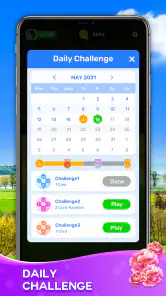
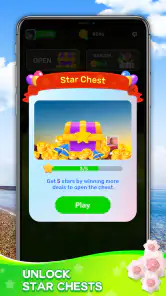
 Analysis by Frivlyz
If you’re on the hunt for a fun and engaging way to challenge your vocabulary and keep your brain sharp, Word Connect - Train Brain is an easy game to pick up. I like its basic promise: work through letter puzzles at your own pace, with enough challenge to make a spare moment feel occupied. It is a word game from Solitaire Card Studio, and its straightforward format makes it approachable even if you don’t usually play puzzle games.
Small goals that make it easy to begin
The first appeal is that the task is immediately clear: look at the letters, make words, and finish the puzzle. I don’t have to learn a complicated set of rules before I can get started. That makes it a natural choice for a short break, such as waiting for a kettle to boil or sitting through a commute, when I want something more engaging than scrolling but don’t have time to settle into a long game.
The useful question is whether that simple loop holds up beyond the first few turns. In my experience, it works best when I treat each board as a small goal rather than expecting a sweeping story or a dramatic change in the way I play. Finding a word gives me a quick sense of progress; completing the set provides a natural point to stop. That clear start-and-finish rhythm is a better fit for brief sessions than games that require me to remember a long chain of objectives.
Getting Hooked with Words
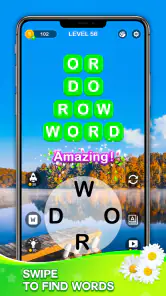
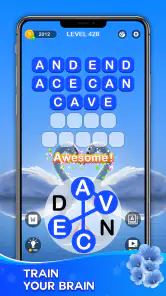
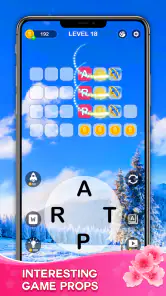
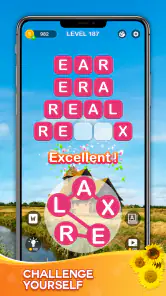
The moment I launched Word Connect - Train Brain, I was greeted with a colorful and inviting interface that’s super easy to navigate. The vibrant graphics instantly caught my attention, making me excited to dive into the puzzles. The app offers a simple concept: connect letters to form words. However, don’t let the simplicity fool you – the challenges ramp up quickly!
As you progress, the puzzles become increasingly difficult, requiring you to think outside the box. I found myself scratching my head on more than one occasion, trying to spot the elusive word that would complete the puzzle. It’s this challenge that makes the game so addictive. You’ll find yourself saying, “Just one more puzzle,” over and over!
How progress and challenge feel
The clearest progress signal is solving the puzzle in front of me: I can see which words I have found and which part of the task is still unfinished. That immediate feedback suits this kind of game. Rather than needing a complicated score breakdown to tell me whether I am getting somewhere, I can judge progress by whether I have found the remaining words and whether the next board asks more of me.
Difficulty is a matter of pace as much as vocabulary. When a word doesn’t come to mind, I find it helps to pause and scan the letters again instead of tapping randomly. I’ll try a different starting letter or look for a short, familiar combination before attempting longer possibilities. This is a practical way to keep the puzzle satisfying: it gives my own pattern-spotting a chance before I use a hint, and it avoids turning a tricky board into a test of patience.
Gaming Stories You May Enjoy

Dancing Road Turns Short Breaks Into a Test of Rhythm and Timing

Super Stylist Makes Every Outfit a Test of Taste and Patience

Dominoes on Your Terms: Who Should Play and Who Should Pass

Pokémon GO Makes the Familiar World Feel New

Chess.com Turns Rematches Into Rivalries, but Community Has Its Costs

Archery Battle 3D Review: Sharp Aiming, Unclear Feedback
That said, a harder puzzle is not automatically a better one. If I’m tired, or playing while distracted, the same search that feels rewarding during a quiet break can become slow and frustrating. This is a game I’d choose for a little focused attention, not for a moment when I need constant action or a story to pull me along.
Features that Impress
One of the standout features of this app is its extensive word library. You’re not going to run out of words anytime soon, which is great because it keeps the game fresh and engaging. There’s also a handy hint system for when you’re really stuck. I have to admit, I leaned on it a few times when I was totally stumped. The hints are a lifesaver and ensure you’re never left frustrated.
I get more value from a hint when I use it after a genuine attempt, rather than as my first move. Spending a little time testing different combinations makes the eventual answer feel earned; if I take help too soon, I lose the part of the game I enjoy most. A good personal rule is to put the puzzle down briefly before spending a hint. A fresh look can be enough to reveal a word, and if it isn’t, the hint can get me moving without making the whole session feel stuck.
The app also allows you to play offline, which is a huge plus for those moments when you’re without an internet connection but still want to kill some time. Whether you’re on a plane or in a remote area, Word Connect - Train Brain has got you covered.
Where it fits among word games
Compared with a crossword, this game asks less of me in terms of general knowledge and clue interpretation; the challenge is centered on spotting words from the letters in front of me. Compared with a word-search puzzle, I’m not simply scanning a fixed grid for visible entries. That makes this a useful middle ground when I want an active vocabulary puzzle but don’t want to read clues or tackle a larger themed challenge.
It is less suitable if I want a competitive word game, a shared puzzle session, or a deep learning course with explanations of every unfamiliar word. Its strength is the quick individual puzzle loop, not a promise of formal lessons. I also wouldn’t choose it when I want action, a narrative, or a game that rewards long strategic planning. Knowing that distinction helps set expectations: it is a casual word puzzle, not a replacement for every kind of language game.
When a short session makes sense
A realistic use for me is opening it during a quiet ten-minute wait, finishing one puzzle, and closing it when I need to get back to what I was doing. Offline play makes that scenario especially convenient when a connection is unavailable. Another good moment is winding down at home: I can focus on a few letters without committing to a lengthy session or needing sound and fast reactions to follow what is happening.
For family use, I’d keep expectations simple. The game is rated Everyone, and its basic word-finding idea is easy to explain, so an adult and child can take turns suggesting possibilities. The challenge will still depend on each player’s vocabulary and reading comfort, so I would treat it as a shared puzzle rather than assume every board will suit every age equally. It can prompt a conversation about a word, but I wouldn’t rely on it as a structured vocabulary lesson.
Why It’s Worth Your Time
Beyond its entertainment value, this app is a fantastic way to improve your vocabulary. Each puzzle helps you learn new words, which is a bonus for those who love to expand their linguistic skills. Plus, it’s a great way to unwind after a long day, offering just the right amount of mental stimulation without overwhelming you.
The app is designed for all age groups, making it a perfect choice for both adults and kids. It’s an excellent educational tool for children, subtly teaching them new words while keeping them entertained. I love that it’s a game the whole family can enjoy together.
Free to start, with a sensible stopping point
The game is free to download, but it includes in-app purchases priced from $0.99 to $49.99 per item. I’d decide before playing whether I’m comfortable spending on optional extras, rather than letting a moment of frustration make that decision for me. The hint system can be useful, but I’d save it for when I have genuinely tried a few approaches. That keeps the basic pleasure of solving the words at the center of the experience.
Its retention comes mostly from the natural appeal of finishing one more puzzle, not from a complex progression system I need to manage. That is both a strength and a limit. It makes the game easy to return to after a day away, but players who need frequent new mechanics, competitive goals, or a strong sense of a larger journey may find the loop too familiar. I would choose it for light, repeatable mental exercise rather than for a long-term campaign.
Who should try it, and who may prefer something else
If you enjoy rearranging letters, like working through small self-contained challenges, or want an offline-friendly way to fill a spare moment, this is a good fit. Its 4.7 average rating from around 68,000 ratings and over one million installs suggest that many players have found that simple format appealing. The game is at version 1.0.38 and requires Android 7.0 or later, details worth checking against your device before installing.
I’d look elsewhere if you prefer clues that teach facts, multiplayer competition, or a puzzle that changes its rules from one session to the next. A crossword may be more satisfying if you enjoy solving definitions; a word-search game may be better if you want a calmer visual scan. Here, the appeal is the repeated act of finding words from the available letters, and that repetition will be soothing to some players but monotonous to others.
In conclusion, Word Connect - Train Brain is more than just a game; it’s a fun and effective way to train your brain and expand your vocabulary. Whether you’re a word aficionado or just someone looking for a new app to pass the time, you won’t regret giving this one a try. So why wait? Dive into the world of words and see how many puzzles you can solve!
Word Connect - Train Brain Pros and Cons
Pros
- Enhances vocabulary skills effectively.
- User-friendly interface and design.
- Challenging but rewarding gameplay.
- Offline mode available.
- Regular updates with new levels.
Cons
- Contains ads between levels.
- Some levels can be repetitive.
- In-app purchases can be pricey.
- Limited hints available.
- May drain battery quickly.
Frequently Asked Questions
What is Word Connect - Train Brain and how does it work?
Word Connect - Train Brain is a stimulating word puzzle game designed to enhance your vocabulary, spelling, and cognitive skills. The game presents players with a set of letters and challenges them to form as many words as possible. As you progress, levels become more challenging, pushing you to think creatively and expand your word knowledge. It’s a perfect blend of fun and educational content, making it ideal for players of all ages.
Is Word Connect - Train Brain free to download and play?
Yes, Word Connect - Train Brain is free to download and play. However, the game offers in-app purchases that can enhance your gaming experience. These purchases may include additional hints, ad-free gameplay, or other premium features. While the core game is accessible without spending money, these optional purchases can provide a more enriched experience.
What platforms is Word Connect - Train Brain available on?
Word Connect - Train Brain is available on both Android and iOS platforms. You can download it from the Google Play Store for Android devices or the Apple App Store for iOS devices. This cross-platform availability ensures that a wide audience can enjoy the game, regardless of their preferred device.
Does Word Connect - Train Brain require an internet connection?
No, Word Connect - Train Brain does not require a constant internet connection to play. You can enjoy the game offline, making it perfect for playing on the go or in situations where internet access is limited. However, certain features, such as in-app purchases or leaderboard updates, may require an internet connection.
Are there any age restrictions for playing Word Connect - Train Brain?
Word Connect - Train Brain is suitable for players of all ages. Its educational and entertaining gameplay makes it a great option for children, teens, and adults alike. However, parents might want to supervise younger children during gameplay due to in-app purchases and advertisements that might appear during the game. Overall, its user-friendly interface and educational content make it accessible and enjoyable for a broad audience.


