

Vlad and Niki - Smart Games
- Reviews
- 4.2
- Version
- 9.7
- Installs
- 10,000,000+

Screenshots
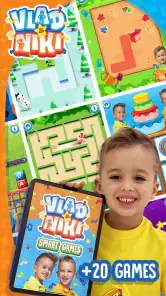

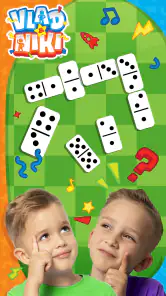


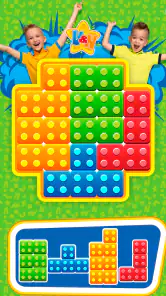

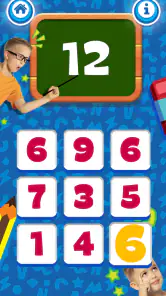
 Analysis by Frivlyz
I see Vlad and Niki - Smart Games as a light, child-focused way to turn a spare few minutes into screen time with an educational angle. Its appeal is straightforward: familiar characters, colorful presentation, and activities intended to make children think as they play. I would treat it as a small part of a child’s routine rather than a substitute for books, conversation, or hands-on play. Whether it suits your family depends on what kind of games your child enjoys and how much variety you expect from a free app.
Where short play sessions make sense
The game is easiest to recommend for brief gaps in the day: while waiting for an appointment, during a quiet moment at home, or when a child needs a simple activity while a caregiver finishes a task nearby. Those situations suit short interactive play better than a long session that is meant to occupy a child for an entire afternoon. I would stay close enough to see how the child responds and use the game as a starting point for conversation, rather than handing over a device and treating the app as a babysitter.
A useful approach is to ask a child to explain what they are trying to do before tapping through a challenge. That small pause can turn a quick game into a chance to talk through choices and notice patterns. If a child gets frustrated, it is also a good moment to stop or switch activities instead of pushing for completion. With young players, the value often comes from the shared attention and the thinking along the way, not from how long they remain on screen.
What the presentation does well—and what to check
The characters and lively visual style give the activities an approachable frame. In my experience, a familiar theme can make a child more willing to try a task that might otherwise feel like practice. The educational premise works best when an adult connects what is happening on screen to everyday examples: counting objects at home, describing a shape, or asking why one choice seems to fit. That keeps the game from becoming a stream of taps with no conversation around it.
At the same time, a playful presentation is not the same as a tailored learning plan. I would not choose this as a way to assess a child’s progress or to target a particular school skill. Children develop at different paces, and a game’s activities may feel too easy for one child and confusing for another. Watching how your child handles a task is more useful than assuming that every activity will match their age or ability perfectly.
Before making it part of a regular routine, I would also check the current in-app purchase prompts with the child. The game is free to download, while optional purchases are listed from under a dollar to several dollars per item. That does not make the app unsuitable, but it does make a simple household rule worthwhile: children should ask an adult before confirming anything. For younger players, setting that expectation before handing over the device avoids turning a pleasant activity into an unexpected purchase conversation.
How it compares with familiar alternatives
Compared with open-ended drawing apps, this game is more about following an activity than making something entirely from scratch. That can be helpful for a child who likes clear prompts and a defined task, while a child who wants to invent stories or freely create may prefer a drawing tool, physical craft materials, or pretend play. Compared with flash-card-style learning apps, the character-led format may feel more inviting, but it is not necessarily the best fit for a parent seeking a structured sequence of lessons.
Gaming Stories You May Enjoy

Dancing Road Turns Short Breaks Into a Test of Rhythm and Timing

Super Stylist Makes Every Outfit a Test of Taste and Patience

Dominoes on Your Terms: Who Should Play and Who Should Pass

Pokémon GO Makes the Familiar World Feel New

Chess.com Turns Rematches Into Rivalries, but Community Has Its Costs

Archery Battle 3D Review: Sharp Aiming, Unclear Feedback
I would also distinguish it from a general video app. A child using a game has opportunities to make choices, whereas watching a video is usually passive. Still, that distinction only matters if the child is actually engaging with the activity rather than tapping quickly to move on. If your goal is a quiet, independent activity, observe a first session to see whether your child can use it comfortably. If they need frequent help or become upset when they cannot complete a task, a shared puzzle, a book, or a simpler offline game may be a better choice that day.
What to expect from the game
From the moment I opened Vlad and Niki - Smart Games, I was greeted with vibrant graphics and lively animations that immediately caught my eye. The app is designed with kids in mind, featuring a plethora of games that are not only entertaining but also educational. Think of it as a magic box that combines learning with fun. The games are categorized into different themes such as math, logic, and creativity, each designed to enhance cognitive skills while ensuring kids are having a blast.
Interactive Learning Experience
What makes this app stand out is its interactive nature. Kids are not just passive viewers but active participants. For instance, when playing the math games, they aren’t just solving equations; they’re helping Vlad and Niki solve puzzles, which makes learning feel like an adventure. It's like being on a treasure hunt where every correct answer leads to a new discovery.
That interactive quality is most useful when a child has enough time to think rather than simply rushing through. I would let them try a task independently first, then offer a hint as a question—“What could you try next?”—instead of immediately taking the device and solving it for them. This keeps the child in control and gives the activity room to become a small problem-solving exercise. If they are tired or only have a moment to spare, though, a more familiar offline activity may be less frustrating.
A Safe and Child-Friendly Environment
Parents, rejoice! The app offers a safe environment for your children to explore. I loved how it’s free from ads and external links, ensuring that kids can play without any interruptions or risks of stumbling onto inappropriate content. It’s like having a digital babysitter that you can trust.
The game is rated for Everyone, but I would still make the first session a shared one. That gives a parent a chance to see whether the controls and pace suit the child, and to establish sensible screen-time expectations. A child-friendly rating is reassuring, but it does not remove the need for an adult to decide when a device is appropriate or to help a young player with a confusing moment.
It is also worth thinking about the setting. At home, you can sit beside the child and talk about a puzzle; while out, a device can be useful for a short wait, but sound and attention may need to be managed around other people. I would avoid relying on any game as the only plan for a long trip or a whole day out. Bringing a book, a small toy, or another quiet option gives a child a choice if they lose interest or the screen is no longer a good fit.
Updates, access, and practical fit
One thing I noticed and appreciated is how the developers frequently update the app with new content. This means the fun never stops, and there’s always something new for the kids to explore. It’s like a never-ending storybook with new chapters added regularly, keeping the experience fresh and exciting.
AppQuiz develops the game, which is available free and has reached over ten million installs. Its average rating is 4.2 from around forty-eight thousand ratings, with hundreds of written reviews. It was released in March 2021, and version 9.7 requires Android 5.1 or later. Those details make it accessible on many older Android devices, though I would still check that the particular phone or tablet available to your child runs smoothly before planning around it. The game is also listed for iOS, so families using Apple devices can look for the matching version in their store.
One practical trade-off is that an app with updates may take storage and can change over time, so I would check the device’s available space if it is already crowded with photos and games. I would also avoid promising a child that new material will always appear on a particular schedule; updates are a reason the experience may stay fresh, not a timetable a family can count on. For a parent choosing an activity, the better test is whether the child enjoys the current play and whether it fits the household’s screen rules.
The game’s strongest role is as an occasional, guided option for children who respond to familiar characters and bite-sized challenges. It is less compelling for families looking for a detailed curriculum, a way to track academic growth, or an activity that replaces adult involvement. If your child prefers open-ended creativity, a blank page and crayons may offer more freedom; if they enjoy guided play, this can be a convenient alternative to another passive video.
Who I would recommend it to
I would suggest giving it a try if your child already likes Vlad and Niki, enjoys simple digital activities, and can use a phone or tablet with an adult nearby. It may work especially well as a short shared activity: a parent can watch the child choose an answer, ask them to explain their thinking, and stop when attention fades. That makes the game easier to fit into ordinary family life without expecting it to teach everything on its own.
I would skip it, or at least wait, if your child tends to become upset by screen transitions, is looking for unrestricted creative play, or needs a carefully structured learning program. It is also not my first pick for a child who needs an adult to guide every step but will be left to use the device alone. In those cases, a physical puzzle, a story, or a more focused educational resource chosen for that child’s specific needs is likely to be more useful.
In conclusion, Vlad and Niki - Smart Games is a fantastic tool for parents looking to combine fun and learning for their children. It’s user-friendly, educational, and most importantly, it keeps kids engaged with its interactive and colorful interface. Whether your child is a budding mathematician or a little artist, this app has something to offer. So, why not give it a try and let your kids embark on a learning adventure like no other?
My recommendation is more measured: try it as a short, supervised activity and judge it by your child’s response, not by the promise of educational screen time alone. If the characters encourage them to think, talk, and enjoy a challenge, it earns a place among your family’s occasional options. If it leads to frustration, demands too much help, or crowds out play your child enjoys more, there is no reason to insist. The best use is the one that fits the child and the moment.
Vlad and Niki - Smart Games Pros and Cons
Pros
- Engaging and educational gameplay.
- Colorful graphics appeal to kids.
- Easy-to-use interface for children.
- Variety of mini-games to explore.
- Encourages cognitive development.
Cons
- In-app purchases can add up.
- Some ads interrupt game flow.
- Limited free content availability.
- Requires internet for full features.
- May not hold older kids' interest.
Frequently Asked Questions
What is 'Vlad and Niki - Smart Games' all about?
'Vlad and Niki - Smart Games' is an educational app designed for children, featuring a range of fun and interactive games. The app is inspired by the popular YouTube channel 'Vlad and Niki', and aims to combine learning with entertainment. It includes puzzles, memory games, and other activities that promote cognitive development and problem-solving skills in a fun environment.
Is 'Vlad and Niki - Smart Games' safe for children to use?
Yes, 'Vlad and Niki - Smart Games' is designed with children's safety in mind. The app does not contain any inappropriate content and adheres to strict privacy and security standards. It also features parental controls, allowing parents to monitor their child's activity and ensure a safe gaming experience.
Does 'Vlad and Niki - Smart Games' require an internet connection?
'Vlad and Niki - Smart Games' primarily functions offline, making it convenient for use in various settings without the need for a constant internet connection. However, certain features or updates might require internet access, so a periodic connection is beneficial for optimal performance and to access the latest content.
Are there in-app purchases in 'Vlad and Niki - Smart Games'?
Yes, the app offers in-app purchases to enhance the gaming experience. While many games and activities are available for free, additional content and features can be unlocked through purchases. This allows for an expanded experience but can also be controlled through parental settings to prevent unauthorized purchases.
What age group is 'Vlad and Niki - Smart Games' suitable for?
The app is primarily designed for young children, typically those aged 3 to 7 years old. It offers age-appropriate content that is both educational and entertaining, making it an excellent tool for early childhood development. The games are crafted to engage this age group specifically, with colorful graphics and simple, intuitive gameplay.


