

Vita Spider Solitaire
- Reviews
- 4.7
- Version
- 1.25.1
- Installs
- 1,000,000+

Screenshots
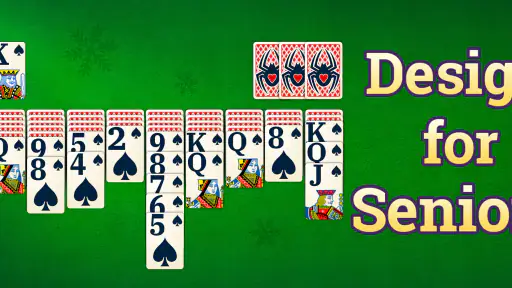
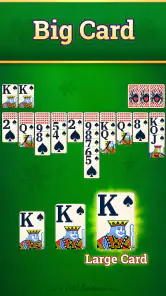
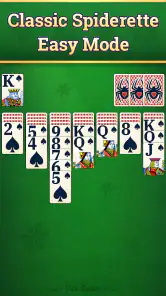

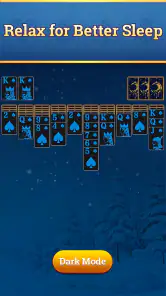


 Analysis by Frivlyz
I like Spider Solitaire most when I treat it as a small puzzle rather than a race. A move that looks obvious can uncover a card but leave a mixed-suit column that is harder to clear later, so a few seconds of planning can change the whole hand. That makes Vita Spider Solitaire a good fit for short breaks when I want something absorbing without needing a long session or a complicated setup.
A practical way to start each hand
My usual routine is to scan the visible cards before moving anything. I look for a sequence I can extend, then check whether moving a card will expose something useful or simply bury a helpful rank. When several moves seem equally good, I prefer the one that opens a face-down card or creates a clean run in a column. It is not a guarantee of success, but it gives the next decision more information.
I also try not to fill an empty column automatically. An open space is valuable because it lets me move a whole descending sequence temporarily and reorganize the tableau. If I use it too early for a single card, I may lose that flexibility just when a longer run needs to be shifted. This simple habit is more useful than trying to play quickly, especially when the cards have not yet revealed enough of the layout.
Spider Solitaire is often played with different numbers of suits, and the number of suits changes the character of the puzzle: fewer suits are easier to organize, while more suits demand closer attention to color and sequence. I would check the available game options before settling into a routine, rather than assuming every hand will feel the same. If a choice is offered, starting with the easier arrangement can help a newcomer learn how moving runs works before taking on a more involved challenge.
Small habits that improve decisions
When I have a choice between uncovering a card and making a tidy-looking sequence, I usually favor the reveal. A newly exposed card can open several possibilities, while a neat column may only look satisfying. I also keep an eye on incomplete runs: cards of the same suit are especially useful together because they can form a completed sequence, whereas mixed suits can make later rearranging more awkward.
For a quick session, I set a modest goal: make a few thoughtful moves, clear a useful run if the cards allow it, and stop when I no longer have the time to concentrate. That suits the game better than tapping through decisions while distracted. At home, I might play a longer hand; while waiting for a drink or a ride, I can use a short pause to inspect the layout and make one or two considered moves. If I need something that ends instantly or involves other people, a solo card puzzle may not be the best choice.
Before committing to a play style, I would explore the settings and see what can be adjusted for comfort. Card visibility and a readable layout matter more over a full session than decorative details do, particularly on a smaller screen. A background or deck design can make the table feel more personal, but I would choose contrast first: attractive cards are less helpful if suits or ranks are difficult to distinguish at a glance.
Gaming Stories You May Enjoy

Dancing Road Turns Short Breaks Into a Test of Rhythm and Timing

Super Stylist Makes Every Outfit a Test of Taste and Patience

Dominoes on Your Terms: Who Should Play and Who Should Pass

Pokémon GO Makes the Familiar World Feel New

Chess.com Turns Rematches Into Rivalries, but Community Has Its Costs

Archery Battle 3D Review: Sharp Aiming, Unclear Feedback
There is also a useful trade-off between replaying a hand to learn and moving on to a fresh one. Reconsidering a difficult position can teach me which move blocked a column, but repeating the same layout for too long can turn a relaxing break into a test of stubbornness. I try to notice the decision that caused trouble, then apply that lesson on the next hand instead of treating every loss as proof that I should keep tapping until I win.
Who will enjoy this kind of solitaire?
This is best suited to players who like quiet, turn-based thinking and the familiar rhythm of building descending card sequences. It can work well for older players or anyone who appreciates a card table that is easy to approach, though comfort depends on the screen and the settings available on the device. People looking for a story, action, multiplayer competition, or a continually changing set of game mechanics should look elsewhere; Spider Solitaire’s appeal is repetition with room to make better choices, not constant novelty.
Compared with a physical deck, a mobile version is easier to pick up when I have only a few minutes and do not want to lay out cards or reset the table. Compared with other solitaire variants, Spider asks me to manage several columns and suit-based runs rather than simply building a single sequence in the same way. That added planning is satisfying when I want a deeper solo puzzle, but Klondike or a simpler card game may be a better fit when I want quicker turns and less to keep track of.
One question I would ask before downloading is whether it costs anything to begin. It is free to install, while optional in-app purchases range from $1.99 to $9.99 per item, so I would check purchase prompts carefully if I prefer to keep spending under control. It is rated for Everyone, and Vita Studio is the developer. The game has a 4.7 average from around 103,000 ratings, with over 1 million installs, which suggests it has found a sizeable audience without telling me whether its particular style will suit my own habits.
Getting Hooked on Cards
From the moment I opened Vita Spider Solitaire, I was drawn in by its sleek and intuitive design. The interface is clean, making it easy to navigate through the various game modes and settings. Whether you’re a seasoned solitaire pro or a complete newbie, the app caters to all skill levels with its adjustable difficulty settings. I appreciate how the game gradually gets more challenging, keeping me on my toes and ensuring I never get bored.
Features That Stand Out
One of the standout features of this app is the daily challenges. These challenges add a layer of excitement and motivation to play every day. Completing them gives you a sense of accomplishment, and who doesn’t love a little daily dose of victory? Plus, the app tracks your progress, so you can see how much you’ve improved over time.
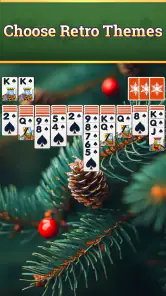
Another fantastic feature is the customization options. You can personalize your card decks and backgrounds, making the game truly yours. I love switching up the themes based on my mood—it’s like having a deck of cards for every occasion!
Why I Keep Coming Back
Beyond the features, what really keeps me coming back to Vita Spider Solitaire is its calming effect. There's something so soothing about arranging cards into perfect sequences. It’s a great way to de-stress after a long day. Plus, the app doesn’t bombard you with ads, which is a huge relief. Nobody wants their peaceful card game interrupted by pop-ups every few seconds, right?
So, if you’re on the hunt for a game that’s both entertaining and relaxing, I can’t recommend Vita Spider Solitaire enough. It's the perfect blend of challenge and leisure, wrapped up in a user-friendly package. Whether you’re waiting for your coffee to brew or just winding down for the night, this app is a delightful companion. Give it a try—you might just find yourself hooked on the card-flipping fun!
What to check before settling in
For a game I may open repeatedly, small setup choices matter. I would first make sure the card faces are comfortable to read at the distance I usually hold my phone, then choose a background that keeps the card edges distinct. These are practical adjustments, not just decoration: a clear view reduces mistaken taps and lets me focus on suit order instead of squinting at the table.
The game is listed as version 1.25.1 and requires Android 7.0 or later. That makes it worth checking the operating system on an older device before planning to install it. The game is free, but the listed optional purchases mean I would pay attention to any purchase screen rather than assume every extra is included. If I am setting the phone up for someone else, I would also explain that distinction before handing it over.
Using challenges without turning play into a chore
Daily challenges can give a regular player a reason to return, but I would treat them as an invitation rather than a streak to protect. If I have time to think, a challenge can be a satisfying change from starting a casual hand. If I am rushed or tired, forcing myself to finish it would work against the relaxing quality I want from the game. A useful routine is to open a challenge when I can give it attention, and otherwise play at my own pace or close the app.
Progress tracking is most helpful when I use it as a broad reflection on my play, not as a verdict on whether I am good at cards. A run of difficult layouts can make results feel uneven, and a single session says little about decision-making. I get more value from noticing a repeatable lesson—such as saving an empty column for a longer sequence—than from chasing a perfect record. That keeps improvement tied to choices I can actually control.
Where the gentle pace has limits
The same calm, solitary format that makes this game appealing also sets a clear boundary. It is not the right pick when I want live interaction, a competitive match, or a puzzle that changes its rules from one round to the next. There is also a focus trade-off: a hand can be paused in my mind, but I still need to remember the card relationships when I return to it. For someone who wants a game to supply constant surprises or a strong sense of progression, a more varied card title may hold attention better.
I would also avoid judging a session only by whether I clear a full sequence. Spider Solitaire involves arranging several columns, and the order of choices matters; sometimes a move that feels productive leaves fewer useful options afterward. If I notice I am making random taps, that is usually my cue to stop, not to keep pushing. The game works best as a low-pressure exercise in attention, rather than as a promise that every short break will end in a win.
A considered verdict for card-game fans
Vita Spider is a card game from Vita Studio, released on June 2, 2023. Its combination of familiar solitaire play, adjustable difficulty, challenges, and visual customization gives me enough structure to return without making each session feel demanding. I would recommend it most to someone who already enjoys arranging cards and wants a convenient solo version for quiet moments, especially if a measured pace is part of the appeal.
The strongest reason to choose it over a simpler solitaire game is the extra planning involved in managing multiple columns and suit-based runs. The strongest reason to choose something else is equally straightforward: if I want a story, social play, fast rounds, or more varied objectives, this focused format will not provide those things. My advice is to approach it as a small daily puzzle, adjust the display for comfort, and let a good decision matter more than a quick win. For that kind of player, it is an easy game to keep within reach.
Vita Spider Solitaire Pros and Cons
Pros
- Smooth and intuitive interface
- Customizable card decks
- Daily challenges available
- Offline play supported
- Low battery consumption
Cons
- Contains ads
- Limited free features
- No multiplayer mode
- Occasional lag on older devices
- Requires frequent updates
Frequently Asked Questions
What is Vita Spider Solitaire and how does it differ from other solitaire games?
Vita Spider Solitaire is a classic card game app that offers a unique twist on the traditional solitaire game. It distinguishes itself with multiple difficulty levels, customizable backgrounds, and a user-friendly interface. Unlike other solitaire games, Vita Spider Solitaire provides a more engaging experience by offering daily challenges and achievements that keep players coming back for more.
Is Vita Spider Solitaire available for both Android and iOS devices?
Yes, Vita Spider Solitaire is available for download on both Android and iOS platforms. This means you can enjoy the game on a wide range of mobile devices, whether you own a smartphone or a tablet. The app is optimized for both operating systems, ensuring smooth gameplay and a seamless experience across different devices.
What are the key features of Vita Spider Solitaire?
Vita Spider Solitaire comes packed with several key features designed to enhance the gaming experience. These include multiple levels of difficulty, customizable themes, intuitive touch controls, and daily challenges. Additionally, the app offers a statistics tracker, allowing players to monitor their progress and improve their skills over time. It's a great choice for both casual players and solitaire enthusiasts.
Does Vita Spider Solitaire require an internet connection to play?
No, Vita Spider Solitaire does not require an internet connection to play. You can enjoy the game offline, making it perfect for on-the-go gaming when you don't have access to Wi-Fi or mobile data. This feature ensures that you can play Vita Spider Solitaire anytime and anywhere without any interruptions.
Are there any in-app purchases or ads in Vita Spider Solitaire?
Vita Spider Solitaire does include optional in-app purchases and ads. The in-app purchases offer additional themes and features that enhance gameplay, while the ads help support the developers. However, the game can be enjoyed fully without spending any money, as all core features are accessible for free. If you prefer an ad-free experience, you can opt for the premium version.


