

Valentines love coloring book
- Reviews
- 4.5
- Version
- 18.4.2
- Installs
- 10,000,000+

Screenshots
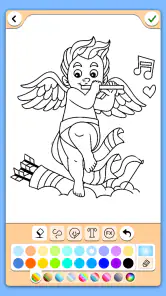
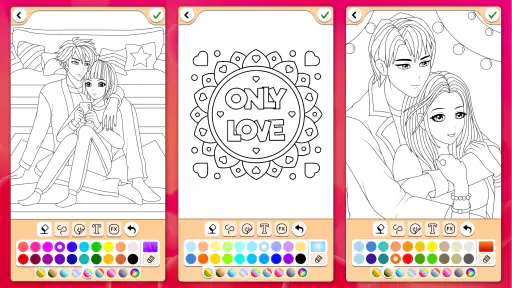
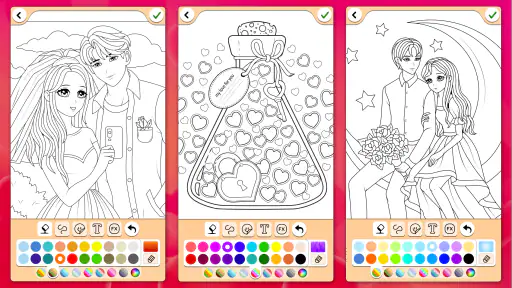
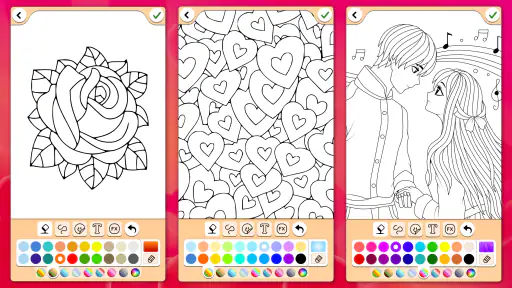
 Analysis by Frivlyz
I tend to reach for a simple coloring game when I want a quiet break rather than another task that demands speed or concentration. Valentines Love Coloring Book is aimed squarely at that kind of moment: its romantic subject matter gives the activity a clear, gentle theme, while the basic appeal is still the pleasure of choosing colors and filling a picture. I would consider it for a relaxed afternoon, a short pause between errands, or a low-pressure creative activity to share with a child.
Where a coloring session can feel limited
The appeal is also the boundary: this is a themed coloring experience, not a broad drawing studio or a game built around levels and challenges. If you want to sketch your own characters, work with advanced editing tools, or pursue a goal that changes from session to session, you may find the familiar coloring-book format too contained. I see that as a useful expectation to set before opening it, rather than a flaw that needs disguising.
Romantic pictures can suit more than Valentine’s Day, but the theme may still feel repetitive if you prefer animals, landscapes, or abstract patterns without a love motif. I’d choose this for a card-like mood or a small creative break, not as my only art app. A general coloring collection is likely the better fit if variety of subject is the main thing you are after.
Small checks before you begin
It is an educational game from Coloring Games, and it is free to install, with optional in-app purchases listed at $1.99 per item. Its age rating is Everyone, so it can be a straightforward choice for family use, though I would still look at the screen together if a child is using a device independently. The current version is 18.4.2 and the minimum Android requirement is 5.1; checking the device’s available storage and software compatibility before installing can prevent a failed or interrupted setup.
If the game does not open smoothly, I’d start with ordinary device checks rather than assume the coloring itself is broken: close other demanding apps, confirm the device has room to work, and try reopening it. If an installation stalls, checking the network connection and available space is a sensible first step. These are general troubleshooting habits, not special fixes, but they help separate a device issue from a problem with the game.
Getting back into a picture
For a more satisfying session, I’d pick one design and decide on a small color plan before filling it in. For example, using two or three related shades for a heart or flower can make the result feel deliberate without turning a quick pastime into a project. If I’m interrupted, I’d return to the same picture rather than start several at once; that keeps the activity calm and makes it easier to finish something I might want to share.
Compared with coloring on paper, the digital approach avoids scattered supplies and makes it easy to experiment with a different palette. Paper still wins if you enjoy the feel of pencils, want to display a physical page, or prefer working away from a screen. Compared with open-ended drawing apps, this game is a more guided choice: it gives you a coloring activity rather than asking you to create an image from a blank canvas. That difference is helpful for beginners and less appealing to someone seeking full artistic control.
Gaming Stories You May Enjoy

Dancing Road Turns Short Breaks Into a Test of Rhythm and Timing

Super Stylist Makes Every Outfit a Test of Taste and Patience

Dominoes on Your Terms: Who Should Play and Who Should Pass

Pokémon GO Makes the Familiar World Feel New

Chess.com Turns Rematches Into Rivalries, but Community Has Its Costs

Archery Battle 3D Review: Sharp Aiming, Unclear Feedback
Unleashing Creativity with a Splash of Love
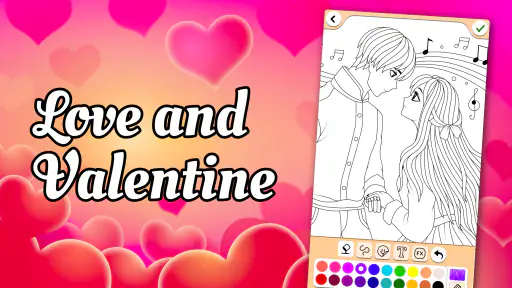
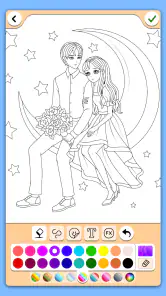
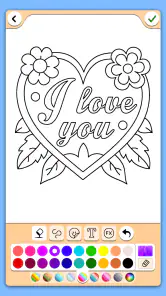
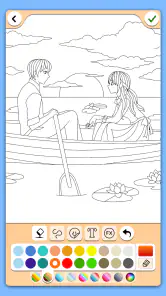
Once I got the Valentines Love Coloring Book app up and running, I was instantly hit with a wave of nostalgia. Remember those days of coloring outside the lines without a care in the world? This app brings that feeling right back, minus the mess of crayons and colored pencils. The app is packed with a variety of designs that range from intricate mandalas to adorable lovebirds and romantic landscapes. There's something for every mood and skill level, which is a huge plus.
Easy Peasy Interface
The user interface is as smooth as butter. Seriously, I didn’t even need a tutorial! Everything is intuitively placed, and the color palette is a dream. You can pick and choose from a rainbow of colors, and the best part is the magic brush tool that allows you to color without worrying about going over the lines. It’s like coloring with training wheels, but way cooler.
A Relaxing Experience
Life’s hustle and bustle can get to the best of us, and that’s where this app shines. It’s more than just an app; it’s a therapeutic experience. I found myself getting lost in the swirls of reds and pinks, and before I knew it, an hour had flown by. It’s a fantastic way to unwind and let go of daily stresses. Plus, it’s portable! Whether you’re in a waiting room or lounging on your couch, you’ve got a world of colors at your fingertips.
Sharing the Love
One of the coolest features is the ability to share your creations. Once you’ve completed a masterpiece, you can send it to your friends or even use it as a digital valentine. It’s a fun way to spread love and creativity, and who knows, you might just inspire someone else to pick up their digital paintbrush!
Everyday use without turning it into a project
A realistic way to use it is to keep a session small and tied to a familiar pause: I might open it while waiting for an appointment, choose one picture, and color for a few minutes instead of scrolling through unrelated feeds. The romantic theme makes it especially suited to making a personal digital greeting, but I would not treat it as a substitute for a card-making editor when I need custom text, exact layout control, or a print-ready result. Its strength is the coloring itself, not a full design workflow.
For a child, the simple activity can make a quiet shared moment: an adult can suggest a palette, then let the child make the choices. That is more enjoyable than trying to achieve a polished result, and it keeps the focus on color and pattern. For an adult, the same low-pressure structure works as a screen-based alternative to carrying a coloring book and pencils. If screen time is already a concern, though, paper may be the better choice even when the digital version is tidier.
Useful habits for a smoother session
The magic brush described in the coloring experience lowers the effort of staying inside the design, but it also means the activity is more about choosing colors than practicing freehand control. I’d use that to my advantage: try a less obvious palette, such as cool blues and greens for a romantic picture, or repeat one accent color across different parts of a design. These small choices give a familiar page a personal feel without needing extra tools.
If a picture or session seems to stop responding, I would avoid tapping repeatedly or making several changes at once. Pause, close and reopen the game if needed, and check whether the device is otherwise responding normally. If other apps are also slow, the cause is more likely to be the device’s workload than this particular coloring activity. If only this game is affected, restarting it is still a reasonable first step before trying anything more disruptive.
For a shared device, it is worth agreeing on whose picture is being worked on before a child starts coloring, especially if several people take turns. A quick handoff avoids accidental changes and makes the activity easier to enjoy together. I would also treat sharing as a finishing step: complete the picture first, then decide whether it is something you want to send, rather than interrupting the coloring session to manage messages.
Who will enjoy it—and who may not
Its reach is reflected in an average rating of 4.5 from around 38,000 ratings and more than 10 million installs, but those figures do not tell me whether its particular theme suits every player. I would recommend it to someone who likes hearts, flowers, and romantic imagery, wants an accessible coloring activity, or needs a calm option that does not rely on quick reactions. The Everyone age rating also makes it suitable to consider for family use, with the usual adult judgment about a child’s device habits.
I would steer away from it if you want a large range of unrelated subjects, a proper drawing canvas, or a more demanding game loop. People who enjoy physical art materials may also prefer paper, while users who need a carefully composed greeting with typography will get more control from a dedicated design tool. Those are not reasons to dismiss this game; they simply point to different needs.
What to expect from the free option
Because the game is free and offers in-app purchases at $1.99 per item, I’d begin with the no-cost experience and decide for myself whether anything beyond it is worth paying for. I would not make a purchase just to solve a momentary frustration; first check that the game is running properly and that the content you want is actually what an item offers. The price is easy to understand, but the value depends on how often you return and whether the available designs keep the activity enjoyable for you.
The game was released on January 15, 2014, so it has been around long enough to build a substantial audience, and version 18.4.2 is the current release. I see the age of the app as context, not a promise about how it will behave on every device. On Android, the minimum requirement is version 5.1, but a device can meet that baseline and still feel sluggish for other reasons, such as limited free space or many apps running at once. If the game runs poorly while the rest of the device works normally, checking for an available update through the usual app store is a sensible next move.
My practical verdict
What I like most is the straightforward invitation to make something colorful without setting up supplies or needing drawing confidence. What I would keep in mind is the narrow romantic theme and the difference between guided coloring and making art from scratch. For a quiet break, a simple digital valentine, or an easy activity to share, it is an appealing fit; for broad subject variety, detailed design work, or a screen-free pastime, I would choose something else.
Overall, I’d try it if hearts and flowers sound inviting and a relaxed coloring session is enough. The best way to judge it is to start with one picture, experiment with a palette you would not normally choose, and see whether the process itself feels enjoyable. If it does, the game can earn a place in a small collection of low-pressure creative activities; if not, there is no need to force a themed coloring book to become a full art studio.
In conclusion, the Valentines Love Coloring Book is more than just an app; it’s a journey back to simpler times. It’s perfect for anyone looking to relax, get creative, and add a bit of color to their day. So, if you’re itching for a creative escape, give it a go. You might just fall in love with coloring all over again!
Valentines love coloring book Pros and Cons
Pros
- Wide variety of coloring pages
- Intuitive and easy-to-use interface
- Regular updates with new content
- Suitable for all age groups
- Helps improve creativity and focus
Cons
- Contains ads in the free version
- Limited features without premium
- Sometimes slow to load pages
- Occasional in-app purchase prompts
- Requires internet for some features
Frequently Asked Questions
What age group is the Valentines Love Coloring Book app suitable for?
The Valentines Love Coloring Book app is designed to be family-friendly and is suitable for all age groups. Children can enjoy the simple designs and easy navigation, while adults may appreciate the more intricate patterns and the opportunity to relax and de-stress. Parents can rest assured that the app's content is appropriate for young users.
Does the Valentines Love Coloring Book app require an internet connection?
No, the Valentines Love Coloring Book app does not require a constant internet connection to use. Once downloaded, all coloring pages and features are available offline, making it convenient for users to enjoy the app anywhere, anytime, without worrying about internet availability or data usage.
What features does the Valentines Love Coloring Book app offer?
The Valentines Love Coloring Book app offers a variety of features, including a wide selection of coloring pages themed around Valentine's Day, customizable color palettes, and tools like brushes and pencils. Users can also save their artwork, share it on social media, or print it out. The app supports user creativity with easy-to-use controls and beautiful designs.
Is the Valentines Love Coloring Book app free to download and use?
The Valentines Love Coloring Book app is free to download, providing access to a basic set of coloring pages and tools. However, it offers in-app purchases for users who wish to unlock additional content, such as premium coloring pages, exclusive color palettes, and ad-free experiences. These purchases enhance the app's functionality and user enjoyment.
How can I contact support if I encounter issues with the Valentines Love Coloring Book app?
Users experiencing issues with the Valentines Love Coloring Book app can contact the support team through the app's help section or by visiting the developer’s website. Support is available via email, and the team is committed to resolving user problems promptly and effectively, ensuring a smooth and enjoyable experience for all users.


