

Trivia Spin-Guess Brain Quiz
- Reviews
- 4.3
- Version
- 2.1
- Installs
- 1,000,000+

Screenshots
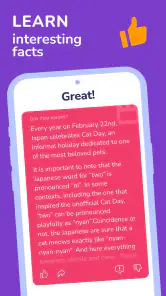
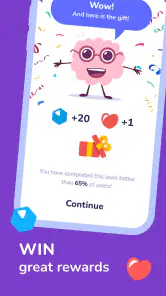
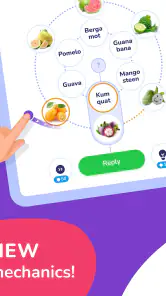

 Analysis by Frivlyz
Shared-device trivia works best when nobody has to turn a casual game into a household project. I can picture Trivia Spin-Guess Brain Quiz being opened on the couch while someone waits for dinner, with one person answering and everyone else calling out guesses. The appeal is the quick shift between trivia subjects: a question can pull in the person who knows flags, then give the music fan a chance to shine. It is a light way to pass a few minutes together, rather than a game that asks the household to plan a long session.
One phone, several players, and clear expectations
A shared phone does bring a practical question: whose progress or identity is being used? I would decide that before handing the device around. If one person has signed in or started a session, the next player should know they are using that same context rather than assuming the game has separate household profiles. I would not treat a shared screen as proof that everyone has an independent account or saved record. For a relaxed round, simply taking turns answering aloud avoids much of that confusion.
That small bit of coordination also makes the game friendlier for mixed-age groups. Younger players can make guesses without being put on the spot, while adults can help explain why an answer fits. The game is rated for Everyone, which makes it suitable for a broad audience, but I still see a difference between an age rating and a promise that every question will suit every child’s interests or knowledge. I would stay nearby with younger players and treat unfamiliar answers as conversation starters, not as a test they need to pass.
Choosing the right kind of trivia evening
Trivia Spin-Guess Brain Quiz is most appealing when the group wants variety without agreeing on one subject in advance. That is a useful contrast with a conventional quiz app built around a fixed topic: the wheel can make a shared session feel less predictable, but it also means a player may land on a subject they do not know well. If your household prefers a carefully balanced quiz where everyone gets questions in their favorite area, a themed game may be the better pick. Here, part of the fun is accepting the occasional awkward category and letting the group work it out together.
I would also keep expectations modest about competition. Trivia can spark playful debates, but a score or leaderboard may make the session feel less welcoming if one person knows far more than everyone else. A simple house rule helps: let people answer as a team, or give everyone time to talk through a guess before anyone locks in an answer. That keeps the focus on the shared moment rather than who is already best at quizzes.
Spinning into Fun
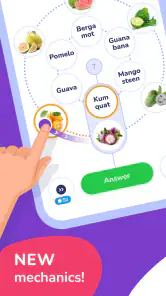
When I first downloaded Trivia Spin-Guess Brain Quiz, I wasn't entirely sure what to expect. But let me tell you, this app is not just any ordinary trivia game. Picture this: a spinning wheel of categories, each promising a new adventure and a chance to test your knowledge. From science and movies to history and pop culture, there's something for everyone. It's like having a mini-game show right in your pocket!
Gameplay and Features
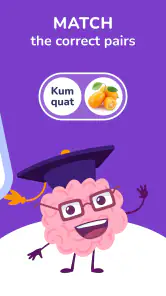
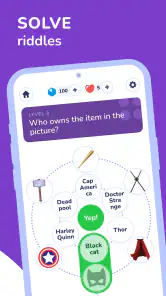
The gameplay is as straightforward as it gets, yet surprisingly engaging. You start by spinning the wheel to randomly select a category. This unpredictability keeps things fresh and exciting, as you never know what you're going to get. Once your category is chosen, you're thrown into a world of questions that range from easy-peasy to downright challenging. It's this mix that keeps you on your toes and coming back for more.
Gaming Stories You May Enjoy

Dancing Road Turns Short Breaks Into a Test of Rhythm and Timing

Super Stylist Makes Every Outfit a Test of Taste and Patience

Dominoes on Your Terms: Who Should Play and Who Should Pass

Pokémon GO Makes the Familiar World Feel New

Chess.com Turns Rematches Into Rivalries, but Community Has Its Costs

Archery Battle 3D Review: Sharp Aiming, Unclear Feedback
One feature I absolutely love is the multiplayer mode. You can challenge your friends or even random players from around the globe, making it a great way to connect and compete. Plus, the leaderboard adds a competitive edge, pushing you to climb up the ranks and become the ultimate trivia master.
Design and User Experience
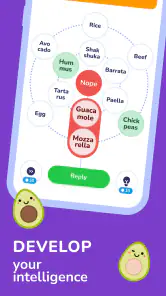
Visually, the app is a treat. With its vibrant colors and smooth animations, it’s not just a game but an experience. The interface is user-friendly, and navigating through the app is a breeze. Whether you’re a tech guru or someone who barely knows how to use a smartphone, you’ll find Trivia Spin-Guess Brain Quiz a joy to use.
Another aspect worth mentioning is the app’s sound design. The background music and sound effects add to the overall experience, making each session feel lively and engaging. It's like having your own trivia show host cheering you on!
Who will enjoy it, and when to choose something else
The game makes the most sense for people who like general-knowledge questions and do not mind being surprised by the subject. Its central trade-off is clear: the category wheel adds variety, but it cannot guarantee that each turn will suit the player holding the phone. If you want focused practice in one field, a subject-specific quiz is likely more satisfying. If you want a quiet, self-paced study tool with structured lessons, this is not the format I would choose either; its strength is entertainment, with learning arriving along the way.
For a realistic everyday use, I would bring it out during a short wait or a low-key evening, rather than expecting it to carry a whole event. A few turns can give friends something to talk about, and a surprising question can lead to a quick search or a story from someone who knows the subject. That works especially well when the group is comfortable laughing off wrong answers. If people are tired, in a hurry, or strongly prefer their own topic, the randomness may feel more like interruption than a fun twist.
Making a session work better
One useful approach is to decide what kind of session you want before opening the game. For a casual group, agree that guesses can be discussed aloud and that nobody has to compete seriously. For a more competitive round, make sure everyone understands whether they are playing together or separately before the first question. This avoids the familiar shared-device muddle where one person assumes the others are joining the same activity while another thinks they are taking over a personal session.
The wheel also gives a practical way to balance a mixed group: let the selected subject stand, but allow people to answer as a team. That preserves the surprise without making one person’s weak category a dead end. If a subject is unfamiliar, treat the question as a prompt to reason together instead of turning the session into a speed test. I find that this is a better use of a broad trivia game than trying to make every player’s knowledge look equally strong.
For solo play, the same unpredictability can be useful when you are bored of choosing a topic yourself. It can also be frustrating if you came in hoping to practice a particular subject and the next turn takes you elsewhere. I would think of it as a variety-first quiz, not a reliable revision plan. That distinction helps answer a common decision: choose it for spontaneous play and broad curiosity; choose a focused alternative when you have a specific learning goal.
Trust, cost, and what to expect
Severex is the developer behind this free trivia game, and it has reached more than a million installs. Its average rating is 4.3 from around 14,000 ratings, which suggests that many players find the basic idea appealing, though that does not guarantee it will suit every household. The game is rated for Everyone, and version 2.1 requires Android 8.0 or later. Those details make it easier to judge device and age fit before trying it, especially if the phone is shared with a younger player.
The game is free to download, with optional in-app purchases ranging from $0.99 to $19.99 per item. I would make that boundary clear before passing a shared device to a child: free to start does not mean every in-game purchase is automatically appropriate. I would also avoid assuming that a child’s use, a guest’s use, or a family member’s session has separate account boundaries. Keep any purchase decisions with the device owner, and check the purchase flow together rather than treating the game as a controlled family account system.
At the category level, this sits between a solo quiz app and a more deliberate party-trivia experience. Compared with a fixed-question quiz, a spinning category choice feels livelier and less predictable; compared with a board game or a host-led quiz night, it is easier to start but offers less room for a group to shape the rules. Its multiplayer option and leaderboard can suit people who enjoy comparing results, while a household that dislikes rankings may be happier treating those elements as optional background and keeping play cooperative.
There are a few practical expectations I would set before recommending it. The changing subject is a strength only if players accept that they will sometimes get a category they would not have picked. Competition is enjoyable only when nobody feels embarrassed by a missed answer. And on a shared phone, taking turns is not the same as having separate profiles. Those are not reasons to avoid the game; they are small choices that help match it to the people and moment.
Final Thoughts
All in all, Trivia Spin-Guess Brain Quiz is a fantastic way to spend some downtime. Whether you’re looking to challenge yourself, compete with friends, or simply learn something new, this app has got you covered. So, if you’re in the mood for some brain-teasing fun, give it a whirl. You might just find yourself hooked, spinning that wheel over and over again!
Trivia Spin-Guess Brain Quiz Pros and Cons
Pros
- Engaging quiz categories
- User-friendly interface
- Regular updates
- Multiplayer mode
- Offline play available
Cons
- Ads can be intrusive
- Limited free content
- Requires internet for updates
- Occasional bugs
- Some questions repeat
This Game in Other Languages
Frequently Asked Questions
What is Trivia Spin-Guess Brain Quiz about?
Trivia Spin-Guess Brain Quiz is an engaging mobile game designed to challenge your general knowledge across various topics. Players spin a wheel to receive random trivia questions, which range from history and science to pop culture and sports. The app offers a fun and interactive way to test your trivia skills and learn new facts while enjoying a competitive atmosphere with friends or solo.
Is Trivia Spin-Guess Brain Quiz suitable for all ages?
Yes, Trivia Spin-Guess Brain Quiz is designed for a wide audience, including both young players and adults. The questions are varied in difficulty, offering an educational experience for kids while still providing a challenging environment for adults. However, parental guidance is recommended for younger children to ensure they comprehend the content.
Does Trivia Spin-Guess Brain Quiz require an internet connection to play?
While Trivia Spin-Guess Brain Quiz can be played offline, an internet connection is required for certain features such as updating the question database, accessing leaderboards, and participating in multiplayer modes. Playing offline limits you to the questions available at the time of your last update, so it’s beneficial to connect periodically.
Are there in-app purchases in Trivia Spin-Guess Brain Quiz?
Yes, Trivia Spin-Guess Brain Quiz includes optional in-app purchases. These purchases can enhance your gaming experience by providing additional spins, unlocking special question packs, or removing ads. However, the game is fully playable without any purchases, and players can enjoy the full range of trivia questions without spending money.
How can I track my progress and compete with friends in Trivia Spin-Guess Brain Quiz?
Trivia Spin-Guess Brain Quiz offers several features to track your progress and compete with friends. The app includes a leaderboard where you can compare your scores with other players globally. Additionally, you can connect your account to social media platforms to challenge friends directly, compare achievements, and share your trivia victories.


