

Townscaper
- Reviews
- 4.6
- Version
- 1.20
- Installs
- 100,000+

Screenshots
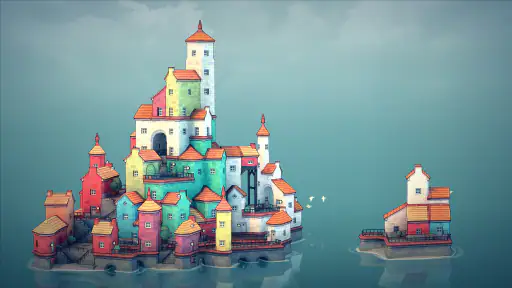
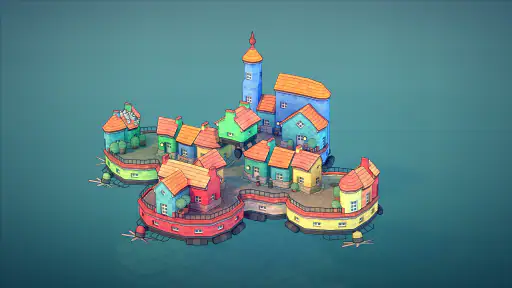
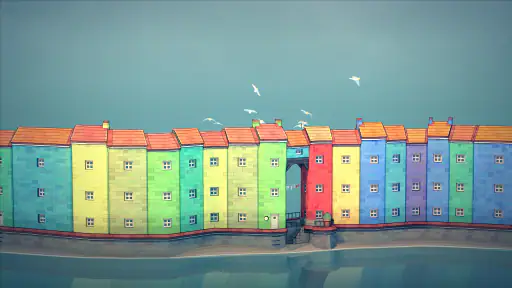
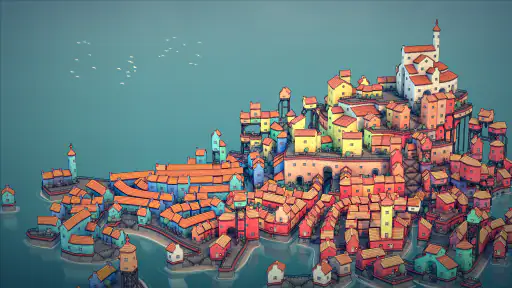
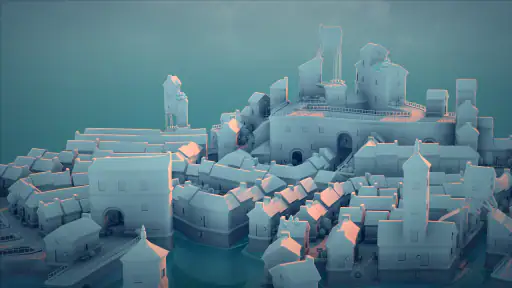
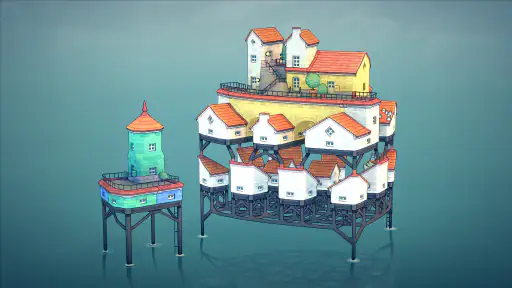
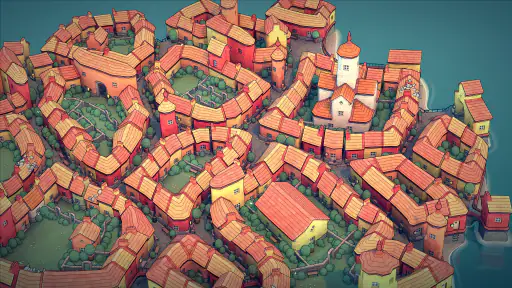
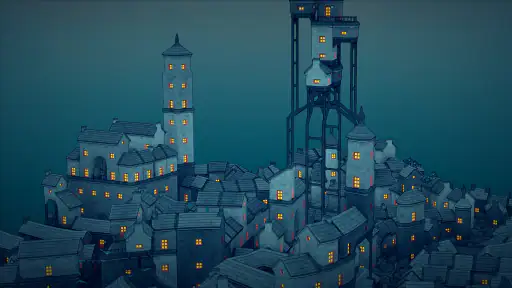
 Analysis by Frivlyz
I like Townscaper most when I treat it as a small creative break rather than a project I need to finish. I can place a few buildings, pause to see how their shapes fit together, then keep going only if I feel like it. That open-ended approach makes it a different kind of casual game from one built around levels, rewards, or a growing list of tasks. It is a better fit for someone who wants to make a pleasing place at their own pace than for someone looking for a challenge to conquer.
A paid purchase with a clear kind of value
Raw Fury’s game costs $4.99, so I would think of it as a one-time purchase for a focused creative pastime, not as a free game that happens to offer building. The practical question is whether tapping out little waterfront settlements sounds enjoyable enough to return to. If you already enjoy arranging colors, shapes, and layouts, that simple activity may be the whole appeal. If you want a campaign, unlocks, or a long-term construction goal, the price is harder to justify because those are not what this experience is about.
The age rating is Everyone, which suits the gentle, non-competitive idea. Its average rating is 4.6 from around three thousand ratings, and it has over one hundred thousand installs. I take that as useful context for how people have received it, rather than proof that it will suit every player. It was released on October 19, 2021, and version 1.20 is the current version. Android 4.4 is the minimum operating system, a modest requirement that makes it accessible to a broad range of devices.
Progress without pressure—or a conventional finish line
There are no scores or time limits pushing me to build faster, and that changes how I approach each session. I can experiment without worrying that a crooked-looking cluster is a mistake that costs me progress. A useful way to begin is to build a small core first, then extend it in one direction at a time. That makes it easier to see how the structures connect before the town becomes visually busy.
That freedom has a trade-off: there is no obvious finish line to tell me when a town is done. I have to decide whether I’m aiming for a compact village, a dense cluster, or a more expansive island scene. When I want a clear task or a sense of measurable improvement, a level-based puzzle or a management game is a better choice. Here, the reward is the look of the place I’ve made, not a result screen.
Fairness, expectations, and what I would check
Because this is a paid game rather than a free-to-play builder, the purchase decision is refreshingly straightforward: I can judge it on whether the creative toy itself is worth the price. I wouldn’t approach it expecting competitive advantages, timed purchases, or pressure to spend more; none of those are part of the experience described here. The important fairness question is personal value: do I want an unhurried building sandbox, or do I need goals and systems to keep me engaged?
Before buying, I would also check that my device runs Android 4.4 or later and that I’m comfortable with an experience centered on making and viewing towns. If I’m choosing it as a gift, the Everyone age rating and simple premise make the intended audience easy to understand, though a recipient who prefers action or structured progression may not connect with it. These are practical ways to set expectations without mistaking a calm creative game for a broader city-management simulation.
Gaming Stories You May Enjoy

Dancing Road Turns Short Breaks Into a Test of Rhythm and Timing

Super Stylist Makes Every Outfit a Test of Taste and Patience

Dominoes on Your Terms: Who Should Play and Who Should Pass

Pokémon GO Makes the Familiar World Feel New

Chess.com Turns Rematches Into Rivalries, but Community Has Its Costs

Archery Battle 3D Review: Sharp Aiming, Unclear Feedback
The Art of Simplicity
One of the first things you’ll notice about Townscaper is its simplicity. There are no goals, no scores, and no time limits. You can just let your creativity flow as you build your picturesque town. The interface is incredibly user-friendly, which makes it easy for anyone to pick up and start building.
Building Your Dream Town
Creating your town is as simple as tapping on the screen. You can start with a single building and gradually expand, adding houses, towers, and even bridges. The app uses a smart algorithm that automatically adjusts the structures to fit harmoniously, which means you don’t need to worry about any technical details. Just tap and watch your town come to life!
What’s really cool is the way the app handles the architectural style. The buildings have a European feel, with colorful facades and intricate details that give your town a charming, storybook look. It’s like having a digital canvas where you can paint your own little world.
Visual and Audio Delight
The aesthetic appeal of Townscaper is undoubtedly one of its highlights. The vibrant colors and fluid animations make the town-building process feel magical. It’s a visual treat that’s soothing to the eyes. The app also features a gentle soundtrack that complements the visual experience perfectly, creating a serene environment that’s perfect for relaxation.
Even the sound effects are delightful. The soft clicks and whirs as you build your town add a tactile feel to the experience, making it even more engaging. It’s these little touches that make Townscaper stand out as more than just a digital toy.
Endless Possibilities
One of the most exciting aspects of Townscaper is the endless possibilities it offers. You’re not limited by any set rules or objectives, so your creativity is the only limit. Whether you want to create a sprawling city with winding canals or a tiny village surrounded by lush greenery, the choice is entirely yours.
As someone who loves experimenting with design and architecture, I found myself completely immersed in the process. It’s a great way to unwind and let your imagination take the lead. Plus, the ability to easily share your creations with friends adds a fun social element to the app.
In everyday use, I’d open it during a quiet part of the day—perhaps while taking a short break—and make one small change rather than trying to design an entire town at once. I find that stopping to look at the skyline from different angles helps me notice gaps and clusters I missed while placing buildings. A compact cluster can feel intentional, while extending the settlement too quickly can make it harder to give each area its own visual character. That small pause between building and looking is part of the pleasure.
The automatic shaping is also a reason to experiment instead of planning every structure in advance. I can try a new edge or connection, see what the game forms, and then decide whether that result fits the scene I have in mind. The trade-off is that this is not a detailed architectural editor: people who want precise control over every wall, floor plan, or practical city system may find the abstraction limiting. I would choose a more involved builder if the pleasure I wanted came from managing those details.
Compared with familiar casual alternatives, this is less about collecting rewards or clearing a sequence of stages and more about arranging a scene. That makes it especially suited to a short, low-pressure session, but less suited to players who need constant new objectives to hold their attention. I also wouldn’t use it as a substitute for a strategy game: the appeal lies in how a town looks as it grows, not in solving an economic or logistical challenge.
For a first session, I’d begin with a small island settlement and use a restrained palette rather than trying to fill every available area. Once the silhouette feels balanced, I’d add a bridge or a taller cluster as a focal point, then step back and decide whether the rest of the town needs to stay simple. This approach helps keep the result readable and makes experimentation feel manageable. It is a personal workflow, not a required objective, which is exactly the sort of freedom I enjoy here.
One question worth asking before purchase is whether I’ll enjoy returning to a creation without a checklist waiting for me. Another is whether I want a quick visual toy or a deeper building system. My answer is that it works best when I’m content to create for the sake of creating; it is not the right pick when I’m looking for structured progression, strategic decisions, or a competitive reason to improve. The straightforward purchase also means I can judge it by that central activity rather than by promises of a larger service or ongoing progression.
Overall, Townscaper is a delightful app that offers a unique blend of creativity and relaxation. It’s perfect for anyone looking to escape into a charming world of their own making, even if just for a few moments. Whether you're an aspiring architect or just someone who loves beautiful things, this app is sure to captivate your heart.
Townscaper Pros and Cons
Pros
- Intuitive controls make building a breeze.
- Peaceful
- non-competitive gameplay.
- Stunning
- vibrant graphics enhance creativity.
- No ads disrupting the experience.
- Supports offline play for creativity anywhere.
Cons
- Limited to building without objectives.
- No multiplayer or social features.
- Lacks in-depth tutorials or guides.
- Limited platform availability.
- Not suitable for those seeking challenges.
Frequently Asked Questions
What is Townscaper and what can I do with it?
Townscaper is a unique and creative building game available on Android and iOS where users can unleash their imagination by constructing quaint and colorful towns on water. Unlike traditional games, Townscaper has no specific objectives or challenges. The focus is on creating visually appealing environments using a simple, intuitive interface. It's perfect for those who enjoy sandbox-style creativity without the pressure of goals or time limits.
How user-friendly is the interface of Townscaper?
The interface of Townscaper is designed to be extremely user-friendly, making it accessible to both young and adult users. The controls are intuitive—just tap to place buildings and watch them automatically adjust to create harmonious structures. The minimalist design ensures that players can focus on creativity, with no complex menus or overwhelming options. This simplicity allows players to quickly dive into the building process and enjoy the serene experience.
Does Townscaper require an internet connection to play?
No, Townscaper does not require an internet connection to play. The game is designed to be an offline experience, allowing users to enjoy building their towns without needing to be connected to the internet. This feature makes it ideal for playing on the go, whether you're traveling or in an area with limited connectivity. Users can immerse themselves in their creative projects anytime, anywhere.
Are there any in-app purchases or ads in Townscaper?
Townscaper stands out by not including any in-app purchases or advertisements. Once you purchase the app, you have complete access to all its features without any additional costs. This ensures a seamless and uninterrupted gaming experience, allowing you to focus solely on your creative endeavors without any distractions or the need to make further purchases to enhance gameplay.
What platforms is Townscaper available on?
Townscaper is available on multiple platforms, including Android and iOS devices. This cross-platform availability ensures that a wide audience can access the game, regardless of their preferred device. Additionally, Townscaper is also available on PC, providing flexibility for players who wish to switch between mobile and desktop experiences. This accessibility makes it a versatile option for creative gamers everywhere.


