

Touchgrind Skate 2
- Reviews
- 3.8
- Version
- 1.7.0
- Installs
- 10,000,000+

Screenshots
 Analysis by Frivlyz
I find Touchgrind Skate 2 works best as a shared-device game when everyone is happy to take turns rather than compete over a screen at the same time. One person can practise a short line, pass the phone or tablet along, and let the next player try to beat it. The appeal is in learning how a trick responds to finger movement, so even a brief go can feel satisfying. It is a sports game from Illusion Labs, and its finger-controlled board makes it a very different fit from games built around a virtual joystick.
A turn-taking game for spare moments
In a household, the simple routine is to agree on a turn and hand over the device when it ends. That suits a wait at a café, a quiet spell at home, or a short break between other activities: a player can focus on one attempt instead of needing a long uninterrupted session. I would not treat it as a party game that everyone can play together on one screen. The enjoyment comes from controlling the board yourself, then watching someone else try their own approach.
For younger players sharing a device with an adult or sibling, it helps to make the boundaries clear before handing it over: whose turn it is, whether the next person may change settings, and whether purchases are allowed. Those are practical household agreements, not special controls I would assume the game provides. If a device is used by several people, keeping the game session separate from other activities can also make handovers less confusing.
Why the controls reward patient practice
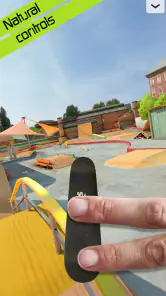
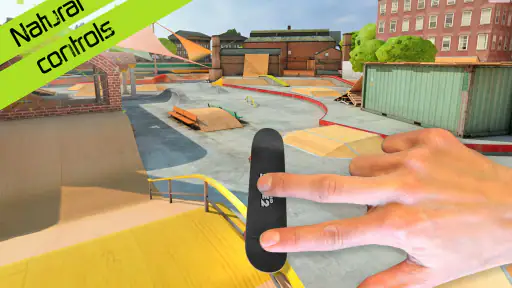
The two-finger input is the defining adjustment. Rather than steering a skater with buttons, you place and move your fingers as if they were feet on the board. At first, that can make a basic landing feel less predictable than it would in a conventional skateboarding game. My useful tip is to resist trying to string together a complicated run immediately. Practise one movement at a time, notice how the board reacts, and add another trick only once the first feels repeatable. This turns early frustration into a practical learning process.
That control scheme also makes device choice matter. A larger screen may give your fingers more room to work, while a phone is easier to pick up for a quick attempt. Either way, avoid covering the part of the screen where you need to judge the board’s position. If a move keeps failing, I would first simplify the trick and adjust finger placement rather than assume the game is asking for faster inputs. The challenge is partly coordination, not just memorising a list of tricks.
There is a trade-off here: players who enjoy tactile experimentation may love the sense of shaping a trick directly, while people who want immediate, forgiving controls may find the learning curve irritating. The game asks for a little patience before its more expressive side opens up. That makes it a better fit for someone who enjoys improving through repetition than for someone seeking a casual skateboarding game that explains every move and makes success automatic.
Keeping play fair on a shared device
When several people want a go, a simple challenge keeps turns from becoming vague: pick a particular trick or aim for a clean run, then pass the device after a few attempts. That gives each player a clear target without needing to turn every session into a high-score contest. For mixed skill levels, let a beginner practise freely before introducing a challenge; otherwise, the experienced player can dominate simply by knowing the controls better.
Gaming Stories You May Enjoy

Dancing Road Turns Short Breaks Into a Test of Rhythm and Timing

Super Stylist Makes Every Outfit a Test of Taste and Patience

Dominoes on Your Terms: Who Should Play and Who Should Pass

Pokémon GO Makes the Familiar World Feel New

Chess.com Turns Rematches Into Rivalries, but Community Has Its Costs

Archery Battle 3D Review: Sharp Aiming, Unclear Feedback
It is also worth deciding whether to use the game’s competitive options as a friendly comparison or leave them aside. The original article describes ways to compete with friends or other players, but a household does not need to make online comparison the centre of play. If the goal is a relaxed shared session, personal improvement can be a better measure than who wins. That choice keeps the focus on learning tricks and avoids turning a small difference in experience into an argument.
The game is free to start, with in-app purchases priced from $2.49 to $8.99 per item. In a shared household, I would make the purchase boundary explicit before a child or another family member plays. Do not assume that “free” means every available item is included, or that every player understands the difference between playing and buying. The sensible approach is to check the device’s existing purchase arrangements and agree on permission rules outside the game.
Age, expectations, and who will enjoy it
Its Everyone age rating makes it broadly suitable for a general audience, but age rating alone does not tell you whether a particular child will enjoy the controls or how your household handles purchases and shared devices. I would sit with a younger player for the first session, show them how the two-finger movement works, and explain the turn-taking and spending rules. That is useful not because the game is inherently complicated to supervise, but because the control style and in-app purchases are easier to understand when demonstrated clearly.
Touchgrind Skate 2 is a strong choice for players who like skateboarding, trick practice, and games where hand skill matters. It can also suit someone curious about skateboarding without requiring them to know the sport already: the appeal is experimenting with board movement and gradually finding a reliable technique. It is less suitable for a player who wants a story-led adventure, a large roster of modes to explore, or a fast win with little practice. A more conventional arcade sports game is likely the better choice if buttons and clear, immediate goals matter more than finger precision.
Compared with the usual mobile sports alternatives, this game’s distinctive strength is the direct manipulation of the board. Many sports games make controls familiar by mapping actions to buttons or on-screen sticks; here, the fingers themselves are part of the trick. That gives successful moves a satisfying sense of personal control, but it also means the game can feel less accessible at first. I would choose it for a focused skill challenge, not as a replacement for every kind of skating game.
The game has an average rating of 3.8 from around 304,000 ratings, with about 14,000 written reviews and over 10 million installs. Those figures suggest a sizeable audience, but they do not guarantee that the controls will suit you. The most useful test is whether you enjoy practising after a missed landing. It is free to download, rated Everyone, and its current version is 1.7.0; Android support starts at version 6.0. For a shared device, check that the device meets that requirement before planning a session.
One practical question is whether it works for quick play or demands a long stretch of attention. I think it can serve both: a brief session is enough to practise a movement, while repeated attempts make more sense when you want to refine a run. Another is whether it is easy to pass between players. The game’s touch controls make handovers straightforward, but each new player may need a moment to get comfortable with finger placement. A quick demonstration is more helpful than simply handing over the device and expecting a first-time player to land a trick.
Mastering the Moves
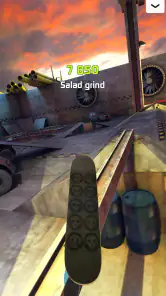
When I first launched Touchgrind Skate 2, I was immediately greeted by its sleek interface and intuitive tutorials. The game uses a two-finger control system, which might sound a bit tricky at first, but trust me, it becomes second nature. Your fingers act as your feet, and the screen as your board, allowing you to perform a variety of tricks like ollies, kickflips, and even grinds. The physics engine is spot on, providing a realistic feel that keeps you coming back for more.
Graphics and Soundtrack
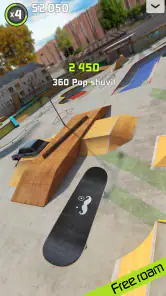
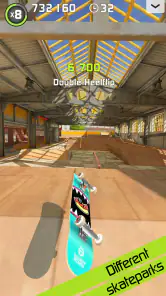
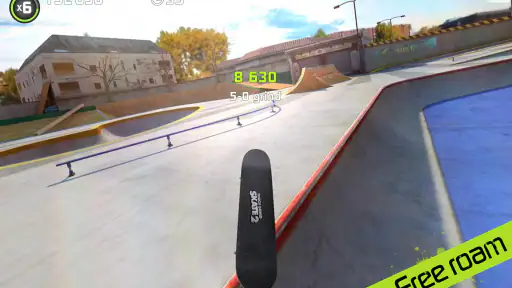
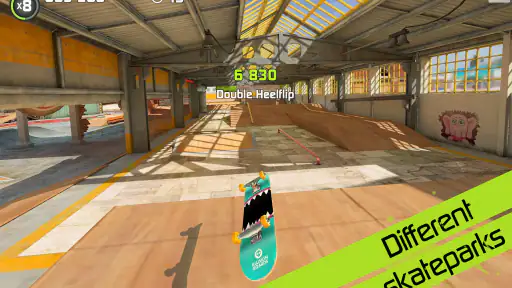
The graphics in Touchgrind Skate 2 are nothing short of impressive. Each skate park is designed with meticulous attention to detail, from the ramps and rails to the graffiti on the walls. It’s like having a mini skate universe in your hands. The soundtrack adds to the ambiance, featuring a mix of laid-back tunes that keep you in the zone as you perfect your tricks.
Challenge Yourself
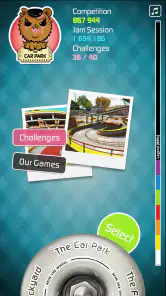
What I love most about this game is the endless opportunities to challenge yourself. Whether you're aiming to beat your own high score or trying to complete all the achievements, Touchgrind Skate 2 keeps you on your toes. The game offers various modes, including Competition, Jam Session, and Training, each providing its own unique challenges and rewards.
Plus, the replayability factor is huge here. You can always revisit a skate park to improve your skills or try out new tricks. And if you're a competitive spirit, there’s an option to battle it out with friends or players from around the world to see who’s the top skater.
Final Thoughts
In conclusion, Touchgrind Skate 2 is not just a game but a complete skateboarding experience that fits right in your pocket. It’s perfect for those moments when you want to escape reality and dive into a world where the only limit is your imagination. Whether you're a seasoned skater or someone who just loves a good challenge, this game is sure to provide hours of fun and excitement. So, grab your virtual board and start shredding!
Remember, it's the perfect blend of challenge and creativity that makes Touchgrind Skate 2 stand out in the crowded world of mobile games. Give it a try, and you might find yourself hooked on this digital skateboarding adventure!
Touchgrind Skate 2 Pros and Cons
Pros
- Intuitive controls enhance gameplay.
- High-quality 3D graphics.
- Realistic skateboarding physics.
- Variety of skate parks to explore.
- Customizable skateboards.
Cons
- Steep learning curve for beginners.
- Limited tutorial guidance.
- In-app purchases can be pricey.
- Requires significant storage space.
- Occasional in-game ads.
Frequently Asked Questions
What is Touchgrind Skate 2?
Touchgrind Skate 2 is a skateboarding game available for both Android and iOS devices. It offers a realistic and immersive skateboarding experience, allowing players to perform tricks and stunts using intuitive touch controls. With its impressive graphics and challenging gameplay, it's a favorite among skateboarding enthusiasts and gamers alike.
How do the controls work in Touchgrind Skate 2?
The game utilizes multi-touch gestures to simulate the experience of skateboarding. Players use two fingers to control the board, mimicking the movement of feet on a real skateboard. This allows for a wide range of tricks and stunts, making the gameplay both challenging and rewarding. The controls are designed to be intuitive but may require some practice to master.
What are the key features of Touchgrind Skate 2?
Touchgrind Skate 2 offers a variety of features including a realistic physics engine, multiple skate parks, and a wide array of tricks that players can perform. The game also includes customizable boards and challenges that test your skills. Additionally, it provides a replay mode to watch your best performances, enhancing the overall gaming experience.
Is Touchgrind Skate 2 free to play?
Touchgrind Skate 2 is free to download and play, but it offers in-app purchases. These purchases can enhance your gaming experience by unlocking new skateboards and additional features. While the game can be enjoyed without spending any money, some players choose to make purchases to access more content and customization options.
Does Touchgrind Skate 2 require an internet connection?
Touchgrind Skate 2 can be played offline, making it a great option for gaming on the go without using data. However, certain features, such as in-app purchases and possibly some updates or online leaderboards, may require an internet connection. It's advisable to connect occasionally to ensure you have the latest game updates and features.


