

Toddler Piano and Music Games
- Reviews
- 4.2
- Version
- 6.8
- Installs
- 10,000,000+

Screenshots
 Analysis by Frivlyz
I’d put Toddler Piano and Music Games in the “short, supervised bursts of musical play” category rather than treat it as a substitute for lessons or a full music-learning course. Its appeal is easy to understand: a toddler can tap at a piano-style screen and hear immediate sounds, without needing to read instructions or know anything about music. That makes it a handy option when a child wants to explore sound and you want an activity that feels more purposeful than random screen time.
That simplicity is also the main trade-off. A playful music game can invite curiosity, but it cannot tell you whether a child is developing a lasting interest or learning formal skills. I’d use it as a starting point: watch what sounds your child returns to, join in when they invite you, and then try singing or tapping a real tabletop rhythm together. The value is in the shared exploration, not in expecting a small screen to do the work of a teacher.
What the play experience is best suited to
As a music game for young children, it works best when the goal is immediate interaction. A toddler does not need to follow a long sequence before hearing a result, so the basic appeal is accessible even during a brief break in the day. Toy Tap LLC makes the game, and its child-focused piano concept is a natural fit for a first introduction to tapping keys and noticing how different actions produce sounds.
I’d choose it for a child who enjoys songs, presses buttons out of curiosity, or likes copying an adult’s claps and taps. It can also give a caregiver an easy prompt for play: ask the child to make a sound, pause, then answer with a clap or a sung note. That turns a solo screen activity into a small back-and-forth moment without requiring the adult to know music theory.
The game is free to download, with optional in-app purchases ranging from $1.99 to $4.99 per item. That makes trying it an easy decision for families who want to see whether a toddler responds to the format, though I would check purchase settings before handing over a device. Little children can tap impulsively, and a parent should stay in charge of any spending decisions.
Where it fits among music apps
Compared with a conventional instrument-learning app, a toddler piano game is less about structured practice and more about making sound approachable. A lesson-based alternative is a better fit once a child is ready to repeat exercises, follow a sequence, or work toward playing recognizable passages accurately. On the other hand, a passive song or video app asks the child mostly to watch or listen; this game’s attraction is the chance to make sounds by touching the screen.
That distinction matters in everyday use. If you need a quiet activity for a short wait, a song can be easier because it does not invite constant tapping. If you want to encourage cause and effect, imitation, or a little parent-child musical play, an interactive piano is more engaging. I would not rely on it as a calm-down tool every time: sound-making play can energize some children rather than settle them, so the child’s reaction is a better guide than the music theme alone.
Gaming Stories You May Enjoy

Dancing Road Turns Short Breaks Into a Test of Rhythm and Timing

Super Stylist Makes Every Outfit a Test of Taste and Patience

Dominoes on Your Terms: Who Should Play and Who Should Pass

Pokémon GO Makes the Familiar World Feel New

Chess.com Turns Rematches Into Rivalries, but Community Has Its Costs

Archery Battle 3D Review: Sharp Aiming, Unclear Feedback
A practical way to use it
For example, while waiting for a meal to finish, I’d sit beside the child, let them explore for a few minutes, and then suggest a simple turn-taking game: they tap a pattern, I copy it with my hands, and we swap. The point is not to test them or correct every note. It is to connect what happens on screen with listening, copying, and making rhythms away from the device. Ending while the child is still interested can also make it easier to move on to dinner without turning the game into a long negotiation.
Another useful approach is to treat the app as a conversation starter rather than a babysitter. Notice whether your child gravitates toward the same sounds or enjoys trying different ones; then echo that interest with a sung tune, a homemade shaker, or a toy instrument if one is already around. This gives you a low-pressure way to see whether the digital activity leads to more musical play. If the child simply taps rapidly without listening, that is still ordinary exploration, but it may be a sign to keep sessions brief or switch to a shared song instead.
Engaging Little Minds with Music
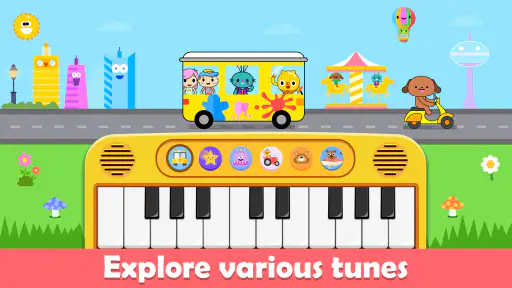
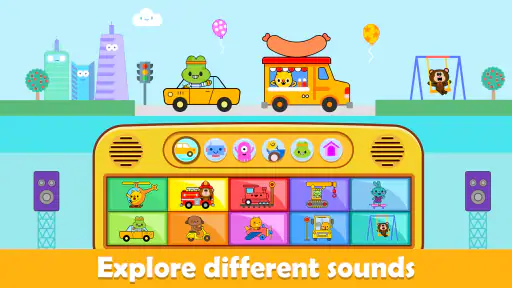
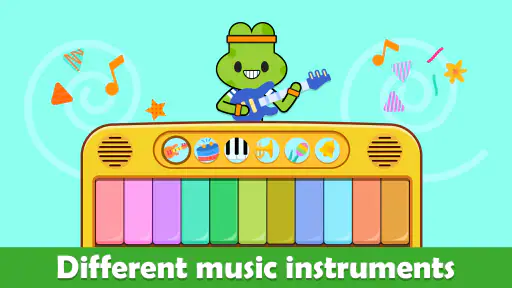
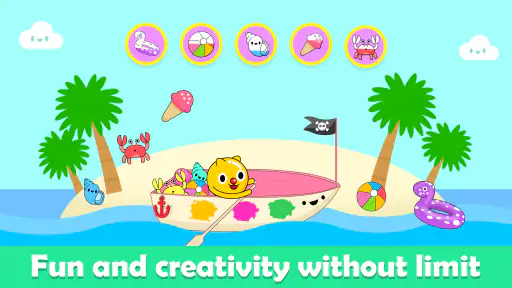
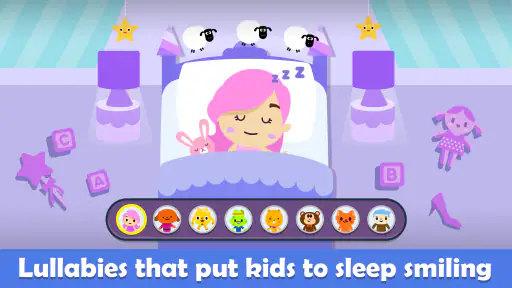
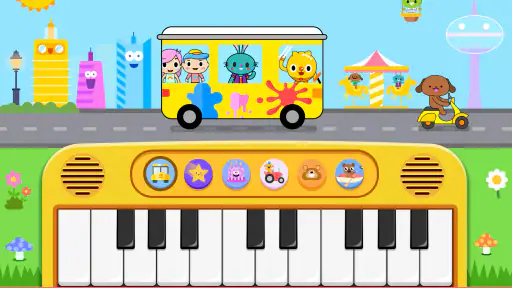
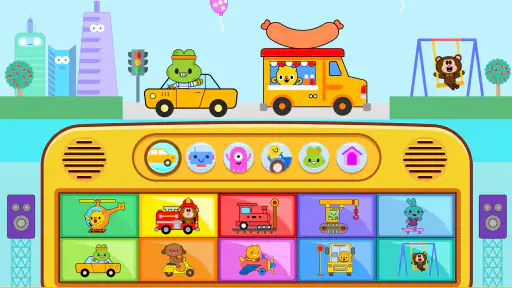
When I first downloaded Toddler Piano and Music Games, I was curious to see how it would hold up against other kids’ apps. Right off the bat, I was impressed by its vibrant, colorful design that immediately grabbed my toddler’s attention. The app features a range of musical instruments and sound effects that are both fun and educational, helping to develop auditory skills and hand-eye coordination. Watching my little one tap the keys and giggle at the funny sounds was a joy in itself!
A Symphony of Features
The app isn’t just about banging on a virtual piano. There’s a whole array of features that make it stand out. For starters, it offers a variety of mini-games designed to teach music fundamentals. From rhythm matching games to simple melodies that kids can play along with, there’s a lot to explore. The interactive elements encourage toddlers to experiment with different sounds, fostering a love for music at an early age.
One of my favorite features has to be the song library. It’s packed with classic nursery rhymes and popular children’s songs, making it easy for kids to play along and learn. The app even provides visual cues to guide them, which is great for developing their musical ear and timing.
Kid-Friendly Interface
What really sets this app apart is its intuitive, kid-friendly interface. Everything is designed with little fingers in mind. The buttons are large and easy to press, and the navigation is straightforward, meaning even the youngest of users can explore the app independently. Plus, there are no invasive ads to worry about, which is always a bonus in my book!
The developers have clearly put a lot of thought into making this app a safe space for children. The parental controls are a nice touch too, allowing you to limit screen time and ensure your child’s experience is a healthy one.
How I’d judge its limits
I’d keep expectations modest about what a child learns from a few taps. A game can make sound and rhythm feel inviting, but it is not the same as practicing on a keyboard with an adult showing how to use fingers or keep a steady beat. If your child starts asking to play a particular tune repeatedly, that is a good cue to sing it together or try matching its rhythm with claps. If they want clear lessons, a structured beginner program or a real keyboard session with guidance will be more useful.
There is also a practical difference between “easy to open” and “right for every moment.” A toddler may move quickly from curious listening to enthusiastic, noisy tapping, and a caregiver may need to set a boundary or turn the volume down before starting. I’d pick a time when a little sound is welcome, stay nearby, and put the device away when attention shifts. That keeps the game from becoming an automatic distraction whenever a child is bored.
Parents often wonder whether it is suitable for a very young child or whether an adult needs to guide every interaction. Its Everyone age rating makes it broadly family-oriented, while the simple tapping concept is naturally suited to early play; in practice, close supervision remains sensible for any toddler using a phone or tablet. Some children will explore independently for a moment, while others will enjoy it more if an adult names sounds, sings along, or helps them navigate.
Who should choose it—and who should pass
The strongest fit is a family looking for an approachable musical toy on a device they already use, especially for short waits at home or during a quiet stretch when an adult can stay close. It may also suit caregivers who want to see whether a child is interested in sound-making before buying an instrument. The game has attracted more than 10 million installs and holds an average rating of 4.2 from around 5,000 ratings, a sign that many families have tried it, though popularity by itself cannot predict whether your child will enjoy it.
I’d skip it if you need a dependable no-touch activity, want a serious music curriculum, or are trying to avoid screens altogether. It is also not the right choice if sound effects tend to overstimulate your child or if you want an app whose main purpose is quiet listening. In those cases, a book of songs, a simple physical instrument, or an adult-led singing game may be more satisfying and easier to control.
For device compatibility, the current version is 6.8 and it requires Android 6.0 or later. That is useful to know before setting it up on an older Android device; families using another platform should check the relevant app store for availability and compatibility. I’d also take a minute to review the purchase controls before a child plays, since the free download includes optional paid items. Those checks are more practical than assuming that a child-friendly design removes the need for an adult’s attention.
Final Thoughts
All in all, Toddler Piano and Music Games is a fantastic app that I would highly recommend to any parent. It’s fun, educational, and perfectly tailored to young children’s needs. Whether your little one is a budding Beethoven or just loves to make noise, this app is sure to provide endless entertainment. So go ahead, give it a try, and watch your toddler’s face light up with musical joy!
My recommendation is more specific: try it if you want a simple, interactive way to bring music into a toddler’s day, and use it as an invitation to play together rather than as proof of progress. It is free to start, rated for Everyone, and was released on September 10, 2019; those details make it easy to assess whether it belongs on a family device, while your child’s response should decide whether it stays there. I like it most when the screen leads to a real moment of listening, singing, or taking turns. If that is the kind of small musical spark you are after, it is worth a try; if you expect formal lessons or reliably quiet entertainment, I’d choose something else.
Toddler Piano and Music Games Pros and Cons
Pros
- Engaging and colorful interface.
- Interactive musical instruments.
- Easy to use for toddlers.
- Promotes musical creativity.
- No in-app purchases.
Cons
- Limited song selection.
- Repetitive gameplay.
- No parental control options.
- Requires internet connection.
- Ads may disrupt play.
Frequently Asked Questions
What is Toddler Piano and Music Games?
Toddler Piano and Music Games is an interactive educational app designed to introduce young children to the fundamentals of music. The app offers a variety of mini-games and activities that help toddlers explore different musical instruments, learn basic musical notes, and develop their auditory skills. With vibrant graphics and engaging sounds, it aims to make learning music fun and accessible for young minds.
Is Toddler Piano and Music Games suitable for all age groups?
While Toddler Piano and Music Games is primarily designed for young children, specifically toddlers and preschoolers, older kids may also find it enjoyable. The app's simple interface and colorful animations are tailored to captivate young minds, making it an ideal tool for early childhood music education. Parents should review the app's content to ensure it aligns with their child's interests and learning level.
What are the key features of Toddler Piano and Music Games?
The app offers a variety of features designed to engage and educate children. Key features include interactive piano keys, multiple musical instruments to explore, fun mini-games that teach rhythm and melody, and colorful animations that capture children's attention. Additionally, the app may include parental controls and settings to customize the experience based on the child's age and learning needs.
Does Toddler Piano and Music Games require an internet connection?
Toddler Piano and Music Games is primarily designed to be used offline, making it convenient for travel or situations where an internet connection is not available. However, some features or updates might require internet access. It's always a good idea to check the app's requirements and permissions before downloading to ensure it meets your needs.
Are there any in-app purchases in Toddler Piano and Music Games?
Yes, Toddler Piano and Music Games may include in-app purchases. These can range from unlocking additional musical instruments, accessing premium content, or removing ads from the app. Parents should be aware of these options and manage in-app purchase settings on their devices to prevent unintended purchases by their children.


