

Times Table - Learn Math
- Reviews
- 4.3
- Version
- 1.9.0
- Installs
- 10,000,000+

Screenshots


 Analysis by Frivlyz
Multiplication is one of those skills that seems simple until a child has to recall an answer quickly, without counting on fingers or reaching for a calculator. I like the idea behind Times Table - Learn Math: it makes repeated practice feel more like play, giving learners a reason to return to multiplication instead of treating it as a worksheet they have to get through. The game is aimed at building familiarity with times tables, so its value is less about teaching every part of mathematics and more about helping basic facts become easier to remember.
A focused way to practise multiplication facts
For a learner who already understands what multiplication means but hesitates over answers, short rounds of practice can be a useful bridge between knowing a method and recalling a fact quickly. A child might understand that four groups of six make twenty-four, for example, yet still need time to work it out. Repeated questions give that fact more chances to stick. Times Table - Learn Math is best judged in that context: as a focused educational game for multiplication, not as a complete replacement for a teacher, textbook, or broader maths course.
That distinction matters because memorizing an answer and understanding why it is correct are related but different jobs. I would use the game to reinforce facts after a child has met the idea of multiplication through lessons, objects, drawings, or conversation. If a learner is confused about what the operation means, more rapid practice alone may not clear things up. A parent can help by asking the child to explain an answer in their own words, then using the game for extra recall practice.
How game-based practice fits into a routine
The advantage of a game format is that it can make a small practice session easier to begin. Instead of setting up a full lesson, a parent can invite a child to try a few questions during a quiet moment and stop while the task still feels manageable. That works especially well when the goal is consistency rather than a long session: regular, low-pressure returns to multiplication can be less intimidating than a single extended drill.
One practical approach is to use it after school, when a child has already encountered times tables in class but needs another chance to practise. I would keep the adult’s role simple: ask which facts felt easy, which ones caused a pause, and whether the child can work out a tricky answer another way. That brief conversation helps separate a lucky guess from genuine confidence, without turning play into a test. If frustration appears, it is sensible to pause and come back later rather than insist on finishing a session.
It may also suit independent practice for a learner who enjoys answering questions on a screen. A child can try the game while a parent prepares dinner or handles another task nearby, then share a particular difficulty afterward. I would not assume that independent play automatically tells an adult what the child has understood, though. A quick check-in is useful because a correct response does not always reveal whether the learner recalled the fact, reasoned it out, or guessed.
What to expect from a multiplication game
Compared with flashcards, a game can feel more inviting and give practice a clearer sense of momentum. Flashcards still have an advantage when an adult wants to choose exactly which facts to review or slow down after a mistake. A paper worksheet can be better for seeing written working and spotting whether a child is mixing up multiplication with another operation. A calculator is useful for checking larger calculations, but it does not build quick recall of basic facts in the same way. I see this app as another practice option, rather than a reason to discard those familiar tools.
Gaming Stories You May Enjoy

Dancing Road Turns Short Breaks Into a Test of Rhythm and Timing

Super Stylist Makes Every Outfit a Test of Taste and Patience

Dominoes on Your Terms: Who Should Play and Who Should Pass

Pokémon GO Makes the Familiar World Feel New

Chess.com Turns Rematches Into Rivalries, but Community Has Its Costs

Archery Battle 3D Review: Sharp Aiming, Unclear Feedback
That balance also sets expectations. A learner who wants a broad maths curriculum, detailed explanations of multiplication concepts, or practice with topics beyond times tables should pair this game with other resources. The app’s focus is a strength for someone who needs a clear, narrow goal, but it is a limitation for anyone expecting a complete learning program. I would choose a lesson-led resource first if the child needs step-by-step teaching, then use a multiplication game for extra repetition once the underlying idea is clearer.
Who is likely to benefit most
This kind of practice is most useful for children who are beginning to learn multiplication or who know some facts but still take a while to recall them. It can also help an older learner who wants to refresh basic arithmetic without making the exercise feel like formal remedial work. By contrast, a child who already answers times-table questions confidently may not gain much from more of the same; a different maths challenge would be a better use of their time. And for a learner who dislikes screen-based practice, a parent-led card game or spoken quiz may be more comfortable.
For a concrete routine, imagine a child has a few minutes after finishing homework before dinner. Rather than starting another long activity, they can practise multiplication briefly, then tell a parent which answers took the most thought. The useful insight is not simply how many questions they got right; it is which facts repeatedly slow them down. An adult can then revisit those facts with a small set of examples or objects, rather than making the child repeat everything equally. That targeted follow-up makes screen practice more meaningful.
Cracking the Code of Multiplication
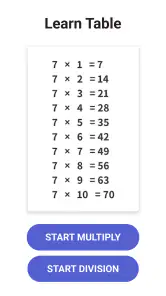
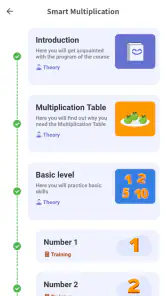
Let's dive into the world of Times Table - Learn Math. The first thing that caught my eye was its user-friendly interface. The app doesn't overwhelm you with too much information at once. Instead, it guides you step-by-step, ensuring that you grasp each concept before moving on. This structured approach is something I genuinely appreciate, especially when it comes to learning math.
Feature-Packed Experience
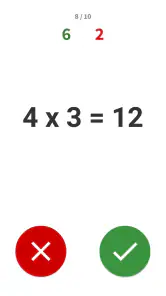
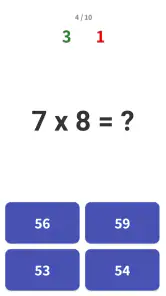
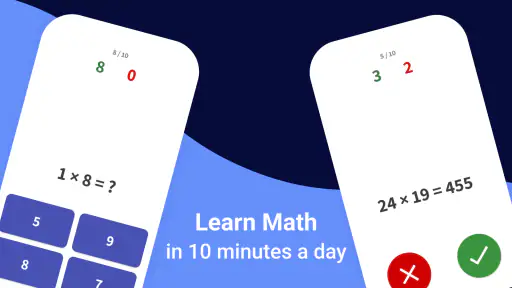
One of the standout features of this app is its interactive quizzes. These quizzes not only test your knowledge but also help reinforce what you've learned. With each correct answer, you get a sense of accomplishment, and let's be honest, who doesn't love a little pat on the back?
Moreover, the app includes a variety of game modes. Whether you're a beginner just getting to grips with the basics or a math whiz looking to polish your skills, there’s something for everyone. The app even offers timed challenges, adding a competitive edge to the learning process. It’s like turning math practice into a game night!
Learning Made Fun
Now, I know what you might be thinking: "Math? Fun? Really?" But hear me out. Times Table - Learn Math introduces elements of gamification that make learning multiplication tables less of a chore and more of a fun activity. The colorful graphics and engaging sound effects keep you motivated and coming back for more. It’s as if learning math suddenly became your favorite pastime.
Personalized Learning Journey
Another aspect worth mentioning is the app's ability to tailor the learning experience. It tracks your progress and adjusts the difficulty level based on your performance. This personalized approach ensures that you're always challenged but never overwhelmed. It’s like having a personal math tutor in your pocket.
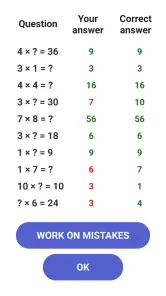
Additionally, the app provides detailed feedback and performance reports. This feature is especially useful for parents and teachers who want to track a child’s improvement over time. It’s a great way to identify strengths and areas that might need a little more attention.
As an educational game from BrainSoft Apps, it has a clear job: make multiplication practice approachable through quizzes and game-style challenges. The timed option can add energy, but I would introduce it only after a learner has had time to understand the facts without a clock. Speed is motivating for some children and stressful for others, so it should be a choice, not the measure of whether someone has learned. When a child starts rushing or guessing, untimed practice or a break is likely to be more productive.
Making feedback useful rather than stressful
Progress information is most valuable when it leads to a specific next step. I would look for a pattern in the results rather than reacting to one difficult round: perhaps a learner is comfortable with some facts but less certain about others. The practical follow-up is to revisit only the troublesome group, using a spoken question, a quick written example, or objects arranged into equal groups. Then the child can return to the game and see whether recall feels easier. This alternating routine avoids the common trap of repeating what is already easy simply because it is familiar.
For families, it helps to frame the reports as clues, not grades. A child who needs extra attempts is not failing; they are showing where more practice may help. I would also avoid comparing siblings or classmates, since speed and confidence vary. The better question is whether the learner can explain a fact more comfortably than before. That makes the app’s feedback a starting point for a supportive conversation instead of another source of pressure.
Small habits that improve the experience
A few choices can make practice more effective. Keep sessions short enough that the child can stay attentive, and stop before tiredness turns simple questions into a struggle. Mix game rounds with occasional real-world examples: equal groups of snacks, pairs of shoes, or rows of objects can show why a multiplication fact works. Then ask the child to predict the answer before counting. This gives the abstract fact a meaning beyond the screen and helps reveal whether the learner is memorizing or understanding.
It is also worth letting the child choose when to use a timed challenge. A learner who enjoys racing may find it motivating, while someone who freezes under time pressure may do better with a calmer quiz. I would treat those modes as different kinds of practice rather than as a hierarchy where faster is always better. The key trade-off is clear: a game can make repetition easier to approach, but the adult still needs to match the activity to the child’s mood and learning needs.
Practical details for families
The game is free to download, with in-app purchases listed from under a dollar to around twenty dollars per item. I would check purchase controls before handing a device to a child, particularly if the device is shared. It is rated for everyone, and it runs on Android devices using version six or newer; the current release is version 1.9.0. It has been available since January 2019, and its popularity is reflected in more than ten million installs, alongside an average rating of 4.3 from roughly 194,000 ratings. Those figures suggest that many people have tried it, but they do not tell me whether its game format will suit a particular child, so a short trial is still the sensible way to decide.
There is a useful difference between choosing this and choosing a general educational game: the narrow subject makes it easier to set a specific goal. If the goal is “get more comfortable with multiplication facts,” the activity has a clear purpose. If the goal is to keep a child occupied with a wide mix of learning topics, a broader app may fit better. Likewise, a teacher who needs to inspect written reasoning may prefer classroom exercises alongside it, because answering a quiz does not necessarily show the steps behind an answer.
When another approach is the better fit
I would skip this as the main learning tool for a child who has not yet grasped equal groups or who needs an adult to explain each new idea. In that case, a patient lesson, physical objects, or a teacher’s demonstration can build the foundation more directly. It is also not the best choice for someone seeking advanced mathematics or a varied curriculum; multiplication is its center of gravity. On the other hand, for a learner who understands the concept and simply needs practice recalling facts, its game format can be a more appealing alternative to repeating a stack of cards every evening.
One realistic way to judge fit is to try it during a low-pressure moment, not just before a test or when a child is already tired. Notice whether the learner stays engaged, whether the questions prompt thought rather than random tapping, and whether they can talk about a fact afterward. If the game encourages a child to practise willingly and gives an adult a clearer sense of what to revisit, it is doing useful work. If it creates tension or the learner needs more explanation than practice, switch to a calmer method and return to the game later, if at all.
In conclusion, Times Table - Learn Math is more than just an app; it’s a comprehensive learning tool that turns the daunting task of mastering multiplication tables into an enjoyable adventure. Whether you're a student struggling with math or a parent looking for a reliable educational app, this one is definitely worth checking out. So why not give it a try and make math fun for a change?
Times Table - Learn Math Pros and Cons
Pros
- Engaging interface for kids
- Adaptive difficulty levels
- Reward system for motivation
- Clear audio instructions
- No ads for distraction-free learning
Cons
- Limited language options
- Requires internet for updates
- In-app purchases for extra features
- Not suitable for advanced learners
- Basic analytics for parents
This Game in Other Languages
Frequently Asked Questions
What is Times Table - Learn Math?
Times Table - Learn Math is an educational app designed to help children and adults alike improve their multiplication skills. The app provides interactive exercises and games focused on mastering the multiplication tables from 1 to 12. With engaging visuals and user-friendly navigation, it offers a fun and effective way to enhance your math abilities on both Android and iOS devices.
Is Times Table - Learn Math suitable for all ages?
Yes, Times Table - Learn Math is suitable for users of all ages. While it is primarily aimed at helping children develop their multiplication skills, the app also offers challenging exercises for adults looking to brush up on their math knowledge. Its flexible learning modules make it a versatile tool for learners from different age groups.
Does the app require an internet connection to function?
No, Times Table - Learn Math does not require an internet connection to function. Once downloaded, users can access all features and exercises offline, making it a convenient option for on-the-go learning. This offline capability ensures uninterrupted practice, whether you're traveling or in an area with limited internet access.
Are there any in-app purchases or ads?
Times Table - Learn Math offers a clean and ad-free learning experience. While the app is free to download, it may include optional in-app purchases for users who wish to access additional features or premium content. These purchases are not necessary to enjoy the core functionalities of the app, ensuring a distraction-free environment for users.
Can parents track their child's progress on the app?
Yes, Times Table - Learn Math includes a feature that allows parents to track their child's progress. The app provides detailed reports on completed exercises, scores, and areas that require improvement. This tracking feature helps parents understand their child's learning curve and tailor additional practice to specific needs, making it a valuable tool for supporting educational development.


