

The Game of Life 2
- Reviews
- 4.6
- Version
- 0.6.2
- Installs
- 500,000+

Screenshots
 Analysis by Frivlyz
When I’m choosing a mobile board game, I care less about how closely it copies a box and more about whether its turns are easy to follow, its choices invite a bit of discussion, and it works for the people I’m playing with. That’s the lens I’d use for The Game of Life 2: a digital take on familiar life-path decisions, built for a relaxed group session rather than deep strategy. It is a paid game, so I’d also decide whether its particular mix of nostalgia and replayable choices is what I want before buying.
A good fit for a shared screen or a shared evening
The strongest case for this game is a household or friend group that already enjoys light board games. Its recognizable premise gives new players an easy way in: you make decisions about work and life while moving through a playful version of adulthood. You don’t need to learn a dense rulebook before getting started, and the turns create natural moments to comment on each other’s choices. That makes it a reasonable pick for a casual game night, especially when players want something more structured than a simple party game but less demanding than a strategy title.
I’d also consider it for a long-distance catch-up with friends who are happy to play online. A shared game gives the conversation a loose focus, and the other players’ decisions can make a familiar run feel less predictable. Before choosing it for a particular group, though, I’d check that everyone is comfortable with the available way of playing together. If the plan depends on local pass-and-play, a specific number of participants, or a particular online arrangement, those details matter; I wouldn’t buy on the assumption that every group setup works exactly as it does around a physical board.
What makes the decisions feel worthwhile
The appeal isn’t just watching a token travel across a digital board. The game asks you to choose a direction and then live with the consequences as the journey unfolds. I find that structure useful for keeping a casual session lively: players can compare their choices, root for a different outcome, and tease one another without needing to keep score of a complicated tactical contest. Its colorful presentation and animated movement help make the board feel active, while the underlying turn-based pace leaves room for conversation.
One practical tip is to treat each run as a story rather than trying to engineer a perfect result. The fun is often in seeing how a chosen path develops and reacting to the turns it takes, not in expecting every decision to deliver a predictable advantage. If your group tends to debate every move for a long time, agree in advance to keep choices moving. That preserves the easygoing rhythm the game suits and helps prevent a light family game from turning into a drawn-out optimization exercise.
Another useful way to decide whether it suits you is to think about who will be playing repeatedly. People who enjoy comparing different life routes may find a reason to return, while players who mainly want a fresh puzzle each session may tire of the familiar core. The options around careers and goals give the game room to vary its stories, but they don’t turn it into a complex simulation. That distinction is important: the choices are there to make the ride personal, not to reproduce every detail of real financial or career planning.
Life’s Little Adventures on Your Screen
So, I downloaded The Game of Life 2 from the app store, and let me tell you, it was a trip down memory lane with a modern twist. The game kicks off with you choosing your avatar and deciding your life’s path. Will you head to college or jump straight into a career? It’s all in your hands, and it feels incredibly engaging to make these choices in a virtual world.
Gaming Stories You May Enjoy

Dancing Road Turns Short Breaks Into a Test of Rhythm and Timing

Super Stylist Makes Every Outfit a Test of Taste and Patience

Dominoes on Your Terms: Who Should Play and Who Should Pass

Pokémon GO Makes the Familiar World Feel New

Chess.com Turns Rematches Into Rivalries, but Community Has Its Costs

Archery Battle 3D Review: Sharp Aiming, Unclear Feedback
Visuals and Gameplay
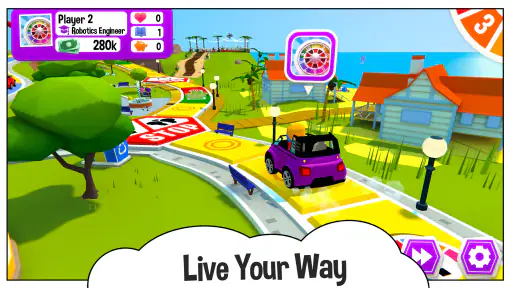
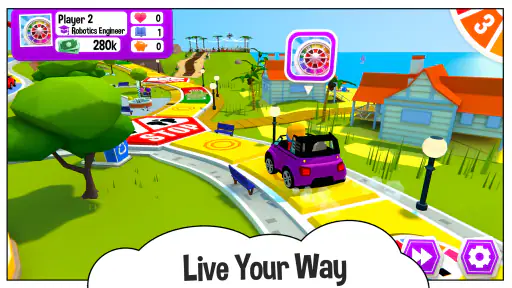
One of the first things that struck me about this app is the vibrant and colorful graphics. It’s like they’ve taken the board game and injected it with a burst of digital magic. Every little detail is polished, from the animated vehicles to the charming landscapes you journey through. As for gameplay, it’s smooth sailing. You spin the wheel with a swipe of your finger, and it feels almost therapeutic watching where life takes you.
That simple interaction is particularly helpful when introducing the game to someone who hasn’t played the tabletop version. The spinning action makes turns obvious, so I don’t have to spend the first part of a visit explaining a complicated interface. On a phone, though, the screen is also a trade-off: several people gathering around one device may find it less comfortable than a physical board, especially during a longer session. I’d choose a larger screen or a television setup if the group wants everyone to follow the board easily, rather than assuming a phone display will suit every room.
For a realistic everyday use, imagine a family with a little free time after dinner. One person can open a game while everyone is still at the table, and the bright board and clear turns give younger and older players something to follow together. The casual pace can make it a pleasant shared activity, but it isn’t a substitute for a quick five-minute distraction if nobody has time to finish a session. I’d start when the group can settle in, rather than promising that a round will fit neatly into a short break.
Choices Galore
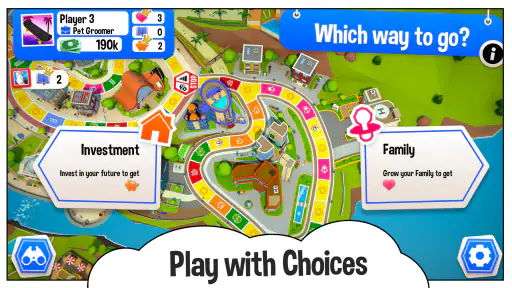
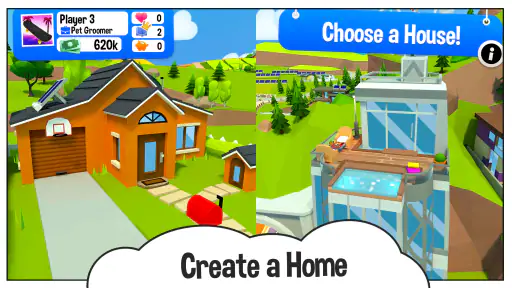
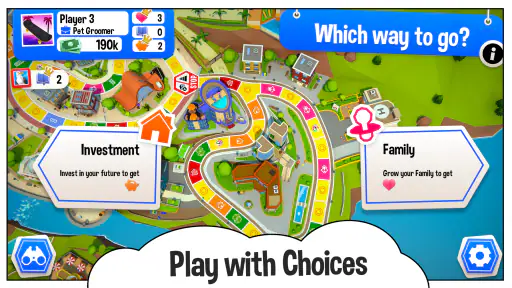
What I love about The Game of Life 2 is the array of choices you get to make along the way. Unlike the original board game, this version offers more diverse life paths. Fancy being a brain surgeon or maybe a superstar? Go for it! The game introduces new career options and life goals, keeping things fresh and exciting every time you play.
Those alternatives are most enjoyable when players approach them with different priorities. One person may care about the kind of career they land, while another may be more interested in the broader outcome of the run. I’d encourage a group to talk through why they made a choice after the turn, rather than treating the game as a race to find one universally correct route. That little habit brings out its social side and makes the decisions more memorable, even when the game remains light in strategic depth.
The same feature can be a limitation for players looking for serious planning. The theme presents choices about education, careers, and goals, but I wouldn’t use those as realistic guidance about actual life decisions. It’s a playful board-game framework, not a budgeting tool or a career simulator. If your priority is thoughtful resource management or a tightly balanced competitive challenge, a strategy-focused board game will likely be a better match.
Multiplayer Mayhem
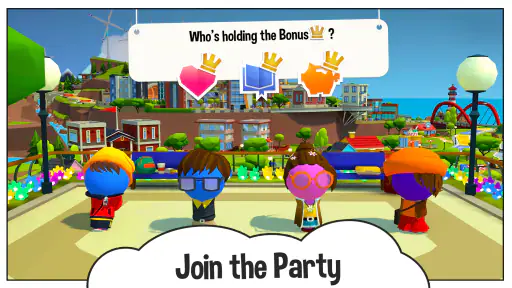
Another highlight is the multiplayer mode. You can play with friends online, which means you’re not just stuck playing against AI. It adds a layer of excitement and unpredictability because, let’s face it, your buddy’s decision to buy that dream house over paying off loans can stir up some friendly rivalry!
Online play is a good reason to consider this over a solo-only board game when your friends aren’t in the same room. It also changes the social feel: instead of reading reactions across a table, you’re sharing a game remotely, so it works best when the group is already comfortable coordinating a time to play. For an in-person gathering where everyone wants direct conversation and an easy view of the board, a physical game may still be the smoother choice. For a group that likes a shared online activity, this gives the familiar turn-taking format a practical digital home.
It’s also worth separating the game’s social appeal from the question of who is available to play. If your friends rarely want to schedule a session, multiplayer won’t automatically make the game valuable; you should be content with the options you’ll actually use. If you mostly play alone, compare it with board games designed around a strong solo experience before paying. The best choice depends less on the label “multiplayer” and more on whether your usual gaming circle will join you.
How it compares with other board-game choices
Compared with a traditional board game, the digital version saves you from setting out pieces and handling the board, and it can bring friends together when they’re apart. In return, you’re playing through a screen, with less of the face-to-face table presence that makes physical games appealing. I’d choose the physical edition when tactile components and in-room conversation are the main point of the evening; I’d choose this app when convenience and online play matter more.
Against abstract strategy games, it is a more accessible, theme-led option, but it asks less of players who enjoy planning several turns ahead. Against quick party games, it offers a more developed journey and a sequence of choices, though that commitment makes it less suited to a very short gap between errands. This is the key category decision: it occupies the middle ground between a casual social game and a longer board-game session. If that middle ground is what your group wants, its premise is a strength; if not, a different kind of board game may serve you better.
Price, versions, and what to check before buying
Developed by Marmalade Game Studio, this board game costs $4.99, with optional in-app purchases ranging from $0.99 to $34.99 per item. I’d think of the purchase as paying for the base game and treat any optional spending as a separate decision, not as a requirement to enjoy the central board-game experience. If you’re buying for a child or sharing a device, it’s sensible to review purchase settings together first so an accidental tap doesn’t become an unexpected expense.
The game is rated Everyone, which makes it easier to consider for mixed-age play, though adults should still decide whether its style and pace suit the particular children in their household. It was released on July 15, 2020, and version 0.6.2 requires Android 6.0 or later. The Android edition has passed 500K installs and holds an average rating of 4.6 from around 18K ratings, with about 2.9K written reviews. Those figures offer a broad sense of its audience, but they can’t tell you whether your own group will enjoy its rhythm; the best test is whether you like the premise and expect to play with people who share that taste.
One small purchase-planning point is that a paid download and optional purchases can make this a less appealing choice for someone who only wants to try a board game briefly. If you’re unsure, first ask whether you would actually replay a life-path game and whether you can name a friend or family member who would join. That is a more useful test than buying simply because the classic name is familiar. The mobile format is most worthwhile when convenience or online sessions solve a real problem for your group.
Final Thoughts
All in all, I’d say The Game of Life 2 is a delightful adaptation of the classic board game. It blends nostalgia with modern elements perfectly, making it a must-have for both old fans and newcomers. Whether you want a quick 15-minute session or a longer gaming experience, this app has got you covered. So, go ahead, give it a spin and see where your digital life takes you!
My recommendation is a little more specific: I’d pick it for friends or families who like accessible board-game choices, want a colorful shared experience, and can make use of online play. I’d skip it if you need a genuinely brief game, deep strategic decisions, or the tactile presence of a physical board, and I’d compare other options if most of your sessions will be solo. For the right group, though, its familiar life-path premise makes it easy to start a conversation and enjoy a few turns together. Think about who will play with you and how often before buying, and you’ll have a much clearer idea of whether this particular digital board game belongs on your device.
The Game of Life 2 Pros and Cons
Pros
- Enhanced graphics and animations.
- New features and mini-games.
- Online multiplayer mode available.
- Regular updates with new content.
- User-friendly interface.
Cons
- Requires internet for multiplayer.
- In-app purchases for extra content.
- Can be repetitive over time.
- Battery consumption is high.
- Limited customization options.
This Game in Other Languages
Frequently Asked Questions
What is The Game of Life 2 and how does it differ from the original?
The Game of Life 2 is a digital board game that serves as a sequel to the classic The Game of Life. It enhances the original with more modern elements such as updated visuals, new career paths, and additional life choices. Unlike the original, this version offers more customization and decision-making opportunities, allowing players to explore various lifestyles and strategies. It's designed to provide a more engaging and interactive experience for both new players and fans of the original game.
What platforms is The Game of Life 2 available on?
The Game of Life 2 is available on multiple platforms including Android and iOS devices, as well as on PC via Steam. This cross-platform availability ensures that players can enjoy the game on their preferred device, whether they're at home or on the go. The mobile versions are well-optimized for touch controls, making it easy to navigate through the game on smartphones and tablets.
Does The Game of Life 2 offer multiplayer options?
Yes, The Game of Life 2 offers both online multiplayer and local pass-and-play options. This allows players to enjoy the game with friends and family, whether they're in the same room or across the globe. Online multiplayer can connect you with random players or friends, while the local option lets you enjoy a traditional board game experience with others in your vicinity.
Are there in-app purchases in The Game of Life 2?
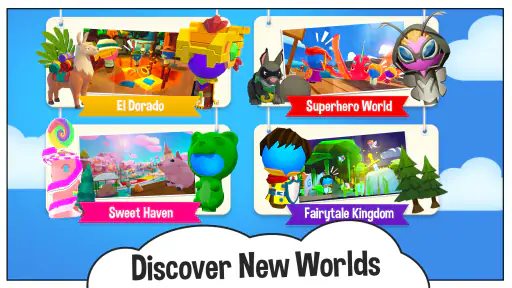
The Game of Life 2 does include in-app purchases, which primarily consist of additional content such as new world themes and customizations. While the base game offers a complete experience, these optional purchases enhance the visual and thematic variety, allowing players to personalize their gaming experience further. It’s important to manage these purchases, especially when children are playing the game.
What age group is The Game of Life 2 suitable for?
The Game of Life 2 is designed to be family-friendly and is suitable for players aged 8 and up. Its colorful graphics and simple gameplay mechanics make it accessible to younger players, while its strategic elements are engaging for older audiences. Parents can rest assured that the content is appropriate for children, making it a great choice for family game nights.


