

Tattoo Coloring games
- Reviews
- 4.8
- Version
- 1.0.80
- Installs
- 1,000,000+

Screenshots
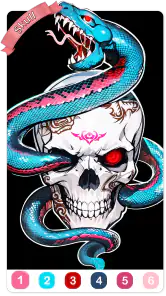

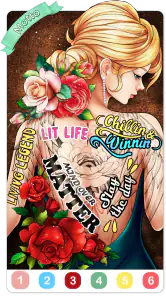
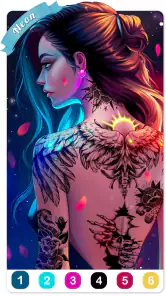
 Analysis by Frivlyz
I treat Tattoo Coloring as a small, low-pressure art break rather than a substitute for drawing or a realistic tattoo design tool. The basic appeal is clear: choose a tattoo image and fill it with color, without committing to ink on skin. That makes it easy to pick up for a few minutes, but it also means the experience is built around coloring existing artwork rather than creating a design from a blank page. If that distinction suits you, it can be a pleasant little routine.
A simple routine that makes each session feel satisfying
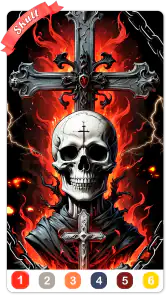
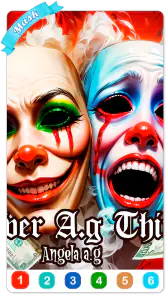
My preferred way to use a color-by-number game is to start with a design that looks manageable, rather than choosing the most detailed image immediately. I work through the larger areas first, then take a moment with the smaller sections. That keeps the page from feeling like a long list of tiny taps and makes progress easier to see. Tattoo motifs can have lots of outlines and compact shapes, so beginning with a less intricate picture is especially useful when I only have a short break.
There is also a practical difference between coloring for completion and coloring for a particular look. If I want a quick finish, I follow the numbered prompts and focus on steadily filling the design. If I want a more deliberate session, I slow down and pay attention to how neighboring colors sit together. The first approach suits a commute wait or a few quiet minutes between tasks; the second is better when I want to settle in and enjoy the image. Neither needs artistic experience, which is part of the game’s easygoing appeal.
One useful habit is to pause before tapping through a cluster of small areas. I check the pattern and decide which nearby sections I want to complete together, instead of bouncing around the page. It gives the session a little structure and helps me avoid losing track of where I was concentrating. The game’s central loop remains straightforward, but a repeatable approach makes it feel less like random tapping and more like a compact coloring project.
Settings and expectations worth checking
Tattoo Coloring is a board game from Fun Coloring World, with a coloring-by-number format at its center. It is free to download, while optional in-app purchases range from $1.99 to $59.99 per item. I would treat the free starting point as a chance to decide whether the pace and artwork suit me before spending anything. If you are considering a purchase, take a moment to review the price shown in the app and whether it matches what you actually want; a relaxing activity is less relaxing if you feel pushed into paying for more than you planned.
The game is rated Teen, so it is worth checking that age guidance if you are choosing it for a younger player. It was released on March 11, 2022, and its current version is 1.0.80. It requires Android 7.0 or later. Those details make it easier to decide whether it fits your device and household, but they do not change the main question: do you enjoy filling tattoo-inspired designs, or would you rather have a drawing tool with more control?
There is a difference between a number-based coloring game and a freeform art app. Here, the appeal is having a clear task and a defined image to complete. You are not starting from a blank canvas, building outlines, or testing how a tattoo might wrap around an actual arm or leg. For those jobs, a drawing app or a dedicated tattoo mock-up tool is a better match. For a casual player who wants guided coloring without needing to plan a composition, the restrictions are also what make it approachable.
Gaming Stories You May Enjoy

Dancing Road Turns Short Breaks Into a Test of Rhythm and Timing

Super Stylist Makes Every Outfit a Test of Taste and Patience

Dominoes on Your Terms: Who Should Play and Who Should Pass

Pokémon GO Makes the Familiar World Feel New

Chess.com Turns Rematches Into Rivalries, but Community Has Its Costs

Archery Battle 3D Review: Sharp Aiming, Unclear Feedback
Faster patterns without turning it into a chore
When I want to finish a page efficiently, I avoid switching my attention between distant parts of the design. I work in small neighboring areas, then move on once that patch looks complete. This simple workflow keeps my focus on one part of the picture and makes it easier to notice any tiny gaps before I leave the area. It is a useful approach for tattoo-style artwork, where fine outlines can make a nearly completed image look unfinished if a few spaces remain.
For a short session, I also set a modest goal: complete a section rather than insisting on finishing the whole design. That gives me a natural stopping point if I need to put my phone away. It is better than tapping hurriedly just to reach the end, especially when the point is to unwind. On a longer break, I can continue with the remaining areas and enjoy seeing the full motif come together.
Color-by-number can be repetitive by nature, and that is not automatically a flaw. A predictable sequence is comforting when I want a quiet activity that does not demand much planning. But if I am craving a challenge, it can feel limiting: the game gives me a design to fill rather than a complex puzzle to solve. I would choose it for relaxed visual progress, not for strategic depth or an open-ended art session.
Where it fits among coloring games
Compared with a general coloring book, the tattoo theme gives the pages a more specific visual identity. That can be a draw if you like tattoo motifs or want to explore how a design looks with different colors. A broader coloring app may offer more varied subjects, while a drawing app gives more freedom to change the composition. This game sits between those options: more guided than drawing, and more focused in theme than an all-purpose coloring collection.
The game has an average rating of 4.8 from around 15 thousand ratings, with about 1.9 thousand written reviews and over 1 million installs. Those figures suggest that it has found an audience, but they cannot tell me whether its particular artwork or tapping rhythm will suit you. I would put more weight on your own preference: if you like tattoo imagery and enjoy completing outlined designs, it is worth trying; if you want to invent your own tattoos, you will likely be happier elsewhere.
A realistic use case is a person waiting for an appointment who wants something more focused than scrolling but not as demanding as a full game. I would open a design, work on one area, and stop when called rather than treating the session as something that must be completed at once. The same approach works during a quiet evening, though someone looking for a shared or competitive activity should probably pick a different kind of game. The pleasure here is personal and visual, not social gameplay.
Limits to keep in mind before settling in
The main trade-off is that guided coloring narrows your creative choices. You can enjoy selecting and applying colors, but the underlying outlines and numbered structure set the boundaries. If you are hoping to sketch a tattoo idea to show an artist, this is not the same as making a polished, custom design. It may help you explore a general color mood, but I would not rely on it for accurate placement, scale, or how a tattoo will look on a particular person.
The other limitation is the familiar repetition of tapping through numbered spaces. People who enjoy steady completion may find that calming; people who need changing mechanics or a strong sense of progression may lose interest. I would not recommend it as a replacement for a deep board game, either. Its board-game classification is less important to the experience than its coloring activity: the central satisfaction comes from filling in artwork, not from outthinking an opponent.
It is also sensible to keep expectations about sharing grounded. I would finish a picture because I enjoy the process, not because I expect the game to turn it into a major social feature. If sharing or saving matters to you, check what the current app version offers on your device before making it part of your routine. That way, the artwork itself remains the reason to play, rather than an assumption about where it can go afterward.
Unleash Your Inner Artist
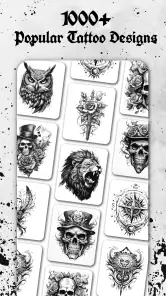
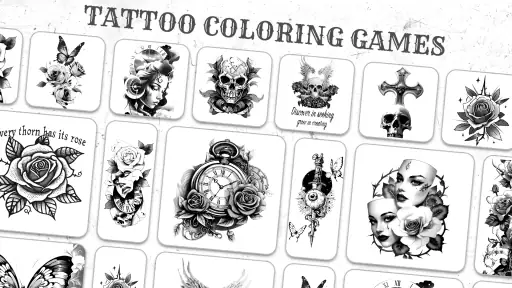
Have you ever looked at a tattoo and thought, “I wonder how that would look in blue rather than black?” Well, wonder no more! Tattoo Coloring apps provide a unique platform to experiment with colors on a variety of tattoo designs. The app offers a wide selection of tattoo styles, from traditional to tribal and everything in between. You can let your creativity run wild without worrying about the permanence of ink on skin.
Coloring Made Easy
The interface of most of these apps is incredibly user-friendly. I found myself diving right in without needing a tutorial. Just select a design, pick your colors, and tap away. The color palette is extensive, allowing for endless combinations. Plus, the app's zoom feature ensures that even the tiniest details are colored to perfection. Talk about satisfying!
The Relaxation Factor
Let’s not forget the zen aspect of coloring. Whether you’re waiting for the bus or just need a break from the hustle and bustle, these apps provide a calming escape. The act of coloring has been shown to reduce stress, and with tattoo designs ranging from simple to intricate, there’s something for every mood. It’s like a mini-vacation in your pocket!
Sharing Your Masterpieces
Once you’ve finished your masterpiece, sharing your work is a breeze. Most apps allow you to save your creations to your device or share them directly on social media platforms. It’s a fun way to show off your artistic flair to friends and maybe even inspire them to give it a try. Who knows, you could start a new digital tattoo art trend!
In conclusion, Tattoo Coloring games are not just for tattoo enthusiasts but for anyone looking to explore their creative side while unwinding. The combination of beautiful designs, easy-to-use features, and the sheer joy of coloring makes these apps a standout choice in the gaming and art app categories. So, why not give it a shot? You might just find your new favorite pastime.
Tattoo Coloring games Pros and Cons
Pros
- Wide range of tattoo designs to color.
- User-friendly interface for easy navigation.
- Offline mode available for coloring anywhere.
- Regular updates with new tattoo designs.
- Suitable for all age groups
- including kids.
Cons
- Contains ads that may interrupt gameplay.
- Limited free designs; in-app purchases needed.
- Some designs are too complex for beginners.
- No option to create custom tattoo designs.
- Color palette could use more variety.
Frequently Asked Questions
What is Tattoo Coloring Games?
Tattoo Coloring Games is a creative mobile application that allows users to explore their artistic skills by coloring various tattoo designs. The app offers a wide range of intricate patterns and styles, catering to both beginners and advanced users interested in tattoo art. With its user-friendly interface, it provides a relaxing and enjoyable experience.
Is Tattoo Coloring Games suitable for all age groups?
Yes, Tattoo Coloring Games is designed to be suitable for all age groups. It features a variety of designs from simple to complex, making it accessible for children, teenagers, and adults alike. The app promotes creativity and relaxation, ensuring that users of any age can enjoy the coloring experience without inappropriate content.
Does Tattoo Coloring Games require an internet connection to function?
No, Tattoo Coloring Games does not require an internet connection to function. Once downloaded, users can access all available designs and features offline. This makes it convenient for users who wish to use the app on the go without worrying about data usage or connectivity issues.
Are there any in-app purchases in Tattoo Coloring Games?
Yes, Tattoo Coloring Games offers in-app purchases. While the app provides a selection of free designs, there are additional premium designs and features available for purchase. Users can choose to buy these to enhance their coloring experience, though it is not necessary to enjoy the basic features of the app.
How can I share my completed tattoo designs with others?
Tattoo Coloring Games allows users to easily share their completed designs with friends and family. The app includes a feature that lets users save their artwork to their device's gallery or share directly via social media platforms such as Instagram, Facebook, or WhatsApp. This encourages users to showcase their creativity and engage with a broader community.


