

Sticker GO!
- Reviews
- 4.3
- Version
- 4.0.280
- Installs
- 1,000,000+

Screenshots
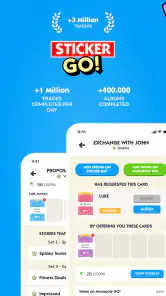
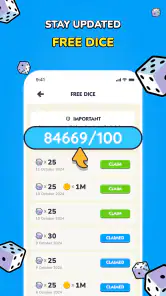
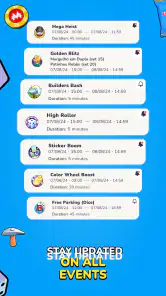
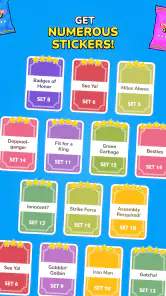
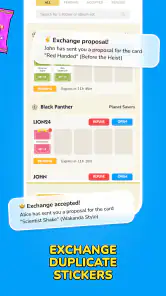

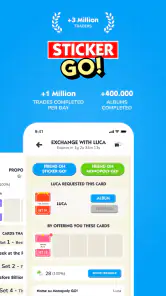
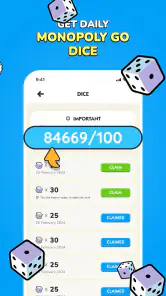
 Analysis by Frivlyz
Have you ever felt the need to spice up your messaging game? If you’re nodding your head, then you might want to take a dive into the colorful world of Sticker GO!. This app promises to transform your regular chats into vibrant conversations, and I’ve taken it for a spin to see if it truly lives up to the hype.
Unleashing Creativity with Stickers
As soon as you open Sticker GO!, you’re greeted with a vast library of stickers, each more eye-catching than the last. The app is incredibly user-friendly, allowing even the most tech-challenged among us to navigate it with ease. The stickers are neatly categorized, making it easy to find exactly what you’re looking for without scrolling endlessly. From adorable animals to quirky memes, the app has something for everyone. It’s like having a giant sticker book right on your phone!
Customization at its Best
One of the standout features of Sticker GO! is its customization options. Not only can you browse through a plethora of ready-made stickers, but you can also create your own. Yes, you heard that right! The app lets you craft personalized stickers from your photos. Whether you want to immortalize a goofy face of your friend or turn your pet into a sticker star, the possibilities are endless. The process is surprisingly straightforward, and before you know it, you’ll have a sticker that’s uniquely yours.
Sharing is Caring
What’s the point of having all these fantastic stickers if you can’t share them? Luckily, Sticker GO! makes it a breeze to share your creations across various platforms. Whether you’re using WhatsApp, Messenger, or any other messaging app, you can easily send your stickers to friends and family. It’s a fun way to express yourself and add a personal touch to your messages. Plus, watching your friends’ reactions to your custom stickers is absolutely priceless!
If you’re worried about compatibility, don’t be. The app plays well with both Android and iOS, ensuring that no one misses out on the sticker fun. And for those who are concerned about storage space, the app is surprisingly lightweight, so it won’t hog up your phone’s memory.
Gaming Stories You May Enjoy

Dancing Road Turns Short Breaks Into a Test of Rhythm and Timing

Super Stylist Makes Every Outfit a Test of Taste and Patience

Dominoes on Your Terms: Who Should Play and Who Should Pass

Pokémon GO Makes the Familiar World Feel New

Chess.com Turns Rematches Into Rivalries, but Community Has Its Costs

Archery Battle 3D Review: Sharp Aiming, Unclear Feedback
Final Thoughts
After spending some time with Sticker GO!, I can confidently say it’s a must-have for anyone who loves adding a splash of creativity to their chats. It’s fun, easy to use, and offers a level of personalization that’s hard to beat. So, if you’re looking to elevate your messaging experience, why not give Sticker GO! a try? You just might find yourself wondering how you ever chatted without it.
Sticker GO! Pros and Cons
Pros
- Easy to use interface
- Wide variety of stickers
- Regular updates
- Custom sticker creation
- Compatible with major apps
Cons
- Contains ads
- Limited free content
- In-app purchases required
- Occasional bugs
- Requires internet connection
Frequently Asked Questions
What is Sticker GO and how does it work?
Sticker GO is a fun and interactive app that allows users to create and share customized stickers with friends and family. The app offers a wide range of templates and editing tools, enabling users to personalize stickers to their liking. Whether you want to enhance your conversations or add some flair to your social media posts, Sticker GO is designed to provide a seamless sticker creation experience.
Is Sticker GO free to download and use?
Sticker GO is available for free download on both Android and iOS platforms. While the basic features are accessible at no cost, the app may offer in-app purchases for premium templates and additional editing tools. Users can enjoy a vast array of functionalities without paying, but opting for premium features can enhance the overall experience.
Are there any age restrictions for using Sticker GO?
Sticker GO is designed to be family-friendly and suitable for all ages. However, it is recommended for users aged 13 and above due to the app's interactive features and the possibility of encountering user-generated content. Parents can rest assured knowing that the app prioritizes user safety and provides a fun environment for all sticker enthusiasts.
How can I share my stickers created in Sticker GO?
Sharing stickers created in Sticker GO is simple and intuitive. Users can easily export their customized stickers to various social media platforms, messaging apps, or save them directly to their device's gallery. The app supports direct sharing options, making it convenient for users to showcase their creations to a broader audience with just a few taps.
Does Sticker GO require an internet connection to function?
While Sticker GO can be used offline for creating and editing stickers, an internet connection is necessary for certain features. Accessing the app's online templates library, downloading new content, and sharing stickers to social media or messaging apps require connectivity. However, users can still enjoy the core functionalities without an internet connection.


