

Spider Solitaire: Card Games
- Reviews
- 4.6
- Version
- 7.5.2.4786
- Installs
- 50,000,000+

Screenshots



 Analysis by Frivlyz
If there's one card game that has been the companion of many during those dreary office hours or lazy Sunday afternoons, it's Solitaire. Enter Spider Solitaire: Card Games, an app that takes this classic pastime to a whole new level. As someone who’s spent quite a bit of time with this app, I’m here to share my experience.
Where this version fits today
MobilityWare’s Spider Solitaire is a free card game for people who want a familiar puzzle they can pick up without a long tutorial or a commitment to a lengthy session. Its appeal is less about novelty than about giving a well-known solitaire format a convenient home on a phone. I find that useful when I have a few quiet minutes and want something more involving than a simple matching game, but not so demanding that I need to set aside an evening.
The game is rated for Everyone, and its broad reach is reflected in an average rating of 4.6 from around 729,000 ratings, alongside more than 50 million installs. Those figures suggest it has found a large audience, though popularity alone does not make it the right fit for every player. If you enjoy planning card sequences and accepting that a deal may take time to untangle, the basic idea should feel immediately approachable.
Our Stories on Spider Solitaire: Card Games
Spider Solitaire: The Ultimate Mobile Escape for 2023
NewsZynga Poker's Strategic Dominance in Mobile Gaming
NewsUnlocking the Secrets of Brain Test 2: Tricky Stories
NewsHow Baby Panda's School Bus Thrives with New OS Updates
NewsFruit Ninja®: Thriving with New OS Enhancements
NewsCarrom Pool: Disc Game – A Nostalgic Strategy for Modern Times
NewsUnraveling the Web of Features
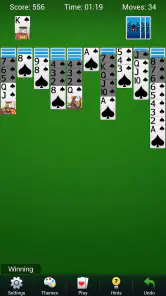
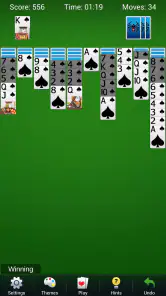
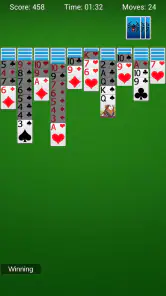
Upon launching the app, you're greeted with a clean, visually appealing interface that sets the tone for an engaging session. The developers have clearly put thought into the design, making it intuitive and user-friendly. You don’t need to be a tech wizard to navigate around. Just a few taps and you’re ready to dive into the game.
The game offers different levels of difficulty, catering to both newbies and seasoned players. Whether you’re looking to casually pass time or challenge your strategic skills, Spider Solitaire: Card Games has got you covered. You can choose from 1, 2, or 4 suit games, each increasing in complexity and offering a unique challenge.
Choosing a difficulty that suits the moment
The suit choices are more than a menu option: they let you decide how much mental bookkeeping you want to do. One-suit play is a sensible place to learn how sequences behave and how quickly an apparently useful move can block another card. Two suits add more sorting decisions, while four suits ask for closer attention to which cards can actually be brought together. I’d start with one suit when playing in a distracted setting, then move up when I can give the board more focus.
A practical habit is to pause before filling every open space or moving a sequence just because the move is available. In Spider, a tidy-looking arrangement can still leave important cards buried. I try to think about whether a move will expose a hidden card or preserve room to reorganize columns; that small check often matters more than making the board look neat. The game is at its best when I treat each deal as a little planning problem rather than a race to clear cards.
Gaming Stories You May Enjoy

Dancing Road Turns Short Breaks Into a Test of Rhythm and Timing

Super Stylist Makes Every Outfit a Test of Taste and Patience

Dominoes on Your Terms: Who Should Play and Who Should Pass

Pokémon GO Makes the Familiar World Feel New

Chess.com Turns Rematches Into Rivalries, but Community Has Its Costs

Archery Battle 3D Review: Sharp Aiming, Unclear Feedback
Gameplay That Hooks You In
What keeps me coming back is the addictive nature of the gameplay. The satisfaction of arranging those cards in perfect order is akin to solving a complex puzzle. The app runs smoothly, with no hiccups or crashes, which is a crucial factor for maintaining that seamless gaming experience.
One of the standout features is the hint system. If you ever find yourself stuck, a quick tap offers a clue to get you back on track. It’s like having a little helper in your pocket, guiding you through those tricky spots without giving away the whole game.
Making hints useful without surrendering the puzzle
I get the most value from a hint when I use it as a nudge rather than an instruction to follow automatically. If I have overlooked a legal move, the clue can get me unstuck; if I already see several possibilities, I would rather compare them myself. That distinction keeps the feature helpful for beginners without taking away the decision-making that makes Spider engaging.
For a short break, I’d choose a lower-suit game and stop after a natural point instead of starting a tougher deal I cannot finish. At home, a four-suit game makes more sense when I have time to review the columns carefully. This is a useful difference from many quick card games: the same app can serve a few minutes of casual play or a more focused session, but the harder mode is not ideal when attention keeps being interrupted.
Visual and Audio Experience
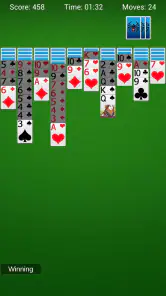
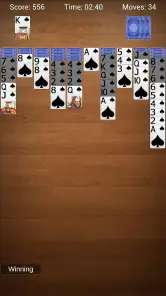
The visuals are crisp, with a variety of card designs and backgrounds to choose from. This customization adds a personal touch to the game, allowing you to tailor it to your mood. Moreover, the subtle sound effects enhance the gameplay without being intrusive. They strike the right balance, keeping the experience immersive without being overwhelming.
For those who prefer a quieter experience, the sound can easily be adjusted or turned off. It's these little touches that make the app considerate of user preferences, enhancing the overall experience.
Everyday play and the trade-offs
I can picture using it during a lunch break when I want a game that will still make sense if I put the phone down and return later. A simple deal is also a good choice while waiting for an appointment, provided I’m comfortable leaving a puzzle unfinished if my turn comes up. Spider is slower and more deliberate than a quick matching game, and that is precisely its strength when I want to focus on a sequence rather than react quickly.
Compared with a physical deck, the app removes the work of dealing and sorting, which makes starting easier, but it also means the tactile feel of moving real cards is gone. Compared with other solitaire games, Spider’s multi-suit challenge gives me more to track than a basic one-suit setup. If I mainly want fast rounds, bright action, or a game built around competition with other people, I would look elsewhere; this is a quiet solo puzzle, not a substitute for those experiences.
Current version, cost, and expectations
The current version is 7.5.2.4786, and the game has been available since September 15, 2011. That long history gives it the feel of an established take on Spider rather than a new experiment. The version number tells me which release is current, but it does not by itself explain what changed between releases, so I would not assume a particular new feature or redesign from that number alone.
The game is free to download, with in-app purchases listed from $1.99 to $29.99 per item. That makes it sensible to try the core experience before spending anything. I would treat purchases as optional rather than necessary to enjoy the card puzzle, and anyone who prefers a strictly purchase-free experience should be comfortable ignoring in-app offers if they appear. The listed minimum operating system is Android 8.0, a useful compatibility point for Android owners checking an older device.
Who will enjoy it—and who may not
I’d recommend it to people who already like solitaire, want a solo game that rewards patience, or would like a gradual way into more complicated card layouts. The choice of one, two, or four suits gives players room to adjust the challenge to their confidence and available attention. It is also a reasonable option for someone who wants a familiar routine rather than a game that constantly asks them to learn new systems.
On the other hand, players who dislike repeated planning, prefer multiplayer, or want every session to end quickly may find Spider’s pace frustrating. Even a clean interface cannot make every deal feel rewarding, and a hint will not turn a difficult board into a completely different kind of game. If your priority is a fast, social card match, a dedicated multiplayer card game would be a better choice than this solitary format.
What I would keep an eye on
For existing players, the main question is whether future versions continue to make the core routine comfortable without distracting from the cards. I would value clear, dependable play and options that help me read the board over changes that add complexity for its own sake. Since the game’s central appeal is the puzzle, any update is most useful when it respects that focused rhythm.
I would also judge the experience over several sessions rather than one lucky win. The variety comes from working through different layouts and choosing a suitable suit level, so the important test is whether I still enjoy thinking through the columns when a deal becomes awkward. That is a more useful measure for a solitaire game than expecting every round to feel dramatically different.
Final Thoughts
In a world where mobile games are often bombarded with ads and in-app purchases, Spider Solitaire: Card Games manages to keep a clean slate. It offers a pure gaming experience, focusing on what truly matters – the game itself. Whether you’re a longtime fan of Solitaire or a curious newcomer, this app is definitely worth a download.
In conclusion, Spider Solitaire: Card Games is a delightful take on a classic game, offering a fresh and engaging experience for players of all levels. It's not just about passing time; it's about enjoying every moment of it. So, if you're looking to add a touch of nostalgia and a dash of fun to your mobile gaming repertoire, this app should be on your radar.
Spider Solitaire: Card Games Pros and Cons
Pros
- Engaging gameplay with classic solitaire rules.
- Daily challenges to keep you entertained.
- Customizable themes for a personalized experience.
- Smooth animations enhance playing experience.
- Offline mode available for uninterrupted play.
Cons
- Ads can be intrusive during gameplay.
- Limited hints can make it challenging for beginners.
- In-app purchases for premium features.
- No multiplayer mode available.
- Occasional lag on older devices.
Frequently Asked Questions
What are the main features of Spider Solitaire: Card Games?
Spider Solitaire: Card Games offers a classic solitaire experience with a modern twist. It features multiple difficulty levels, customizable themes, and daily challenges to keep players engaged. The game also includes helpful hints and undo options, making it accessible for both beginners and seasoned players. Additionally, players can track their progress and compete on leaderboards.
Is Spider Solitaire: Card Games free to play?
Yes, Spider Solitaire: Card Games is free to download and play. However, the app contains ads and offers in-app purchases for an ad-free experience and additional features. Players can enjoy the core game without spending money, but optional purchases can enhance gameplay and remove advertisements.
Can I play Spider Solitaire: Card Games offline?
Spider Solitaire: Card Games can be played offline, allowing users to enjoy the game without an internet connection. This feature is particularly useful for players who want to play on the go or in areas with limited connectivity. However, some features, such as leaderboards and daily challenges, may require an internet connection.
Does Spider Solitaire: Card Games offer any accessibility features?
Yes, Spider Solitaire: Card Games includes several accessibility features to cater to a wide range of players. These features include adjustable font sizes, colorblind modes, and easy-to-read card designs. The game also offers various customization options, allowing players to tailor their gaming experience to their preferences and needs.
How do I contact customer support for Spider Solitaire: Card Games?
If you encounter any issues or have questions about Spider Solitaire: Card Games, you can reach out to the customer support team through the app's settings menu. There, you will find options to contact support via email or through a help center. The team is responsive and committed to assisting players with any concerns or technical difficulties.


