

Spelling Quiz - Word Trivia
- Reviews
- 4.8
- Version
- 3.3
- Installs
- 10,000,000+

Screenshots
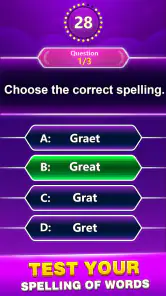
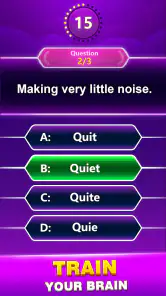
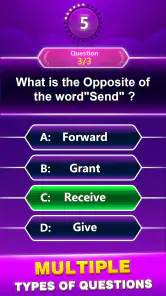
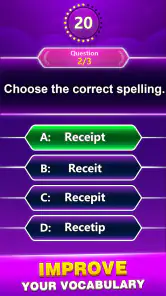



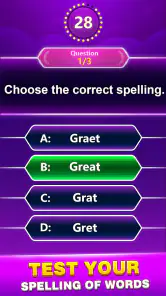
 Analysis by Frivlyz
Spelling Quiz - Word Trivia caught my attention because it pairs a familiar quiz format with a useful goal: paying closer attention to how words are spelled. I like games that fit into a spare moment without asking me to learn a complicated set of rules, and this one is easy to approach. Its first-week appeal is clear, though whether it earns a lasting spot on your phone depends on how much you enjoy short spelling challenges and the routine of returning to them.
How the quiz feels in everyday use
One of the first things I noticed about Spelling Quiz - Word Trivia is its user-friendly interface. As soon as you launch the app, you're greeted with a bright and inviting screen that makes navigation a breeze. The app is designed to cater to both beginners and seasoned word game enthusiasts, offering various levels of difficulty to choose from. Whether you're a newbie or a spelling bee champion, you'll find a challenge that's just right for you.
That low barrier to entry makes it a reasonable choice when you want a quick mental break rather than a long gaming session. I can picture opening it while waiting for a bus or during a quiet moment between tasks: a word question gives the pause a little focus, and it is easy to stop when the interruption ends. For a household, it can also be a casual way to compare answers, especially if players have different confidence levels with spelling. The useful test is not whether you can play for hours, but whether the quiz feels inviting enough to revisit in small doses.
Another standout feature is the game's vast library of words. You'll never run out of new words to learn and spell. Plus, the app frequently updates its word bank, so there's always something fresh to tackle. I particularly enjoyed the "Daily Challenge" feature, which encourages users to engage with the app daily and improve their spelling through consistent practice.
The daily format can turn a passing interest into a simple habit: instead of searching for a new game every time you have a few minutes, you have a ready-made spelling prompt to return to. I would treat that routine as a nudge, not a promise of dramatic improvement. To get more from a question, pause after answering and say the word aloud or use it in a sentence. That small extra step helps connect the spelling to meaning, rather than making each round only a test of recall. If you are playing with a child, talking through why a spelling looks unfamiliar can make the session more useful than racing for a score.
The app also includes a helpful hint system. If you ever find yourself stuck on a particularly tricky word, you can use hints to get back on track. It's a great way to learn without feeling overwhelmed. Plus, the app rewards you with points for every correct answer, which you can use to unlock more hints. Talk about a win-win!
Hints are most valuable when I use them as a learning aid rather than a shortcut to keep a streak alive. When a word catches me out, I would first make a guess, then use help only if I cannot reason it through; that makes the answer easier to remember next time. There is a trade-off, though: a hint system can soften the challenge, so players who want a strict test of spelling may prefer to answer unaided. The points-and-hints loop gives the game a reason to keep playing, but it is worth deciding whether you want practice or simply a fast run of correct answers.
Gaming Stories You May Enjoy

Dancing Road Turns Short Breaks Into a Test of Rhythm and Timing

Super Stylist Makes Every Outfit a Test of Taste and Patience

Dominoes on Your Terms: Who Should Play and Who Should Pass

Pokémon GO Makes the Familiar World Feel New

Chess.com Turns Rematches Into Rivalries, but Community Has Its Costs

Archery Battle 3D Review: Sharp Aiming, Unclear Feedback
What keeps it engaging—and what may wear thin
What truly sets Spelling Quiz - Word Trivia apart from other word games is its competitive edge. The app features a leaderboard that lets you see how you stack up against players from around the globe. If you're the competitive type, you'll love climbing the ranks and showing off your spelling prowess. It's a fantastic way to stay motivated and engaged.
A leaderboard changes the mood of a quiz: instead of measuring only whether you know a word, it gives you a reason to return and see how your performance compares. I would enjoy that if a little competition makes practice more appealing, but I would not treat rank as a measure of vocabulary or learning. A score can reflect time spent and familiarity with the game as much as spelling ability. If competition makes a relaxing word game feel like an obligation, it is perfectly reasonable to ignore that part and use the questions at your own pace.
Moreover, the app is not just about individual play. You can invite friends and family to join in on the fun, challenging them to beat your score. This social aspect adds a layer of excitement and makes spelling practice feel less like a chore and more like a friendly competition.
That makes it a better fit for a quick shared challenge than for a deep multiplayer game night. A useful way to keep the contest friendly is to agree on a short session and compare results afterward, rather than letting every missed answer become a debate. It may work especially well between family members who enjoy word puzzles but do not want to learn a board game's rules. On the other hand, if your group wants collaboration, longer rounds, or a richer social game, a dedicated party or word-building game is likely to offer more variety.
Who is likely to stick with it?
As a word-focused quiz from Topy Games, this is aimed at people who like testing spelling in a straightforward format. The game is free to download and is rated for Everyone, which makes it approachable for a broad audience. It has a 4.8 average from around 91,000 ratings and has passed 10 million installs, so it has found a substantial audience among mobile players. Those figures suggest wide interest, but they cannot tell you whether its pace or question style suits you personally.
I would recommend trying it if you want a compact daily word habit, a low-pressure way to practise, or something to share with a friend who enjoys spelling challenges. It is less compelling for someone who wants a structured language course, detailed explanations of spelling rules, or a conventional crossword with clues and intersecting answers. Those alternatives do different jobs: a course can organize learning, while a crossword asks you to infer words from context. This game is best approached as a quiz, not as a replacement for either.
For a realistic routine, I would use a daily round during a commute or while waiting for an appointment, then note any word that genuinely surprised me and look for it in reading later. That turns an otherwise disposable score into a small vocabulary exercise. If you are playing with a younger learner, take turns explaining how you arrived at an answer; the conversation can reveal whether the word was known, guessed, or solved by elimination. These approaches add value without requiring a long session or turning the game into homework.
Long-term value, cost, and maintenance
The game is free, with optional in-app purchases priced from $0.99 to $49.99 per item. I would start without buying anything and see whether the normal quiz loop is enough for your needs. Since hints and points are part of the experience, think about whether you actually need extra help before spending; the best value will depend on how often you play and whether you enjoy solving words unaided. Keeping purchases optional is particularly useful for a casual player who is still deciding if the daily routine will last.
Its maintenance burden seems modest in the practical sense: this is a small activity you can pick up when convenient, rather than a game that demands a scheduled session. The daily challenge may encourage regular visits, but a missed day should not turn a hobby into a chore. Version 3.3 supports Android 5.0 and later, so the stated minimum system requirement is accessible to many older Android devices. The game was released on July 9, 2021; its ongoing appeal is more likely to come from whether the questions stay enjoyable for you than from novelty alone.
There are also reasons it might lose its shine. Repeated quiz prompts can feel familiar once the initial discovery wears off, and leaderboard chasing can become repetitive if your motivation depends mainly on moving up. A large and refreshed word bank helps, but it does not make every round equally surprising. If you notice yourself tapping through answers without thinking, take a break or change how you play: explain a tricky spelling, challenge someone else, or use the game only when you genuinely want a quick word test.
For readers wondering whether it is suitable for different ages, its Everyone rating gives it a broad starting point, though adults should still decide whether its quiz style matches the learner. If you want a calm, self-paced activity, you can skip the competitive angle and focus on the words. If you want detailed teaching, a progress plan, or a more expansive word puzzle, another kind of app will be a better fit. That distinction matters: a quiz can prompt practice, but it is not automatically a complete learning program.
My lasting verdict
In a world where apps are a dime a dozen, Spelling Quiz - Word Trivia stands out as a must-have for anyone looking to improve their spelling skills while having a blast. Its user-friendly interface, vast word library, and competitive features make it a standout app in the crowded word game market.
I would soften the idea that it is a must-have: it is a good match for people who already enjoy word quizzes, but not an essential tool for every phone. Its strongest case is convenience. The interface makes it approachable, the daily challenge offers a reason to return, and hints let you adjust how much help you want. Its weaker case is depth; someone seeking carefully structured lessons or a different kind of puzzle may soon prefer a specialist alternative.
So, if you're ready to take your spelling skills to the next level, give this app a shot. Trust me, you won't be disappointed. Happy spelling!
My honest advice is to try it as a small, repeatable break rather than expecting it to transform your vocabulary on its own. If you like checking a word, learning from a miss, and occasionally comparing scores with people you know, it can earn a place in your routine after the first-week novelty fades. If you mainly want a rich story, elaborate competition, or formal instruction, I would choose a different game or learning tool. For the right player, though, this is an easygoing way to give spare minutes a little more thought.
Spelling Quiz - Word Trivia Pros and Cons
Pros
- Engaging word challenges.
- Improves vocabulary skills.
- Easy-to-use interface.
- Suitable for all ages.
- Regular updates with new content.
Cons
- Contains in-app purchases.
- Ads can be intrusive.
- Requires internet connection.
- Limited customization options.
- Not available offline.
Frequently Asked Questions
What is Spelling Quiz - Word Trivia?
Spelling Quiz - Word Trivia is an engaging mobile game designed to test and enhance your spelling skills through a series of fun and challenging quizzes. The app offers various levels of difficulty, allowing users to improve their vocabulary and spelling capabilities while enjoying a trivia-like gaming experience.
How does Spelling Quiz - Word Trivia improve my spelling skills?
Spelling Quiz - Word Trivia improves your spelling skills by presenting you with a variety of words to spell correctly in quiz format. As you progress through different levels, the words become increasingly challenging, helping to expand your vocabulary and reinforce correct spelling through repetition and practice.
Is Spelling Quiz - Word Trivia suitable for all age groups?
Yes, Spelling Quiz - Word Trivia is suitable for all age groups. The game is designed to cater to both children and adults, with varying levels of difficulty to match the user's skill level. Whether you're a young learner or an adult looking to refine your spelling, this app provides an enjoyable and educational experience for everyone.
Does Spelling Quiz - Word Trivia require an internet connection to play?
No, Spelling Quiz - Word Trivia does not require a constant internet connection to play. Users can enjoy the app offline, making it a convenient option for on-the-go entertainment and learning. However, some features or updates may need a connection, so checking periodically is advisable.
Are there in-app purchases in Spelling Quiz - Word Trivia?
Yes, Spelling Quiz - Word Trivia does offer in-app purchases. While the basic version of the game is free to play, users have the option to buy additional features, such as ad-free experiences or extra challenges, enhancing the gameplay and providing a more tailored experience depending on the user's preferences.


