

Spelling & Phonics: Kids Games
- Reviews
- 4.7
- Version
- Varies with device
- Installs
- 10,000,000+

Screenshots
 Analysis by Frivlyz
I judge an early-learning game less by how long it holds a child’s attention than by what the child is doing while it has that attention. With Spelling & Phonics: Kids Games, the useful question is whether a quick turn on a phone or tablet can make letters and sounds feel approachable, rather than like another worksheet. I find it most promising as a short, supervised practice activity: a child tries a task, sees what happens, and can decide whether to have another go.
That makes it a different kind of choice from putting on a phonics video. A video can be easier when an adult needs a few quiet minutes, but it asks the child mainly to watch. A spelling game invites a response, which is valuable when a young learner is ready to tap, compare, and try again. I would still treat it as one small part of learning, not a replacement for reading picture books together, talking about letter sounds, or practising pencil control away from the screen.
A useful fit for small pockets of time
The game is aimed at toddlers, preschoolers, and kindergarten-age children, so I would start with the child’s comfort rather than their age alone. Some children enjoy exploring letter shapes before they can spell; others may already know a few sounds and want a more direct challenge. Sitting alongside a child for the first session helps you see whether the activities feel inviting or whether the prompts move too quickly for them.
A realistic use is a brief turn while waiting for an appointment or during a quiet stretch at home. I would choose a moment when the child is not already tired or frustrated, then stay nearby to ask simple questions: “What sound do you hear?” or “Which letter would you try?” That turns tapping into a conversation instead of leaving the screen to do all the teaching. It also gives an adult a chance to notice whether the child is recognising a sound or simply guessing from the pictures.
How I would guide the first attempts
For a child new to spelling games, I would avoid treating a wrong answer as a test result. Let them make a choice, pause, and explain what they noticed. If they are unsure, you can say the sound aloud or point out a letter in a book nearby, then let them return to the game. This gentle back-and-forth is more useful than taking over the device and completing the task for them.
One practical tip is to keep the first session short enough to end on a calm note, even if the child wants to continue. You can invite them to tell you one letter or sound they remember before putting the device away. That gives the activity a natural stopping point and helps you judge whether another session should focus on the same skill or simply offer a fresh turn. I would not use a child’s speed or number of completed activities as a measure of reading readiness.
Engaging Learning Experience
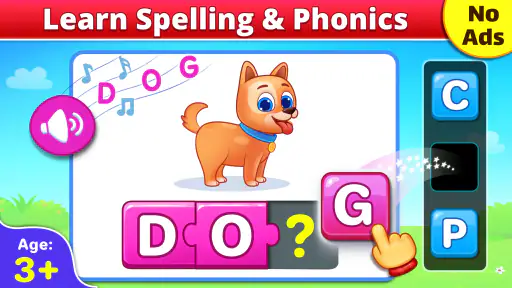
Right off the bat, Spelling & Phonics: Kids Games impresses with its vivid graphics and interactive interface. Kids are naturally drawn to bright colors and engaging animations, and this app delivers on all fronts. It’s designed to cater to early learners, helping them grasp the basics of spelling and phonics with ease. My little one was hooked from the start, eager to explore each new game.
Gaming Stories You May Enjoy

Dancing Road Turns Short Breaks Into a Test of Rhythm and Timing

Super Stylist Makes Every Outfit a Test of Taste and Patience

Dominoes on Your Terms: Who Should Play and Who Should Pass

Pokémon GO Makes the Familiar World Feel New

Chess.com Turns Rematches Into Rivalries, but Community Has Its Costs

Archery Battle 3D Review: Sharp Aiming, Unclear Feedback
Variety of Games
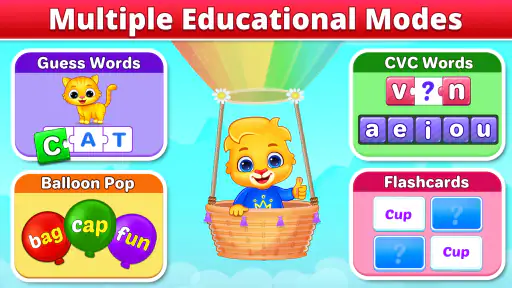
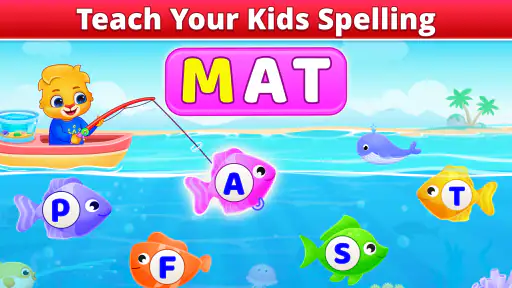
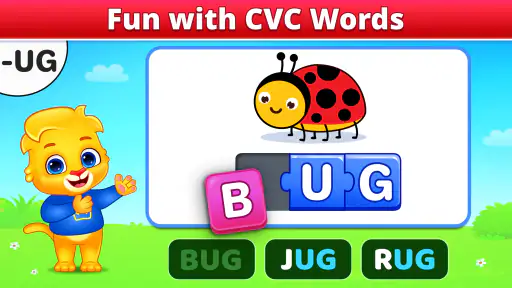
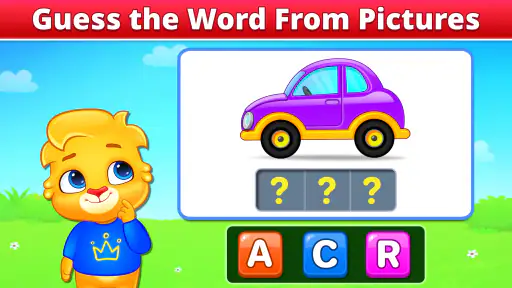
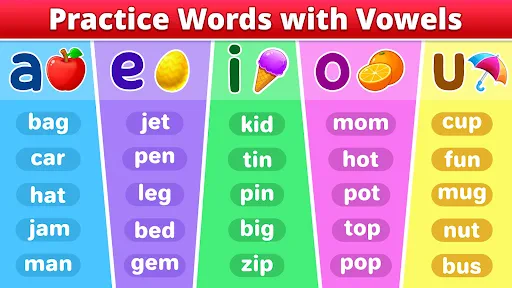
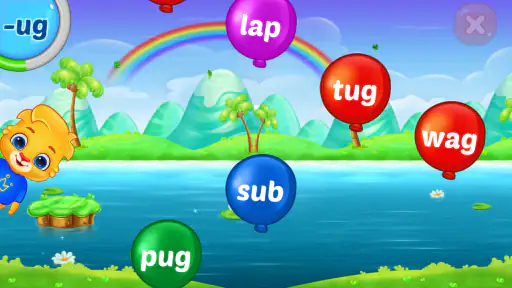
The app boasts a variety of mini-games that target different aspects of spelling and phonics. Whether it's matching words with pictures, sorting letters to form correct spellings, or engaging in phonetic exercises, there's something for every learning style. I particularly loved the letter tracing feature, which guides kids to write letters correctly. It's like having a personal tutor in your pocket!
The mix matters because early literacy is not one single skill. Matching a picture to a word can help a child connect print with meaning, while arranging letters asks them to notice order. Tracing offers a different kind of interaction: it can make letter formation feel more concrete than repeated tapping. I would watch whether a child is paying attention to the letter itself or rushing through because the activity looks like a game; that tells me when to slow down and talk through a choice.
There is a trade-off with any touchscreen practice. A child can trace with a finger, but that is not the same movement as holding a pencil, so I would pair the activity with drawing or making letters on paper when handwriting is the goal. Likewise, picture clues are helpful for beginners, but an adult can occasionally ask the child to listen for the sound before looking closely at the image. That small change encourages listening rather than relying only on visual hints.
Adaptive Learning Path
One of the standout features of this app is its adaptive learning path. The app cleverly adjusts the difficulty level based on your child's progress. This means they’re constantly challenged but never overwhelmed, striking the perfect balance between fun and learning. It’s rewarding to see their confidence grow as they master each level.
For a caregiver, the most useful way to think about that progression is as a guide for practice, not a full picture of what a child knows. A child may do well in a familiar game and still need help hearing the same sound in a new word. If a level seems easy, I would connect it to something outside the app—spotting a letter on a cereal box, for example—rather than assuming the skill has transferred automatically. If it feels hard, taking a break or offering a spoken hint is often kinder than repeating the same attempt until the child loses interest.
That is also why I would not leave a young child to use an educational game entirely on autopilot. The app can provide a prompt and a response, while an adult can notice confusion, celebrate effort, and relate the task to everyday language. For independent play, it may suit a child who already understands how to navigate simple activities; a younger toddler may get more from sitting with a parent and taking turns.
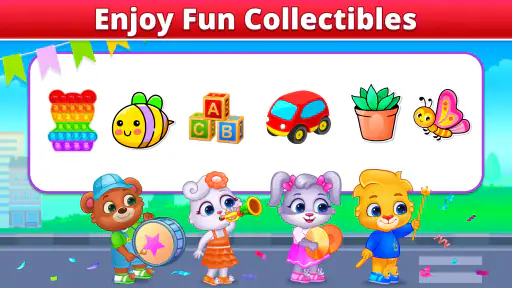
The developers really nailed it with the rewards system, too. Kids earn stars and badges as they progress, which keeps them motivated and eager to continue. It's amazing how a little digital gold star can light up their faces!
Reward, stopping points, and safety
The reward can make another round appealing, but I would keep the praise focused on effort: trying a sound, noticing a letter, or sticking with a tricky choice. Stars and badges are satisfying signals that a turn has gone well; they do not need to become a reason to bargain for unlimited screen time. A simple routine—finish an activity, talk about one thing learned, then put the device away—lets the child enjoy the reward without making the game the only source of encouragement.
When a session ends, I would reset the mood rather than immediately ask for more. A child can choose a related offline activity, such as finding a letter on a book cover or drawing one they just traced. This is a useful way to see whether the game has sparked curiosity beyond the screen. It also gives an adult a chance to notice if the child is ready for another session later or would benefit more from a break.
As a parent, safety is always a top priority. I appreciate that the app includes robust parental controls. You can set playtime limits and monitor your child's progress through detailed reports. There are no pesky ads or in-app purchases, so you can let your child explore without worry.
The game is free, rated for everyone, and developed by RV AppStudios. It has a 4.7 average from around 25,000 ratings, with over 10 million installs. Those figures suggest that many families have tried it, but they cannot tell me whether its particular activities suit an individual child. I would still explore it together first and check the controls on the device you plan to use, especially if a child is likely to tap around without help.
Where it fits among learning options
Compared with alphabet videos, this game offers a more active turn: the child has to respond rather than just watch. Compared with paper flashcards, it can make practice feel more playful and provide an immediate game response, while cards are easier to use anywhere and let an adult tailor every question. Compared with a broad early-learning app, a spelling-and-phonics focus can be useful when letters and sounds are the main goal, but it is not the same as a complete reading curriculum. I would choose based on the moment: screen interaction for a short, guided practice session; a book, conversation, or paper activity when the child needs a slower pace or hands-on work.
It may not be the right choice for a child who becomes upset when a game signals a mistake, who is not yet comfortable with touchscreen controls, or who needs more direct adult instruction than a game can provide. It is also a poor substitute if the goal is sustained handwriting practice or reading a full story. In those situations, I would choose a calm shared book, simple letter cards, or an activity with an adult instead, and return to the game only when it feels enjoyable.
Families may reasonably wonder whether a child can use it alone, whether it suits a toddler, and how long a session should last. My answer is to begin together, particularly with a very young child, and let their attention and mood set the limit rather than aiming for a fixed amount of play. A child who can follow simple prompts may manage more independently, while one who needs help identifying sounds will benefit from an adult nearby. I would also treat the progress information as a conversation starter, not a diagnosis or a substitute for guidance from a child’s teacher.
The bigger question is whether the game gives a child a reason to return. Its loop has a clear shape: choose or respond to a literacy task, get feedback, earn a small reward, and either try another activity or stop. That can work well when a child enjoys seeing what comes next, but the loop is only worthwhile if the learning remains the point. I would begin another session when the child is curious and willing, not simply because a badge or level is waiting.
My take on the repeat-play loop
In conclusion, Spelling & Phonics: Kids Games is a must-have for any parent looking to make learning both fun and effective. With its engaging games, adaptive learning paths, and top-notch safety features, it’s an app that truly grows with your child. Whether you're at home or on the go, this app is a fantastic tool to have on hand. So, what's stopping you? Go ahead and give it a download – your child's next adventure in learning awaits!
I would recommend it most to families who want an approachable way to add short spelling and sound practice to a child’s day, especially when an adult can join in at the start. The game’s strongest case is not that it replaces books or teaching, but that it can turn a spare few minutes into a chance to notice letters and talk about sounds. If your child enjoys the action-feedback-reward rhythm, it may be worth keeping available for occasional sessions; if they need quieter, more personal instruction, an offline activity may be the better choice.
Spelling & Phonics: Kids Games Pros and Cons
Pros
- Engaging and interactive for kids.
- Improves spelling skills effectively.
- Colorful graphics enhance learning.
- Easy to navigate for young users.
- Develops phonics understanding well.
Cons
- Limited free content available.
- Some ads disrupt gameplay.
- Requires internet for full access.
- Occasional app crashes reported.
- In-app purchases can be pricey.
Frequently Asked Questions
What age group is Spelling & Phonics: Kids Games suitable for?
Spelling & Phonics: Kids Games is designed for children in the early learning stages, typically aged 3 to 8 years old. The app provides age-appropriate content that helps young learners develop their spelling and phonics skills through engaging and interactive games, making it ideal for preschoolers and early elementary school children.
Does Spelling & Phonics: Kids Games require an internet connection to play?
No, Spelling & Phonics: Kids Games does not require an internet connection to play. Once the app is downloaded, children can enjoy the educational games and activities offline, making it a convenient choice for parents looking for on-the-go learning solutions without the need for constant internet access.
Are there in-app purchases or ads in Spelling & Phonics: Kids Games?
Spelling & Phonics: Kids Games offers a free version with basic features, but it may include ads. To unlock additional content and remove advertisements, parents can choose to make in-app purchases. This ensures a more comprehensive learning experience for children while supporting the app's development.
Is Spelling & Phonics: Kids Games available for both Android and iOS devices?
Yes, Spelling & Phonics: Kids Games is available for download on both Android and iOS devices. Parents can easily find the app in the Google Play Store or the Apple App Store, ensuring that a wide range of users can access and benefit from the educational content provided by the app.
How does Spelling & Phonics: Kids Games support learning and development?
Spelling & Phonics: Kids Games supports learning and development by offering interactive and fun educational activities that enhance children's phonics and spelling skills. The app uses colorful graphics, engaging animations, and sound effects to capture children's attention, promoting active learning and helping to build a strong foundation in literacy.


