

Spades - Card Game
- Reviews
- 4.7
- Version
- 1.40.3
- Installs
- 5,000,000+

Screenshots
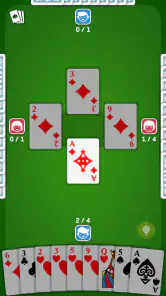
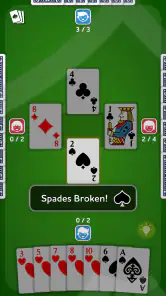
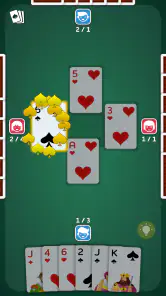
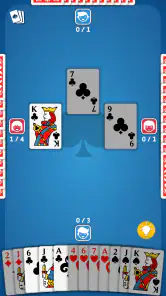
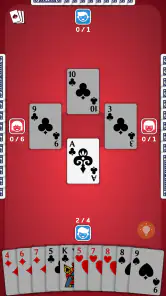
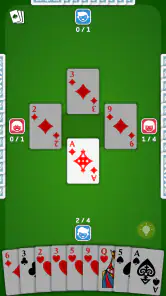
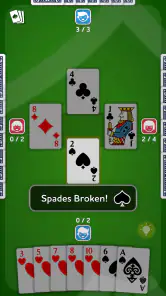
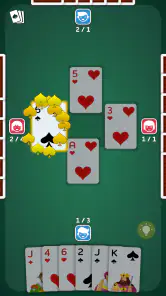
 Analysis by Frivlyz
When a card game is part of a household’s routine, the practical question is not only whether it is fun, but whether it fits the way people actually share a phone or tablet. Spades - Card Game is a free card game from Blackout Lab, and I find its appeal easiest to understand as a quick way to get into a familiar trick-taking game without gathering a physical deck. It can suit a short break, a quiet evening, or a moment when one person wants to play while others nearby do something else.
A shared device needs clear turns
Spades is a partnership game, so the decisions are more interesting than simply playing the highest card in your hand. You have to think about how many tricks your side can take, what your partner’s cards might suggest, and when it is safer to hold back. That gives a shared-device session a natural rhythm: one person can make a move, pass the device to the next player, and talk through the choice if everyone is playing together.
For a household using one screen, I would treat the app as a turn-taking activity rather than assume it works like a pass-and-play game. The published description does not establish a local shared-screen mode, so I would not plan a family game night around that assumption. If each person wants an independent game, taking turns on the same device is the simpler expectation; if everyone wants to play at once, a physical deck or a game explicitly designed for local multiplayer may be a better fit.
Keep play separate from household accounts
Before letting someone else use a device, I would check whose account is active and what the person can reach on that device. That is ordinary shared-device housekeeping, not a special feature of the game. Keeping a child’s play separate from an adult’s other apps and account activity is useful in general, and it avoids treating a casual card game as if it automatically provides family profiles or parental controls.
The game is listed as free, which makes trying it low-commitment, but free does not tell me everything about the way a particular session is presented. I would still look at the screen with a younger player and decide whether the social parts suit them. If you prefer a completely offline family activity with no shared account or online interaction to think about, a regular deck keeps those boundaries straightforward.
Making time for a game without coordinating a group
One practical strength of a digital spades game is that it can fill a gap when the people you usually play with are busy. You can open a card game during a quiet stretch instead of arranging a table, finding a deck, and waiting for three other players. The app’s store summary presents it as something to play at flexible times, and that broad convenience is the part I would value most in everyday use.
There is a trade-off between playing with people and playing on your own. The published description of this app’s earlier review mentions opponents online and AI, as well as chat, teams, tournaments, and rankings. Those features can make a session feel more social or competitive, but they also make the experience different from a relaxed game with family around a table. If your priority is conversation with people in the same room, the physical version still wins; if you want a game without arranging a group, a digital opponent can be more convenient.
Gaming Stories You May Enjoy

Dancing Road Turns Short Breaks Into a Test of Rhythm and Timing

Super Stylist Makes Every Outfit a Test of Taste and Patience

Dominoes on Your Terms: Who Should Play and Who Should Pass

Pokémon GO Makes the Familiar World Feel New

Chess.com Turns Rematches Into Rivalries, but Community Has Its Costs

Archery Battle 3D Review: Sharp Aiming, Unclear Feedback
Getting into the Game
The first thing I noticed when I launched the app was its clean and intuitive interface. It’s straightforward, which is perfect because who needs a complicated setup when all you want is to jump into a game of spades? With just a few taps, you're matched up with players from around the world, or if you're feeling a bit introverted, you can play against some pretty clever AI opponents.
Learning the logic, not just the buttons
Spades is approachable once the basic rules are familiar, but a newcomer may need more than a quick look at the cards to understand why a bid matters. I would use the tutorial mentioned in the app’s earlier description as a starting point, then pay attention to the relationship between the bid and the tricks actually taken. A useful habit is to consider what your hand can realistically support before committing, rather than treating every strong-looking card as a reason to chase extra tricks.
For a first session, I would focus on one decision at a time: follow suit when required, notice which high cards have already appeared, and think about what your partner’s play could mean. That makes losses informative instead of frustrating. It also gives experienced players a reason to keep their attention on the table; a familiar ruleset can still reward careful timing and memory.
One point worth considering before handing the device to a beginner is that learning the rules and learning the app’s social environment are separate things. A tutorial can help explain play, while a conversation with other users is a different experience. I would introduce the rules first and let the new player decide whether they want any social interaction, rather than making chat part of the lesson.
A World of Features
What really sets this app apart is its versatility. There's a variety of game modes, from classic spades to some innovative twists that keep the gameplay fresh. You can customize your gaming experience with different card designs and tables, which is a nice touch for those who like a bit of personalization.
The app also features a comprehensive tutorial for newcomers. So, if you're new to the game or just a bit rusty, it’s got you covered. And let's not forget about the chat feature - it's a great way to engage with other players, share a laugh, or even indulge in some friendly banter.
Choosing a mode that matches your mood
Different game modes can help keep a familiar card game from feeling repetitive, but variety is not automatically an advantage for everyone. If you are still learning, I would begin with the classic rules and avoid switching to a variant until you know which decisions are part of spades itself and which belong to a special mode. That makes it easier to understand why a hand went well or badly, and it gives you a reliable baseline before experimenting.
Personalized card designs and tables are a small but useful comfort feature: they let you make the playing surface feel more like yours. I would treat them as visual preferences rather than gameplay improvements. If you care most about a plain, low-distraction layout, customization may matter less than clear card visibility; if you spend a lot of time in the game, a look you enjoy can make repeated sessions feel more inviting.
Compared with solitaire, this game asks you to think about a partner and opponents, not just the cards in your own hand. Compared with a physical deck, it removes the need to deal and keeps play available when other people are not around, but it cannot reproduce the same face-to-face conversation. That is why I see it as a convenient digital option for spades rather than a replacement for every kind of card-night experience.
Why You'll Love It
One of the standout features of this app is its social element. You can form teams, participate in tournaments, and climb the ranks. This competitive aspect makes it more than just a card game; it’s a community where you can test your skills against players from all over the globe.
Moreover, the app doesn’t bombard you with ads, which is a huge relief. You get to enjoy uninterrupted play, and that’s something I really appreciate. Plus, the app runs smoothly without any annoying lags or crashes, at least from my experience.
When social play helps—and when it gets in the way
Teams and tournaments give players a reason to return beyond a single hand, especially if they enjoy measuring progress against other people. They are most appealing when you want a shared competitive goal and are comfortable spending attention on ranks. If you only want to relax for a few minutes, that competitive framing may feel like extra pressure; I would choose a simpler session instead of turning every game into a test of performance.
Chat can add personality, but it is not necessary to enjoy the card decisions. In a household, I would make that distinction clear to younger players: they can learn the game without needing to join conversations. Adults who prefer a quieter experience can also focus on the cards and treat social interaction as optional rather than the main reason to play.
My experience with smooth play and restrained advertising is positive, but it is still an individual impression, not a guarantee for every device or connection. If a game stutters or an online session feels unreliable, it is worth checking whether the issue is specific to the current device or network before deciding the card game itself is a poor match. For someone who needs dependable offline play above all else, a physical deck or an offline-first alternative may be the safer choice.
Age, trust, and a sensible first session
The game carries an Everyone age rating, which makes it broadly suitable by content classification, but that does not replace a parent’s judgment about online interaction or screen habits. I would let a child start with the basic card play, stay nearby while they get oriented, and decide together whether chat or competitive features are appropriate. That is a practical household boundary, not a claim that the app provides a family-management system.
For adults sharing a device with children, a simple routine can avoid confusion: make sure the right person is using the device, explain that the game includes social elements, and agree on when play should stop. For older relatives who already know spades, the intuitive interface and tutorial may make it easier to return to the game without asking someone to explain every screen. The right approach depends less on age alone than on familiarity with cards and comfort with online play.
When deciding whether to install it, I would ask three practical questions. Do you want spades specifically, rather than a solo puzzle? Are you happy with digital opponents or online play when your usual group is unavailable? And will the person using the device be comfortable with the app’s social options? A yes to the first two makes it a stronger fit; uncertainty about the last one is a reason to supervise the first session and set expectations.
How it fits into the wider card-game shelf
There are plenty of ways to play cards on a phone, but this title has a clear niche: it focuses on spades rather than trying to be a broad collection of unrelated games. That focus is useful if you already enjoy the partnership and bidding decisions. If you are looking for a casual game that can be understood instantly without learning trick-taking rules, a simpler matching game may be easier to hand to a first-time player.
It is also a different choice from a purely solo card game. Spades depends on reading the likely shape of a hand and coordinating with a partner, so the appeal is strongest for people who enjoy strategic decisions and a little uncertainty. Someone who dislikes competition, wants no online social elements, or prefers games where every move is fully under their control may be happier with solitaire or another single-player option.
The app is free and rated for Everyone, with an average rating of 4.7 from around 212,000 ratings. More than five million installs show that it has reached a broad audience, while about 10,000 written reviews offer additional player feedback to consider. Blackout Lab released it on April 16, 2021, and version 1.40.3 supports Android 6.0 and later. Those details make it easy to judge basic compatibility, but my recommendation still comes down to whether you enjoy spades and want its digital social or AI play.
Final Thoughts
If you're a fan of card games and are looking for something fun and engaging, Spades - Card Game is definitely worth checking out. With its user-friendly design, variety of features, and social interaction capabilities, it offers a comprehensive gaming experience. So, download it, shuffle those digital cards, and let the game begin!
My household verdict
I would recommend it to a spades fan who wants a convenient way to practice, play against AI, or join a broader community without organizing a table first. It is also a reasonable option for a household where one person already knows the rules and can help a newcomer get started. The tutorial, familiar card format, and ability to choose between different styles of play make it easier to approach than arranging a full game from scratch.
I would skip it if your main goal is face-to-face family play on one shared screen, if you want a card game with no online social dimension, or if spades’ bidding and partnership strategy simply do not appeal to you. In those cases, a physical deck, a dedicated local-multiplayer title, or a simpler solo card game is likely a better match. For everyone else, this is a focused and accessible way to keep a classic partnership game close at hand.
Spades - Card Game Pros and Cons
Pros
- Engaging multiplayer experience
- Customizable game settings
- User-friendly interface
- Smooth graphics and animations
- Fair matchmaking system
Cons
- Occasional connectivity issues
- Ads can be intrusive
- Limited offline features
- In-app purchases can be pricey
- Some bugs in the chat feature
Frequently Asked Questions
What features does Spades - Card Game offer?
Spades - Card Game offers a rich gaming experience with both single-player and multiplayer modes. Players can engage in various difficulty levels, customize their avatar, and participate in tournaments. The app also includes a leaderboard to track progress and achievements, and players can chat with opponents during games to enhance the social experience.
Is Spades - Card Game free to download and play?
Yes, Spades - Card Game is free to download and play. However, it does offer in-app purchases, which can enhance gameplay through additional features or by removing ads. These purchases are optional, and players can still enjoy a full gaming experience without spending money.
Can I play Spades - Card Game offline?
Yes, you can play Spades - Card Game offline in single-player mode. This allows players to enjoy the game without an internet connection, making it perfect for traveling or when connectivity is limited. However, to access multiplayer features or update leaderboards, an internet connection is required.
How can I improve my skills in Spades - Card Game?
Improving skills in Spades - Card Game involves regular practice and learning strategies. The app provides a tutorial for beginners and various difficulty levels to challenge players. Additionally, watching how experienced players strategize can offer insights. Participating in tournaments is another great way to refine skills and become a proficient player.
Are there any age restrictions for playing Spades - Card Game?
Spades - Card Game is designed for players of all ages, but it is generally recommended for ages 12 and up due to the strategic thinking required. There is no explicit content, making it family-friendly. Parents can feel comfortable allowing their children to play, knowing it can also improve cognitive skills.


