

Solitaire HD - Card Games
- Reviews
- 4.7
- Version
- 1.9.1
- Installs
- 5,000,000+

Screenshots
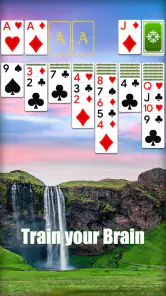
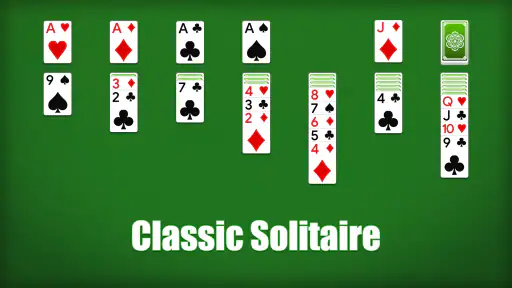
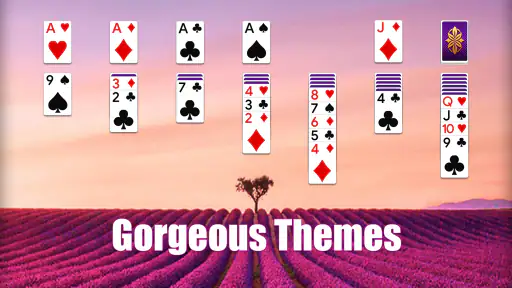
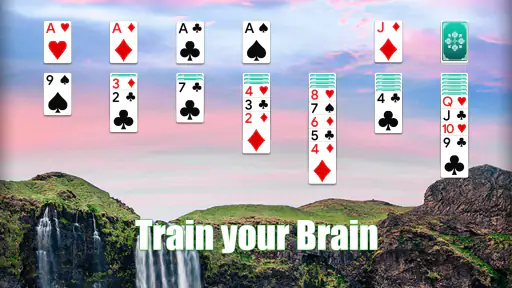
 Analysis by Frivlyz
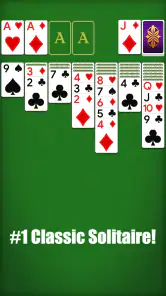
The first thing I’d tell a new player is not to expect a complicated card game with a long learning curve. Solitaire HD - Card Games is a straightforward solitaire game for the small gaps in a day: a quiet break, a commute when you can comfortably look at your screen, or a few minutes before bed. I like that the basic appeal is familiar. You can focus on arranging the cards rather than learning a new set of rules before you can enjoy a round.
What to expect from a familiar card game
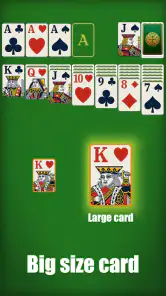
This is a free card game from EasyFun Puzzle Game Studio, and its central idea is classic patience-style solitaire. The familiar format makes it approachable if you have played with a physical deck or another digital version, while the large, clear card presentation is useful when you want to follow a tableau without squinting. The game is rated for Everyone, so it is also an easy choice to share with a younger player who already knows the basic rules.
It has a 4.7 average from around 40,000 ratings, and has been installed over 5 million times. Those figures suggest that it has found a broad audience, though popularity alone cannot tell you whether its pace will suit you. The important question is whether you want a calm, familiar solo game or something with more variety, competition, or story. If the first description sounds right, this is a sensible place to start.
Getting comfortable before the first deal
When I try a new solitaire app, I first check whether the cards are easy to distinguish and whether the main play area makes the legal moves clear. Here, the HD presentation helps the cards stand out, and the interface feels simple enough to approach without a tutorial-heavy setup. Take a moment to look over the board before moving anything. That small pause helps you spot face-down cards and avoid shifting a card simply because it is the first move you notice.
The game is currently at version 1.9.1 and requires Android 6.0 or later. It is free to download, with optional in-app purchases priced from $0.99 to $99.99 per item. I would treat those purchases as something to review carefully rather than a necessary part of starting: first see whether the basic solitaire loop is enough for you, and check the purchase details before confirming anything. That is especially useful if you are setting it up on a shared device.
How to turn a first deal into a useful win
For a first session, I would play slowly rather than chase a quick finish. Look for moves that uncover a face-down card, since revealing more of the tableau can open choices that were hidden a moment earlier. When two moves seem equally attractive, consider which one leaves you with more flexibility instead of immediately filling an empty space or moving a card just because it fits. The point is not to overthink every turn; it is to build a habit of checking what a move makes possible next.
If you make a mistake, the undo button can help you see how the position changes when you take a different route. I find it more useful as a learning aid than as a way to erase every imperfect choice. Hints can also get a stalled game moving, but I would use one after scanning the board myself. That way, the prompt becomes a nudge rather than a substitute for understanding why a move works. Those two tools make the first successful game feel less intimidating without removing the satisfaction of finding a route through the cards.
Gaming Stories You May Enjoy

Dancing Road Turns Short Breaks Into a Test of Rhythm and Timing

Super Stylist Makes Every Outfit a Test of Taste and Patience

Dominoes on Your Terms: Who Should Play and Who Should Pass

Pokémon GO Makes the Familiar World Feel New

Chess.com Turns Rematches Into Rivalries, but Community Has Its Costs

Archery Battle 3D Review: Sharp Aiming, Unclear Feedback
Playing Cards in Style
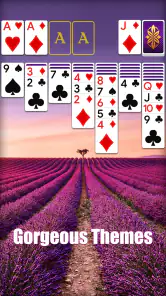
First things first, let’s chat about the visuals because, honestly, they’re what caught my eye. The app boasts some stunning HD graphics that make playing solitaire feel like a premium experience. The cards are crisp, clear, and beautifully designed. The interface is intuitive, which means you won’t be fumbling around trying to figure out what to do next. Plus, there’s a variety of card styles and backgrounds to choose from, so you can customize your game to suit your mood. It’s like dressing up your cards for a fancy night out!
Features That Keep You Hooked
Now, onto the features. Solitaire HD - Card Games isn’t just your regular deck of cards. Oh no, it’s packed with a bunch of cool features that keep things fresh and exciting. There’s an undo button, which is a lifesaver for those moments when you accidentally move the wrong card. There's also a hint system if you find yourself stuck and staring blankly at the screen. Trust me, it happens more often than you’d think!
Another thing I love is the daily challenges. They add a layer of fun and give you something to look forward to every day. Completing these challenges earns you trophies, and let’s be honest, who doesn’t like collecting shiny things? The app also tracks your stats, so you can see how much you’ve improved over time. It’s pretty satisfying to watch your win rate climb up!
Making the daily routine more rewarding
Those challenges and stats change how I use the game. On a day when I have only a few spare minutes, I can treat a round as a small mental reset rather than commit to a long session. When I have more time, I can look back at my results and notice whether I am making progress or simply relying on luck. I would avoid judging myself by a short run of wins or losses, though: a few games are not enough to tell you much about your overall play.
A practical routine is to use a hint only after you have checked the exposed cards and considered what turning over a face-down card might unlock. Then, if you do use a hint, take a second to understand why that move is suggested. This turns a convenience feature into a way to learn the game’s logic. Similarly, undo is most helpful when you are comparing two choices, not when you are endlessly rewinding until the board happens to work out. The app is relaxing, but a little deliberate play gives it more lasting value.
Where it fits among solitaire alternatives
Compared with a plain digital deck or a basic solitaire game, this version gives you more reasons to return: visual customization, challenges, trophies, and progress tracking sit alongside the familiar card play. That makes it a better fit for someone who likes a small goal attached to a casual round. If you mainly want the most stripped-down possible version, a simpler alternative may feel cleaner, especially if you do not care about challenges or collecting rewards.
It is also different from competitive card games, where opponents, timed turns, or changing rules can create pressure. Solitaire HD is better suited to playing at your own pace and pausing to think. On the other hand, anyone looking for social play, head-to-head matches, or a broad range of card-game rules should choose a different kind of app. Its appeal is focused: one familiar solo activity, made more approachable by clear cards and a few reasons to keep practising.
Small limitations worth knowing before you settle in
Solitaire can become repetitive, and this app’s familiar format is both its comfort and its limitation. The challenges and visual options add variety around the edges, but they do not change the basic nature of arranging cards. If you need a strong sense of novelty each time you open a game, a puzzle game with changing mechanics is likely to hold your attention better. Likewise, a player who dislikes tracking progress or reward prompts may prefer a simpler interface and fewer extras.
The game is free to download, but the range of optional purchase prices is wide enough that I would not tap through payment screens casually. A free start is useful for deciding whether the game suits you; it is not a reason to buy an item without checking its exact contents and price first. For a child or a shared family device, I would review purchase settings beforehand. That is a sensible precaution for any game with in-app purchases, not a reason to avoid trying a free round.
Who will enjoy it, and who should pass
I would recommend it to someone who wants a low-pressure solo game, enjoys traditional solitaire, and appreciates being able to adjust the look of the cards and background. It also suits a first-time digital solitaire player who wants to learn at their own pace: the undo and hint tools offer a safety net, while the stats provide a gentle reason to notice improvement. A realistic use is a short round during a quiet lunch break, with the game put away when the break ends rather than turned into another demanding task.
I would steer a different player elsewhere if they want multiplayer competition, a constant stream of new rules, or a game that requires quick reactions. It may also be a poor match if you find solitaire itself too repetitive, regardless of its presentation. Before installing, the practical checks are simple: confirm that your device runs Android 6.0 or later, decide whether optional purchases are acceptable on the device, and consider whether a quiet solo card game is actually what you want.
Why I Keep Coming Back
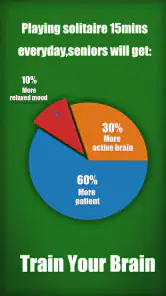
Let’s talk about why this app has become a staple on my phone. It’s simple, really. Solitaire HD - Card Games offers a perfect mix of relaxation and mental stimulation. It’s the kind of game that’s easy to pick up but hard to put down. Whether I’m killing time in a waiting room or just unwinding after a long day, it’s my go-to.
And let’s not forget, there are no intrusive ads popping up every two seconds. It’s so refreshing to play without interruption. Also, the app runs smoothly without any glitches, which is crucial for maintaining my zen during gameplay.
A calm choice when the mood is right
My strongest recommendation is to approach it as a dependable little pastime, not as a game that needs to occupy every spare moment. Start with one deal, use the board to practise spotting useful moves, and let the challenges or stats add a light sense of direction if that appeals to you. If you would rather play without tracking your performance, you can simply focus on the cards and ignore that competitive-with-yourself angle.
Overall, I think the best reason to try it is also the clearest limit: it keeps the familiar patience format at the centre. That is reassuring for a newcomer and comfortable for an experienced player, but it will not satisfy someone hoping for a radically different card game. If a relaxed solo round sounds good, the free download gives you an easy way to see whether its presentation and extra goals fit your routine.
In summary, if you haven’t tried Solitaire HD - Card Games yet, you’re missing out. It's got everything you need for a fun, engaging, and stress-free gaming experience. Whether you’re a solitaire newbie or a seasoned pro, there’s something here for you. So go ahead, give it a download and let the card shuffling begin!
Solitaire HD - Card Games Pros and Cons
Pros
- High-quality graphics enhance gameplay.
- Smooth and responsive touch controls.
- Variety of solitaire game modes available.
- Offline play without internet needed.
- Customizable card decks and backgrounds.
Cons
- Contains ads that may disrupt play.
- No multiplayer or online features.
- Battery drain on prolonged usage.
- Limited free features
- in-app purchases needed.
- Occasional minor bugs or glitches.
Frequently Asked Questions
What features does Solitaire HD - Card Games offer?
Solitaire HD - Card Games provides a classic Solitaire experience with high-definition graphics that enhance gameplay. It offers various game modes including Klondike, FreeCell, and Spider, along with customizable themes and backgrounds. The app also includes daily challenges, statistics tracking, and hints to help players improve their skills. Its user-friendly interface ensures smooth navigation and enjoyable gaming sessions.
Is Solitaire HD - Card Games free to download and play?
Yes, Solitaire HD - Card Games is free to download and play. However, the app may offer in-app purchases for additional features, themes, or to remove ads. While the core gameplay is accessible without spending money, these optional purchases can enhance your experience by providing more customization options and an ad-free environment.
Does Solitaire HD - Card Games require an internet connection?
Solitaire HD - Card Games can be played offline, making it a convenient option for users who want to enjoy the game without an internet connection. However, certain features like daily challenges or updating to the latest version might require internet access. Playing offline ensures you can enjoy the game anytime, anywhere.
How does Solitaire HD - Card Games handle user privacy?
Solitaire HD - Card Games is committed to user privacy and data protection. The app collects minimal personal data necessary for gameplay and ensures it is securely stored. Users can review the app's privacy policy to understand what information is collected and how it is used, giving them control over their personal data. It's advisable to check privacy settings within the app to manage permissions.
Can I customize the appearance of Solitaire HD - Card Games?
Yes, Solitaire HD - Card Games offers extensive customization options to personalize your gaming experience. Players can choose from a variety of card designs, backgrounds, and themes to suit their preferences. This feature allows users to tailor the visual aspects of the game to their liking, making each session uniquely enjoyable. Customization enhances the overall experience by providing a personal touch.


