

Solitaire.com - Classic Cards
- Reviews
- 4.8
- Version
- 4.53.00
- Installs
- 10,000,000+

Screenshots
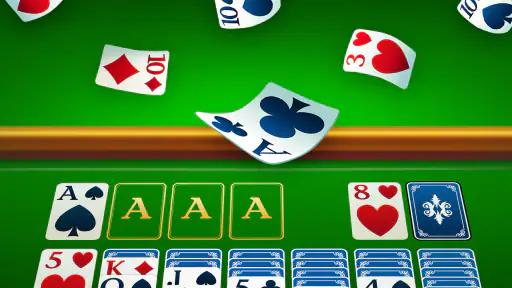
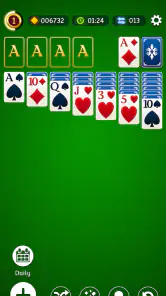
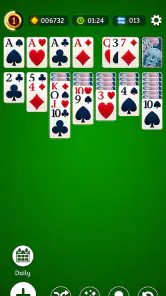
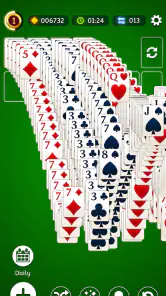


 Analysis by Frivlyz
If you have never played solitaire on a phone, Solitaire.com - Classic Cards is an approachable place to start: the familiar card-table format makes the aim easy to grasp, while each deal gives you a small puzzle to work through. I like it best as a game for short pauses rather than something that demands a long session. You can take a moment to think, make a move, and stop when you need to. That simple rhythm is the main reason I would recommend it to someone who wants a quiet card game within easy reach.
What to expect from a familiar card game
This is a card game from Tripledot Studios Limited, released in 2018 and free to play. It has a 4.8 average from around 306,000 ratings, and more than 10 million installs. Those figures suggest broad appeal, but the useful question is whether the play suits your habits: this is for people who enjoy sorting cards, spotting available moves, and accepting that not every deal will resolve neatly.
The game is rated Everyone, and the current version is 4.53.00. It runs on Android 6.0 or later; the title is also available for iOS. I would not treat a high rating as a promise that every round is easy or every screen will suit every player. Solitaire’s appeal is its steady pace, and the pleasure comes from making a sensible choice with the cards in front of you, not from constant novelty or a complicated story.
Getting started without overthinking it
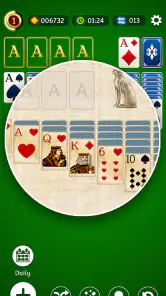
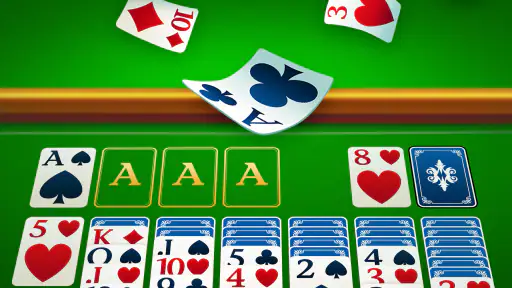
When you first open a solitaire app, the most reassuring thing is a clear playing area and a recognizable deck. This one presents itself as a straightforward way into classic card play. I suggest starting with a standard round and taking a moment to notice which cards are visible before moving anything. That small pause helps you understand the layout and avoids the common beginner habit of tapping through moves just because they are available.
For a first session, focus on learning the flow rather than trying to finish quickly. Look for moves that uncover a face-down card, and think about whether shifting a card will leave you with a useful space or block another option. If a move seems obvious, it may still be worth checking the rest of the layout first. This is a low-pressure way to build confidence, and it makes a completed game feel earned rather than accidental.
From the first move to a satisfying finish
A good first success does not have to mean winning immediately. I count it as progress when I make a move that reveals a new card or opens up a sequence I had not noticed. Solitaire rewards that kind of attention: one exposed card can change what is possible elsewhere, so it pays to scan the tableau before committing. When I do finish a deal, the satisfaction comes from seeing the scattered layout resolve into ordered suits.
One practical habit is to avoid emptying a column automatically. An open space can be useful, but it is only helpful if you have a suitable card to move into it. Likewise, moving a card to a foundation as soon as it is available may be correct, but checking whether it could help build a sequence first can prevent a later dead end. These small choices are what make a familiar game feel thoughtful even when a round lasts only a few minutes.
Gaming Stories You May Enjoy

Dancing Road Turns Short Breaks Into a Test of Rhythm and Timing

Super Stylist Makes Every Outfit a Test of Taste and Patience

Dominoes on Your Terms: Who Should Play and Who Should Pass

Pokémon GO Makes the Familiar World Feel New

Chess.com Turns Rematches Into Rivalries, but Community Has Its Costs

Archery Battle 3D Review: Sharp Aiming, Unclear Feedback
Rediscovering the Joy of Solitaire
Remember the first time you played Solitaire on your computer? That feeling of accomplishment when you finally managed to stack all those cards in perfect order? Solitaire.com brings back those nostalgic vibes, but with a modern twist. The interface is sleek, easy to navigate, and most importantly, it maintains the essence of the classic game we all know and love.
User-Friendly Interface
One of the first things you'll notice when you launch the app is the user-friendly design. Whether you’re a seasoned player or a newbie, the game is super easy to get the hang of. The app doesn’t bombard you with ads, which is a huge plus in my book. It’s just you and your cards, ready to tackle the next challenge.
A useful way to fit a round into an ordinary day is to choose a natural stopping point before you begin. I play while waiting for a kettle to boil or during a quiet stretch between errands, and I try not to start a new deal when I know I will need to leave straight away. The turn-based pace makes it easy to pause mentally, but a half-finished layout can still be less satisfying than a clean stop after a completed game. For a longer wait, on the other hand, I may take more time to compare possible moves instead of playing on autopilot.
Game Features that Stand Out
Let’s talk features. Solitaire.com offers a variety of modes to keep things interesting. Whether you're in the mood for Klondike, Spider, or FreeCell, this app has got you covered. Each game mode is designed to test your strategic thinking, and with customizable backgrounds and card designs, you can personalize the game to suit your style.
Those modes reward different kinds of patience. Klondike is the familiar starting point, while Spider asks you to think in longer sequences, and FreeCell makes planning visible because its open cells can serve as temporary storage. I would not switch modes just to chase a win streak; I would switch when the current style stops being enjoyable. If you are new, staying with one mode for a few rounds makes it easier to notice how your decisions affect the layout. Once the rules feel natural, changing modes offers variety without requiring a completely different kind of app.
Personalization is more than decoration when you play regularly. A background and card face that are comfortable to look at can make a session feel less tiring, especially if you tend to play in brief bursts throughout the day. I would choose a design for legibility first and appearance second: clear suits and ranks matter more than a stylish table when you are scanning a crowded layout. If you find yourself misreading a card, adjusting the visual setup is a more useful next step than trying to play faster.
Another nifty feature is the daily challenges. These keep the game fresh and exciting, offering new puzzles every day that are sure to test your skills. And if you’re competitive like me, you’ll love the leaderboards. It’s always fun to see how you stack up against other players around the globe!
Daily challenges can work well as a small routine: play one when you want a defined task rather than choosing another ordinary round. I find that useful on days when I have only a short break and do not want to spend the first minute deciding what to play. Leaderboards add a comparison point, but I would treat them as optional motivation, not a measure of whether I am good at the game. Solitaire involves chance as well as judgement, so a result from one deal says little about someone’s overall skill.
Where it fits among other card games
Compared with a physical deck, a phone version removes the setup and tidying: you can begin without finding a table or sorting cards, and the screen handles the layout. Compared with a more social card game, this is a quieter, solitary activity; there is no need to arrange a group or learn a long set of shared rules before you can play. That convenience is the trade-off too. If what you want is conversation, bluffing, or the feel of handling real cards, a tabletop game or a multiplayer-focused app will be a better match.
Among mobile solitaire options, the appeal here is the combination of familiar play, several modes, visual customization, daily challenges, and leaderboards. The downside of having options is that they can distract from the simple reason many people open solitaire: they just want a calm round. I would begin with the mode you already know and ignore the competitive layer until it feels useful. If you prefer a bare-bones digital deck with no extra prompts or goals, a more minimal alternative may suit you better.
Small frustrations and who may prefer another game
Even a relaxed card game can become irritating when a deal seems to stall. It is tempting to repeat moves quickly or blame yourself for a layout that offers few useful choices, but I find it better to slow down and check whether an alternative sequence is available. Sometimes the satisfying choice is to learn from the arrangement and start another round, rather than turning a casual pastime into a test of patience. Players who dislike luck, repeated layouts, or solitary play may find a puzzle game with clearer progression more rewarding.
The familiar format also means this is not the right pick if you are looking for a fresh world, a narrative, or a constant stream of new mechanics. Its strengths are comfort and quick access, not dramatic change. I would recommend it to someone who enjoys thinking through a small problem at their own pace, especially a first-time mobile player who wants rules they can recognize. I would skip it if card sorting itself is not appealing, or if social competition is the main reason you play games.
Common questions before your first round
Is it suitable for a beginner? I think so: start with the mode whose rules you already know, make one move at a time, and treat uncovering a card as a useful early achievement. Do you need to play for a long stretch? No; a round can fit into a short break, though I would avoid starting one when you have to leave immediately. Is it free? It is listed as free, so you can try it without an upfront purchase. The game is rated Everyone, and its Android minimum is version 6.0; the app is also available on iOS.
Will every deal be winnable? I would not assume so. The better approach is to focus on choices you can control: scan before moving, uncover cards when it helps, and avoid filling or clearing a column without considering what comes next. Is it worth trying more than one mode? Yes, if the first style starts to feel repetitive, but I would learn one mode before switching so that the rules do not blur together. If you enjoy calm, familiar card puzzles, it is an easy game to test; if you want a social or story-driven experience, look elsewhere.
Why You Should Download It
So, why should you download Solitaire.com - Classic Cards? It’s simple: for the love of the game. It’s the perfect way to unwind after a long day, offering a calming yet stimulating experience. Whether you’re on a quick break or have some time to kill, this app is a perfect companion. Plus, it’s available for both Android and iOS, so no one’s left out.
In conclusion, if you’re looking for a way to relive those nostalgic card game moments or simply want to enjoy a well-made, classic card game app, give Solitaire.com - Classic Cards a shot. Trust me, you won’t be disappointed!
Solitaire.com - Classic Cards Pros and Cons
Pros
- Simple and intuitive interface.
- No internet required to play.
- Multiple difficulty levels.
- Daily challenges available.
- Free to download and play.
Cons
- Contains in-app advertisements.
- Limited customization options.
- No multiplayer mode available.
- Occasional app crashes reported.
- Some features require in-app purchases.
Frequently Asked Questions
What is Solitaire.com - Classic Cards?
Solitaire.com - Classic Cards is a digital adaptation of the classic card game Solitaire, designed for mobile devices. The app offers an engaging and user-friendly interface that allows players to enjoy multiple variations of Solitaire, such as Klondike, Spider, and FreeCell, all from the convenience of their smartphones or tablets. With its smooth gameplay and customizable settings, it's perfect for both beginners and experienced players.
Is Solitaire.com - Classic Cards available for free?
Yes, Solitaire.com - Classic Cards is available for free download on both Android and iOS platforms. While the base game is free, it may contain in-app purchases or ads that support its development. Users can opt to make purchases to remove ads or unlock additional features, enhancing their gaming experience.
What features does Solitaire.com - Classic Cards offer?
The app offers a variety of features to enhance the player experience. These include daily challenges, various Solitaire game modes like Klondike and Spider, customizable card designs, and undo options. Additionally, it provides statistics tracking to help players monitor their progress and improve their skills over time. The smooth interface and intuitive controls make it accessible for everyone.
Is Solitaire.com - Classic Cards suitable for offline play?
Yes, Solitaire.com - Classic Cards can be played offline, making it a convenient choice for users who may not always have internet access. This feature ensures that players can enjoy their favorite card games anytime and anywhere, without the need for a constant internet connection, making it perfect for travel or commuting.
How does Solitaire.com - Classic Cards handle user privacy?
Solitaire.com - Classic Cards takes user privacy seriously. The app typically collects minimal personal data, which is used to enhance user experience and improve the app's functionality. It is important for users to review the privacy policy to understand what data is collected and how it is used. The app complies with standard data protection regulations to ensure user information is kept secure.


