

Solitaire Classic – Klondike
- Reviews
- 4.9
- Version
- 35.0.1
- Installs
- 5,000,000+

Screenshots
 Analysis by Frivlyz
I like mobile card games that let me settle into a familiar rhythm without demanding a long session, and Klondike fits that kind of break particularly well. This version is aimed at people who want the classic tableau-and-foundation puzzle on a phone, rather than a new spin on solitaire. My main question is whether its straightforward approach offers enough value to make it a keeper; the answer depends less on novelty than on how you like to play.
What the free price does—and does not—tell you
Solitaire Classic – Klondike is free to download, with in-app purchases listed from $1.99 to $9.99 per item. That makes it easy to try without paying upfront, but free access and paid value are separate questions: the listed purchase range alone doesn’t tell me what each item contains or whether you’ll want any of them. I’d start with the free game and decide from actual use rather than treating a purchase as necessary to enjoy Klondike.
For a casual player, that low-commitment entry point is useful. You can see whether the familiar card routine suits your phone habits before spending anything. If you already know that you want a solitaire app, it’s still worth asking what you personally expect from one: a quick way to pass time, a record of your play, or a broader set of modes. The value here is strongest when the classic game itself is what you want.
A familiar puzzle for short, repeatable breaks
Klondike’s appeal is that each deal gives you a small decision-making loop: inspect the visible cards, uncover what you can, and work toward arranging the foundations. That makes it easy to pick up for a brief pause and easy to put down when something else needs your attention. I find this style more satisfying than a game that relies on a long story or a continuous run, because a round has a clear shape even when I only have a few minutes.
It also gives the game a different kind of replay value from a competitive card app. There is no need to coordinate with another person or keep pace with an opponent; the challenge is in managing the cards in front of you. If you enjoy comparing your own results over time, the statistics page mentioned in the game can help make that routine feel more deliberate. If personal records do not motivate you, that feature may simply remain in the background.
Small choices that make sessions work better
The choice between drawing one card and drawing three is more than a setting to tap once and forget. When I want a gentler introduction or a less demanding session, one-card draw is the sensible place to start. Three-card draw asks you to think more carefully about the order in which cards become available, so it suits a player who already knows the basic flow and wants an extra layer of planning. Switching based on your mood is a practical way to keep a familiar game from feeling either too easy or needlessly tense.
A useful habit is to pause before moving every playable card automatically. In Klondike, a move that looks immediately helpful can affect which cards you can reach later, so I try to consider whether a move reveals something new or merely shifts cards around. That is especially useful when deciding whether to build on a tableau column or send a card to a foundation. The point is not to turn a relaxing break into homework; it is to make the decisions feel intentional when you want more than a reflexive tap-through.
Gaming Stories You May Enjoy

Dancing Road Turns Short Breaks Into a Test of Rhythm and Timing

Super Stylist Makes Every Outfit a Test of Taste and Patience

Dominoes on Your Terms: Who Should Play and Who Should Pass

Pokémon GO Makes the Familiar World Feel New

Chess.com Turns Rematches Into Rivalries, but Community Has Its Costs

Archery Battle 3D Review: Sharp Aiming, Unclear Feedback
The statistics page can also support a simple personal experiment: play a handful of rounds using one draw setting, then switch to the other and see which pace you prefer. I would treat the results as a record of your own habits, not as a scorecard that proves one mode is better. A faster finish may be satisfying, but it is not automatically a more enjoyable game. For me, the best setting is the one that leaves enough room to think without making a short break drag.
Why Solitaire Still Rocks
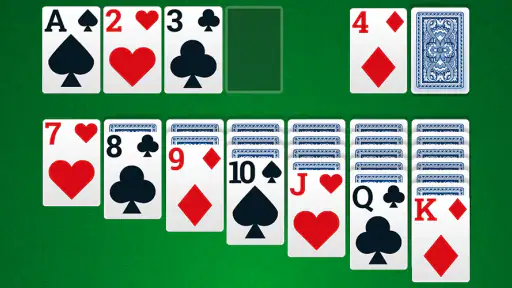
Let's be real, card games have been around for ages and there's a good reason for it. They're simple, yet fiercely addictive. Solitaire Classic – Klondike is no exception. The app perfectly captures the essence of the traditional solitaire game we all know and love. It's a fantastic way to kill time while keeping your brain sharp.
Features that Hook You In
One of the first things I noticed about this app is its clean and intuitive interface. No flashy distractions, just pure card game goodness. You can choose between drawing one or three cards at a time, which is great for both beginners and seasoned players looking for a bit more challenge.
Another cool feature is the statistics page. It keeps track of your wins, losses, and the time it takes you to finish a game. It's a neat little addition for those of us who like to keep score and aim for personal bests.
Graphics and Sound
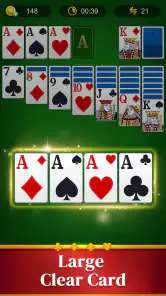
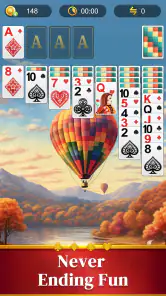
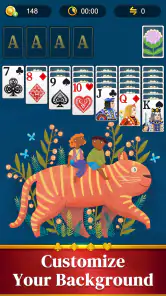
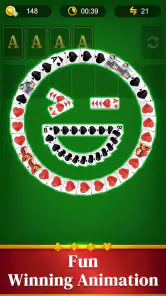
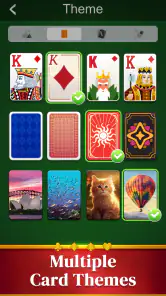
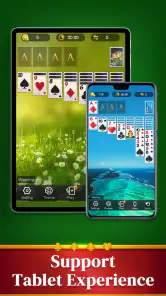
Now, let's talk visuals. The graphics on this app are crisp and easy on the eyes. The cards are well-designed, making it easy to distinguish between suits and values. Plus, there's a nice variety of backgrounds to choose from, so you can customize your playing experience to suit your mood.
The sound effects are simple and non-intrusive, which is a huge win in my book. There's nothing worse than getting into the zone only to be interrupted by overly loud or distracting noises. Here, the subtle shuffling of cards and gentle clicks add just the right amount of ambiance.
How it compares with other solitaire options
Compared with a physical deck, a phone version removes the setup and tidying: there is no need to clear a table or gather cards before a quick round. The trade-off is that tapping a screen feels different from handling real cards, and the app’s convenience may be less appealing if you enjoy the tactile part of solitaire. Against a more elaborate mobile card game, this one’s straightforward Klondike focus is a benefit when you want familiar play, but not if you are looking for a large collection of unrelated modes or a social contest.
There are also plenty of ways to play Klondike on a phone, so I would choose based on the exact experience you want rather than assuming every solitaire app is interchangeable. If you mainly want a classic card layout and a choice of draw difficulty, this is a natural fit. If you want a very different solitaire variant, a head-to-head match, or a larger suite of card games, a broader app may suit you better. The best alternative is the one that matches your preferred pace and variety, not simply the one with the most options.
Who will get the most from it
I’d recommend it to someone who already enjoys Klondike, a beginner learning the basic pattern, or anyone who wants a low-effort game for a small gap in the day. Picture waiting for a coffee or sitting through a short pause between errands: you can open a deal, make a few considered moves, and return to whatever you were doing. The one-card setting can keep that moment calm, while three-card draw offers a more thoughtful puzzle when you have a little longer.
It is less suited to players who need every session to feel new. The core appeal is repetition with small variations in the cards and your decisions, not a changing campaign. Likewise, if you prefer multiplayer competition or a game built around a wide range of card formats, the focused Klondike approach may feel narrow. I would skip it if you already know that solitary, repeated puzzles are not your thing; a free download is still not valuable if it does not match how you like to play.
Practical fit, age, and device basics
Homa is the developer, and the game is rated for Everyone, which makes its card-game format broadly approachable. It was released on June 7, 2022, and the current version is 35.0.1; Android support starts at version 7.0. Those details help set expectations for compatibility, but the more important choice is whether Klondike is the kind of quiet, self-directed play you want. It does not need to be the centerpiece of your phone to earn a place there; it can simply be a familiar option for spare moments.
Its reach is substantial: it has more than five million installs, with a 4.9 average from around 151,000 ratings and about 3,200 written reviews. Those figures suggest that many players find the format appealing, though popularity cannot tell you whether its particular presentation will suit your taste. I would use them as context, then make the decision based on the game’s simple premise and your own appetite for repeatable card puzzles.
Why You Should Give It a Go
If you're looking for a game that's both relaxing and engaging, Solitaire Classic – Klondike is definitely worth a download. It's perfect for those idle moments, whether you're stuck in line at the grocery store or just chilling at home.
And hey, it's free! So, what have you got to lose? Go ahead and give it a whirl. Who knows, you might just find yourself hooked on stacking those cards in no time.
In conclusion, this app is a delightful trip down memory lane with its simple mechanics and charming presentation. It's a solid choice for anyone seeking a classic card game experience on their mobile device. So, shuffle those cards and start playing!
My buy-or-skip verdict
I’d try it if you want a familiar solo card game, a low-pressure way to fill short waits, or a place to keep track of your own play. The free download makes that trial straightforward, while the optional purchases mean it is sensible to decide whether the base experience already does what you need before paying for anything. I would not buy an item simply because it is offered; first work out what you want from the game and whether the free version meets that need.
My recommendation is therefore a qualified yes: give it a go if classic Klondike is the point, and skip it if you need variety, competition, or a fresh mechanic to keep you interested. The draw choice gives the familiar puzzle a useful range of difficulty, and the statistics and presentation support a comfortable routine. It is not trying to be every kind of card game, and that focus is exactly why it can be a good fit for the right player.
Solitaire Classic – Klondike Pros and Cons
Pros
- Simple and intuitive interface
- Smooth
- lag-free gameplay
- Offline mode available
- Daily challenges for rewards
- Low battery consumption
Cons
- Contains ads between games
- Limited customization options
- No multiplayer mode
- Occasional in-app purchase prompts
- Requires Android 4.1 and up
Frequently Asked Questions
What is Solitaire Classic – Klondike and how does it differ from other solitaire games?
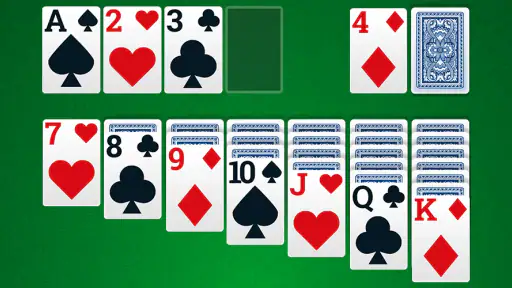
Solitaire Classic – Klondike is a digital version of the classic card game Klondike, which is the most popular variant of solitaire. It offers a traditional layout and rules where the objective is to move all cards to the foundation piles, sorted by suit and in ascending order. This app distinguishes itself with its clean interface, smooth gameplay, and customizable options, making it a favorite among solitaire enthusiasts.
Is Solitaire Classic – Klondike free to download and play?
Yes, Solitaire Classic – Klondike is free to download and play on both Android and iOS devices. However, the app may offer in-app purchases for additional features, themes, or to remove ads. These purchases are entirely optional, and you can enjoy the full solitaire experience without spending any money.
What features does Solitaire Classic – Klondike offer to enhance gameplay?
The app includes several features to enhance gameplay, such as customizable card designs and backgrounds, daily challenges, and different difficulty levels. It also offers hints and undo options to help players improve their strategies. Moreover, Solitaire Classic – Klondike provides detailed statistics to track your progress and achievements over time.
Does Solitaire Classic – Klondike require an internet connection to play?
No, Solitaire Classic – Klondike does not require an internet connection to play. You can enjoy the game offline, which makes it an excellent choice for traveling or when you have limited data access. However, some features like daily challenges or leaderboard updates may need an internet connection to function properly.
How does Solitaire Classic – Klondike ensure user privacy and data security?
Solitaire Classic – Klondike respects user privacy and ensures data security by adhering to industry-standard practices. The app collects minimal personal information, mainly for improving user experience and app functionality. Moreover, it provides clear privacy policies and options for users to manage their data preferences, ensuring a safe and secure gaming environment.


