

Solitaire - Classic Card Game
- Reviews
- 4.8
- Version
- 2.1.0
- Installs
- 10,000,000+

Screenshots



 Analysis by Frivlyz
I reach for Solitaire when I want a quiet game that needs attention without demanding a big time commitment. Solitaire - Classic Card Game is built around that familiar card-table appeal: the rules are easy to return to, and a round can fit into a short break. It is a mobile card game from Playvalve, and its straightforward focus is part of the attraction. I find it best suited to people who enjoy sorting a puzzle at their own pace, rather than players looking for a story, elaborate progression, or a competitive multiplayer experience.
A familiar game for small pockets of time
The practical question is whether a solitaire app works in the ordinary gaps of a day. For me, it does: a short wait, a quiet moment before bed, or a pause between tasks is enough to open a deal and make a few moves. You do not need to gather people or remember where you left a physical deck. The format is especially convenient when you want something more involving than scrolling, but less demanding than a game that expects a long, uninterrupted session.
That convenience has a limit. Solitaire still asks you to follow the layout and think through choices, so it is not ideal if you need to keep your attention on a conversation or switch instantly between tasks. I would also skip it if I wanted a game with a strong sense of narrative, a changing world, or direct competition as its main attraction. Its appeal is the card puzzle itself, not a broader adventure wrapped around it.
How I approach a deal
A useful habit is to pause before moving the first available card. I look across the columns for face-down cards that could be uncovered, then compare that possibility with moving a card to a foundation. Advancing a visible card can feel like progress, but uncovering a hidden card may open more choices. This small check helps me avoid making a move simply because it is available, and it makes the game feel more like a sequence of decisions than a reflex exercise.
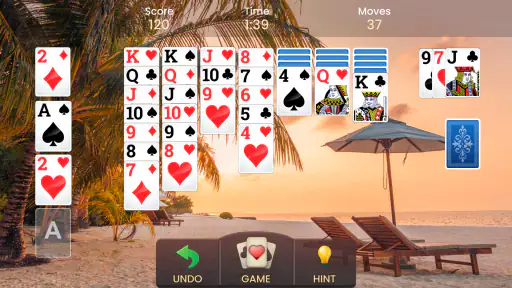
Hints and undo are most useful when treated as learning tools rather than automatic shortcuts. If I am stuck, I use a hint to see a possible direction, then consider why that move might help. If I make a move that closes off a better route, undo lets me test the alternative. Used this way, these tools can make a frustrating deal more instructive. Used constantly, they can also take away the satisfaction of working out a sequence for myself.
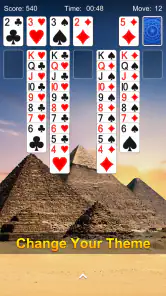
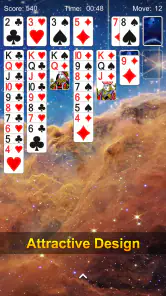
Customization is another practical choice, not just decoration. A background and card face that are easy for me to distinguish make it simpler to scan the layout during a longer session. I would choose clarity over a busy design, especially on a smaller phone screen. When a game depends on reading card ranks and suits, visual comfort matters more than having the most elaborate table appearance.
Where it sits among solitaire options
Compared with a physical deck, this version removes the setup and cleanup, and it keeps the cards available wherever I have my phone. Compared with a very bare-bones digital solitaire game, the customization and help tools make it friendlier when I want to adjust the look or get unstuck. The trade-off is that a physical deck has a tactile quality a screen cannot reproduce, while a minimalist alternative may suit someone who wants fewer extras around the card layout.
Gaming Stories You May Enjoy

Dancing Road Turns Short Breaks Into a Test of Rhythm and Timing

Super Stylist Makes Every Outfit a Test of Taste and Patience

Dominoes on Your Terms: Who Should Play and Who Should Pass

Pokémon GO Makes the Familiar World Feel New

Chess.com Turns Rematches Into Rivalries, but Community Has Its Costs

Archery Battle 3D Review: Sharp Aiming, Unclear Feedback
The app’s daily challenges offer a reason to return beyond simply starting another deal. I would treat them as a light routine rather than a promise of a deep competitive system: they can give a regular player a specific goal, but the basic appeal remains making moves through a solitaire layout. If you prefer every session to have a fresh narrative objective or a substantial change in rules, this familiar format may begin to feel repetitive.
Engaging Gameplay
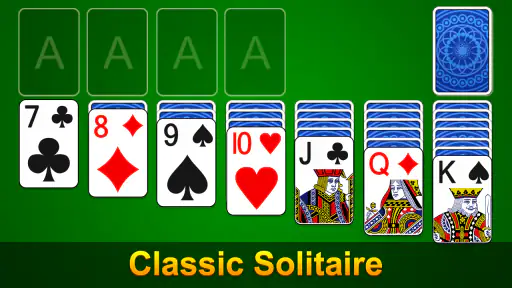
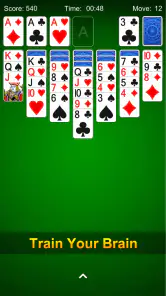
The gameplay in Solitaire - Classic Card Game is just as you’d expect from a well-crafted card game. The rules are simple yet engaging, offering a perfect blend of challenge and relaxation. Whether you’re a seasoned pro or a casual gamer, the game is designed to cater to all skill levels. The app offers a smooth and intuitive interface, making it easy to drag and drop cards with just a swipe of your finger.
Features That Stand Out
This app doesn’t just stop at basic gameplay; it offers several features that enhance the overall experience. You’ve got customizable backgrounds and card faces, which allow you to personalize your game. There’s also an undo function, which is a lifesaver when you realize you’ve made a mistake. Not to mention, the hints feature is incredibly handy when you’re stuck and unsure of your next move.
One of the standout features is the daily challenges. These challenges add a layer of excitement and keep you coming back for more. Completing these challenges not only gives you a sense of achievement but also earns you points and rewards. It's a great way to test your skills and see how you stack up against other players.
User Experience
The user experience is top-notch. The app is fast, responsive, and free of any bugs, which is always a plus. The graphics are clean and simple, staying true to the classic feel of the game. The ads are minimal and don’t disrupt your gameplay, which is a big win in my book. Plus, if you prefer an ad-free experience, there’s an option to upgrade to the premium version.
Also, the app supports both landscape and portrait modes, so you can play however you’re most comfortable. This flexibility means you can enjoy the game on a phone or tablet without any hassle.
The Verdict
All in all, Solitaire - Classic Card Game is a fantastic app for anyone looking to enjoy a classic card game on the go. It’s easy to pick up, yet offers enough depth to keep you coming back for more. The added features and smooth user experience make it a must-have for any Solitaire enthusiast. So, if you’re in the mood for some card game nostalgia or just need a relaxing way to pass the time, give this app a try. You might just find yourself hooked!
What the current version means for a returning player
The game is currently at version 2.1.0, following its release on February 16, 2021. That gives a returning player a concrete point of reference for the build they are considering, but a version number by itself does not tell me which individual changes were made or how the game has evolved between releases. I would judge it by how it performs on my device now, rather than assume a particular feature was added in a specific update.
For someone who already plays mobile solitaire, the practical difference is likely to come down to the feel of the controls, the visibility of the cards, and whether the daily challenge and customization options suit their routine. If those details matter, I would spend a few rounds testing card movement and the undo flow before deciding whether to make it my regular game. A familiar ruleset means there is little learning overhead, but comfort with the interface can make the difference between a quick return and uninstalling after one session.
Cost, age suitability, and expectations
The game is free to download and is rated Everyone, which makes it an easy option to consider for a broad range of players. In-app purchases are available, with items priced from $2.49 to $11.99. I would start with the free experience and only consider spending if I understand what an item changes and expect to use that benefit. The existence of purchases does not mean they are necessary to enjoy a basic card game, and I would avoid buying anything just to solve a deal that I could instead think through or undo.
One point worth checking before installing is device compatibility: the listed minimum operating system is 7.0. The current build number is useful context, but it is not a guarantee that every older phone will feel equally comfortable to play on. Card readability depends partly on screen size and personal eyesight, so I would try the layout in both orientations if the screen feels cramped. Landscape may give the columns more breathing room; portrait can be more convenient when holding a phone one-handed.
Who is likely to enjoy it
I would recommend it to someone who likes classic solitaire and wants a ready-to-play version with a few helpful comforts. The combination of hints, undo, customizable card faces, and backgrounds is useful for a casual player who wants control over both difficulty and presentation without changing the central card-game experience. The daily challenges may also suit a person who enjoys having a small, repeatable reason to open the app rather than choosing a random deal every time.
It is less compelling for someone who wants a large selection of distinct card games, a campaign, or an elaborate social layer. I would also choose a simpler alternative if I wanted the fewest possible menus and options, or a physical deck if the tactile handling is an important part of the pleasure. This app is at its best when the goal is clear: sit down with a solitaire puzzle, make deliberate moves, and stop whenever the moment is over.
What I would keep an eye on
With a long-running mobile game, I pay attention to whether the essentials remain comfortable: cards should be easy to distinguish, taps and drags should feel predictable, and extra prompts should not get in the way of a short session. Those are the details that matter more to everyday use than a headline feature. The game has a 4.8 average from around 275,000 ratings, and it has been installed over 10 million times; that scale suggests it has reached a broad audience, though it does not replace trying the interface for yourself.
My overall recommendation is measured but positive. If you want an accessible solitaire game for brief, calm sessions, this one gives you familiar play with useful ways to recover from mistakes and personalize the table. If your priority is deep variety, hands-on cards, or a more social kind of competition, another option will probably fit better. For anyone who mainly wants a dependable card puzzle to pick up in spare moments, I think it is a sensible free place to start.
Solitaire - Classic Card Game Pros and Cons
Pros
- Easy to learn and play.
- Smooth and intuitive interface.
- Offline play available.
- Minimal ads for free users.
- Customizable card themes.
Cons
- Limited game modes.
- Ads can be intrusive at times.
- No multiplayer option.
- In-app purchases for themes.
- Occasional app crashes.
This Game in Other Languages
Frequently Asked Questions
What are the basic features of Solitaire - Classic Card Game?
Solitaire - Classic Card Game offers a traditional solitaire experience with a user-friendly interface, smooth animations, and customizable backgrounds. Players can enjoy various solitaire modes, including Klondike, Spider, and FreeCell, all optimized for mobile devices. The app also features daily challenges, hints, and undo options to enhance gameplay.
Is Solitaire - Classic Card Game available offline?
Yes, Solitaire - Classic Card Game is designed to be fully functional offline. This means you can play your favorite solitaire games anytime, anywhere without requiring an internet connection. It's perfect for long trips or areas with limited connectivity, ensuring uninterrupted gameplay.
Are there in-app purchases or ads in Solitaire - Classic Card Game?
The app is free to download and play, but it includes ads to support the developers. Users have the option to remove these ads through in-app purchases. Additionally, there may be optional in-app purchases for premium features or themes, allowing users to customize their gaming experience further.
How can I customize the appearance of my Solitaire game?
Solitaire - Classic Card Game offers extensive customization options to enhance your experience. You can change the card backs, choose from various table backgrounds, and even select different card styles. These options let you personalize the game to match your preferences, making your solitaire sessions truly unique.
Does Solitaire - Classic Card Game offer any accessibility options?
Yes, Solitaire - Classic Card Game is designed with accessibility in mind. It includes features such as adjustable text sizes, colorblind modes, and voice-over support to ensure that all players, regardless of their needs, can enjoy the game comfortably. These options make the app more inclusive for a diverse user base.


