

Solitaire: Card Games
- Reviews
- 4.7
- Version
- 1.0.68
- Installs
- 5,000,000+

Screenshots
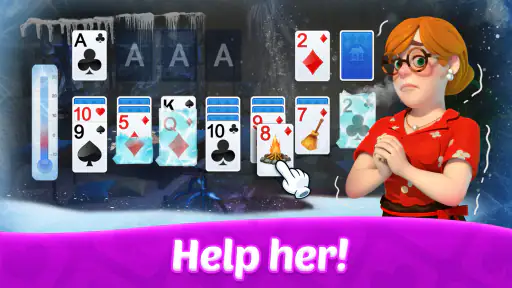




 Analysis by Frivlyz
I spent time with Solitaire: Card Games as a simple way to fill short breaks, and its appeal became clear almost immediately: it gives me a familiar card puzzle without asking me to learn a complicated system first. Developed by Happibits Game, this free card game is aimed at the classic solitaire player who wants a quiet, accessible session on a phone or tablet. It carries an Everyone content rating, so it is easy to recommend for a broad audience.
The important thing is to approach it for what it is. This is not a story-driven game, a competitive card battler, or a collection built around constant novelty. It is a straightforward solitaire experience for arranging cards, making decisions, and trying again when a deal goes badly. I found that focus refreshing, although it also means the game will not satisfy someone looking for deep progression, multiplayer competition, or a large range of card modes.
How I settled into the basic workflow
My usual session starts with a quick deal and a scan of the visible cards. Rather than tapping randomly, I look first for moves that uncover a face-down card or open a useful space in the tableau. That small habit makes the game feel less like busywork and more like a compact logic exercise. The interface is at its best when I treat each move as part of a sequence instead of chasing the first available play.
The central routine is familiar: move cards between columns, build descending sequences in alternating colors, expose hidden cards, and work toward the foundation piles. Because a round can often be understood within a few seconds, the game fits naturally into moments such as waiting for an appointment, taking a short break from work, or winding down before sleep. I do not need to remember a plot, manage a deck, or commit to a long session.
That low commitment is one of its strongest qualities. I can play for a few minutes and stop without feeling that I have abandoned a larger objective. On the other hand, the same simplicity can feel repetitive if I expect every session to offer a new type of challenge. The satisfaction comes from improving decisions and completing a deal, not from unlocking a changing world.
For a realistic everyday example, I used it during a commute while waiting between stops. I played one deal slowly, then started another and stopped midway when I needed to put the phone away. That is exactly where this kind of game works well: it occupies attention without demanding the kind of uninterrupted concentration required by a puzzle adventure or online match.
New players should resist one common mistake: moving a card simply because the move is legal. A legal move is not automatically a useful move. I first ask whether it reveals a hidden card, creates a longer sequence, or frees a column for a king. If it does none of those things, I often leave it alone and inspect the stock or another column instead.
Gaming Stories You May Enjoy

Dancing Road Turns Short Breaks Into a Test of Rhythm and Timing

Super Stylist Makes Every Outfit a Test of Taste and Patience

Dominoes on Your Terms: Who Should Play and Who Should Pass

Pokémon GO Makes the Familiar World Feel New

Chess.com Turns Rematches Into Rivalries, but Community Has Its Costs

Archery Battle 3D Review: Sharp Aiming, Unclear Feedback
Another useful routine is to delay committing cards to the foundation when they might still help build the tableau. Sending a low card upward can look productive, but that card may be needed to place a higher card of the opposite color. I found that keeping the wider board in mind produces better results than trying to tidy the foundation piles as quickly as possible.
Why the uncomplicated design works
Solitaire: Card Games benefits from being immediately recognizable. Someone who has played traditional solitaire can start without a tutorial-heavy introduction, while a beginner can learn by watching how the available moves fit together. That makes it more approachable than many modern card games that introduce currencies, characters, special abilities, or layered objectives before the actual play begins.
I also like that the game supports a calm rhythm. There is no need to react to another player, and the card layout gives me time to consider consequences. This makes it suitable for people who enjoy deliberate play rather than reflexes. It is also a reasonable option for older relatives or casual players who want a familiar card format on a mobile device.
The trade-off is that the experience depends heavily on personal tolerance for repetition. If you already have a favorite solitaire app with several variants, elaborate statistics, or stronger customization, this one may feel comparatively narrow. Its strength is directness, not breadth.
Settings, habits, and the limits of faster play
I approach settings as a way to make each deal comfortable, not as a shortcut to better cards. A quick check of the controls and display on your device can help you settle into a steady pace, while pausing to review the board is usually more useful than trying to play faster. That distinction matters most when deciding which habits are worth keeping.
What I check before settling on a routine
When I install a simple card game, I do not assume the default presentation will suit every session. I take a moment to inspect the available settings and adjust anything that affects comfort or clarity. In this case, the most useful mindset is not to hunt for dramatic hidden systems, but to make the basic board easier to read and interact with on the particular device I am using.
Screen size matters more than many new players expect. On a smaller phone, I prefer deliberate taps and a slower visual scan because rushed touches can select the wrong card or make me lose track of a column. On a larger display, I can read the tableau more comfortably and plan several moves ahead. If the game offers presentation or interaction choices on your installation, I would test them during a low-pressure deal rather than changing everything in the middle of a difficult one.
I also recommend checking whether the current play style matches your preference before judging the game. Some players want a relaxed puzzle with time to think; others prefer a brisk routine. The best way to find your fit is to play several ordinary deals without trying to optimize speed. That reveals whether the controls feel natural and whether the visual layout remains readable over a longer session.
One practical habit is to keep the phone orientation and hand position consistent. Solitaire boards are easier to evaluate when the columns remain in a familiar place. I found that using one hand for scrolling or navigation and the other for precise card selection, when comfortable, reduced accidental moves. This is a small adjustment, but it matters more than chasing theoretical speed.
Patterns that make experienced play quicker
Experienced solitaire play is less about tapping rapidly than about reducing unnecessary decisions. I begin by identifying every immediately available move, then rank those moves by what they unlock. Revealing a hidden card usually has more value than rearranging an already visible sequence, while opening a column can be more important than making a short foundation advance.
A second pattern is to inspect the tableau before touching the stock. I look for blocked cards, especially low cards that cannot move until another sequence changes. This prevents me from spending stock turns without understanding what the board needs. If the stock offers several choices, I try to remember which cards I have already passed and which column each one could support.
When building alternating-color sequences, I avoid creating a visually impressive stack that traps useful cards. A long sequence can be helpful, but it can also hide the card I need to move elsewhere. I therefore ask whether a stack improves access or merely makes the layout look organized. That distinction is one of the clearest differences between casual play and more thoughtful play.
Empty columns deserve special attention. I do not treat an open space as automatically valuable; its usefulness depends on whether I can place a king there and whether doing so helps expose cards. Opening a column too early can leave the board with nowhere productive to put a sequence. I prefer to create that space when I already see a clear follow-up move.
Another repeatable technique is to pause after every major reveal. When a face-down card turns over, I rescan the entire tableau instead of continuing with my original plan. The new card may change the best order of moves, and continuing automatically is an easy way to waste an opportunity. This pause takes only a moment but prevents many avoidable mistakes.
Where the game stops being a mastery tool
There is a limit to how much strategic depth a focused solitaire app can provide. Once I understand the standard patterns, improvement becomes gradual rather than dramatic. I can make better choices, but I am still working within the same basic card framework. Players who want multiple solitaire variants, detailed challenge systems, or a strong competitive layer may eventually prefer a broader alternative.
Randomness is another important limitation. Better decisions improve my chances, but they do not make every deal solvable. A failed round is not always evidence that I played badly, and a successful round is not proof that every decision was optimal. I found it healthier to treat each deal as a new puzzle rather than judging the app by a single win or loss.
The free entry point is appealing, but in-app purchases range from $0.99 to $139.99 per item. That wide range makes it sensible to review purchase prompts carefully and use device-level purchase controls if the phone is shared with children. The game itself has an Everyone rating, yet responsible spending still depends on how the device and account are configured.
That pricing range is also a reason I would not recommend buying anything impulsively. I would first decide whether the basic experience already meets my needs. If I only want occasional solitaire, the free version may be enough. If a particular optional item genuinely improves comfort for a frequent player, it should be considered separately rather than treated as necessary for enjoying the core card puzzle.
Practical details before installing
The game was released on June 30, 2022, and the current version is 1.0.68. It supports devices running Android 7.0 or later, which gives it a useful reach across older Android hardware. That is helpful for anyone keeping an older phone specifically for simple games, although I would still make sure the device has enough free space and that its screen is comfortable for reading card faces.
Its popularity suggests that the format has found a substantial audience: the listing shows over five million installs, along with a 4.7 average from around 306 thousand ratings and roughly 3.7 thousand written reviews. I see those figures as evidence of broad appeal rather than a guarantee that every player will enjoy it. A person who dislikes repeated solo puzzles will not be converted by popularity alone.
One question many readers will have is whether this is suitable for children. The Everyone rating makes it broadly appropriate from a content perspective, and the rules are easy to understand. I would still supervise purchases on a shared device, particularly because optional items can vary considerably in price. For an adult looking for a quiet distraction, the age rating is unlikely to be a concern.
Another likely question is whether it replaces a physical deck. For quick access, yes; for the tactile feeling of dealing cards across a table, no. I enjoy the convenience of a phone, but a physical deck offers a different kind of pause and can be more social. This app is better when I am alone and want a ready-made layout without carrying anything.
It is also worth asking whether it is better than a browser-based solitaire game. I prefer having a dedicated app when I want a consistent mobile routine and do not want to open a browser tab. A browser option may be better for a one-off session on a computer, especially if I do not want another app installed. The choice is mainly about convenience and personal workflow rather than a completely different game.
Compared with a large solitaire collection, Happibits Game’s offering is more focused. A collection is the better choice if I regularly switch between Klondike, Spider, FreeCell, and other formats. This app makes more sense when I want one familiar style without navigating a large menu. That narrower scope keeps the experience approachable but may shorten its lifespan for variety-seeking players.
My final judgement after making it a habit
After repeated short sessions, I see Solitaire: Card Games as a dependable casual card game rather than a feature-packed destination. Its best qualities are immediate play, a calm pace, and enough decision-making to reward careful habits. I especially like it for waiting rooms, quiet evenings, and those small gaps when I want something more engaging than scrolling but less demanding than a full game.
I would recommend it to someone who wants classic solitaire on Android, values a simple learning curve, and is comfortable with a focused single-player format. It is also a sensible choice for a family device because of its Everyone rating, provided purchases are managed thoughtfully. The free price makes trying it straightforward, while the broad device support helps older Android users get started.
I would skip it if my priority were multiplayer play, a large set of card variants, deep progress systems, or highly competitive scoring. In those cases, a broader solitaire suite, a physical deck, or a more specialized card game would probably offer a better match. I would also avoid treating it as a speed game unless the controls and layout feel completely comfortable; accuracy and planning matter more than frantic tapping.
My strongest recommendation is to build a repeatable routine: scan before moving, prioritize reveals, protect useful cards from premature foundation play, and reconsider the whole board after every important change. Those habits bring out the best in this particular app without pretending it contains a deeper system than it does. The real value is a clean, low-pressure puzzle that rewards attention in small doses.
Overall, I found Solitaire: Card Games easy to return to because it respects the basic pleasure of solitaire. It does not need a complicated identity to work. As long as you want a familiar card challenge rather than constant novelty, it is a free and approachable option worth trying.
Solitaire: Card Games Pros and Cons
Pros
- Offline play lets you enjoy games without Wi‑Fi or mobile data.
- Simple controls make it accessible for beginners and casual players.
- Daily challenges add variety beyond standard solitaire rounds.
- Short games fit well into quick breaks or commutes.
- Adjustable card designs improve readability and personal comfort.
Cons
- Frequent ads may interrupt play
- especially between completed games.
- Some features or themes may require in-app purchases to unlock.
- Random deals can occasionally feel repetitive over longer sessions.
- Limited social features reduce interaction with friends or other players.
- Battery usage may increase during extended play sessions.
Frequently Asked Questions
What is Solitaire: Card Games, and how is it played?
Solitaire: Card Games is a digital collection centered on classic one-player card games, usually including Klondike and sometimes additional variations such as Spider, FreeCell, or TriPeaks. The main objective is to arrange cards according to the rules of the selected mode, building foundation piles by suit while organizing the tableau in descending alternating colors. It is designed for short, relaxing sessions as well as longer strategic games.
Does Solitaire: Card Games require an internet connection?
In most cases, Solitaire: Card Games can be played offline after installation, which makes it suitable for travel, commuting, or areas with limited connectivity. However, an internet connection may still be needed for advertisements, cloud synchronization, online events, leaderboards, daily challenges, updates, or in-app purchases. Availability of offline features can differ depending on the specific version and device, so checking the app listing is recommended.
Is Solitaire: Card Games free to download and play?
Solitaire: Card Games is generally available as a free download, allowing users to play the basic card modes without paying upfront. The free version may be supported by advertisements and can include optional purchases for removing ads, unlocking themes, receiving hints, or accessing extra features. Before downloading, review the store description and purchase settings, particularly if children use the device.
What features and customization options does the game offer?
The game typically includes familiar controls such as tap-to-move and drag-and-drop card placement, along with undo options, hints, scoring, statistics, and different difficulty settings. Many versions also provide customizable card faces, backgrounds, layouts, sound effects, and left-handed controls. Daily challenges, streaks, achievements, and multiple Solitaire variations may also be available, although the exact selection depends on the edition.
Is Solitaire: Card Games suitable for beginners and older players?
Yes, Solitaire: Card Games is generally easy for beginners because the basic rules are familiar, the interface is simple, and optional hints can explain possible moves. Large cards, clear visual feedback, and adjustable settings may also make it comfortable for older players. Nevertheless, some versions use small buttons or frequent advertisements, so users with visual or accessibility needs should test the interface on their particular screen.


