

Solitaire - Card Game 2025
- Reviews
- 4.7
- Version
- 1.937
- Installs
- 500,000+

Screenshots
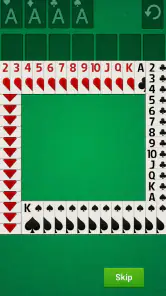
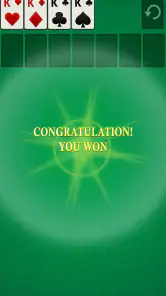
 Analysis by Frivlyz
I reach for a phone solitaire game when I have a few quiet minutes and want something more engaging than scrolling. This card game from Standard Game aims for that simple, familiar kind of break: sort the cards, think through the next move, and see whether the layout comes together. In my experience, that basic appeal is the reason to try it, rather than any promise that a classic card game will suddenly feel new.
Solitaire - Card Game is free, rated for Everyone, and has a 4.7 average from around 3,400 ratings. It has passed 500,000 installs, and its current version is 1.937. Those figures suggest that plenty of players have found it, but they do not tell me whether it will suit your habits. The more useful question is how you want solitaire to fit into your day, and what you expect from a mobile card game.
Where a simple card game can cause friction
The familiar rules can make solitaire seem self-explanatory, but a phone changes the experience. Cards occupy a smaller screen than a computer display, and a move that is obvious on a large monitor may take a moment to spot on a phone. If you are new to the game, it can also be hard to tell whether a layout is waiting for a better move or whether you have reached a dead end.
I find it helps to slow down instead of tapping through the tableau quickly. Before moving a card, check what the move opens up: revealing a hidden card may be more useful than making an easy move to a foundation. That small habit makes the game feel more like a puzzle and less like a series of guesses. It is also a practical way to avoid blaming the controls for a position that simply needs another look.
Solitaire - Card Game has a short store description, so I would approach it as a straightforward mobile card game rather than assume it has a particular set of modes or extras. Standard Game is the developer, and the game is listed in the card category. If what you want is a familiar solo card-playing routine, that is a clear enough starting point; if you are looking for a deep collection of different games, you should judge it by what appears in the app after installing rather than by the broad appeal of the solitaire name.
Setup checks that make the first session easier
The game supports Android 9 and later, so checking your device’s Android version is a sensible first step if you are installing it on an older phone. The release date is Jul 1, 2023, but the more immediately useful detail is the current version: 1.937. Keeping the app up to date can help avoid problems that have already been addressed in later releases, though an update cannot fix every issue caused by a device or connection.
For a comfortable first game, hold the phone in the position you normally use and make sure you can see the card ranks without squinting. If the screen feels cramped, try a different orientation only if the app offers one; I would not assume that every solitaire app supports the same display options. Take a moment to learn how a card responds to a tap or drag before playing quickly. That brief check can prevent accidental moves, especially when your fingers cover a narrow stack.
Gaming Stories You May Enjoy

Dancing Road Turns Short Breaks Into a Test of Rhythm and Timing

Super Stylist Makes Every Outfit a Test of Taste and Patience

Dominoes on Your Terms: Who Should Play and Who Should Pass

Pokémon GO Makes the Familiar World Feel New

Chess.com Turns Rematches Into Rivalries, but Community Has Its Costs

Archery Battle 3D Review: Sharp Aiming, Unclear Feedback
If installation stalls, I would first check the basics: available device storage, a stable connection, and whether the operating system meets the stated minimum. If the app opens but behaves oddly, closing and reopening it is a reasonable early troubleshooting step. I would avoid jumping straight to reinstalling, because that can disrupt a session and may remove local state in some apps. A careful first check is usually less disruptive.
Recovering a session without making it harder
When a game seems stuck, take a pause and scan the tableau from left to right. Look for a move that reveals a face-down card or creates a useful space, not just one that shifts a visible card. Solitaire rewards planning, but it also has moments where the available choices are limited. If you cannot see a productive move, carefully review the visible stacks before deciding the deal is unwinnable.
Touch mistakes are another common source of frustration. If a card does not move as expected, try a deliberate tap or a slower drag rather than repeating a rapid gesture. Make sure you are selecting the card itself, not a neighbouring stack or an area partly covered by your hand. These are general touchscreen checks, not a promise that every device will respond identically; screen size and touch sensitivity can affect how comfortable a move feels.
If the game closes or a session does not resume as you expected, reopen it and see whether the current state is still available before starting over. I would not assume that progress is saved in a particular way, so for a game you are playing casually, it is wise to treat an interrupted round as something you may need to restart. That is a small trade-off for a pick-up-and-play game, but it matters if you dislike losing the thread of a longer session.
When the app may not be the cause
A slow or unresponsive game is not automatically an app fault. An older or busy device can struggle with several open apps, and a phone that is low on storage may behave unpredictably. I would close apps I am not using, check that the device has room to work, and restart the phone if general performance has become sluggish. If other apps are also having trouble, the cause is more likely to be broader than this solitaire game.
It is also worth separating a rules question from a technical problem. If a card cannot be placed where you expected, check the sequence and suit requirements you are following in your chosen solitaire rules. A move being unavailable can be part of the game rather than evidence that touch input has failed. If the game itself repeatedly stops responding after basic device checks, then it makes sense to look for an app update or consult the usual support options for the platform.
Revisiting a Classic
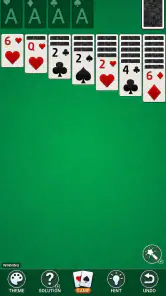
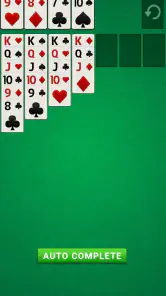
Who doesn't love a good game of Solitaire? It’s the kind of game that’s perfect for a quick break, or when you just want to kick back and relax. Solitaire - Card Game brings back that nostalgic vibe with some modern twists that make it even more enjoyable. The interface is clean, and the cards are easy to read, which is super important when you’re trying to beat your own record time!
Features That Stand Out
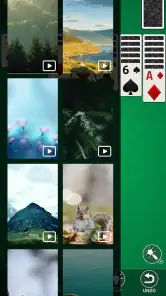
One of the first things I noticed about this app is how smooth everything runs. The transitions between shuffling and dealing cards are seamless, and the touch controls are spot-on. I also love the customizable card faces and backgrounds. It’s like giving the game your own personal touch. Plus, there's a hint system for when you get stuck, which, let’s be honest, happens to the best of us.
Another cool feature is the daily challenges. They add a layer of excitement because you’re not just playing the same game over and over. You actually have goals to achieve, which keeps things fresh and engaging. And for all you competitive folks out there, the leaderboard is a great way to see how you stack up against other players globally.
Picking the right moment and play style
In everyday use, I think this kind of solitaire works best in short, self-contained windows: while waiting for a friend, during a quiet coffee break, or when you want a low-pressure way to switch your attention away from work. The game does not ask you to coordinate with another person, so it is an easy option when your free time is unpredictable. I would still avoid starting a round when I know I will need to put my phone away immediately; even a casual puzzle is more enjoyable when I can finish or leave it at a natural stopping point.
A useful way to make each session feel less repetitive is to give yourself a small decision-making goal. Instead of rushing to move every available card, focus on uncovering hidden cards or preserving flexible moves. That changes what you pay attention to without needing a timer or a score target. It can also help a returning player notice why one deal progresses while another runs out of useful options.
For someone learning solitaire, I would treat hints as a teaching aid rather than a button to press whenever a move is not immediately obvious. First scan the columns and consider which move could reveal more information; then use a hint if you are genuinely stuck. This keeps the puzzle element intact and helps you learn to recognize patterns. If you already know the game well, the hint system may be less important, but it can still save time when you are playing one-handed or with your attention divided.
How it compares with other solitaire choices
The usual alternatives range from very bare-bones solitaire apps to larger card-game collections. A minimalist option can be preferable if you want almost nothing beyond a deck and a quiet screen. A collection may suit you better if you regularly switch between several card games and want them together. This game’s appeal, as I see it, is the focused solitaire experience described by its title, with the familiar card-table routine at its centre.
That focus is not automatically a drawback. If you want one dependable style of solo play, a dedicated solitaire game can be easier to return to than a menu packed with unrelated modes. On the other hand, players who want multiplayer competition, a broad catalogue, or a very specific rule variation should compare alternatives carefully before settling in. I would choose based on the way I actually play: a quick solo puzzle calls for a different app than a shared game night or a rotating set of card games.
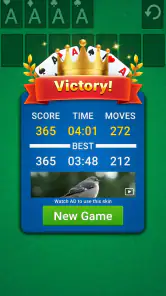
There is also a practical difference between playing against a leaderboard and playing against another person. The former can give a solo session a sense of comparison, but it is not the same social experience as a live opponent. If your main reason for downloading a card game is conversation or direct competition, a multiplayer-focused option is a better fit. If you mostly want to think through a layout on your own, this app is more closely aligned with that use.
Why It’s Worth Your Time
Now, you might be wondering, "Why this version of Solitaire when there are so many others out there?" Well, it's the little details that set this game apart. The developers really nailed the balance between keeping it classic and adding features that enhance the experience without overwhelming you. It’s that perfect blend of old and new.
Also, it’s a fantastic way to improve your problem-solving skills. Each game is like a little puzzle that challenges your mind. And let’s not forget how satisfying it is to finally clear the board after a tricky round!
Who should choose it, and who may prefer something else
I would recommend giving it a try if you already enjoy solitaire, want a free solo card game, or need a familiar activity that can fit into a quiet break. Its Everyone age rating makes it suitable for a broad audience, and its simple premise is easy to understand even if you have not played recently. The game is also a reasonable choice for someone returning to solitaire after years away, since the core task is familiar and the hint system can help when memory of the rules has faded.
I would look elsewhere if you need a game built around live opponents, a large range of card games, or more involved progression than arranging a solitaire layout. It may also be a poor fit if you dislike touch controls for card movement or find small-screen play uncomfortable. No mobile version can make every card stack as easy to scan as a physical deck spread across a table, so screen comfort matters more than it might in a word or audio game.
Before deciding whether it suits you, try a few rounds in the way you would actually use it. Play one slowly to learn the controls, then try another during a normal short break. Notice whether you enjoy studying the layout or simply feel impatient with the pace. That is a more useful test than expecting every deal to be instantly satisfying: solitaire’s pleasure comes partly from working through uncertainty, and not every round will resolve neatly.
The Final Deal
In conclusion, if you're a fan of card games or just looking for a fun way to pass the time, give it a try. It's free to download, and there are no pesky ads to interrupt your game, which is a huge plus in my book. Whether you’re a seasoned pro or a casual player, this app has something for everyone. So, shuffle those cards and start playing. You won't regret it!
My practical verdict is more measured: I would try this game for a straightforward solo card break, especially if the familiar rhythm of solitaire is already appealing. Standard Game’s release is a focused choice rather than an answer to every card-game preference, and the 4.7 average is encouraging without being a guarantee that it will suit your device or play style. Start with a relaxed session, check that the cards are comfortable to read, and see whether the pace fits your routine. If what you want is a calm puzzle you can return to on your own, it is an easy one to consider; if you want social play or variety above all else, another kind of card app is likely the better match.
Solitaire - Card Game 2025 Pros and Cons
Pros
- Intuitive and easy-to-use interface.
- Daily challenges keep gameplay fresh.
- Customizable themes and card backs.
- Offline play available for convenience.
- Smooth animations enhance experience.
Cons
- Contains ads that can be intrusive.
- In-app purchases for premium features.
- Limited multiplayer options.
- Battery consumption can be high.
- No integration with social media.
Frequently Asked Questions
What is Solitaire - Card Game 2024?
Solitaire - Card Game 2024 is a modern take on the classic card game, designed for mobile devices. It offers an engaging user interface, smooth gameplay, and various modes to keep players entertained. The game is available for both Android and iOS platforms, making it accessible for a wide audience.
Is Solitaire - Card Game 2024 free to play?
Yes, Solitaire - Card Game 2024 is free to download and play. However, it may include in-app purchases and advertisements. These purchases can enhance your gaming experience by unlocking additional features, themes, or removing ads, but they are optional and not necessary to enjoy the game.
What are the main features of Solitaire - Card Game 2024?
The game includes various features such as different game modes, daily challenges, customizable themes, and easy-to-use controls. It also supports offline play, allowing users to enjoy the game without an internet connection. Additionally, players can track their progress and statistics to improve their skills over time.
Can I play Solitaire - Card Game 2024 offline?
Yes, one of the key features of Solitaire - Card Game 2024 is its offline play capability. This allows users to enjoy the game anytime and anywhere without needing an internet connection. It's perfect for those who want to play during commutes or when they don't have access to Wi-Fi.
Is Solitaire - Card Game 2024 suitable for all ages?
Solitaire - Card Game 2024 is designed to be user-friendly and suitable for players of all ages. Its simple rules and intuitive interface make it accessible for both young and older players. However, parents should be aware of potential in-app purchases if children are playing the game.


