

Solitaire - 2025
- Reviews
- 4.7
- Version
- 1.2.3
- Installs
- 5,000,000+

Screenshots
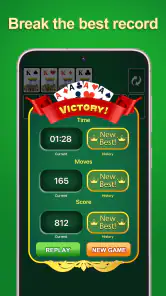
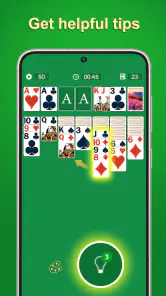
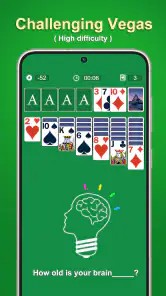
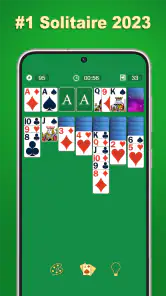
 Analysis by Frivlyz
I tend to judge a solitaire game by how quickly I can settle into a hand, whether the cards are easy to follow, and whether I can stop without feeling pulled into a longer session. Solitaire - 2025 is a free card game from Evergreen MLJ, and its familiar format makes it approachable when I want a quiet break rather than a complicated game to learn. Its 4.7 average from around 21,000 ratings and more than five million installs suggest it has found a broad audience, though popularity alone does not tell me whether it suits every player.
The Fresh Take on a Classic
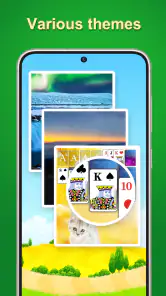
At first glance, Solitaire - 2025 seems like your regular solitaire game. But as soon as you start playing, you'll notice the modern twists and features that set it apart. The interface is sleek and user-friendly, making navigation a breeze. The game offers a selection of beautifully designed card decks and backgrounds, allowing you to personalize your gaming experience. It's like dressing up the game to match your mood!
Readability and navigation in a familiar card layout
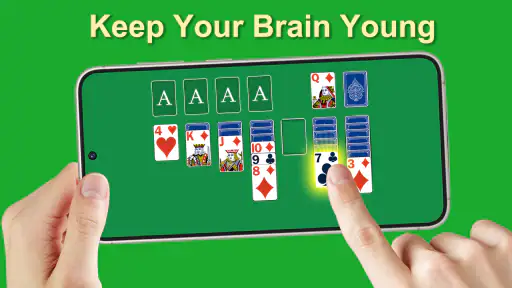
Solitaire’s basic appeal is that the board is easy to understand: the cards and their positions carry the meaning, so I don’t have to learn a long sequence of menus before I can begin. That familiarity can be useful for someone who already knows solitaire and simply wants a quick hand. New players may also find the format less intimidating than a card game that depends on opponents, timing, or a set of rules they need to study first.
The option to choose card decks and backgrounds gives the screen a personal touch. I’d treat that as a practical choice as well as decoration: a pattern that looks attractive in a preview may be less comfortable to scan over a full session. If you find yourself overlooking a card, try a plainer background or a deck design with stronger visual separation. That small adjustment can matter more than choosing the most elaborate theme.
One useful habit is to pause briefly before using a hint. First scan the columns and the available moves yourself; then use the hint if you still feel stuck. This keeps the game helpful without letting it make every decision for you. Undo can serve a similar learning purpose: when a move produces an awkward layout, you can retrace it and compare the board rather than treating a single mistake as the end of a session.
Gameplay and Features
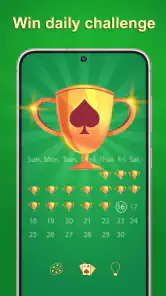
The gameplay is smooth, and the controls are intuitive, so you won't find yourself fumbling around trying to make a move. One of my favorite features is the daily challenges that keep the game fresh and exciting. Completing these challenges not only gives a sense of accomplishment but also earns you rewards that can be used to unlock more customization options.
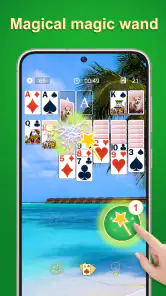
Another noteworthy feature is the hint system. If you ever find yourself stuck, the app provides helpful hints to guide you to the next move. This is particularly useful for beginners or anyone looking to improve their strategy. Plus, there's an option to undo moves, so you can experiment without any fear of making a wrong move.
Gaming Stories You May Enjoy

Dancing Road Turns Short Breaks Into a Test of Rhythm and Timing

Super Stylist Makes Every Outfit a Test of Taste and Patience

Dominoes on Your Terms: Who Should Play and Who Should Pass

Pokémon GO Makes the Familiar World Feel New

Chess.com Turns Rematches Into Rivalries, but Community Has Its Costs

Archery Battle 3D Review: Sharp Aiming, Unclear Feedback
Motor and sensory considerations
Card games are often easier to approach than action games because they let you think at your own pace, and this one’s hint and undo tools support a less stressful style of play. They can also make a difference for someone who is learning the rules or who loses track of a sequence of moves. I would still distinguish help with decisions from help with physical interaction: a hint does not, by itself, make small or crowded touch targets easier to use.
If tapping feels more reliable than dragging, it is worth trying both ways the game allows you to interact with cards and settling on the one that causes fewer slips. I’d also avoid making a move in a hurry when several cards are close together. Solitaire has no need for frantic reactions, so taking an extra second to confirm a selection is a sensible way to reduce accidental moves.
For sensory comfort, the choice of card and background designs is the most visible personal adjustment described in the game. I’d start with a simple combination and change one element at a time if the board is hard to scan. That makes it easier to tell whether the issue is the card artwork or the background, rather than changing everything and having to guess what helped.
A game for short breaks and familiar routines
A realistic use for this kind of solitaire is a quiet pause between tasks: I can open a hand while waiting for a kettle to boil, take a few moves, and leave when I need to get back to what I was doing. Daily challenges may give a regular player a reason to return, while a standard hand is better when I want to play without making the session feel like an appointment. The important difference is whether I’m choosing to play or simply responding to a prompt out of habit.
It can also fit a low-key evening when I want something to occupy my hands without following a story or competing in real time. If I’m tired, hints can reduce the effort of working out the next move; if I want to practice, I can skip them and use undo only to review a choice. That flexibility is a genuine strength for casual play, though it won’t satisfy someone looking for complex strategy or a deep progression system.
Since this is a free game, it is easy to try without paying upfront. I’d still make the usual sensible choice about screen time: decide whether I want one hand or a longer session before opening it, especially if I’m using the daily challenge as a routine. The game is rated Everyone, which makes its intended audience broad, but that age classification doesn’t tell a parent how an individual child will respond to screen use or competitive features.
Situational access: where it fits and where it doesn’t
Compared with solitaire played with a physical deck, the app handles setup and rearranging cards for me, which is convenient when I’m travelling or don’t have a table. A physical deck may be preferable for someone who wants a screen-free activity, enjoys handling real cards, or finds a phone display tiring. Compared with other digital solitaire games, the appeal here is the combination of a familiar solo format, customization, hints, undo, and the social elements described in the game—not a reason to assume every digital alternative works the same way.
For a commute or a shared waiting room, I’d keep the session short and make sure I can give the screen my attention. A card game may be calm, but it still needs visual focus and touch input; it is not ideal if I need to watch my surroundings, listen for an announcement, or keep both hands free. At home, the same game can be a straightforward way to fill a few spare minutes without setting up a deck.
The social side is worth weighing against the reason you play. Comparing scores with friends and entering weekly tournaments may add motivation if friendly competition is enjoyable. If I want solitary downtime with no pressure to perform, I’d focus on an individual hand instead. Not every player needs a leaderboard or a contest to enjoy a card game, and it is reasonable to choose a different solitaire app if those elements dominate the experience you want.
Why You’ll Keep Coming Back
What truly sets Solitaire - 2025 apart is its social aspect. You can connect with friends, compare scores, and even compete in weekly tournaments. This competitive edge adds a new layer of fun, motivating you to keep playing and improving.
Moreover, the app is designed to be light on resources, so it doesn't drain your battery or slow down your device. This means you can play for hours on end without any hiccups. The developers have also ensured that the app runs smoothly on both Android and iOS, which is a huge plus in my book.
Trade-offs to consider before settling in
The strongest reason to choose this game is its familiar card format with extra ways to personalize a session and recover from a poor move. The trade-off is that those additions may be beside the point for someone who wants a bare-bones digital deck, or who would rather keep a physical pack of cards on hand. Players who dislike score comparison or tournament competition may also prefer an alternative that keeps its focus entirely on solo play.
Daily challenges and rewards can make a routine feel fresh, but they can also turn a casual pastime into another task to check off. I’d use them when they add enjoyment, not because I feel obliged to maintain a streak or keep up with a schedule. The same goes for hints: they are valuable when frustration would otherwise end a session, but relying on them every time can take away the satisfaction of working through a tricky board.
The game is on version 1.2.3 and works on Android 6.0 or later. That gives Android users a clear starting point when checking whether an older device can run it. For anyone choosing between Android and iOS, I’d verify the relevant store page on the device they plan to use rather than assuming that a mention of both platforms guarantees identical availability or behavior.
Who will enjoy it, and who may want another option
I’d recommend giving this game a try if you already enjoy solitaire, want a free way to play a familiar card game, and like having hints or undo available when a hand becomes frustrating. It is also a reasonable fit for someone who enjoys changing the look of a game or wants the option of sharing scores and joining a tournament. Its 4.7 average and roughly 1,500 written reviews reflect plenty of player interest, but personal fit still comes down to the way you like to play.
I’d skip it in favor of a physical deck if screen-free play is important, or look for a more stripped-back alternative if customization and competition feel like distractions. Someone who needs larger, highly adjustable visual controls should test the actual board on their device before committing to long sessions; the familiar rules and hint system do not automatically resolve every readability or motor barrier. And if I’m after a game with a narrative, a team, or more involved tactical decisions, classic solitaire is simply the wrong kind of experience.
Remaining barriers and an inclusive verdict
The game’s approachable rules, optional guidance, undo, and visual customization make it easier to adapt a session to personal preference. Those qualities are useful, but they are not a substitute for adjustable text, high-contrast settings, screen-reader support, or other specific accessibility tools. I would not assume those options are present without checking the app directly. Anyone with a particular access need should try a brief session first and see whether the cards remain comfortable to distinguish and the controls feel dependable.
My overall view is that this is a welcoming choice for casual players who want recognizable solitaire rather than a demanding card game. The broad age rating and free entry point lower the barrier to trying it, while daily challenges and social competition add reasons to return for people who enjoy them. What matters most is that those extras remain optional in your own routine: for a calm solo hand, the core format is enough; for deeper strategy, screen-free play, or specific accessibility controls, another option may be a better match.
In conclusion, Solitaire - 2025 is not just a card game; it's an experience. It's perfect for unwinding after a long day or challenging yourself to beat your previous scores. Whether you're in it for the competition or just to relax, this app has something for everyone. So, why not give it a try and see for yourself? You might just find your new favorite pastime!
Solitaire - 2025 Pros and Cons
Pros
- Addictive gameplay with endless fun.
- Modern design with smooth animations.
- Daily challenges to boost your skills.
- Intuitive interface
- easy for beginners.
- Light on resources
- saves battery life.
Cons
- Ads can be intrusive at times.
- Limited customization options.
- No multiplayer mode available.
- Occasional app crashes reported.
- Requires internet for daily updates.
Frequently Asked Questions
What are the main features of Solitaire - 2025?
Solitaire - 2025 offers a modern twist on the classic card game with multiple themes, daily challenges, and customizable card designs. It includes various game modes such as Klondike, Spider, and FreeCell, providing both casual and competitive play options. The app also features an intuitive interface, relaxing music, and offline play capabilities.
Is Solitaire - 2025 free to download and play?
Yes, Solitaire - 2025 is free to download and play on both Android and iOS platforms. However, the app includes in-app purchases and ads. Players can choose to purchase ad-free versions or additional content like unique card designs and themes, enhancing their overall gaming experience.
Does Solitaire - 2025 require an internet connection to play?
No, Solitaire - 2025 does not require an internet connection for playing the main game modes, making it perfect for offline entertainment. However, an internet connection is needed for accessing some features like daily challenges, leaderboards, and syncing progress across multiple devices.
What kind of customization options are available in Solitaire - 2025?
Solitaire - 2025 offers a variety of customization options. Players can choose from an array of card designs, themes, and backgrounds to personalize their gameplay experience. The app also allows adjustments in difficulty levels and card animations, making it suitable for both beginners and seasoned players alike.
Are there any social features in Solitaire - 2025?
Yes, Solitaire - 2025 includes social features such as leaderboards and achievements, allowing players to compete with friends and other players worldwide. The app also provides options to share scores and progress on social media platforms, fostering a sense of community and competition among players.


