

Sheriff Labrador Safety Tips2
- Reviews
- 4.2
- Version
- 8.71.37.02
- Installs
- 1,000,000+

Screenshots
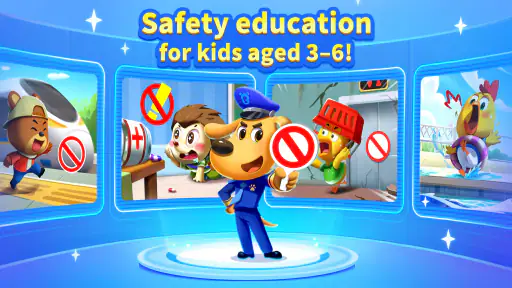




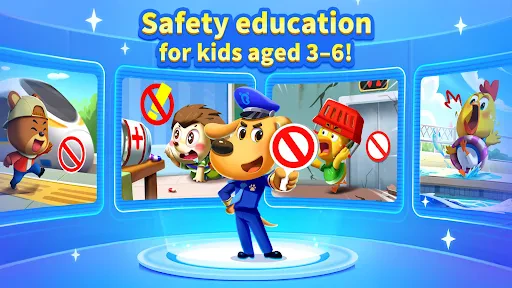


 Analysis by Frivlyz
When I judge a children’s safety game, I look beyond whether it keeps a child busy: the useful question is whether it gives a family a practical way to talk about everyday risks. Sheriff Labrador Safety Tips2 is an educational game from BabyBus, aimed at children who enjoy learning through a familiar cartoon character. Its appeal is the safety-focused theme, though I would treat it as a conversation starter rather than a substitute for practicing real-world rules together.
The game is free to download and has an Everyone age rating. It has a 4.2 average from around 1,200 ratings and more than a million installs, so it has found a sizable audience. That popularity is reassuring as a sign that families have tried it, but it does not tell me whether its lessons fit every child or household. I would still sit with a younger child at first and see how they respond to the material.
What the current version offers families
The current version is 8.71.37.02, and the game was released on July 24, 2024. Those details establish the version available now, but they do not by themselves show what changed between releases. I would avoid assuming that a particular lesson, feature, or improvement was recently added. The more useful point for a parent is to check that the app runs on the family’s device: it supports Android 5.0 and later.
Safety learning works best with an adult nearby
The central idea is easy to understand: use Sheriff Labrador and child-friendly entertainment to make safety subjects less intimidating. This can help open a conversation that might otherwise feel like a lecture. A child may be more willing to discuss what to do near a road or how to respond to a worrying situation after seeing a story or game prompt. I would pause the activity to ask what the child thinks, then connect the lesson to a familiar place or routine.
That shared use matters because a game cannot judge how a child will act in a real situation. A screen-based lesson can introduce a rule, but a parent or caregiver needs to explain exceptions and help the child practice safely. I would not treat a completed activity as proof that a child has mastered a safety skill. The strongest use is a short session followed by a simple, real-life discussion.
How it fits a busy day
For a realistic routine, I can see a parent using the game during a quiet stretch at home, then revisiting one idea before a walk or another everyday outing. Keeping the conversation focused on one situation is more useful than asking a young child to remember a long list of rules. For example, before crossing a familiar street, an adult can talk through the steps together and make clear that the adult remains responsible for choosing when it is safe.
It may suit families looking for a themed alternative to open-ended video watching, especially when a child already likes Sheriff Labrador. It is less suitable as a hands-off activity for a child who needs active supervision, or for a parent seeking a structured course with clearly documented learning goals. If your priority is practicing a particular household rule, a direct conversation and supervised practice may be more effective than another screen session.
Gaming Stories You May Enjoy

Dancing Road Turns Short Breaks Into a Test of Rhythm and Timing

Super Stylist Makes Every Outfit a Test of Taste and Patience

Dominoes on Your Terms: Who Should Play and Who Should Pass

Pokémon GO Makes the Familiar World Feel New

Chess.com Turns Rematches Into Rivalries, but Community Has Its Costs

Archery Battle 3D Review: Sharp Aiming, Unclear Feedback
Costs, expectations, and a sensible first session
The download is free, with in-app purchases ranging from $1.99 to $29.99 per item. I would check the purchase options with an adult before handing over a device, and make sure a child knows that paid choices are not part of the lesson. That small bit of preparation can prevent an interrupted session and helps keep entertainment spending intentional.
For a first try, I would stay nearby, let the child explore at their own pace, and notice which topics prompt questions or confusion. Then I would stop rather than turning the game into a long lesson. The most useful outcome is not simply time spent in the app; it is a child remembering one practical idea and feeling comfortable asking an adult about safety.
Where it sits among children’s learning options
Compared with a general cartoon or a broad collection of children’s games, this title has a more specific educational purpose: safety is the lens through which I would approach it. That focus can make it easier to choose when the family wants to discuss safe habits. On the other hand, a book, a caregiver-led conversation, or supervised practice can be better when a child needs a quiet explanation, a personalized example, or repeated coaching without distractions.
I would also keep expectations measured. The game is made by BabyBus and belongs to the educational-game category, but those labels do not tell me how every lesson will land with a particular child. Children differ in reading ability, attention, and comfort with safety topics. If a story raises anxiety or a child takes a rule too literally, I would pause, reassure them, and explain the situation in age-appropriate terms rather than pushing through the activity.
What to keep in mind as you use it
The version number gives families a useful reference point when checking whether they are running the current release, but I would not infer a specific product change from it alone. For existing users, the practical approach is to review the experience after an update and see whether it still suits the child and the device. If the app feels confusing or no longer holds their attention, there is no need to insist on it; a parent can teach the same everyday lesson in another way.
My main reservation is about relying too heavily on a game for a subject that depends on context. Safety advice needs to match the child’s age, local surroundings, and family rules. I would use the app to prompt discussion, not as an authority that replaces an adult’s judgment. Nor would I leave a child to interpret a serious topic alone. Those limits do not make the idea less useful; they define the role it can sensibly play.
Whether the app remains a good fit is something I would judge by the conversations it starts, not by how long a child stays on screen. Watch for topics they remember, questions they ask, and moments when they need clarification. If future versions change the experience, families can assess those changes when they encounter them rather than assuming what an update contains. For now, I see it as an optional, focused aid for bringing safety lessons into ordinary family routines.
Getting Started with Sheriff Labrador Safety Tips2
First things first, downloading Sheriff Labrador Safety Tips2 is a breeze. Available on both Android and iOS, this app is very user-friendly. Once you've got it installed, you're greeted by a friendly and colorful interface featuring Sheriff Labrador himself. The app is designed to be intuitive for both adults and kids, which is a huge plus in my books. The navigation is straightforward, so even if you're not tech-savvy, you'll find your way around it easily.
Features That Stand Out
What I love most about this app is its educational aspect. Safety education is crucial for kids, and this app does a fantastic job of making it engaging and interactive. With vibrant animations and fun quizzes, kids learn about various safety tips, like crossing the street safely, what to do in case of a fire, and even dealing with strangers. It's like having a digital safety manual that's always handy.
Another neat feature is the reward system. Kids earn badges and points for completing tasks and quizzes, which encourages them to learn more. It's a clever way to keep them engaged and motivated. Plus, the app regularly updates with new tips and quizzes, so there's always something fresh for the kids to explore.
Why Parents Love It
As a parent, I appreciate how parental controls are integrated into the app. You can customize the content and set limits to ensure your child is only accessing suitable material. The peace of mind this provides is invaluable. Moreover, the app doesn't bombard you with ads, which is a rare find these days. It's clear that the developers have prioritized creating a safe and distraction-free environment for kids.
Let's not forget the community aspect. Parents can connect with each other, share tips, and even participate in discussions about child safety. It's like joining a community of like-minded individuals who are all striving to keep their kids safe.
Final Thoughts
In conclusion, Sheriff Labrador Safety Tips2 is more than just an app; it's a tool that empowers both kids and parents. It combines education with entertainment, making learning about safety a fun experience. The app's thoughtful design and comprehensive content make it a standout choice for any parent looking to instill valuable safety lessons in their children.
So, if you haven't already, give this app a whirl. It's a small investment for peace of mind and an excellent way to teach your kids important life skills. Happy parenting!
Sheriff Labrador Safety Tips2 Pros and Cons
Pros
- Engaging and educational gameplay for kids.
- Colorful graphics that attract children.
- Easy-to-use interface for young users.
- Promotes safety awareness effectively.
- Incorporates fun animations and sounds.
Cons
- Limited content variety over time.
- May require in-app purchases.
- Some ads could be distracting.
- Not suitable for older children.
- Limited parental control features.
This Game in Other Languages
Frequently Asked Questions
What is Sheriff Labrador Safety Tips2 and what does it offer?
Sheriff Labrador Safety Tips2 is an educational app designed to teach children about safety through engaging stories and interactive activities. The app features Sheriff Labrador, a friendly dog character, who guides children through various scenarios, offering practical safety advice. Users can explore different environments where they learn how to handle potentially dangerous situations safely. This makes it an essential tool for parents looking to educate their kids on safety in a fun and interactive way.
Is Sheriff Labrador Safety Tips2 suitable for all age groups?
Sheriff Labrador Safety Tips2 is primarily aimed at young children, typically aged between 4 to 8 years old. The app's content is designed to be age-appropriate, ensuring that the safety tips are easy to understand and relatable for young audiences. However, older children might also find the content useful, especially if they enjoy interactive stories and games. Parents are encouraged to review the app to ensure it meets their child's learning needs.
Does the app include any in-app purchases or advertisements?
Sheriff Labrador Safety Tips2 is designed to be a safe environment for children, and thus it avoids intrusive advertisements and in-app purchases. This ensures that children can enjoy the app without accidental purchases or exposure to inappropriate content. However, parents should always check the app's settings and permissions to confirm that there are no hidden costs or unwanted ads.
How can parents ensure their child's safety while using the app?
To ensure their child’s safety while using Sheriff Labrador Safety Tips2, parents should first review the app themselves to understand its content and functionality. Activating any parental controls available within the app can help manage what children can access. Additionally, parents can use the app alongside their child, which not only enhances the learning experience but also allows them to address any questions or concerns their child may have about the safety tips being taught.
What devices are compatible with Sheriff Labrador Safety Tips2?
Sheriff Labrador Safety Tips2 is available on both Android and iOS platforms. To install the app, users need to have a device running Android version 5.0 or higher, or iOS version 10.0 or later. The app is optimized for both smartphones and tablets, providing a flexible user experience across different devices. Users are advised to ensure their device meets the necessary requirements for optimal performance.


