

Sea War: Raid
- Reviews
- 4.7
- Version
- 1.150.0
- Installs
- 1,000,000+

Screenshots
 Analysis by Frivlyz
Sea War: Raid is a captivating mobile game that takes players on an adventurous journey through the high seas, where strategy and quick thinking are key to survival. As someone who loves a good nautical challenge, I was eager to dive into this game and see what it had to offer. Let me take you through my experience with this thrilling app.
What to expect from a naval strategy game
Sea War: Raid is a free strategy game from Tap4fun Trident Limited, set in a late-modern period rather than a purely historical age of sail. That distinction matters when you decide what kind of atmosphere you want: I would approach it as a mobile war game with a sea-focused theme, not as a sailing simulator or a detailed naval history lesson. Its Teen rating is also worth keeping in mind if you are choosing a game to share with a younger player.
The scale of its audience suggests that plenty of players are willing to spend time with it: it has more than a million installs and an average rating of 4.7 from around 87,000 ratings. Those figures are encouraging, but they cannot tell you whether its pace will suit you. The more useful question is whether you enjoy planning, improving a force over time, and returning to a strategy game in short sessions.
Compared with a quick-match action game, this kind of experience asks for more patience and follow-through. Compared with a traditional turn-based strategy game, its naval setting and mobile progression give the action a different flavor. I would choose it when I want a themed strategy game to revisit, but not when I only have a few minutes and want a complete, self-contained match with no longer-term decisions attached.
Getting comfortable after installing
The game is free to download, and its current version is 1.150.0. On Android, it supports devices running version 5.1 or later. Before starting, I would make sure the device has enough free space for the installation and any later updates, and that you are comfortable with a game that may invite you to return regularly. Those are sensible preparations for any evolving mobile strategy title, not a promise about a particular update or session length.
My first practical tip is to treat the opening guidance as a learning route, not a test of how quickly you can tap through it. Pay attention to what each instruction asks you to do, then pause long enough to notice what changed on screen. If the game introduces a choice about ships, resources, or an attack, understanding the reason for that choice is more useful than simply completing the prompt.
I would also decide early whether you want to play without spending. In-app purchases range from $0.99 to $99.99 per item, so the free entry point does not mean every optional purchase is small. I recommend playing first, learning what progress feels like at your own pace, and setting a spending boundary before any purchase prompt appears. That helps you judge whether a purchase solves a real frustration or just offers a shortcut you do not need.
Gaming Stories You May Enjoy

Dancing Road Turns Short Breaks Into a Test of Rhythm and Timing

Super Stylist Makes Every Outfit a Test of Taste and Patience

Dominoes on Your Terms: Who Should Play and Who Should Pass

Pokémon GO Makes the Familiar World Feel New

Chess.com Turns Rematches Into Rivalries, but Community Has Its Costs

Archery Battle 3D Review: Sharp Aiming, Unclear Feedback
Your first meaningful win
For a newcomer, a satisfying first success does not have to mean beating another player. It can be completing an early objective while understanding why your choices worked. I would focus on one decision at a time: follow the current task, check how your fleet is set up, and avoid changing several things at once before a battle. That makes the result easier to learn from, whether you win or need to try a different approach.
A realistic way to fit the game into an ordinary day is to open it during a quiet break, complete one clear task, and stop before making a rushed decision just to keep up. If you have only a short window, use it to review your next move rather than entering a fight you cannot finish thoughtfully. Strategy games are more enjoyable when a pause is part of the plan, not a sign that you are falling behind.
One useful habit is to treat retreat or delay as a tactical option rather than a failure. The original appeal of the battles is making decisions, not charging forward automatically. When a fight looks unfavorable, stepping back and reconsidering your fleet or timing can teach you more than repeating the same attack. I find that this mindset makes early losses less discouraging and helps the strategic layer feel meaningful.
Setting Sail on an Epic Adventure
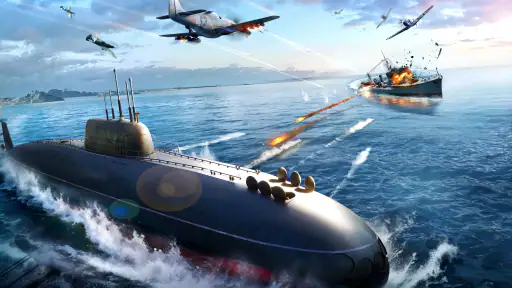
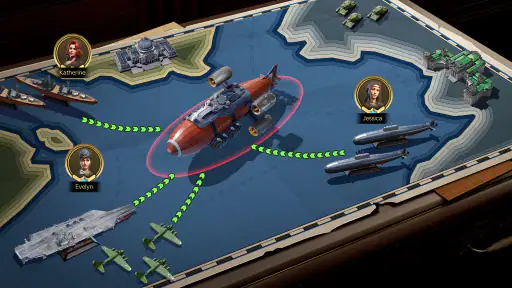
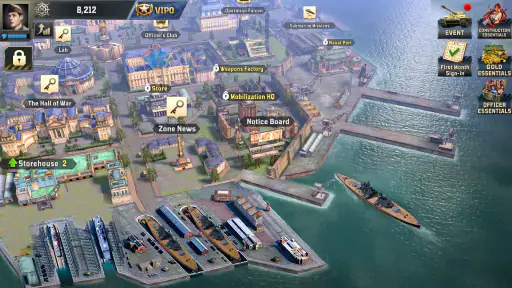
From the moment you open the app, Sea War: Raid immerses you in a world of pirates, treasure hunts, and epic naval battles. The graphics are stunning, with beautifully rendered ships and detailed ocean landscapes that make you feel like you're really out there on the open sea. The game starts with a tutorial that guides you through the basics, which is a nice touch for new players who might be unfamiliar with this genre.
Gameplay Mechanics
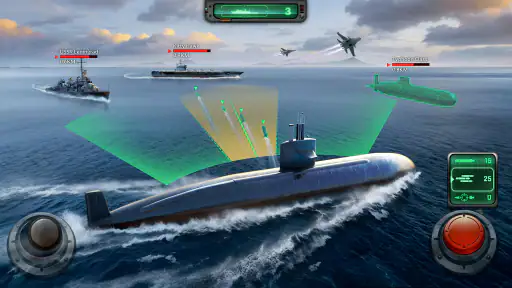
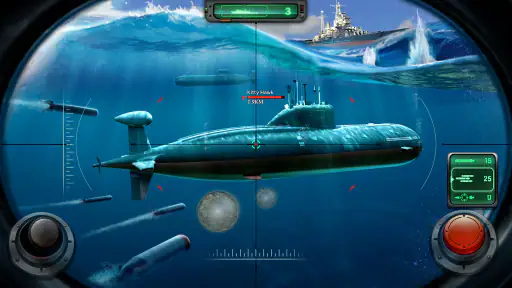
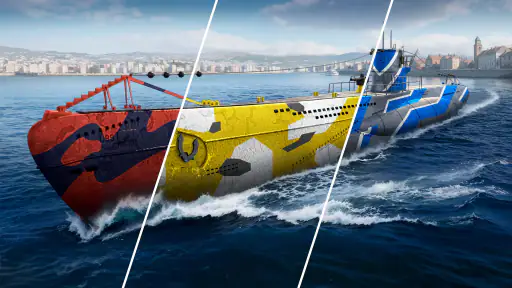
Once you get the hang of it, the gameplay in Sea War: Raid is both challenging and rewarding. The game revolves around building your fleet, upgrading your ships, and engaging in battles with other players or AI-controlled enemies. Each ship has its own unique abilities, and figuring out how to best utilize them is a big part of the fun. The controls are intuitive, allowing for smooth navigation and combat.
One of the standout features is the strategic element. You can't just charge into battle and expect to win; you need to plan your attacks, manage your resources, and make tactical decisions about when to fight and when to retreat. This adds a layer of depth that keeps the game interesting and engaging over time.
Understanding choices and limits
A common point of confusion in a strategy game is whether every available upgrade is equally urgent. I would avoid spreading resources across every option simply because it is visible. Instead, identify what is currently stopping you from completing the next objective, then focus on the improvement most directly connected to that obstacle. This is a general decision-making approach for the fleet and resource choices described in the game; it does not require guessing at hidden formulas.
Another question new players often have is whether they must compete with other people to enjoy the game. The experience described here includes both player battles and AI-controlled opponents, so you can engage with different kinds of challenges. If you prefer to learn privately, begin with the guidance and AI encounters before treating competition as your main goal. If you enjoy rivalry, other players and leaderboards provide a reason to keep refining your decisions.
Alliances and cooperative activity can make a strategy game feel more social, but they also bring a trade-off: shared play is best for people who enjoy coordinating with others and returning to the game consistently. If you prefer complete independence, you may get more satisfaction from focusing on your own fleet and individual objectives. I would join a group because I wanted the social side, not because I assumed it was required to understand the basics.
A Community of Adventurers
Another aspect I appreciate is the community element. You can join alliances, participate in cooperative missions, and compete in leaderboards. This social aspect adds a competitive edge and encourages you to keep improving your skills. Plus, it's always fun to connect with other players who share your love for high-seas adventure.
Who will enjoy the pace—and who may not
I can see this working well for someone who likes developing a fleet, weighing tactical choices, and having a reason to return to a game after a break. It is also a reasonable pick for a player who wants a sea-themed alternative to fantasy armies or familiar land-based strategy settings. The combination of naval battles and longer-term decisions gives the theme a clear role rather than using ships as decoration alone.
I would skip it if I wanted a realistic ship-handling simulation, a short campaign that wraps up in a few sittings, or a strategy game with no competitive or social elements. It may also be a poor fit if purchase prompts make free-to-play games frustrating for you. The game is free to start, but optional spending is part of its model, so being comfortable ignoring offers is important if you want to keep your play entirely free.
Monetization and Free-to-Play Model
Like many mobile games, Sea War: Raid follows a free-to-play model with in-app purchases. While you can enjoy the game without spending any money, purchasing in-game currency can expedite your progress. However, I found that the game is quite generous with its rewards, so you don't feel pressured to spend unless you want to support the developers.
My advice is to give the free experience enough time to show you its normal rhythm before paying to speed anything up. A purchase can make sense if you have already decided that you enjoy the game and want the convenience; it is less compelling if you are still unsure whether you like its battles or progression. Keeping that distinction in mind is a practical way to avoid paying simply because a moment of impatience made progress feel slow.
Choosing your next step
If the opening sessions appeal to you, the next step is to settle into a repeatable routine: review what you are trying to accomplish, make one or two deliberate fleet or resource decisions, then choose a battle that matches your readiness. Afterward, take a moment to notice what helped and what did not. That small loop—plan, act, review—is more useful than trying to copy another player’s choices without understanding why they made them.
For Android players, the game’s minimum operating system is 5.1, and its current version is 1.150.0. The rating and install figures can reassure you that it has attracted a substantial audience, but I would still judge it by your own first sessions. A strategy game can be popular and still be the wrong fit if you dislike resource management, gradual progress, or the possibility of competitive play.
Overall, Sea War: Raid offers an exhilarating experience for anyone who enjoys strategy games with a nautical twist. Whether you're a seasoned sailor or a landlubber looking for a new challenge, this game is sure to keep you entertained for hours. So, grab your compass, assemble your crew, and set sail for adventure! It's time to make your mark on the seven seas.
Sea War: Raid Pros and Cons
Pros
- Engaging naval combat experience.
- Realistic graphics and sound effects.
- Variety of ships to choose from.
- Intuitive controls for easy gameplay.
- Frequent updates with new content.
Cons
- In-app purchases can be expensive.
- Requires a stable internet connection.
- Some levels can be repetitive.
- High battery consumption.
- Limited offline gameplay.
Frequently Asked Questions
What is the main objective of Sea War: Raid?
Sea War: Raid is a strategic naval warfare game where players command a fleet of ships to conquer enemy territories and complete various missions. The main objective is to strategically manage resources, upgrade your fleet, and engage in tactical battles to expand your control over the seas while defending against enemy attacks.
Is Sea War: Raid free to play?
Sea War: Raid is free to download and play, but it includes in-app purchases that can enhance the gaming experience. Players can buy additional resources, ships, and upgrades using real money. While the game can be enjoyed without spending, these purchases can provide a competitive edge and quicker progression through the game.
What are the device requirements for Sea War: Raid?
Sea War: Raid requires iOS 11.0 or later for Apple devices, and Android 6.0 or later for Android users. It is optimized for both smartphones and tablets, ensuring a smooth gaming experience. The game also requires a stable internet connection to access multiplayer features and updates.
How does multiplayer mode work in Sea War: Raid?
In Sea War: Raid, multiplayer mode allows players to compete or collaborate with others globally. Players can join alliances, participate in battles against other fleets, and complete cooperative missions. Real-time communication and strategic planning with allies are crucial for success in multiplayer engagements.
Are there any parental controls in Sea War: Raid?
Yes, Sea War: Raid includes parental controls to manage in-game purchases and restrict access to certain features. Parents can set passwords for purchases and monitor gameplay time to ensure a safe and controlled environment for younger players. It's advisable for parents to familiarize themselves with these settings to manage their child's gaming experience effectively.


