

Sago Mini World: Kids Games
- Reviews
- 3.7
- Version
- 8.1
- Installs
- 10,000,000+

Screenshots
 Analysis by Frivlyz
When I look at Sago Mini World: Kids Games, I see a children’s game best suited to short, imaginative play rather than lessons with a fixed goal. Its appeal is the invitation to explore playful settings and make things up as you go. That can be a welcome fit for a quiet stretch at home, though parents should decide whether an open-ended experience is what their child wants before making it a regular screen-time choice.
What the current version is trying to do
This is an educational game from Play Piknik, aimed at babies, toddlers, and children from age two to six. It is free to install, rated for Everyone, and currently at version 8.1 on Android devices running 5.1 or later. The game has been around since September 10, 2018; that history gives it the feel of an established children’s play space, but the version number alone does not tell me exactly what changed in each release.
The scale of its audience is notable: it has over 10 million installs, with an average rating of 3.7 from around 43,000 ratings and roughly 2,900 written reviews. I treat those figures as context, not as a substitute for a parent’s own judgement. A young child’s response depends heavily on temperament: one may happily wander between activities, while another may prefer a clear task, a visible finish, or a grown-up playing alongside them.
There is a practical distinction between downloading the game and getting ongoing access to everything it offers. The download is free, while in-app purchases range from 99 cents to $99.99 per item. I would check the purchase settings on the device before handing it over, and explain to older preschoolers that tapping something attractive may not mean it is available without a purchase. That small bit of preparation can prevent a play session from turning into a negotiation.
How the play style works at home
The worlds described in the game give children room to choose a direction: they might pretend to travel into space, explore underwater, or play at a farm. I like this kind of loose structure for a child who invents stories while moving objects around. It can also work as a shared activity: instead of asking “Did you finish?”, I might ask who the characters met or what the child wants to try next. That keeps the emphasis on imagination rather than treating every minute as a lesson to measure.
A realistic use is a brief wait at a clinic or a calm period before dinner. I would first help a child settle on one activity, then let them explore rather than repeatedly switching settings for novelty. When time is up, asking them to tell me what happened in their play gives the transition a natural ending. This is more useful than expecting the game to occupy a child indefinitely, and it gives a parent a chance to notice whether the child is engaged or simply tapping through screens.
Where it fits among children’s games
Compared with early-learning apps built around quizzes, letter drills, or correct answers, Sago Mini World’s strongest apparent draw is imaginative play. That makes it a better match for a child who enjoys pretend scenarios than for one who specifically wants to practise phonics, counting, or a defined skill. Compared with a single-purpose game, a collection of different settings can offer more variety, but it may also make it harder for a child to settle on one activity without adult help.
Gaming Stories You May Enjoy

Dancing Road Turns Short Breaks Into a Test of Rhythm and Timing

Super Stylist Makes Every Outfit a Test of Taste and Patience

Dominoes on Your Terms: Who Should Play and Who Should Pass

Pokémon GO Makes the Familiar World Feel New

Chess.com Turns Rematches Into Rivalries, but Community Has Its Costs

Archery Battle 3D Review: Sharp Aiming, Unclear Feedback
I would not choose it as a replacement for books, outdoor play, or hands-on toys. Instead, I see it as one option in a varied routine, especially when a parent wants a digital activity that invites the child to invent rather than passively watch. If the child becomes frustrated by navigating between choices, joining in for the first few minutes and modelling how to explore can make the experience feel more approachable.
Changes, continuity, and what to check
The release date and current version show that this is not a brand-new game, but they do not establish a detailed change history. For an existing family, the useful question is less “What does the version number promise?” and more “Does the current experience still suit my child?” I would revisit that periodically, particularly as a child grows out of the preschool age range and begins asking for more challenge, clearer goals, or activities tied to specific school skills.
One trade-off with a broad play space is that variety can keep a child curious while also making the experience feel diffuse. A parent can make it more purposeful by choosing a setting together and inviting the child to describe, draw, or act out part of the story afterward. That simple extension brings the play away from the screen and gives the child a chance to use language and imagination in another way, without pretending that the game itself is a structured curriculum.
There are also practical details worth checking before a trip. The original review describes offline use after downloading games, which can be useful when connectivity is unreliable; I would prepare the device in advance rather than assume every part of the experience will be ready on arrival. For a shared tablet, it is sensible to test the child’s route into the activity yourself, confirm that purchase controls are appropriate, and make sure the device has enough battery for the planned stretch of quiet time.
Who will enjoy it—and who may prefer something else
I would recommend giving it a try if your child likes make-believe, colourful environments, and choosing what to explore without being pushed toward one right answer. It may also suit caregivers who want to join in with conversation rather than supervise a sequence of drills. The age range is broad, however, so a two-year-old may need more help finding a starting point, while an older child may lose interest if they are looking for substantial puzzles or a strong sense of progression.
If your priority is a specific learning outcome, such as practising letter sounds or number recognition, I would pick a focused educational app or use a book and an adult-led activity instead. If your child tends to become overstimulated by lots of choices, a single activity with a simple beginning and end may be a better fit. And if you prefer screen time to be mostly shared, plan to sit alongside them; the freedom to explore is a strength, but it does not automatically make the game a substitute caregiver.
Why Sago Mini World Caught My Eye
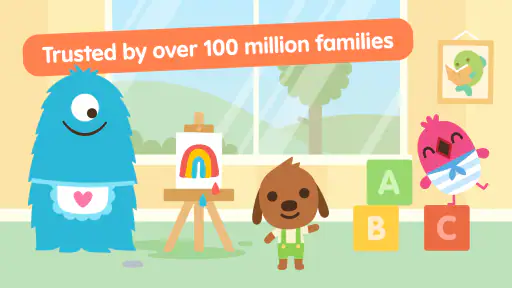
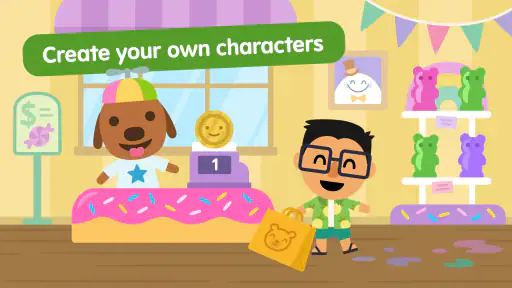
Picture this: an app bursting with colorful, quirky characters and engaging worlds that make you want to dive right in. That’s exactly what Sago Mini World offers. It’s like a massive playground where kids can hop from one adventure to another without ever leaving the comfort of their home.
What really sets this app apart is its simplicity. Even if you’re not tech-savvy, you’ll find it a breeze to navigate. The user interface is designed with kids in mind – intuitive and, most importantly, fun!
A World of Adventures
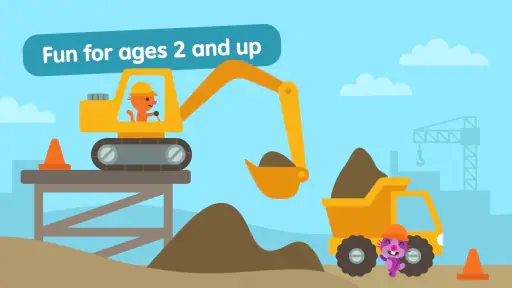
One of the highlights for me was the sheer variety of games and activities available. Whether your child wants to explore space, dive underwater, or even run a farm, there’s something for every curious mind. Each game is crafted to spark creativity and encourage learning through play.
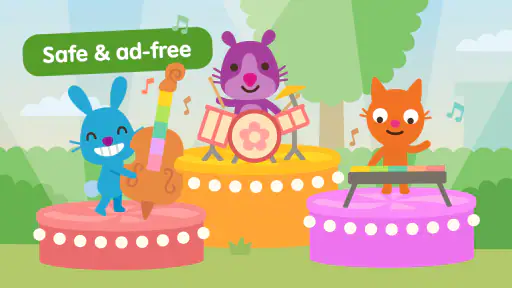
And the best part? The games are ad-free! That means your kids can enjoy their adventures without any pesky interruptions. I can’t stress enough how much of a win that is for parents who value uninterrupted playtime.
Encouraging Creativity
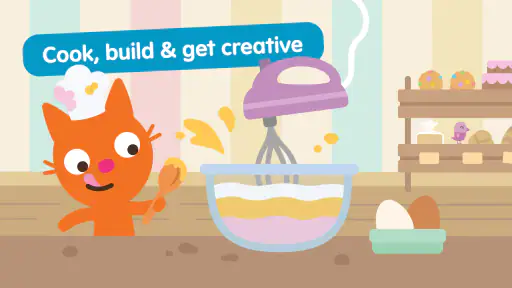
Each game within the app is cleverly designed to inspire creativity. Kids can build their own rocket ship, design a house, or even whip up a culinary masterpiece. And with new content being added regularly, there’s always something fresh to explore.
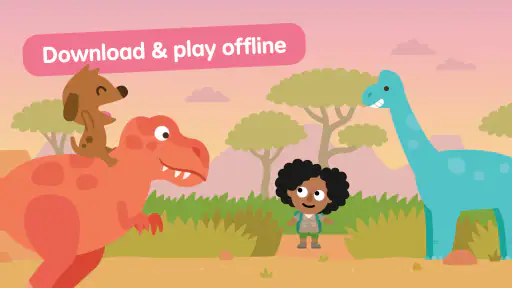
It’s also worth mentioning the app’s offline capability. Planning a long trip? Just download a few games and keep the little ones entertained without worrying about Wi-Fi connectivity. It’s like having a pocket full of endless fun wherever you go!
Final Thoughts
All in all, Sago Mini World: Kids Games is a fantastic app that encourages kids to learn through play. Its charming design, coupled with a rich variety of activities, makes it a go-to choice for parents seeking educational entertainment. So, if you’re looking for an app that’s both fun and enriching, give Sago Mini World a try. Trust me, the kids will thank you!
I would keep expectations grounded: this is a playful option, not a complete learning plan, and the free download does not mean every part is included at no cost. If its imaginative style matches your child and you are comfortable managing in-app purchases, it is worth exploring together. If you need a focused lesson, a predictable endpoint, or an activity that reliably holds a child’s attention without your involvement, another choice will likely serve you better.
Sago Mini World: Kids Games Pros and Cons
Pros
- Wide variety of games for kids
- Encourages creativity and exploration
- Ad-free experience
- Offline play available
- Regular updates with new content
Cons
- Requires subscription for full access
- Large app size
- May be too simple for older kids
- In-app purchases present
- Limited parental controls
This Game in Other Languages
Frequently Asked Questions
What age group is Sago Mini World suitable for?
Sago Mini World is designed for young children aged 2-5 years old. It offers a safe and engaging environment for toddlers and preschoolers to explore and learn. The app features a variety of mini-games and activities that are both educational and entertaining, making it ideal for early childhood development.
Is Sago Mini World available on both Android and iOS devices?
Yes, Sago Mini World is available for download on both Android and iOS devices. You can find it on the Google Play Store for Android users and the Apple App Store for iOS users. This accessibility ensures that children can enjoy the app on a variety of smartphones and tablets.
Does Sago Mini World require an internet connection to play?
Sago Mini World does not require an internet connection to play once it is downloaded. This makes it a great option for parents who want their kids to enjoy the app while on the go, without worrying about data usage or connectivity issues. However, an internet connection may be needed for initial downloads and updates.
Are there any in-app purchases in Sago Mini World?
Yes, Sago Mini World does offer in-app purchases. While the app provides a range of free content, there are additional packs and features that can be unlocked through purchases. Parents should be aware of these options and may want to set up parental controls to prevent unauthorized purchases by their children.
What educational benefits does Sago Mini World offer?
Sago Mini World offers numerous educational benefits for young children. It encourages creativity, problem-solving, and fine motor skills through its interactive games and activities. The app also helps with language development and cognitive skills by engaging children in playful learning scenarios, making education fun and immersive for early learners.


