

Redecor - Home Design Game
- Reviews
- 4.5
- Version
- 3.59.3
- Installs
- 10,000,000+

Screenshots

 Analysis by Frivlyz
If you’re anything like me, you’ve probably spent countless hours scrolling through Pinterest, dreaming about transforming your space into a chic paradise. Well, let me introduce you to Redecor - Home Design Game, an app that lets you unleash your inner interior designer without breaking the bank or picking up a paintbrush.
What makes this kind of game appealing to me is the low-stakes chance to test combinations I might hesitate to try in a real room. I can compare finishes, see whether a bold accent competes with a patterned rug, and change direction without buying anything or living with a decision I regret. That makes it useful not only for design fans, but also for anyone who wants a small creative break that feels more hands-on than browsing pictures.
Who will enjoy designing here
I’d recommend it to people who like arranging colors and materials, enjoy short creative tasks, or want inspiration before refreshing a room at home. You don’t need professional design knowledge to take part; the fun is in making choices and seeing how a finished room reads as a whole. It can also suit someone who enjoys friendly competition, since the community element gives each design a social dimension rather than leaving it as a private exercise.
It is less suited to someone looking for a practical renovation planner. A virtual room can help you think about mood and style, but it cannot tell you whether a sofa will fit through your doorway, whether a paint color looks the same in your lighting, or what materials will cost in a shop. I treat it as a place to explore visual ideas, not a substitute for measuring, budgeting, or choosing products for a real home.
Getting Started with Redecor
First things first, downloading Redecor is a breeze. Whether you’re on Android or iOS, you’ll find it in the app store, ready to whisk you away into a world of patterns, textures, and colors. Once you’ve got it installed, the game welcomes you with a sleek interface that’s super easy to navigate. No need for a tutorial here, folks – it’s intuitive enough for anyone to dive right in.
Reworks Ltd. is the developer behind this free simulation game. It has a 4.5 average from around 315,000 ratings, and more than 10 million installs. The game is rated Everyone, so it is broadly accessible, though the competitive and purchase elements may still matter to parents deciding what suits a particular child. On Android, it requires version 7.0 or later; the current version is 3.59.3.
There’s a useful distinction to keep in mind when opening a design game like this: the quick interface lowers the barrier to starting, but it doesn’t mean every choice is equally easy. I find it helps to begin with one clear idea—such as a calm, light room or a strong contrast—then build around it. That gives the room a direction before individual attractive items start pulling the design in different directions.
Gaming Stories You May Enjoy

Dancing Road Turns Short Breaks Into a Test of Rhythm and Timing

Super Stylist Makes Every Outfit a Test of Taste and Patience

Dominoes on Your Terms: Who Should Play and Who Should Pass

Pokémon GO Makes the Familiar World Feel New

Chess.com Turns Rematches Into Rivalries, but Community Has Its Costs

Archery Battle 3D Review: Sharp Aiming, Unclear Feedback
The Design Challenges
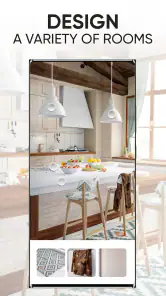
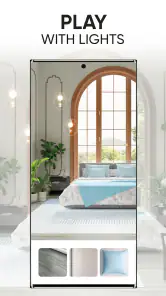
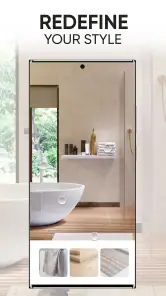
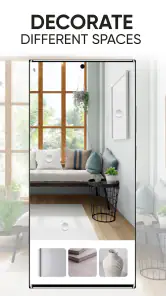
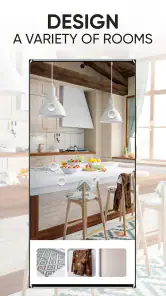
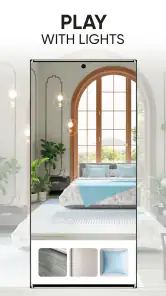
Now, the core of the game is its design challenges. Each day, you’ll be presented with a series of rooms that need your magic touch. Whether it’s a cozy living room or a luxurious bedroom, your task is to select wallpapers, flooring, and furniture to create the perfect ambiance. And let me tell you, it’s as addictive as it sounds.
The challenge format gives a session a natural stopping point, which is handy when I only have a few minutes. I can make a room choice, finish the composition, and come back another time rather than needing a long uninterrupted stretch. For a more thoughtful result, though, I’d avoid tapping through every option in a hurry. Looking at the room as a complete palette—large surfaces first, smaller accents after—usually makes my choices feel more intentional.
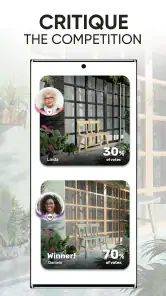
The coolest part? You get to see how your designs stack up against others in the Redecor community. It’s like a friendly competition where everyone’s a winner because we all get to admire some seriously beautiful spaces.
That social comparison is enjoyable, but I wouldn’t use votes as a definitive measure of design skill. A popular result can reflect a shared taste or the way a particular challenge is framed, rather than proving that one style is universally better. I use the results as a prompt to notice what I might try differently next time, while keeping my own preferences in view.
Customization and Creativity
What I love most is the vast array of customization options. You can mix and match hundreds of items, from rugs to wall art, creating endless possibilities. The app really lets your creativity run wild. Plus, it keeps things fresh by constantly updating the catalog with new items.
One practical way to make the options less overwhelming is to decide which element should lead the room. If I choose a patterned wallpaper first, I keep the other large surfaces quieter; if the furniture is the main attraction, I let the surrounding finishes support it. This is a small workflow change, but it helps avoid the familiar problem of choosing several appealing pieces that don’t work together.
Feeling stuck? Not a problem. There are plenty of inspirations within the app to get your creative juices flowing. And if you’re really proud of your design, you can share it with friends or on social media. Trust me, those likes will start pouring in!
I’d use inspiration as a starting point rather than a recipe to copy. Borrowing one detail—a color relationship, a contrast between materials, or a particular mood—leaves room to make the rest of the design your own. Sharing is optional in practice: if I’m experimenting with an unusual combination, I can treat the room as a private creative exercise instead of worrying about how it will perform with other people.
In-Game Currency and Purchases
Alright, let’s talk logistics. Redecor operates on a currency system. You earn coins and cash by completing challenges, which you then use to unlock new items. It’s a smart way to keep you engaged, and the app strikes a nice balance between earning and spending.
Of course, like many apps, there’s an option to make in-app purchases. If you’re impatient (or just really want that stunning velvet sofa), you can buy extra currency. But honestly, I found the free-to-play route enjoyable and rewarding.
The game is free to download, with optional in-app purchases ranging from $0.49 to $149.99 per item. That wide spread is worth noticing before handing a device to a child or making a purchase: I’d check the price shown in the app each time and set clear expectations about spending. If you’re happy to progress at the pace of ordinary play, there’s no need to treat purchases as part of the basic design experience.
There’s also a trade-off between collecting and designing. It can be tempting to spend currency as soon as a new material catches your eye, but I’d first consider whether it fits the kinds of rooms and palettes I actually enjoy making. Saving resources for items that support several different looks can be more satisfying than unlocking something striking that I rarely use. The best approach depends on whether collecting variety or finishing each challenge is what keeps you engaged.
Community and Social Features
Speaking of sharing, the social aspect of Redecor is a game-changer. You can connect with other designers, exchange tips, and even vote on each other’s work. It’s a vibrant community that adds a whole new layer of fun to the experience.
Compared with a standalone room-decorating sandbox, the community and voting give this game more of a shared activity feel. Compared with a practical home-planning tool, however, it is focused on creative play rather than measurements and real-world decisions. I’d choose this when I want to style a room and see how other players approach a similar brief; I’d choose a floor-plan or shopping tool instead when accuracy, dimensions, and purchase planning are the main goal.
Plus, the feedback system is pretty neat. When others rate your designs, you get a sense of what works and what doesn’t. It’s a great way to improve your skills and maybe discover a new style you hadn’t considered before.
For an everyday session, I might open it while taking a break, complete one room, and then look at the finished design before deciding whether I want to share it. That routine keeps the game relaxing instead of turning every challenge into a contest. If the voting side starts to feel more stressful than fun, I’d focus on the creative choices and use the social features only when I genuinely want feedback.
What to expect as the game evolves
The current Android version is 3.59.3, while the game’s release date was April 10, 2020. Those facts show that Redecor has continued to receive version updates since its launch, but a version number alone doesn’t tell me exactly what changed in each release. I’d avoid assuming a particular feature or balance adjustment arrived in a specific update unless the game itself explains it.
For someone returning after time away, the sensible approach is to look at the current challenges and catalog in the app rather than rely on memory. Existing players can keep using the same basic design habits—settling on a palette, choosing a focal point, and spending currency deliberately—even as the available items change. What I’d watch over time is whether the evolving selection continues to make experimentation enjoyable without making progress feel dependent on purchases.
Final Thoughts
So, is Redecor - Home Design Game worth your time? Absolutely. Whether you’re a die-hard design enthusiast or just looking for a fun way to unwind, this app delivers. It’s engaging, visually stunning, and offers a fantastic platform for expressing your creativity.
My recommendation comes with a clear boundary: think of it as a playful design studio, not a guide to furnishing a real home. It works best when you enjoy the challenge of combining finishes, can accept that other players’ tastes may differ from yours, and are comfortable progressing without buying extra currency. If you want precise planning or dislike social voting, another kind of design app will be a better fit.
So go ahead, download it, and start turning those design dreams into (virtual) reality. Happy decorating!
Redecor - Home Design Game Pros and Cons
Pros
- Realistic 3D design visuals.
- Wide variety of decor options.
- Frequent updates with new items.
- Intuitive and user-friendly interface.
- Inspires real-life decorating ideas.
Cons
- In-app purchases can be costly.
- Requires internet connection.
- Limited free design options.
- Ads can be intrusive at times.
- Progression can feel slow.
Frequently Asked Questions
What is the main purpose of Redecor - Home Design Game?
Redecor - Home Design Game is designed for users who love interior design and want to explore their creativity by decorating virtual spaces. The game offers players the opportunity to work on design challenges, using a wide variety of furniture, colors, and textures to create stunning interiors. It's perfect for those looking to test their design skills or gain inspiration for real-life projects.
Is Redecor free to play, or are there in-app purchases?
Redecor is free to download and play, but it does offer in-app purchases. These purchases can provide players with additional resources like design elements and currency, which can enhance the gaming experience. While you can enjoy the game without spending money, some users choose to make purchases to access exclusive items or speed up progress.
What kind of design challenges does Redecor offer?
Redecor features a variety of design challenges that test players' creativity and design skills. These challenges range from decorating living rooms and bedrooms to more complex spaces like kitchens and outdoor areas. Each challenge has specific requirements and themes, encouraging players to think outside the box and try different styles to impress other users and judges.
Can I interact with other players in Redecor?
Yes, Redecor allows players to interact with one another through its voting and feedback system. Players can vote on each other's designs, offering a great way to gain inspiration and see different styles in action. This community aspect adds a social element to the game, making it more engaging and dynamic.
What devices support Redecor - Home Design Game?
Redecor is available on both Android and iOS devices, ensuring a wide range of compatibility. To ensure smooth gameplay, it's recommended to use a device with updated software and sufficient processing power. Always check the app’s requirements on the Google Play Store or Apple App Store to ensure your device is compatible before downloading.


