

Real Piano
- Reviews
- 3.7
- Version
- 1.24
- Installs
- 100,000,000+

Screenshots
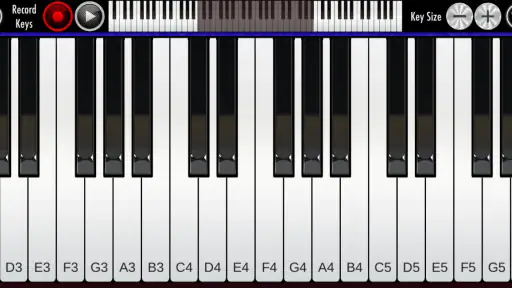
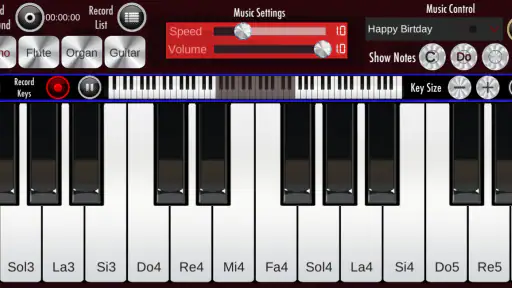
 Analysis by Frivlyz
When I want to try a tune without setting up an instrument, a piano app is an easy place to start. Real Piano turns a phone screen into a playable keyboard, and its appeal is straightforward: it gives me a quick way to tap out notes, explore a melody, or spend a few minutes with music wherever I happen to be. It is a music game from Bilkon, but I find it works best when I treat it as an accessible digital instrument rather than a substitute for a full-size piano.
That distinction matters before you download it. Touchscreens are convenient, but they cannot reproduce the reach, key weight, or physical feedback of an acoustic piano. On a phone, I can sketch out musical ideas and enjoy casual playing; I would not use the experience as my only route to serious keyboard technique. The game is free and rated for Everyone, which makes it easy to try for yourself or share a quick musical diversion with family.
Getting Started with Real Piano
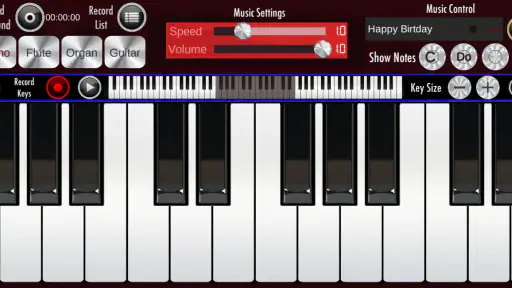
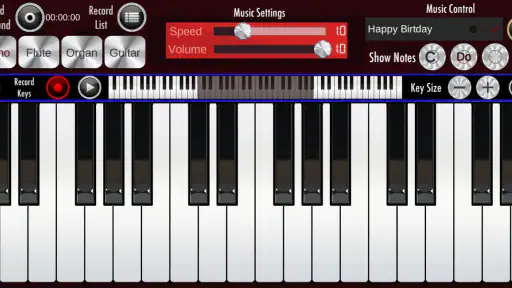
Downloading the Real Piano app is as easy as pie. Available on both Android and iOS, it installs in a jiffy. Once you open it, you're greeted by a sleek, user-friendly interface that feels like a digital concert hall. The keys are neatly laid out, and trust me, they are responsive enough to make you forget you're playing on a screen.
Our Stories on Real Piano
Real Piano: Unleashing Creativity with Every Note
NewsReal Piano: Transform Your Phone into a Concert-Ready Instrument
NewsReal Piano: Transform Your Mobile into a Concert Grand
NewsReal Piano: Revolutionizing Mobile Music Learning
NewsDancing Road Turns Short Breaks Into a Test of Rhythm and Timing
NewsSuper Stylist Makes Every Outfit a Test of Taste and Patience
NewsThat immediate keyboard access is particularly useful in little gaps in the day. I can open the app while waiting for someone or during a quiet break and test the shape of a melody before it slips my mind. For a more deliberate session, I would first settle the phone somewhere stable and give my hands room to reach the keys. Holding a phone in one hand and trying to play with the other is fine for a quick note, but it quickly becomes awkward when a phrase needs both hands.
On a small display, screen space becomes part of the instrument. I find it helps to use a comfortable orientation and avoid crowding the keys with fingers; the aim is not to force a performance onto a surface that is too small, but to choose short phrases that fit the layout. A tablet or a larger phone can make that kind of exploration more comfortable, while a compact phone is better suited to checking a note or playing a simple tune.
Features that Hit the Right Notes
First off, the sound quality is top-notch. The app developers have gone above and beyond to ensure the piano sounds are as authentic as possible. You can almost feel the vibrations of the strings as you play.
But that’s not all. The app includes various instruments like the organ and harpsichord. Switching between instruments is hassle-free, making it perfect for experimenting with different sounds. Whether you're practicing your scales or composing a new hit, there's something here for everyone.
Gaming Stories You May Enjoy

Dominoes on Your Terms: Who Should Play and Who Should Pass

Pokémon GO Makes the Familiar World Feel New

Chess.com Turns Rematches Into Rivalries, but Community Has Its Costs

Archery Battle 3D Review: Sharp Aiming, Unclear Feedback

Should You Switch to Geometry Dash Meltdown? A Test of Timing and Patience

Fidget Toys Trading・Pop It 3D: What Happens When the Game Stumbles
Changing instruments is more than a novelty when I use it to think about the character of a phrase. A line that feels soft and familiar on piano can seem more formal or unusual on an organ or harpsichord. I like that as a low-pressure way to compare colors and decide what mood I want, even if I am only playing a few notes. The trade-off is that changing the sound does not change the basic limits of tapping on glass: expression still depends on how clearly I can place each note.
For an everyday example, imagine a tune coming to mind on the way home. I can bring up the keyboard, try the notes in a short sequence, then switch instruments to see whether the idea feels brighter or more solemn. That is a practical use for a pocket keyboard: it can help me hold onto an idea and play with its mood before I have an instrument nearby. It is less suited to working out a complicated arrangement, where a physical keyboard makes it easier to reach notes and coordinate both hands.
Perfect for All Skill Levels
One of the things I love about Real Piano is how inclusive it is. Whether you're a newbie just starting or a seasoned player, the app caters to all. It includes a plethora of tutorials and lessons that guide you through the basics and advanced techniques. The lessons are well-structured, and honestly, they’re as good as having a personal tutor.
For someone just beginning, I would use the screen keyboard to get comfortable with note order and to test whether playing piano is enjoyable before committing to lessons or equipment. For someone with experience, it is more of a handy sketchpad than a practice-room replacement: useful for remembering a fingering idea or checking a melody, but not a faithful way to work on touch and dynamics. That is where a real keyboard, or a more specialized learning tool, is the better choice.
It is also worth being realistic about what an app can teach. A guided activity can make it easier to begin, but I would not assume that following instructions on a phone automatically builds the same habits as a teacher watching hand position and timing. I would use the app to make practice feel approachable, then seek a physical instrument or personal instruction if my goal were to develop a dependable technique.
For those who love to jam along, the app offers a variety of tracks you can accompany. It’s a fun way to improve your skills and feel like part of a band. Plus, with the recording feature, you can capture your sessions and share them with friends or even critique your own playing to get better.
Recording is most useful to me as a way to listen back with a specific question in mind: did I keep the melody steady, or did I lose the rhythm when the notes changed? That is more actionable than replaying a session and judging it only as “good” or “bad.” A short recording can also preserve a musical thought for later. I would not treat a phone recording as a polished performance by default; its value here is in reviewing an idea and noticing what I want to try next.
A Few Notes on Usability
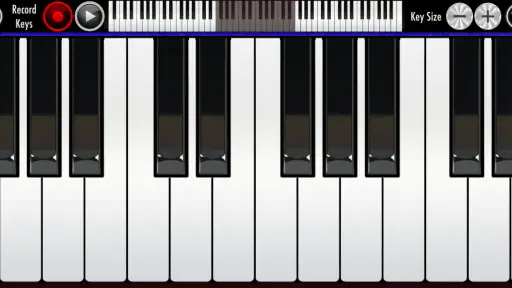
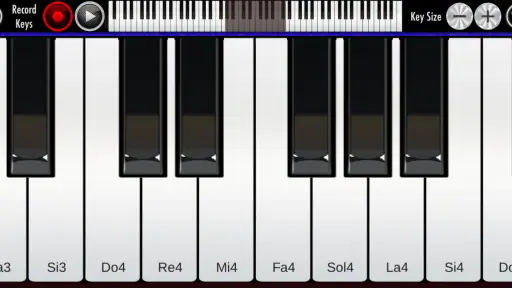
The app is intuitive and smooth, with minimal lag, which is crucial when you're playing music. The customization options allow you to adjust the size of the keys and even the sensitivity, making it adaptable to different playing styles.
Those adjustments can make a meaningful difference in day-to-day use. If notes feel cramped, changing the key size may make short exercises easier to manage; if taps seem too eager or too difficult to register, trying another sensitivity setting can help the keyboard feel more comfortable. I would make one adjustment at a time and test it with the same little phrase, rather than changing several settings at once and losing track of what helped.
Touch response is also something I would check before relying on the app for a particular session. Screen size, the way I hold the device, and where my fingers land all affect how naturally I can play. If the keyboard feels fiddly, that does not necessarily mean the app is a poor fit; it may simply mean the device is better for short experiments than extended practice. For longer sessions, a larger screen or a physical keyboard is more comfortable.
Compared with the usual alternatives, this sits between a simple piano toy and a dedicated learning setup. A toy-style app is often best for tapping sounds with no particular goal; a structured music-learning tool is more appropriate when I want a defined lesson path. Real Piano’s draw is the direct keyboard experience and the chance to try different instrument tones. I would choose it for casual playing and musical sketches, not as my first pick for a curriculum, professional composition workflow, or realistic piano technique.
The game has been available since June 2, 2017, and its current version is 1.24, with Android 5.1 as the minimum OS. Its average rating is 3.7 from around 256,000 ratings, and it has passed 100 million installs. That reach suggests many people have tried it, but popularity alone does not tell me whether its touchscreen layout suits my hands. I would judge it by trying a short melody on my own device, especially if I plan to use it regularly.
Another practical question is whether it is a good choice for children. Its Everyone age rating makes it broadly suitable from an age-classification standpoint, and the simple act of tapping notes can be an inviting first contact with a keyboard. I would still think about the child’s goal: casual musical play is a natural fit, while learning to read music or developing reliable hand technique calls for more structured support. Playing together and asking a child to listen for how the piano, organ, and harpsichord differ can turn a quick session into a useful listening exercise.
Likewise, I would not choose a phone piano as a quiet replacement for every situation. Sound from a mobile device depends on the device and surroundings, so I would keep the volume considerate and use headphones when that makes sense. The game is at its best when I can focus on a few notes without expecting the room-filling sound or tactile response of a real instrument.
However, it’s worth noting that while the free version offers a lot, some features are locked behind a paywall. If you're serious about your music, it might be worth investing in the premium version to unlock everything the app has to offer.
That limitation is a reason to think about how I intend to use it before spending anything. If my interest is occasional melody testing or relaxed play, the free experience may be enough to decide whether the keyboard feels right. If I need a particular extra feature, I would check that it is available in the version I plan to use rather than assuming that every part of the experience is included. For someone who already knows they need a full-featured practice environment, comparing dedicated alternatives first is sensible.
Who Will Enjoy This Pocket Keyboard
I would recommend it most readily to curious beginners, casual players, and anyone who likes having a piano-style keyboard close at hand. It can make a short wait more entertaining, offer a place to test a melody, or let a family member explore different instrument sounds. The combination of quick access and selectable tones gives those small sessions a little variety without asking for a formal practice plan.
I would steer away from it if the main goal is building concert-ready technique, playing demanding pieces comfortably, or replacing a keyboard at home. Those goals depend on physical space between keys and a playing feel that a touchscreen cannot provide. A dedicated digital piano is a better fit for regular training; a structured lesson app is a better fit for someone who wants a clear course rather than an open keyboard to explore.
For musicians, the useful question is not whether a phone can replace an instrument, but whether it can remove friction from one small task. If I need to remember a tune, compare a piano-like sound with an organ or harpsichord, or capture a quick musical thought, this kind of app can help. If I need to rehearse a complex passage or evaluate nuanced dynamics, I would move to a real keyboard instead.
A Pocket Instrument, with the Right Expectations
In conclusion, Real Piano is a fantastic app for anyone interested in playing the piano. It’s portable, convenient, and packed with features that make learning and playing music a joyous experience. Whether you're practicing for a recital or just playing for fun, this app is a perfect companion. So go ahead, download it, and let your musical journey begin!
My more measured recommendation is to see it as a convenient musical companion, not a complete piano course or a substitute for a physical instrument. The keyboard, alternate sounds, tracks, and recording can make spontaneous play more engaging, while the small screen and touch-based input remain real constraints. If you want a free way to explore piano sounds and try out ideas, it is worth a look; if you need accurate technique training, I would choose a full-size keyboard or focused instruction instead.
Real Piano Pros and Cons
Pros
- Realistic sound quality and keyboard feel.
- Variety of songs to learn and play.
- User-friendly interface for beginners.
- Customizable keyboard settings.
- Offline mode available.
Cons
- Ads can be intrusive during play.
- Limited free features without subscription.
- Occasional app crashes reported.
- Requires significant storage space.
- Some advanced features are paid only.
This Game in Other Languages
Frequently Asked Questions
What features does Real Piano offer for beginners?
Real Piano is designed to accommodate both beginners and advanced players. For beginners, the app offers interactive lessons that guide users through the basics of playing the piano. It includes a virtual keyboard with adjustable size, and users can choose from a variety of songs to practice with. Additionally, the app has a feature that highlights keys to press, helping beginners learn the notes and timing effectively.
Can I customize the sound and appearance of the virtual piano in Real Piano?
Yes, Real Piano allows users to personalize their experience by customizing both the sound and appearance of the virtual piano. You can choose from different types of piano sounds, such as grand piano, electric piano, or organ, to suit your musical preference. Additionally, users can adjust the size of the keys and select different themes to change the look of the virtual keyboard, making it more engaging and visually appealing.
Does Real Piano support MIDI connectivity and external keyboards?
Real Piano supports MIDI connectivity, allowing users to connect external MIDI keyboards for a more authentic playing experience. This feature is particularly beneficial for users who own a MIDI-compatible keyboard and wish to use it with the app. By connecting an external keyboard, users can enjoy better tactile feedback and practice their skills with a real instrument feel, bridging the gap between digital and acoustic pianos.
Is Real Piano suitable for professional musicians and composers?
Real Piano is not just for beginners; it also caters to professional musicians and composers. The app includes advanced features such as multi-touch support, a metronome for keeping time, and the ability to record and save compositions. Professionals can use these tools to compose music on-the-go, experiment with new ideas, or simply practice their skills. The app's high-quality sound and realistic piano simulation make it a valuable tool for serious musicians looking to enhance their creativity.
Are there any in-app purchases or subscriptions in Real Piano?
While Real Piano is free to download and offers a variety of features at no cost, it does include optional in-app purchases and subscriptions. These purchases may unlock additional songs, premium piano sounds, and advanced lessons. Users can choose to pay for these extras if they wish to enhance their learning experience or access exclusive content. It's important to note that basic features remain accessible without any purchases, allowing users to enjoy the core functionalities of the app.


