

Real Guitar: acoustic electric
- Reviews
- 4.3
- Version
- 8.35.11
- Installs
- 50,000,000+

Screenshots


 Analysis by Frivlyz
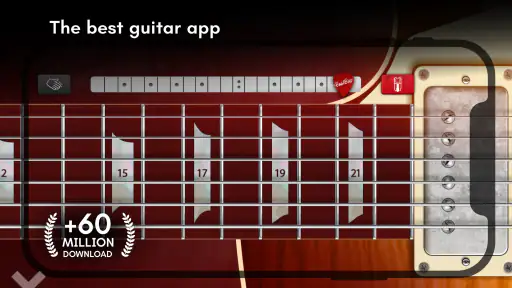
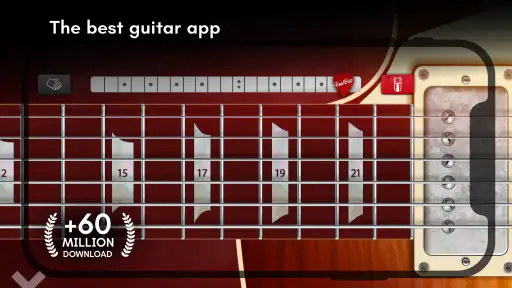
I find Real Guitar: acoustic electric most useful when I want to explore guitar sounds without having an instrument beside me. It is a music game from Kolb Apps, but its appeal is broader than casual tapping: the virtual fretboard gives beginners a low-pressure place to try chord shapes and lets experienced players sketch out ideas. I would treat it as a handy practice companion, not a replacement for learning on strings. That distinction matters, because touching a phone screen cannot teach the feel of fretting a real guitar or the small adjustments that make notes ring cleanly.
What the current version is best suited to
The game has been around since June 11, 2012, and version 8.35.11 is its current release. That long-running presence is useful context, but it is not proof that every part of the experience will suit every player. I would judge it by what it can do for a short practice session now: give you a portable place to try chords, hear a guitar-like sound, and work through musical ideas when carrying an instrument is impractical.
For a complete beginner, that can make the first steps feel less intimidating. You can experiment with how chord changes sound before worrying about finger soreness or buying equipment. For someone who already plays, the same convenience is better viewed as a way to keep a musical thought from disappearing during a commute, a quiet break, or a moment away from home. The screen is a quick-access instrument, not a shortcut around practice.
Our Stories on Real Guitar: acoustic electric
Prison Break: Stick Story – Navigating Digital Freedom
NewsDancing Road Turns Short Breaks Into a Test of Rhythm and Timing
NewsSuper Stylist Makes Every Outfit a Test of Taste and Patience
NewsDominoes on Your Terms: Who Should Play and Who Should Pass
NewsPokémon GO Makes the Familiar World Feel New
NewsChess.com Turns Rematches Into Rivalries, but Community Has Its Costs
NewsHow to make short sessions more useful
I would start with a specific goal rather than opening the app and tapping at random. Pick one chord change you are trying to remember, or focus on keeping a steady pulse for a short stretch. The chord library can help you check a shape, while the metronome gives you a clear reference for timing. Using one tool at a time keeps the session focused; trying to learn a chord, chase a melody, and build a layered track all at once can turn a useful pocket practice into aimless fiddling.
A practical routine is to look up a chord, play it slowly, and then alternate it with a second chord while keeping a steady beat. If the transition feels awkward on the screen, treat that as a prompt to revisit it on a real guitar later, rather than evidence that you have mastered the movement. The app can help you remember the sound and sequence, but your hands still need physical practice to develop pressure, reach, and clean changes.
Where it sits among guitar-learning options
Compared with a physical guitar, this game is easier to carry and quicker to start, but it cannot reproduce the instrument’s strings, fret resistance, tuning habits, or body resonance. Compared with a lesson-focused guitar app, its strength is the hands-on virtual playing experience and its chord, metronome, and looper tools. If your main goal is structured teaching, feedback on your technique, or learning to play songs on a real instrument, a dedicated course or an actual guitar with lessons will serve you better.
It is also worth separating musical play from skill transfer. A touch interface can help you explore rhythm and chord relationships, yet the finger movements are unlike fretting and picking on a guitar. I would use it to support listening, recall, and idea-making, then move to a real instrument whenever the aim is to build technique. That makes the app a useful side tool instead of a substitute that promises more than it can deliver.
Gaming Stories You May Enjoy

Archery Battle 3D Review: Sharp Aiming, Unclear Feedback

Should You Switch to Geometry Dash Meltdown? A Test of Timing and Patience

Fidget Toys Trading・Pop It 3D: What Happens When the Game Stumbles

NBA LIVE Mobile Makes the Season the Main Event

Sonic Forces: PvP Battle Race - Speed and Strategy Combined

Unlocking the Secrets of Piano Game: Classic Music Song
Getting Started with Real Guitar
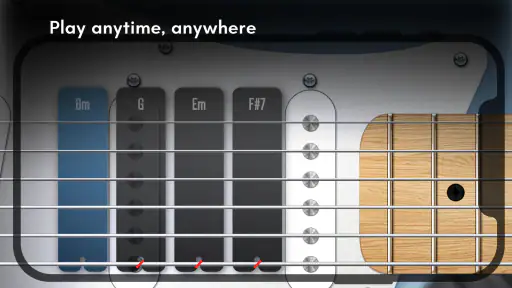
When I first downloaded Real Guitar: acoustic electric, I was pleasantly surprised at how intuitive the interface is. It's like the developers somehow knew that I'd want to jump right in without wading through a sea of confusing menus. The app offers a variety of guitar types to choose from, including acoustic, electric, and even classic. You can simply tap on the type of guitar you want to play, and you're off to the races!
Features That Struck a Chord
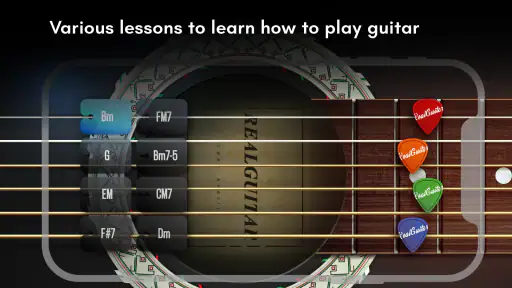
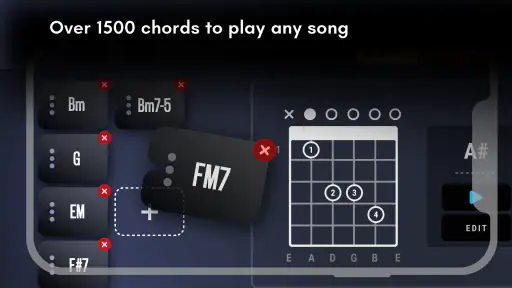
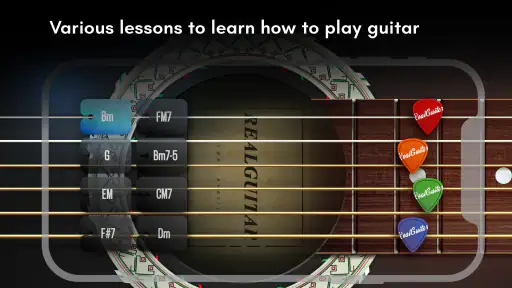
One of the standout features is the chord library. It's comprehensive and super easy to navigate. Whether you're trying to master the basics or tackle more complex chords, the library has got you covered. The app also offers a metronome and a looper, which are invaluable tools for practice. I found the metronome particularly helpful in keeping my timing spot on, while the looper allowed me to create layers upon layers of sound. It’s like having a mini recording studio in your pocket!
A User-Friendly Experience
What really sets this app apart is its user-friendly design. The graphics are sleek and the sound quality is impressive—no tinny, fake sounds here. I especially appreciated the multi-touch functionality, which makes playing feel more natural and authentic. Plus, the app's responsiveness is on point, ensuring that every strum and pluck comes out cleanly.
Perfect for All Levels
Whether you're just starting your guitar journey or you're a seasoned pro, Real Guitar caters to all skill levels. Beginners will love the easy-to-follow tutorials and the ability to slow down songs to practice along. For more advanced players, the app offers a variety of songs and riffs to challenge your skills. It's like having a personal guitar teacher available anytime, anywhere!
Practical trade-offs before you settle in
The most important question is whether this can teach me to play a real guitar. My answer is: it can support learning, but it cannot stand in for the physical work. The virtual fretboard is convenient for recognizing chord shapes and hearing changes, while real playing asks your fingertips to press strings, your picking hand to control attack, and both hands to coordinate across an instrument. I would use the app to reinforce ideas between lessons or practice sessions, not to judge whether my technique is ready for a song at full speed.
Another useful question is whether it works for someone who has never played. It is approachable as a first contact with chord names and musical timing, especially if you take one small task at a time. A new player should pair it with a real instrument or a structured course once they are ready to learn posture, tuning, finger placement, and clean notes. The app can make those early concepts less abstract, but it cannot show whether a finger is muting a neighboring string on a physical guitar.
For a casual user, I would make the looper serve a specific purpose: record a simple chord pattern, then use it as a steady background while trying a rhythm or melody. That is more informative than stacking layers just because the option is there. It lets you hear whether an idea fits over a repeating progression, and it can make a brief session feel musical even when you have no amp or instrument nearby. The trade-off is that phone speakers and a touch screen are not the same as hearing a guitar through the setup you would use to perform.
A realistic place in an everyday routine
Imagine having ten quiet minutes before meeting a friend who owns a guitar. I might open the chord library, refresh a couple of shapes, and tap through a slow change with the metronome. When we meet, I can spend less time trying to remember the names and more time handling the real instrument. Or, if a melody comes to mind while I am away from home, I can use the virtual guitar to test its general direction and save the idea in my memory. Those are modest jobs, but they are exactly where a portable simulation is convenient.
There are also times I would skip it. If I need detailed feedback on posture, finger pressure, tuning, or picking technique, I would choose an in-person teacher, a lesson resource built around technique, or practice on a real guitar. If I want realistic performance dynamics, the actual instrument wins as well. And if I am easily distracted by tapping through sounds without a plan, I would set a short goal before opening the game; otherwise its convenience can encourage entertainment without much deliberate progress.
On iOS and Android, the basic decision is whether a virtual instrument is worth having in your pocket. The game is free to download, with in-app purchases ranging from $1.99 to $18.99 per item. I would begin with the free experience and decide whether I use its practice tools often enough to consider anything else. Those purchases are optional costs to weigh against your own habits, not a reason to assume that spending will make the virtual fretboard more like a physical guitar.
What the track record tells me—and what it does not
Real Guitar has a 4.3 average from around 366,000 ratings, and it has passed 50 million installs. Those figures suggest that many people have found a reason to try it, but popularity alone does not tell me whether its touch controls match my hands or whether its learning approach fits my goals. I would use the rating as a broad signal of an established app, then make the decision based on the kind of practice I actually want.
Its Everyone age rating makes it accessible to a broad audience, which suits a simple music-making tool that can be explored casually. Kolb Apps has kept the product current through version 8.35.11, but a version number by itself does not tell me which particular changes have been made or how they affect a specific device. For existing users, the sensible approach is to check that the current build runs comfortably on their phone and to keep expectations focused on the core virtual-guitar experience rather than assuming an update has transformed it into a full lesson platform.
That distinction also helps explain who is likely to enjoy it most. A curious beginner, a songwriter who wants to sketch a chord idea, or a guitarist who wants a quick musical distraction may all get something different from the same tools. A learner who needs a guided curriculum, a player who wants accurate physical technique feedback, or someone preparing for a live performance should look elsewhere for the main part of that job. I see the app as a flexible musical notepad with playable strings on a screen, not an all-in-one guitar education system.
What I would look for next
When considering any future version, I would focus on practical questions rather than expecting a particular feature: does the interface remain quick to navigate, do the controls feel dependable on my device, and are the tools I already use still easy to reach? Those are the changes that matter most to an established user who relies on a fast chord lookup or a short looper session. I would also keep the difference between current experience and future possibility clear; a new version number is a reason to check what has changed, not evidence that a specific improvement has arrived.
For a new user, I would test the app with one small, repeatable exercise before deciding whether it belongs in a routine. Try a chord lookup, keep time with the metronome, and see whether you can make a short idea with the looper. If that helps you return to a real guitar with a clearer plan, it is doing a useful job. If you find yourself tapping without learning or prefer instruction that listens to your playing, another kind of tool is likely to be a better fit.
In conclusion, if you've been searching for a guitar app that's both fun and functional, Real Guitar: acoustic electric is definitely worth a try. It's packed with features that can help you learn, practice, and perfect your guitar skills, all while having a ton of fun. So, grab your virtual pick and start strumming—your inner rockstar will thank you!
Real Guitar: acoustic electric Pros and Cons
Pros
- Realistic sound quality enhances user experience.
- Wide range of chords and scales available.
- Intuitive interface for easy navigation.
- Customizable settings for personalized experience.
- Offline mode available for practice anywhere.
Cons
- Contains ads that may interrupt playing.
- Limited free features without subscription.
- High battery consumption during use.
- Occasional lags on older devices.
- Requires initial learning curve for beginners.
Frequently Asked Questions
What is Real Guitar: Acoustic Electric, and how does it work?
Real Guitar: Acoustic Electric is a mobile app designed to simulate the experience of playing a guitar, offering both acoustic and electric guitar sounds. It works by allowing users to strum, pluck, and tap on virtual strings displayed on their device's screen. The app provides a realistic guitar-playing experience by using high-quality sound samples and intuitive controls, making it ideal for both beginners and experienced guitarists looking to practice or compose music on the go.
Is Real Guitar: Acoustic Electric suitable for beginners?
Yes, Real Guitar: Acoustic Electric is highly suitable for beginners. The app includes tutorials and practice modes that guide new users through the basics of guitar playing. It offers a user-friendly interface with clear instructions and a variety of learning resources, such as chord charts and song libraries, to help beginners quickly get up to speed with playing their favorite songs or learning new techniques.
What features does Real Guitar: Acoustic Electric offer to enhance the playing experience?
Real Guitar: Acoustic Electric offers a range of features to enhance the playing experience, including multiple guitar types, such as classical, acoustic, and electric. It also features a chord library, various effects pedals, and recording capabilities. Users can customize the interface to suit their playing style and access a wide selection of backing tracks to practice along with, making it a versatile tool for music creation and practice.
Can I use Real Guitar: Acoustic Electric for professional music production?
While Real Guitar: Acoustic Electric is primarily designed for practice and learning, it can be used for professional music production, thanks to its high-quality sound samples and recording features. Users can record their sessions and export them in various formats for further editing in digital audio workstations (DAWs). However, for more advanced production needs, integrating the app with professional recording equipment and software might be necessary.
Does Real Guitar: Acoustic Electric require an internet connection to function?
Real Guitar: Acoustic Electric does not require an internet connection for its core functions, such as playing guitar or accessing saved content. However, an internet connection may be needed to download additional content, such as new songs or updates. Users can enjoy playing offline, making it a convenient option for those who want to practice or perform without relying on network access.


